
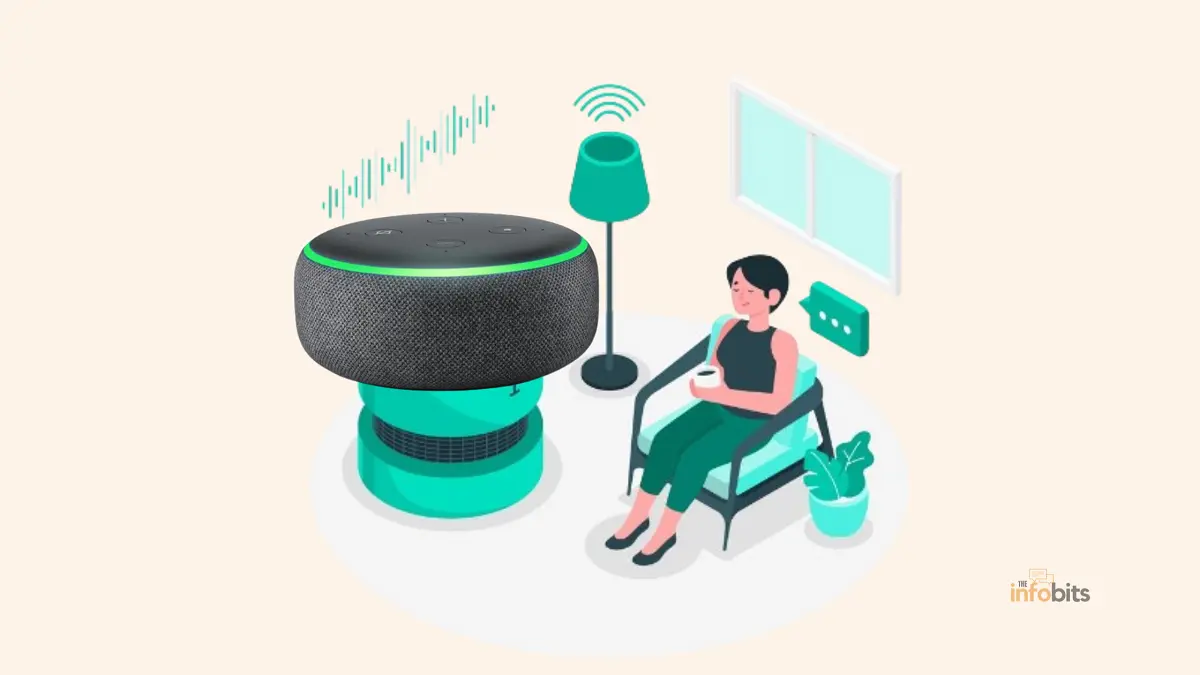
Alexa Green Light: What It Means and How to Turn It Off (2026 Guide)
Quick answer: A green light on your Echo device almost always means a call or Drop In. A pulsing/flashing green light means someone is calling or dropping in right now. A spinning green light means you’re already on that call. On some newer Echo models, a solid green light can also mean a waiting notification, such as a shipping update. It is not a sign of a problem; Alexa uses it to get your attention.
If you own an Echo speaker or Echo Show, you’ve probably watched that light ring shift color and wondered what it’s trying to tell you.
Green tends to catch people off guard because, unlike the more familiar red (muted mic) or blue (listening), it usually shows up when you least expect it: mid-dinner, mid-meeting, or in the middle of the night.
This guide breaks down every green light pattern your Echo can show, why it happens, how to make it go away, and what to do if it won’t turn off no matter what you try.
If you’re also curious about other colors, we’ve covered what a red light on Alexa means and why Alexa stops responding to voice commands in separate guides.
What Does a Green Light on Alexa Mean?
On Amazon Echo speakers and Echo Show displays, the light ring (or light bar, on Show devices) is Alexa’s way of communicating status without saying a word out loud.
Green is reserved almost exclusively for communication features – calls, Drop In, and, on some devices, waiting notifications.
According to Amazon’s own support documentation, a pulsing green light means you’re receiving a call, and a spinning green light means that call or Drop In is already active. That’s the core, official meaning.
Everything else, solid green tied to notifications, for example, is a secondary behavior some users see depending on their device generation and software version.
Pulsing vs. Spinning vs. Solid Green
Getting the pattern right matters because each one calls for a different response.
| Pattern | What It Means | What To Do |
|---|---|---|
| Pulsing/flashing green | Incoming call or Drop In request | Say “Alexa, answer” or “Alexa, ignore” |
| Spinning green | You’re on an active call or Drop In | Say “Alexa, hang up” to end it |
| Solid green (some devices) | A notification is waiting, such as an order update | Say “Alexa, what are my notifications?” |
Pulsing or Flashing Green Light
This is the most common green pattern people ask about. It means someone, a contact using their own Echo device or the Alexa app, or a caller dialing your linked number, is trying to reach you right now. Think of it as Alexa’s version of a ringing phone, just silent and visual.
Spinning Green Light
Once you accept a call or someone drops in, the pulsing light switches to a spinning motion. This tells you the connection is live and you can start talking. It will keep spinning for the entire length of the call.
Solid Green Light
This pattern is less universal and depends on your Echo model and firmware, but plenty of owners report a steady, unblinking green ring tied to notifications, most often a package delivery update from Amazon’s own shopping app integration. It clears itself once you ask Alexa to read your notifications.
One important correction worth making here: solid green is not a general “everything is fine, I’m powered on” indicator, despite what some guides claim.
A healthy, idle Echo device typically shows no light at all. If your device is glowing solid green with no call or notification in sight, treat it as a notification cue first, then work through the troubleshooting steps further down.
Why Is My Alexa Green? 6 Common Causes
1. Incoming Call or Drop In
Someone is trying to reach you through the Alexa Calling feature or a Drop In session. This is by far the most frequent trigger.
2. New Notification
You may have a shipping update, a reminder about a frequently reordered item, or an unread Alexa message. Ask “Alexa, what are my notifications?” to hear it and clear the light.
3. Active Timer, Alarm, or Reminder Confusion
Timers and alarms don’t normally trigger green. That’s usually a different visual or audio cue. But if you’ve recently set a reminder through a Drop In-linked routine, it’s worth double-checking your voice history so you’re not misreading the cause.
4. A Routine or Skill: Placed a Call on Your Behalf
If you’ve built a routine that includes a calling or Drop In action (for example, “Alexa, I’m home” triggering a Drop In to a shared device), the green light can appear without an obvious external trigger.
5. Alexa Misheard a Command
It happens more often than people expect: Alexa mishears a name or command as an instruction to call or drop in on someone. Your voice history in the Alexa app will confirm whether this is what happened.
6. Someone Else in Your Household Has Access
If multiple people share your Alexa account or household, any of them can initiate a Drop In or call that lights up every linked device.
How to Turn Off the Green Light on Alexa
There’s a quick fix for the moment, and a permanent fix if you never want to deal with it again.
To stop a pulsing (incoming) green light: Say “Alexa, answer” to take the call, or “Alexa, ignore” to decline it. Either command clears the light immediately.
To stop a spinning (active call) green light: Say “Alexa, hang up.” The moment the call ends, the ring returns to its idle state.
To stop a solid (notification) green light: Say “Alexa, what are my notifications?” Once Alexa reads it back to you, the light clears on its own.
To turn off green light notifications permanently:
- Open the Alexa app and go to Devices.
- Tap Echo & Alexa, then select the device showing the green light.
- Tap Communications and toggle it off. This stops calls and messages from non-Alexa phone numbers.
- In the same menu, toggle off Drop In if you don’t want other Echo users or app users dropping in on you.
- For notification-based green light, go to Settings > Notifications and adjust which apps and skills (including Amazon Shopping) are allowed to notify you.
A faster alternative for busy periods: turn on Do Not Disturb by saying “Alexa, turn on do not disturb.” This blocks incoming calls, drop-ins, and notifications without changing your permanent settings, and you can switch it off again the same way once you want alerts back.
Green Light Stuck or Won’t Go Away?
If the green light won’t clear even after you’ve answered, ignored, or hung up, work through these steps in order.
1. Check for hidden notifications. Say “Alexa, read my notifications”; a second, unread notification can keep the light on even after you’ve dealt with the first one.
2. Review your voice history. In the Alexa app, go to More > Settings > Alexa Privacy > Review Voice History. This shows whether Alexa auto-started a call or Drop In you didn’t intend.
3. Try the hang-up command again. Occasionally, a call doesn’t fully disconnect on the first attempt. Repeat “Alexa, hang up” once more.
4. Turn off Drop In and Communications temporarily. If the light persists, disabling these features (Devices > Echo & Alexa > your device > Communications) forces any lingering session to end.
5. Check your network connection. Alexa relies on a stable internet connection to sync call status. A weak or dropping Wi-Fi signal can leave the device showing a stale status light. If Wi-Fi issues are a recurring problem in your home, it’s worth choosing the best Wi-Fi channel for your router to reduce interference.
6. Update firmware. Go to Devices > Echo & Alexa > your device > Device Settings > About, and check for a pending software update.
7. Restart the device. Unplug it, wait 30 seconds, and plug it back in. This resolves the vast majority of stuck-light issues tied to a software glitch.
8. Factory reset as a last resort. If nothing else works, a factory reset (method varies slightly by Echo generation; check your device’s settings menu for the exact button combination) clears out any corrupted state. You’ll need to set the device up again afterward.
Alexa Green Light vs. Other Echo Colors
Green doesn’t operate in isolation. Knowing the full color code helps you diagnose issues faster.
| Color | Pattern | Meaning |
|---|---|---|
| Green | Pulsing | Incoming call or Drop In |
| Green | Spinning | Active call or Drop In |
| Yellow | Pulsing | New message or notification waiting |
| Yellow | Spinning | Connecting to Wi-Fi |
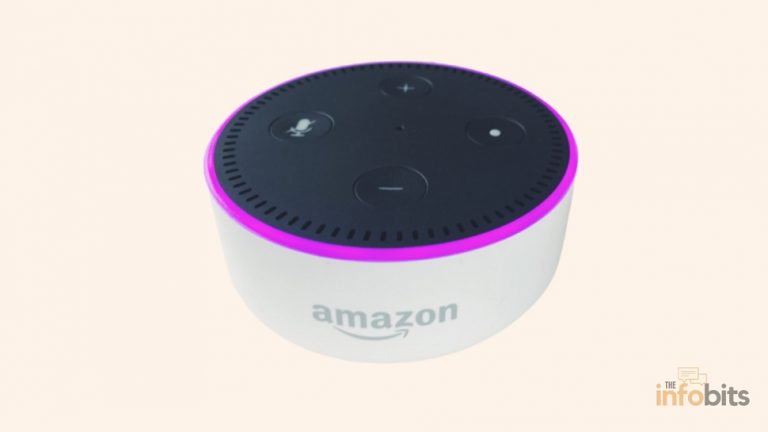
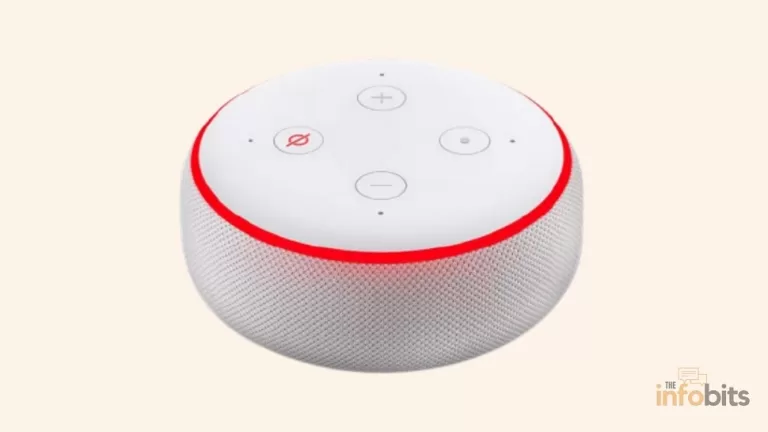
| Red | Solid | Microphone muted |
| Blue | Spinning/solid | Alexa is listening or processing |
| Orange | Spinning | Device setup mode or trying to connect to the internet |
| Purple | Brief flash | Do Not Disturb is active |
| White | Spinning | Alexa Guard is set to Away mode |
| White | Solid/changing | Volume being adjusted |
| Teal/Blue | Slowly spinning | Device is starting up or restarting after an update |
Worth flagging: Alexa Guard’s away-mode indicator is a spinning white light, not green; a mix-up you’ll see repeated across a few older guides online.
Managing Calls, Drop In, and Privacy on Alexa
Since green is tied to communication features, it’s worth understanding and controlling who can actually reach your Echo.
- Drop In lets approved contacts connect to your device instantly, without you answering, similar to an intercom. Only enable this for close family or household members.
- Alexa Calling works more like a phone call; the recipient has to accept it first.
- You can restrict Drop In to household-only devices, turn it off entirely, or set specific contacts as approved, all from Devices > Echo & Alexa > Communications in the app.
- If you’re setting up Echo devices across a larger household, it’s also worth reviewing who else has access to your Wi-Fi network in general. Our guide on creating a secure guest network covers how to keep smart home devices, such as an Echo, separated from guest traffic.
If you’re building out a smart home setup around your Echo devices and want more control over your lighting, a smart plug that works with Alexa (see the options on Amazon) can be a simple way to extend voice control to lamps and appliances that aren’t natively smart, handy if the light-ring codes have you thinking more broadly about how your home responds to Alexa’s cues.
Common Mistakes People Make With the Green Light
- Assuming solid green always means “all good.” In reality, an idle, healthy Echo usually shows no light at all. As we discussed earlier, solid green is tied to a waiting notification on many devices, not a status confirmation.
- Confusing green with yellow. Both can appear as a pulsing light, and in certain lighting conditions or on older Dot models, they can look similar. Ask Alexa directly (“What’s this light?”) if you’re not sure.
- Ignoring the drop in permissions. Leaving Drop In open to non-household contacts is the most common reason people get surprised, unwanted green lights.
- Skipping the voice history check. Many “random” green lights trace back to a misheard command, and the voice history log is the fastest way to confirm it.
- Factory resetting too early. This should be a last resort. Most stuck-light issues resolve with a simple restart or a Communications toggle.
Final Thoughts
The green light on your Alexa device isn’t something to worry about. It’s one of the most useful visual cues Echo devices offer, letting you know about calls, Drop Ins, and notifications without needing to check your phone.
Once you know the difference between pulsing, spinning, and solid green, you can respond in seconds, and if it ever gets stuck, the troubleshooting steps above will clear it up in almost every case.
If you’re still getting used to how your Echo communicates, our guides on what a red light on Alexa means and fixing an Alexa that won’t respond to commands are good next reads.
Frequently Asked Questions
What does a green light on my Alexa device mean?
It almost always signals a call or drop-in; pulsing means incoming, spinning means active. On some models, a solid green light can also mean a waiting notification.
How do I turn off the green light on Alexa?
Say “Alexa, answer” or “Alexa, ignore” for an incoming call, “Alexa, hang up” for an active one, or “Alexa, what are my notifications?” for a solid green light.
Why does my Alexa keep flashing green for no reason?
Check your voice history in the Alexa app. Alexa may have misheard a command as a call or Drop In request.
Is a green light on Alexa a warning sign?
No. It’s a communication indicator, not an error or safety alert.
How do I stop people from dropping in on my Echo?
Go to Devices > Echo & Alexa > your device > Communications > Drop In, and turn it off or restrict it to household devices only.
Can I permanently disable the green light?
Yes. Turning off Communications and Drop In for a device stops nearly all green-light triggers, though system notifications may still occasionally light it up briefly.
What’s the difference between pulsing and spinning green?
Pulsing means someone is trying to reach you right now; spinning means you’re already connected to that call or drop-in.
Why is my Alexa green and not responding to commands?
This usually points to a call or drop-in session that’s actively using the microphone. Say “Alexa, hang up” first, then try your command again.
Does Do Not Disturb stop the green light?
Yes. Turning on Do Not Disturb (“Alexa, turn on do not disturb”) blocks incoming calls, drop-ins, and notifications, which prevents the green light from appearing.
My Alexa green light won’t turn off. What should I do?
Check for hidden notifications, review voice history, restart the device, and disable Drop In/Communications temporarily if the light persists.
Does Alexa Guard use a green light?
No. Alexa Guard’s Away mode uses a spinning white light, not green.
Can a weak Wi-Fi connection cause green light issues?
Yes, an unstable connection can leave the light showing a stale or stuck status because your device can’t sync properly with Alexa’s servers.
What does a solid green light mean specifically?
On many Echo models, it indicates a pending notification, such as a shipping update, rather than an active call.
How do I know if someone is calling versus dropping in?
Both trigger the same pulsing green light. The Alexa app’s notification or your voice history will tell you which type of connection is coming through.
Will restarting my Echo fix a stuck green light?
In most cases, yes. Unplug the device for 30 seconds and plug it back in. This clears the majority of software-related light glitches.
Can I change the green light to a different color?
The color itself is tied to the function (calls, notifications, etc.) and isn’t user-customizable, though you can adjust the light ring’s brightness in device settings.
Does the green light drain more battery or power?
No. Echo devices are plugged into mains power, and the light ring uses a negligible amount of electricity regardless of color or pattern.
Why does my Echo Show display a green bar instead of a ring?
Echo Show devices use a light bar at the bottom of the screen instead of a ring, but the color meanings, including green for calls and Drop In, stay the same.
Please share this article with your friends and relatives if you find it useful.
We also ask that you bookmark this page for future reference, as we are constantly updating our articles with new information.
Sign up for our free newsletter as well to receive fresh information immediately in your inbox and keep technically up to date.
Disclosure: If you follow our links to a retailer’s website and make a purchase, we will get an affiliate commission on some, but not all, of the items or services we promote. This will cause no price change for you.
)