What Is Transcoding? A Complete Guide to How It Works and Why It Matters
If you’ve ever streamed a video on Netflix, watched a YouTube live stream on your phone while someone else watched the same thing on their 4K TV, or uploaded a video and had it automatically available in multiple quality levels, transcoding made all of that possible.
But what exactly is transcoding, how does it actually work, and why does it matter so much for the video content you consume every day?
This guide breaks it all down, clearly, practically, and without unnecessary jargon.
What Is Transcoding: Quick Answer
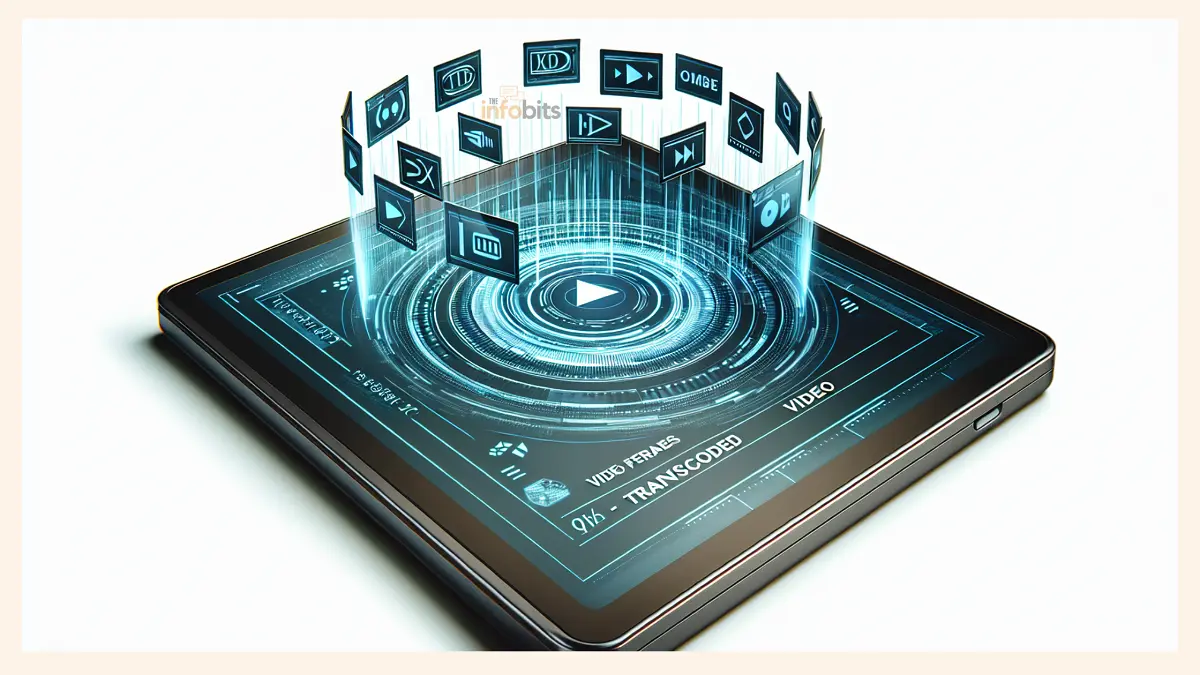
Transcoding is the process of converting a digital media file from one encoded format into another. It takes an already-compressed audio or video file, decodes it into an intermediate uncompressed form, and then re-encodes it in a new format, with a different codec, resolution, bitrate, or container.
In everyday terms, transcoding is why the same movie streams in 4K on your TV and in 480p on a friend’s slow mobile connection; the content is the same, but the file being delivered is not.
Transcoding vs. Encoding vs. Transmuxing: What’s the Difference?
These three terms get mixed up constantly, so let’s clear them up once and for all.
Encoding is the very first step. It takes raw, uncompressed video, like the footage straight out of a camera sensor, and compresses it into a manageable digital format for the first time. This happens once, creating the master file.
Transcoding happens after encoding. It takes that already-compressed master file and converts it into a different format, codec, resolution, or bitrate.
While encoding creates the original, transcoding adapts it for delivery. A useful analogy: encoding is translating your thoughts into a book; transcoding is translating that book into different languages for different readers.
Transmuxing (also called rewrapping or repackaging) is a lighter operation. It changes only the container of a media file, the “wrapper”, without touching the actual video or audio data inside.
For example, moving H.264 content from an MP4 container into an HLS-compatible format is transmuxing.
It’s faster and less resource-intensive, but it can’t change the codec, resolution, or bitrate, which means it can’t create the multiple quality renditions that modern adaptive streaming requires.
A handy way to remember all three: encoding creates the master, transcoding adapts it for delivery, transmuxing repackages it without changing it.
Related: Bitrate vs Resolution: Which Is More Important for Video Quality?
How Transcoding Works: The Two-Stage Process
Transcoding is a two-step operation.
Stage 1 – Decoding: The source media file is decompressed from its encoded state into an uncompressed intermediate format (PCM for audio, YUV for video). At this point, all the audio and video data is “unpacked” and ready to be restructured.
Stage 2 – Encoding: The uncompressed data is then recompressed into the target format, a new codec, a different resolution, a lower bitrate, or a different container. This encoding stage determines the final output quality and file size.
The quality of the final output depends heavily on the capabilities of the tools involved and the settings chosen during encoding.
Each time a lossy format goes through this process, there is some degree of quality loss, known as generation loss, which is why professionals always keep a high-quality master copy and transcode from that, rather than repeatedly re-transcoding the same output file.
The Main Types of Transcoding
Transcoding isn’t a single process. It covers several specific operations, and knowing the differences is useful.
Transrating
Transrating changes the bitrate of a video while keeping the same codec and resolution.
If you have a 4K video file at 25 Mbps and want to bring it down to 8 Mbps for delivery over a lower-bandwidth connection, transrating is what you’re doing.
The visual appearance stays the same; only the data density changes.
Transsizing (Resolution Conversion)
Transsizing changes the frame size of the video; for example, downscaling a 4K (3840×2160) source to 1080p, 720p, or 480p.
This is critical for making content viewable on smaller screens or for users on slower connections who can’t handle the bandwidth a 4K stream demands.
Codec Conversion
This is the broadest form of transcoding: changing the underlying compression algorithm used to encode the video. A common example is converting MPEG-2 footage (used in broadcast television) to H.264 for online streaming.
Newer codecs like H.265 (HEVC) and AV1 can deliver the same visual quality at significantly smaller file sizes; a major advantage for both storage and delivery costs.
Related: Choosing the Right Video Format: MP4 vs MKV Explained
Lossless vs. Lossy Transcoding
Transcoding is typically a lossy process. Some quality is lost each time you transcode. However, lossless transcoding is possible when you’re converting to an uncompressed or losslessly compressed output format.
For archiving purposes, keeping a lossless master (such as FLAC for audio or a RAW video format) is always the best practice, with lossy versions transcoded from that master for distribution.
Real-Time vs. Offline Transcoding
Real-Time (Live) Transcoding
During a live stream, content must be transcoded on the fly as it’s being broadcast. A live encoder captures the video, compresses it, and sends it to a server.
The server then transcodes it simultaneously into multiple renditions, different resolutions, and bitrates, and delivers them to viewers in real time.
This is how platforms like YouTube Live and Twitch work. The same live feed is available to someone on a 4K smart TV and someone on a mobile device with a weak signal. Real-time transcoding is generating both streams simultaneously.
Live transcoding demands significant computational power and adds some latency (typically 2–5 seconds for re-encoding). That latency tradeoff is the reason dedicated hardware transcoders and GPU-accelerated servers are used in professional live streaming workflows.
Related: AVOD vs FAST: Key Differences and What They Mean for Viewers
Offline (VOD) Transcoding
For pre-recorded content, movies, TV episodes, tutorials, and any other video-on-demand (VOD) content, transcoding happens before distribution. The source file is transcoded in advance into all the required formats and renditions, then stored on servers for delivery.
This is how Netflix, Disney+, and most VOD platforms work. Because there’s no real-time constraint, offline transcoding can use more sophisticated (and slower) encoding algorithms that produce higher quality at lower bitrates.
Netflix, for instance, encodes popular titles in five to eight different bitrates to support adaptive streaming across every device type it supports.
Why Is Transcoding So Important?
1. It Enables Adaptive Bitrate Streaming (ABR)
This is arguably the biggest reason transcoding matters. Adaptive Bitrate Streaming (ABR) is the technology that automatically adjusts the quality of a video stream in real time based on a viewer’s internet speed and device capabilities.
Here’s how it works: transcoding converts one source video into multiple versions, called renditions, at different resolutions and bitrates (e.g., 1080p at 5 Mbps, 720p at 2.5 Mbps, 480p at 1 Mbps, 360p at 700 Kbps).
These renditions are packaged with protocols like HLS (HTTP Live Streaming, developed by Apple) or MPEG-DASH, and a manifest file lists all available options for the video player.
As you watch, the player constantly monitors your connection speed. If your bandwidth drops, it silently switches to a lower rendition.
If your speed improves, it steps up to a higher quality. The result is smooth playback without buffering, a better experience for viewers regardless of where they are or what connection they’re on.
Without transcoding, ABR streaming would be impossible.
2. It Ensures Playback Compatibility Across Devices
Different devices, smartphones, smart TVs, laptops, tablets, gaming consoles, and set-top boxes don’t all support the same video codecs or formats. A file encoded perfectly for an Android phone might not play at all on an Apple TV or an older browser.
Transcoding solves this by creating format-specific versions of the same content. It’s the reason you can start watching something on your phone during a commute and continue on your TV at home, without any playback errors or format issues.
3. It Reduces Storage and Bandwidth Costs
Uncompressed and poorly optimized video files are enormous. A two-hour movie in a professional digital cinema format can take up 8 TB of storage. Transcoding to efficient modern codecs slashes this dramatically.
Newer codecs like H.265 (HEVC) can deliver the same visual quality as H.264 at roughly half the file size, and AV1 can compress even further.
For streaming platforms and content distributors managing thousands or millions of videos, the storage and bandwidth savings from efficient transcoding translate directly into significant cost reductions.
4. It Makes Live Streaming Accessible to Everyone
Without transcoding, a live streamer would broadcast a single fixed-quality stream. Anyone whose internet connection couldn’t keep up would experience constant buffering, or simply couldn’t watch at all.
Real-time transcoding generates multiple quality options from a single source stream, so a viewer on a slow rural connection can watch in 360p while another viewer on fibre broadband gets the same stream in 1080p.
This dramatically expands the potential audience for any live event.
5. It Improves the Mobile Viewing Experience
Mobile viewing has specific challenges: smaller screens that don’t need 4K resolution, variable connection speeds (switching between 4G, 5G, and WiFi throughout the day), and battery life constraints.
Transcoding addresses all of these by delivering appropriately sized and compressed video that plays smoothly without straining the device’s processor or draining the battery.
6. It Supports Accessibility Features
Transcoding workflows can incorporate additional tracks and features, closed captions, subtitle streams, audio descriptions, and multiple audio language tracks, which make content accessible to viewers with hearing or visual impairments.
These are often added or adjusted during the transcoding stage.
Hardware, Software, and Cloud Transcoding: What’s the Difference?
Software Transcoding (CPU-Based)
Software transcoding runs on a computer’s CPU using tools like FFmpeg (one of the most widely used open-source transcoders). It’s highly flexible; it can handle virtually any codec or format.
It’s a great option for smaller-scale workflows or when maximum encoding quality matters more than speed.
The drawback is resource intensity. CPU transcoding is computationally demanding, and a single server can handle far fewer simultaneous streams than hardware alternatives. It also tends to consume more power per stream.
Hardware Transcoding (GPU/ASIC)
Hardware transcoding offloads the encoding work to a dedicated processing unit, a GPU (such as an NVIDIA card with NVENC), or a purpose-built ASIC chip. These are dramatically faster than CPU-only approaches and can process many more simultaneous streams.
The catch is reduced flexibility; hardware encoders support a defined set of codecs determined by the hardware itself, and they’re not as easily updated as software. They also have a higher upfront cost.
For high-volume live applications, hardware transcoding is the industry standard. Platforms like Twitch rely on dedicated hardware transcoders to handle the enormous volume of simultaneous live streams they receive.
Cloud Transcoding
Cloud transcoding services (offered by providers like AWS Elemental, Google Transcoder API, and others) handle the entire process on remote servers, accessible over the internet.
For creators and small teams, a cloud-based transcoding service eliminates the need for expensive on-premises hardware.
Services like AWS Elemental MediaConvert or Cloudflare Stream offer pay-as-you-go pricing, a sensible choice for businesses scaling their video delivery without large capital investment.
The advantages are clear: no upfront hardware investment, elastic scaling that handles demand spikes automatically, and reduced management overhead. Most major streaming platforms today use cloud-based transcoding as part of their infrastructure.
Related: What is Cloud TV, and how is it different from OTT?
Common Transcoding Challenges and How to Handle Them
Quality Loss Through Multiple Generations
Each time a lossy file is transcoded, quality degrades slightly. The solution is straightforward: always transcode from the highest-quality source file available, and avoid re-transcoding an already-transcoded output.
Maintain a lossless or minimally compressed master that all distribution versions are derived from.
High Resource Demands
Transcoding, especially live transcoding at high resolutions, is computationally expensive. For individual creators, this can mean long processing times or a heavily loaded computer.
External GPU-accelerated transcoding appliances, such as those available on Amazon, can offload this work from your primary machine and dramatically speed up processing for anyone working with large video files regularly.
For businesses, moving to hardware acceleration or cloud-based solutions is the standard approach.
Format and Codec Complexity
The media landscape includes dozens of codecs (H.264, H.265, AV1, VP9, ProRes, DNxHD…) and container formats (MP4, MKV, MOV, TS, WebM…).
Keeping up with which formats are required for which platforms is genuinely complex. Most professional transcoding workflows standardize on well-supported delivery codecs like H.264 for broad compatibility, while exploring H.265 and AV1 for efficiency gains where device support allows.
Latency in Live Transcoding
Real-time transcoding adds processing delay, typically 2–5 seconds, to a live stream. For most broadcasts, this is acceptable.
For ultra-low-latency applications (live betting, interactive streams, video conferencing), specialized protocols and encoding approaches (like WebRTC or Low-Latency HLS) are used to minimize this.
Transcoding in the Real World: Where You See It Every Day
Netflix and streaming platforms: Every title is transcoded into multiple renditions before it ever reaches a viewer. The quality tier you receive is selected dynamically by the player based on your current connection.
YouTube uploads: When you upload a video to YouTube, it’s transcoded into multiple resolutions (from 144p up to 4K or higher) and made available in formats suited to different browsers and devices, usually within minutes of uploading.
Live sports broadcasts: Live events are captured in high-quality formats and real-time transcoded for distribution across satellite, cable, and internet delivery simultaneously.
Related: Understanding RTMPS: The Secure Streaming Protocol
Video surveillance: IP security cameras typically capture footage in formats optimized for recording, not for streaming. Transcoding converts these feeds into formats suitable for remote viewing or web-based monitoring dashboards.
Video conferencing: Platforms like Zoom and Teams transcode video on their servers to manage the varying connection qualities of meeting participants, ensuring everyone sees acceptable quality regardless of their bandwidth.
Social media: When you upload a video to Instagram Reels, TikTok, or Facebook, the platform transcodes it into its preferred delivery format, generates multiple quality levels, and optimizes it for mobile playback.
Myth vs. Fact: Common Transcoding Misconceptions
Myth: Transcoding and encoding are the same thing. Fact: Encoding converts raw footage into a compressed format for the first time. Transcoding converts an already-encoded file into a different format. Encoding is step one; transcoding happens after.
Myth: Transcoding always reduces video quality. Fact: Lossy-to-lossy transcoding does cause some quality loss, but transcoding to a lossless format, or transcoding from a high-quality master using good settings, can preserve quality very effectively.
Myth: You only need to transcode once. Fact: Content needs to be transcoded whenever its format needs to change for a new platform, device, or delivery scenario. A video might be transcoded multiple times across its lifecycle for different distribution channels.
Myth: Transmuxing is just a faster form of transcoding. Fact: Transmuxing is a fundamentally different operation. It changes the container without touching the encoded data. It can’t change codec, resolution, or bitrate, and it can’t generate the multiple renditions that ABR streaming needs.
Expert Tips for Better Transcoding Results
- Always start from the highest-quality source available. The master file sets the ceiling for every output.
- Avoid transcoding an already-transcoded output. Each generation of lossy re-encoding compounds quality loss.
- Use modern codecs where device support allows. H.265 can deliver equivalent quality to H.264 at roughly half the file size; AV1 goes further still.
- For VOD content, take the time to use higher-quality (slower) encoding presets. The extra processing time pays off in better quality or smaller files.
- For live streaming, invest in hardware acceleration early. CPU-only live transcoding at scale is both expensive and energy-intensive.
- Keep your codec and tool versions updated. Encoding quality and efficiency improve significantly across major tool releases.
Final Thoughts
Transcoding is one of the most fundamental and least appreciated technologies in digital media. It’s the reason you can watch the same movie on a 4K TV and a four-year-old smartphone without any playback issues.
It’s what makes live streams available to viewers with vastly different internet connections. It’s what lets platforms like Netflix, YouTube, and every major broadcaster deliver content reliably at scale.
Understanding transcoding doesn’t require a technical background. What it requires is recognizing that the digital video landscape is extraordinarily diverse, in devices, connection speeds, platforms, and formats, and that transcoding is the technology that bridges all of those differences.
Related: Ultimate Guide to PVOD Streaming: Everything You Need to Know
Frequently Asked Questions
What is transcoding in simple terms?
Transcoding is converting a video or audio file from one digital format to another. It decodes the original file and re-encodes it with different settings, a different codec, resolution, bitrate, or container.
Why do streaming services use transcoding?
Streaming platforms transcode video into multiple quality levels so that viewers on different devices and internet speeds can all watch the same content smoothly. This is what makes adaptive bitrate streaming possible.
Is transcoding the same as converting a video?
Yes, in practical terms. When most people talk about “converting” a video file from one format to another, transcoding is the underlying process doing the work.
Does transcoding reduce video quality?
Lossy-to-lossy transcoding does cause some quality loss. To minimize this, always transcode from the highest-quality source available, and avoid unnecessary re-transcoding of already-compressed files.
What is the difference between transcoding and encoding?
Encoding converts raw, uncompressed footage into a compressed digital format for the first time. Transcoding takes an already-compressed file and converts it into a different format. Encoding creates the original; transcoding adapts it.
What is transcoding vs transmuxing?
Transcoding re-encodes the video and audio data. It can change codec, resolution, bitrate, and container. Transmuxing only changes the container, leaving the encoded data untouched. Transmuxing is faster and cheaper, but it can’t create multiple quality versions for adaptive streaming.
What is adaptive bitrate streaming, and how does transcoding enable it?
Adaptive bitrate streaming (ABR) automatically adjusts video quality in real time based on a viewer’s internet speed. Transcoding creates the multiple quality versions (renditions) that ABR needs. Without transcoding, ABR wouldn’t be possible.
What is real-time transcoding?
Real-time transcoding converts video on the fly during a live stream. The incoming stream is transcoded simultaneously into multiple formats and quality levels so that all viewers can receive appropriate content regardless of their device or connection.
What is cloud transcoding?
Cloud transcoding uses remote servers (provided by cloud platforms like AWS, Google Cloud, or dedicated video services) to perform transcoding tasks, rather than relying on local hardware. It offers scalability and eliminates the need to purchase and maintain transcoding hardware on-premises.
What tools are used for transcoding?
FFmpeg is the most widely used open-source transcoding tool. Commercial options include Adobe Media Encoder, Handbrake (consumer-level), and enterprise-grade cloud services like AWS Elemental MediaConvert, Wowza, and Dacast.
What is transrating?
Transrating is a specific type of transcoding that changes only the bitrate of a video, without altering the codec or resolution. It’s used to create lower-bitrate versions for delivery over slower connections.
What is transsizing?
Transsizing (also called resolution conversion) is a type of transcoding that changes the frame size of a video, for example, from 4K down to 1080p or 720p.
Does YouTube transcode uploaded videos?
Yes. When you upload a video to YouTube, the platform transcodes it into multiple resolutions and formats automatically. This is why newly uploaded videos take some time before they’re available in higher quality options.
Is hardware transcoding better than software transcoding?
It depends on the use case. Hardware transcoding (using GPUs or ASICs) is faster and more efficient for high-volume live applications. Software transcoding is more flexible, supports more codecs, and can produce slightly higher quality at lower speeds, making it well-suited for VOD workflows where time isn’t critical.
What is generation loss in transcoding?
Generation loss refers to the progressive quality degradation that occurs when a file is repeatedly transcoded in lossy formats. Each cycle of decoding and re-encoding introduces small quality reductions that compound over time. This is why professionals maintain a high-quality master and transcode only from that.
What codecs are commonly used in transcoding?
Common codecs include H.264 (AVC), the most widely supported delivery codec; H.265 (HEVC), for higher efficiency at the same quality; AV1, an open, royalty-free codec with excellent compression; and VP9, developed by Google, used extensively on YouTube.
Why does my uploaded video look lower quality after being transcoded?
Platforms apply their own encoding settings during transcoding, which may reduce bitrate or resolution to meet file size or streaming efficiency targets. Uploading the highest-quality source file available gives the platform more to work with and generally produces better output.
Can audio be transcoded separately?
Yes. Audio transcoding works the same way as video, converting from one compressed audio format (such as AAC, MP3, Dolby AC-3, or FLAC) to another. It’s commonly done when changing the container format or when delivering for specific platform requirements.
What streaming protocols are used to deliver transcoded video?
The two dominant protocols for adaptive bitrate delivery of transcoded content are HLS (HTTP Live Streaming, developed by Apple) and MPEG-DASH (an open standard). Both packages transcoded renditions alongside a manifest file that guides the video player in selecting the right quality level.
How does transcoding affect live streaming latency?
Re-encoding during live transcoding adds processing delay, typically 2 to 5 seconds for standard quality outputs. For ultra-low-latency use cases such as interactive streams or live auctions, specialized protocols like WebRTC or Low-Latency HLS are used to reduce this delay.
Please share this article with your friends and relatives if you find it useful.
We also ask that you bookmark this page for future reference, as we are constantly updating our articles with new information.
Sign up for our free newsletter as well to receive fresh information immediately in your inbox and keep technically up to date.