What Is NFC? How Near Field Communication Works and What It’s Used For
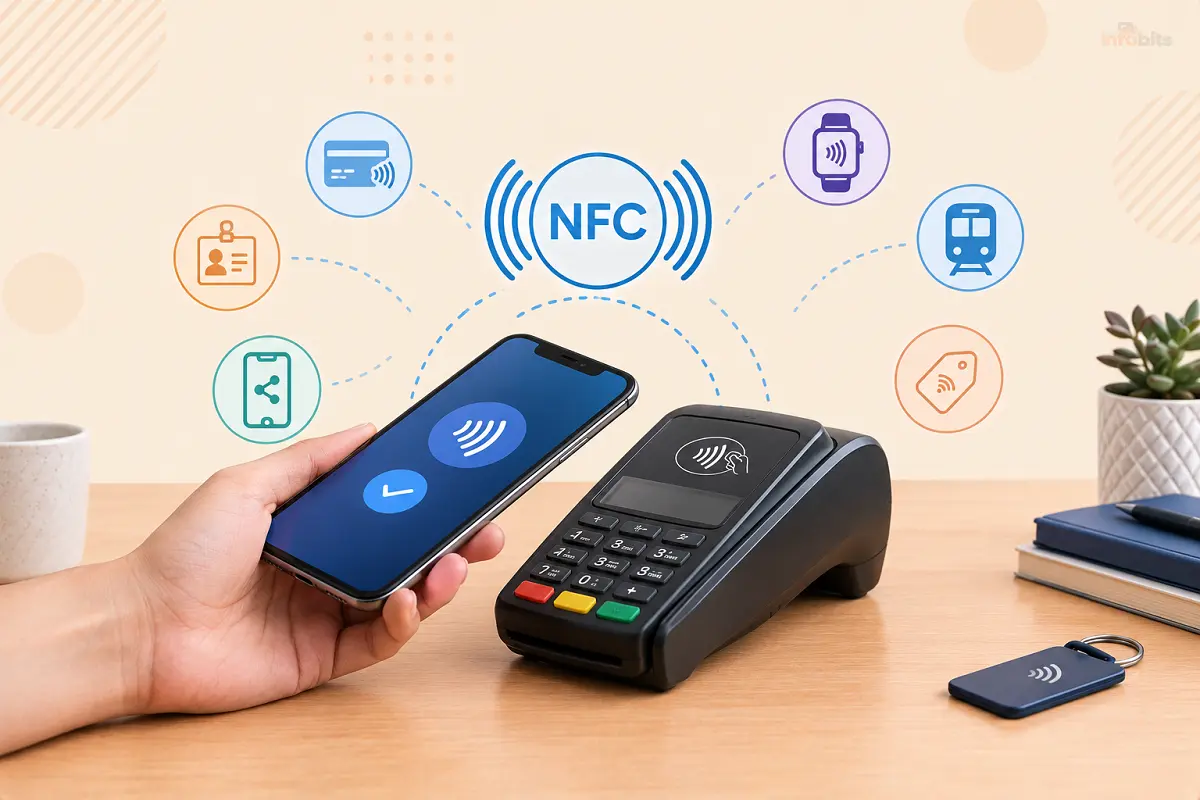
You tap your phone on a payment terminal, and it beeps. You hold a card against a door, and it unlocks. You tap your headphones to a speaker, and they pair. None of these moments involve a cable, a password, or a menu. They all rely on the same small, quiet technology: NFC.
This guide explains what NFC is, how it works in simple language, what it’s used for in 2026, how it compares with RFID, Bluetooth, and QR codes, and how to use it on your phone. We also cover what worries people most: whether tapping is actually safe.
Quick answer: NFC (near field communication) is a short-range wireless technology that lets two devices exchange small amounts of data when they’re about 4 cm (1.5 in) apart or touching. It runs at 13.56 MHz and powers tap-to-pay, transit cards, digital keys, and tappable tags. Because the range is so short and the exchange is so quick, NFC is best for payments, identification, and instant setup, not for sending large files.
What Is NFC?
NFC stands for Near Field Communication. It’s a way for two devices to talk wirelessly when they are almost touching. The “near field” part refers to the area very close to an antenna, where magnetic coupling between two coils is strong enough to carry a signal.
NFC is a specific, standardized slice of RFID (radio frequency identification). It uses the high-frequency band at 13.56 MHz, and its standards are maintained by the NFC Forum, an industry group that makes sure phones, cards, tags, and payment terminals from different companies work together.
NFC at a glance
| Feature | Typical detail |
|---|---|
| Full name | Near field communication |
| Frequency | 13.56 MHz (high-frequency RFID band) |
| Range | About 4 cm (1.6 in) or less, up to roughly 10 cm in some setups |
| Data speed | 106, 212, or 424 kbit/s |
| Power | Tags and cards need no battery, because the reader powers them |
| Key standards | NFC Forum specifications, ISO/IEC 14443, ISO/IEC 18092 |
| Found in | Smartphones, smartwatches, contactless cards, tags, payment terminals |
The data speeds above are tiny compared with Wi-Fi or Bluetooth, and that’s fine. NFC is designed to send a few bytes very quickly and very securely, such as a payment token, an ID, or a web link.
How Does NFC Work?
The easiest way to picture NFC is as a very small, very short-range wireless charger that also carries a message.
Step 1: A reader creates a magnetic field
One device, called the initiator (for example, a payment terminal or your phone), runs an alternating current through a small antenna coil. This produces a magnetic field around it.
Step 2: The other device picks it up
When a second device with its own coil comes close, the field induces a small current in that coil. This is called inductive coupling, the same principle behind transformers and wireless phone chargers.
For a passive tag or card, that tiny current is enough to wake up its chip. That’s why a plastic card with no battery can still respond.
Step 3: The devices exchange data
The tag or card replies by slightly changing how it loads the field, which the reader detects as data.
The information is usually structured in a standard format called NDEF (NFC Data Exchange Format), which can hold things like a web address, a block of text, or contact details.
The whole exchange often takes a fraction of a second.
Passive vs. active NFC
- Passive: One device creates the field and the other is powered by it. A phone reading a sticker or a terminal reading a card works this way.
- Active: Both devices generate a field and take turns sending data. This is the basis for device-to-device exchange.
The three NFC modes
| Mode | What happens | Everyday example |
|---|---|---|
| Reader/writer | A phone reads from, or writes to, a tag | Tapping a sticker to open a link or run an automation |
| Card emulation | A phone acts like a contactless card | Paying with Apple Pay or Google Wallet, or tapping a transit pass |
| Peer-to-peer | Two active devices exchange data | Older Android Beam transfers, and quick handoff to Bluetooth or Wi-Fi |
Android Beam, once the headline peer-to-peer feature, was retired in Android 10. Today, sharing tools such as AirDrop and Quick Share use Bluetooth and Wi-Fi for the actual transfer, and NFC is mostly used for short, secure exchanges.
What happens when you tap to pay
Contactless payments are the most common use of NFC, so it’s worth knowing what happens behind the scenes:
- You authenticate. A phone wallet normally asks for Face ID, a fingerprint, or a passcode. Transit cards can use a faster express mode.
- Your phone sends a token, not your card number. The wallet uses tokenization, which replaces your real card number with a device-specific token. Each payment also includes a one-time cryptographic code.
- The terminal passes the request to your bank. The payment network checks the token and cryptogram.
- The bank approves. The terminal confirms, usually in under a second.
The credentials sit in a protected area of the phone, either a dedicated chip called a secure element or, on some Android wallets, a software method known as host card emulation (HCE).
NFC Tag Types (And Why Most Stickers Are Type 2)
The NFC Forum defines five tag types so that any compliant phone can read them. Phones are built to support them all, so you rarely need to think about this unless you’re buying tags.
| Tag type | Based on | Typical use |
|---|---|---|
| Type 1 | NFC-A | Simple, low-cost tags |
| Type 2 | NFC-A | The most common stickers, cards, and key fobs |
| Type 3 | NFC-F (FeliCa) | Transit and payment cards in Japan |
| Type 4 | ISO/IEC 14443 A or B | Secure cards, payment and ID applications |
| Type 5 | ISO/IEC 15693 | Longer-range, vicinity-style uses |
For hobby projects, look for tags with an NXP NTAG chip. The NTAG213, NTAG215, and NTAG216 hold roughly 144, 504, and 888 bytes of user memory. A web link or a short command fits easily in even the smallest.
What Is NFC Used For?
NFC went from a novelty to a daily habit, and its uses keep growing. Here are the main ones.
Contactless payments
This is the big one. Tap-to-pay cards, Apple Pay, Google Wallet, Samsung Wallet, and smartwatch payments all use NFC. Businesses can also accept taps directly on a phone, which is why you’ll see small merchants without a separate card reader.
A notable change in Europe: since iOS 17.4 in March 2024, Apple has let third-party wallet apps use iPhone NFC for tap-to-pay in the European Economic Area, and users there can set a non-Apple wallet as their default. In most other regions, tap-to-pay on iPhone still runs through Apple Pay.
Public transit
Many cities let you tap a contactless card or phone at the gate. London’s buses and Tube, and New York’s OMNY system, are well-known examples. In Japan, FeliCa-based cards such as Suica also work in Apple Wallet on supported iPhones.
Digital IDs, keys, and access
- Digital IDs: Apple Wallet and Google Wallet now support driver’s licenses and state IDs in a growing number of US states, and some are accepted at select TSA checkpoints. As of mid-2026, Apple Wallet supported IDs in more states than Google Wallet, and the lists keep changing.
- Car keys: Many recent cars let you unlock and start the vehicle with a phone or watch.
- Hotels and offices: Room keys, employee badges, and campus IDs can live on your phone.
- Passports: Modern e-passports contain an NFC-readable chip.
Instant pairing and setup
Some speakers, headphones, and cameras pair over Bluetooth just by tapping. Many smart home devices, including some that support Matter, can be set up with a tap or a scan.
If you’re building a smart home, our guide to Matter vs. Thread explains how the newer standards fit together, and our SmartThings setup guide walks through a common hub.
Tags and automation
A tag on your nightstand can switch your phone to Do Not Disturb. One on your desk can open a work app, and one on your car dashboard can launch navigation.
On iPhone, Shortcuts can run an automation when you scan a tag, and on Android, free tag apps can write and run actions.
Business cards and marketing
A tag in a business card, poster, or product package can open a link when someone taps it. Restaurants use them for menus, and shops use them for product details and warranty pages.
Security keys and sign-in
Hardware security keys use NFC so you can tap a key to your phone to confirm a login. They help stop phishing because the key checks the real website.
Our YubiKey 5C NFC review covers one popular example. To manage everything else you sign in to, see our roundup of the best password managers.
If you want phishing-resistant sign-in on your phone, an NFC-enabled security key is a small purchase that works with the major online accounts that support them, and you can keep one on your keyring and another stored safely as a backup.
Health, toys, and retail
| Use | How NFC helps |
|---|---|
| Some glucose sensors | A phone scans the sensor with a tap instead of drawing blood each time |
| Hospital wristbands and equipment | Quick, contactless identification |
| Toys-to-life figures such as Nintendo Amiibo | Figures carry a tag that unlocks game content |
| Product authentication | A tag in a bottle, bag, or watch lets you check that it’s genuine |
| Inventory and logistics | Staff scan items without line-of-sight, unlike barcodes |
NFC vs. RFID vs. Bluetooth vs. QR Codes
NFC overlaps with several other technologies, which is why people mix them up. The short version: NFC is a type of RFID, but not all RFID is NFC.
| NFC | Other RFID | Bluetooth | QR code | |
|---|---|---|---|---|
| Typical range | About 4 cm or less | A few cm to many meters, depending on the system | Several meters | Whatever your camera can see |
| Speed | 106 to 424 kbit/s | Varies | Much faster | Not applicable |
| Pairing needed? | No, just tap | No | Yes, usually | No |
| Needs a battery? | Tags: no; phones: yes | Passive tags: no; active tags: yes | Both devices | No, it’s printed |
| Best for | Payments, access, quick setup | Inventory, tracking, logistics | Audio, accessories, file transfer | Links, menus, tickets |
| Main weakness | Very short range, little data | Many incompatible systems | Slower to connect, needs pairing | Easy to swap a fake code over a real one |
In practice, they work together. A tap can start a Bluetooth pairing, a QR code can set up a wallet pass, and RFID handles the warehouse while NFC handles your pocket.
Does Your Phone Have NFC (and How Do You Turn It On)?
Android phones
Most mid-range and premium Android phones include NFC. To check, open Settings and search for NFC.
Depending on the brand, you’ll find it under Connected devices, Connection preferences, or Connections. Turn it on, and choose your wallet as the default tap-and-pay app in the same area if your phone offers that setting.
iPhones
iPhone 7 and later support NFC for Apple Pay. iPhone XS, XR, and later models can read NFC tags in the background without opening anything. iPhone 7, 8, and X can read tags from an NFC Tag Reader control that you add to Control Center. There’s no on/off switch for NFC on iPhone.
Smartwatches and other devices
Apple Watch, Samsung Galaxy Watch, and Pixel Watch all support tap payments. Contactless cards and many fitness bands carry NFC too, and some laptops and accessories include it, though it’s far less common there.
How to Use NFC on Your Phone
Set up tap to pay
- Open Apple Wallet, Google Wallet, or Samsung Wallet.
- Add a card by scanning it or typing the details, then verify it with your bank.
- Make sure your phone has a screen lock, since wallets require one.
- On Android, make sure NFC is on, and your wallet is the default payment app.
- At the terminal, wake or unlock the phone (on iPhone, double-click the side button), then hold the top back of the phone near the contactless symbol until you see a checkmark or hear a beep.
The NFC antenna is usually in the upper part of the back of the phone, so aim that area at the reader and hold it still for a second or two.
Read an NFC tag
Unlock the phone and hold the top back of it against the tag. On most phones, a notification or prompt appears with the tag’s action, such as opening a link. Always glance at what it’s about to do before you tap it.
Write your own NFC tag.
This is a great weekend project, and it costs only a few dollars.
- Buy blank tags. Look for NTAG213, NTAG215, or NTAG216 stickers or cards.
- Install a free tag-writing app on your Android phone, such as NFC Tools, or use Shortcuts on iPhone.
- Choose what the tag does. A web link, a block of text, or a command that triggers an automation.
- Hold the tag to the back of your phone until the app confirms it has written the data.
- Test it, then stick the tag where you’ll use it.
A multi-pack of NTAG213 or NTAG215 stickers (view options on Amazon) costs only a few dollars and is enough for a whole round of projects.
If you plan to use them on a metal surface, such as a laptop lid or a toolbox, pick tags labeled as on-metal, because metal can block the signal from standard stickers.
If you’d like to read, write, and back up tags from a computer, a small USB NFC reader/writer available on Amazon works with free software and is a handy tool for anyone experimenting with tags.
Ideas for NFC tag automations
- A bedside tag that turns on Do Not Disturb and sets an alarm.
- A desk tag that opens your work apps or starts a focus timer.
- A car tag that launches navigation or your favorite playlist.
- A front-door tag that runs a smart home scene. See our SmartThings setup guide if you’re still choosing a hub.
- A tag on a bag with your contact details in case it’s lost.
- On many Android phones, a tag that shares your guest Wi-Fi details.
Is NFC Safe?
For payments and everyday use, yes, NFC is safe for most people. The very short range is a real protection, because someone would have to be within a few centimeters.
Phone wallets add more layers: your phone sends a one-time token instead of your card number, and it asks you to unlock before paying.
That said, scammers have found ways to abuse the tap-to-pay moment. Here’s a realistic look at the risks.
| Risk | How it works | How worried to be | What to do |
|---|---|---|---|
| Remote skimming | An attacker tries to read your card from a distance | Low. NFC works only at a few centimeters, and a tap alone can’t clone a full card | Use a phone wallet or keep physical cards in a sleeve if you’re concerned |
| Ghost tapping (in person) | A fake vendor or a rogue terminal in a crowd charges you more than agreed, or sneaks in small charges | Moderate in crowded places | Check the amount on the screen before you tap, and use your phone wallet |
| Ghost Tap relay fraud | Criminals who already stole your card details load them into a wallet, then relay NFC signals to helpers at stores | Depends on whether your card data has been phished | Never share one-time codes, and turn on transaction alerts |
| Malicious or swapped tags | A sticker on a poster or table opens a phishing link | Low to moderate | Read the link before opening, and never type passwords after a tag scan |
| Cloned access cards | Some older building badges use outdated security | Low for payments, higher for old badges | Ask the building manager about upgrading to modern cards |
| A lost phone | Someone tries to use your wallet | Low. The wallet requires unlock | Use your phone’s find-and-lock feature and remove cards remotely |
Practical safety tips
- Check the amount on the terminal screen before you tap, especially from a street vendor, fundraiser, or temporary stall.
- Turn on transaction alerts for every card. They won’t prevent fraud, but they let you spot an odd charge in seconds.
- Prefer your phone wallet over a physical card. Tokenization and biometric checks give it more protection.
- Use a credit card where you can. In many countries, credit cards offer stronger protections than debit cards.
- In very crowded places, consider inserting or swiping a card instead of tapping, as the Better Business Bureau suggests.
- Keep your phone updated and review which apps you’ve installed. Our guide to Android permissions management shows how to check what each app can do.
- Report problems fast. If you spot a charge you don’t recognize, contact your bank straight away.
If you carry physical contactless cards, a slim RFID-blocking cardholder or sleeve (view options on Amazon) is a cheap extra layer, and consumer groups such as the Better Business Bureau recommend them.
Just keep expectations realistic: they matter for physical cards, not for phone wallets, and real-world risk from remote skimming is already low.
NFC Not Working? Fixes That Usually Solve It
| Problem | Likely cause | What to try |
|---|---|---|
| Nothing happens when you tap | NFC is off, or the screen is locked | Turn NFC on, then unlock the phone and try again |
| It works only sometimes | You’re aiming at the wrong spot or moving too fast | Hold the upper back of the phone still against the reader for two or three seconds |
| It doesn’t work with your case | A thick case, metal plate, or magnetic wallet is blocking the signal | Remove the case and accessories, and test again |
| Payment keeps failing | The wrong default wallet app, or a card verification issue | Set the default app, re-verify the card, and try another terminal |
| A tag isn’t recognized | Unsupported format, a locked tag, or a metal surface | Rewrite it in NDEF format, try a different tag, or use an on-metal tag |
| NFC stopped after an update | A software glitch | Restart the phone, check for a newer update, and re-add the card to your wallet |
If your battery is draining quickly, NFC is rarely the cause. See our Android 17 battery drain fix for the usual culprits.
The Limits of NFC, and Where It’s Heading
NFC is brilliant at one thing: a fast, secure handshake between two nearby devices. Its limits are part of the design:
- Very short range. That protects privacy but means you must tap precisely.
- Low speed. It’s not a file transfer technology.
- Platform and regional differences. Wallet features, supported banks, digital ID states, and third-party wallet access all vary by country and by iPhone or Android.
Still, the trend line is clear. Digital IDs are spreading, with Google Wallet’s ID verification expanding to services such as Uber and Intuit TurboTax.
Apple announced Tap to Share for iOS 27, which lets you hand over loyalty details to a participating merchant in the same tap as payment, and Google has announced contactless loyalty enrollment after you pay.
In Europe, third-party wallets can already use iPhone NFC. Digital car keys, hotel keys, and smart home setup are also becoming more common.
If you’d like to keep exploring phones and connected gadgets, browse our Mobile and Smart Home sections.
Your NFC Checklist
- I confirmed my phone has NFC and that it’s turned on
- I set up one wallet and added my main card
- I turned on transaction alerts for my cards
- I check the amount on the terminal before I tap
- I know where the NFC antenna is on my phone
- I tried at least one NFC tag automation
- I use an NFC security key for my most important accounts (optional)
The Bottom Line
NFC is one of those technologies that works best when you barely notice it. A tap pays for your coffee, opens a door, pairs a speaker, or starts a routine, and it does it in a second with no setup.
Understanding how it works helps you use it with confidence, and a few habits, like checking the amount before you tap, keep it safe.
Start in a simple way by adding a card to your phone wallet, learn where your phone’s NFC antenna is, and then try one tag automation. Once you’ve tapped your way through a day, you’ll start spotting NFC everywhere.
Frequently Asked Questions
What does NFC stand for?
NFC stands for near field communication. It’s a short-range wireless technology that lets two devices exchange small amounts of data when they’re almost touching, usually within about 4 cm (1.6 in).
What is NFC in simple terms?
NFC is the technology behind tapping. It lets a phone, card, or tag swap a small message with another device at very close range, which makes payments, door access, and quick setup possible without cables or passwords.
How does NFC work?
One device creates a small magnetic field. A second device’s coil picks up that field, which can power a battery-free tag and carry data back. The devices then exchange a short message, such as a payment token or a web link, in a fraction of a second.
What is the range of NFC?
NFC typically works within about 4 cm (1.6 in) or less, and some setups reach roughly 10 cm. The very short range is deliberate because it keeps exchanges private and prevents accidental connections.
What is NFC used for?
Common uses include contactless payments, transit passes, digital IDs and car keys, hotel and office access, Bluetooth pairing, security keys, business cards, product authentication, and tags that trigger phone automations.
Is NFC the same as RFID?
NFC is a specific type of RFID that works at 13.56 MHz over very short distances. All NFC is RFID, but not all RFID is NFC. Other RFID systems can read at much longer ranges and are built for tracking and inventory.
What is the difference between NFC and Bluetooth?
NFC needs a tap and no pairing, works at about 4 cm, and sends tiny amounts of data. Bluetooth works over several meters, needs pairing, and carries audio and files. NFC is often used to start a Bluetooth connection quickly.
How do I know if my phone has NFC?
On Android, search Settings for NFC or check Connection preferences. On iPhone, NFC is built into iPhone 7 and later and has no on/off switch. If you can pay with Apple Pay or Google Wallet at a terminal, your phone has NFC.
How do I turn on NFC on Android?
Open Settings and search for NFC, or look under Connected devices, Connection preferences, or Connections, depending on your phone. Turn NFC on, and set your wallet as the default tap-and-pay app.
Does iPhone have NFC?
Yes. iPhone 7 and later support NFC for Apple Pay, and iPhone XS and later read NFC tags automatically in the background. iPhone 7, 8, and X can read tags from a Control Center control. iPhones have no NFC on/off toggle.
Is NFC safe for payments?
Yes, for most people. The short range limits eavesdropping, and phone wallets send a one-time token instead of your card number and ask you to unlock your phone. Check amounts before tapping, and turn on transaction alerts.
Can someone steal money by tapping my phone or card without my knowing?
Remote draining is very unlikely, because NFC works only at a few centimeters. The real risks are scams: fake vendors in crowds, small unnoticed charges, and relay fraud using already-stolen card data. Watch amounts, use your phone wallet, and monitor alerts.
Does NFC drain my battery?
Very little. NFC uses a tiny amount of power, and passive tags use none. If your battery is draining quickly, look at screen brightness, background apps, or recent updates before blaming NFC.
What is an NFC tag?
A small sticker, card, or keyfob with a chip and an antenna but no battery. A phone powers it briefly when you tap, reads its stored data, such as a web link or command, and can run an action.
Can NFC work without a battery?
Passive tags and cards need no battery, because the reader powers them. A phone is different, but some iPhones support Express Mode with power reserve, letting certain cards such as transit work for up to five hours after the battery dies.
Can I transfer files with NFC?
Not practically. NFC is too slow for large files, and Android Beam was retired in Android 10. Tools like Quick Share and AirDrop use Bluetooth and Wi-Fi for the transfer.
Why is NFC not working on my phone?
Common causes are NFC being turned off, a thick or metal case, holding the phone in the wrong spot, a locked screen, the wrong default payment app, or a software glitch. Remove the case, slow down, restart, and update.
Can NFC cards be cloned?
Basic and older access cards can be, especially ones using outdated security. Modern payment cards and phone wallets use encryption and one-time codes that make simple cloning ineffective. If your building uses old badges, ask about upgrading.
Found this guide useful? Share it with someone who is suffering from networking-related issues. Follow us on Facebook and Twitter for more tips, tricks, and guides.
We also ask that you bookmark this page for future reference, as we are constantly updating our articles with new information.
Sign up for our free newsletter as well to receive fresh information immediately in your inbox and keep technically up to date.
Disclosure: If you follow our links to a retailer’s website and make a purchase, we will get an affiliate commission on some, but not all, of the items or services we promote. This will cause no price change for you.