What Is an EPG? How TV Guides Actually Work in 2026
What Is an EPG? (Quick Answer)
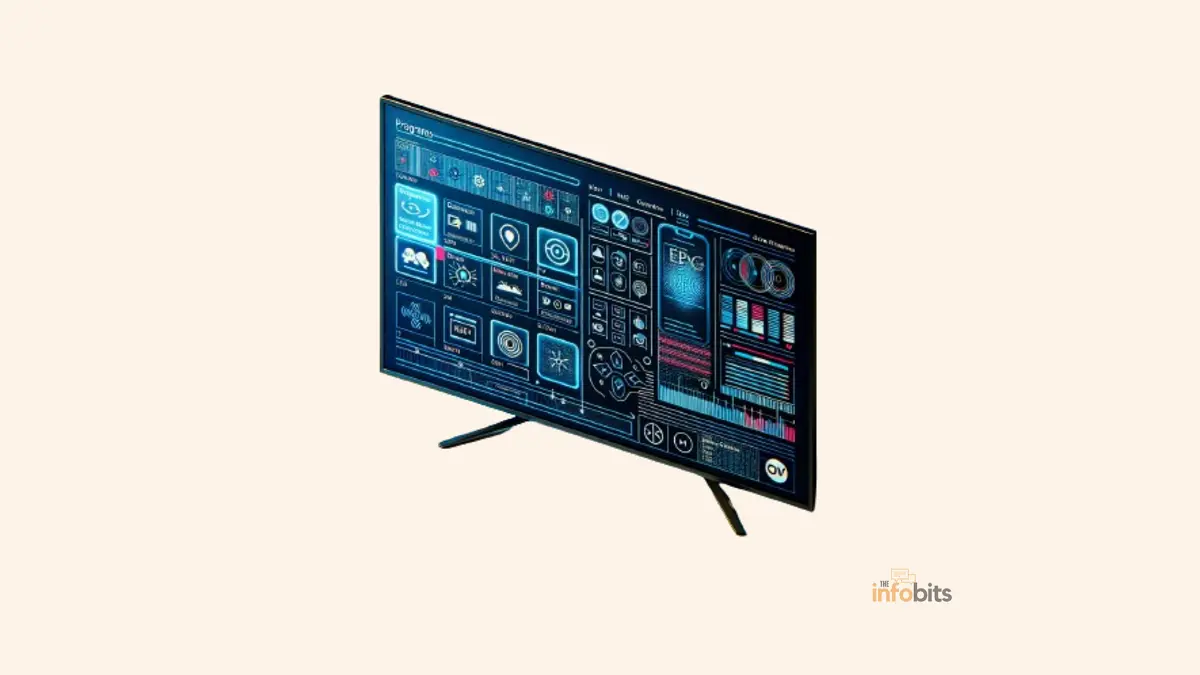
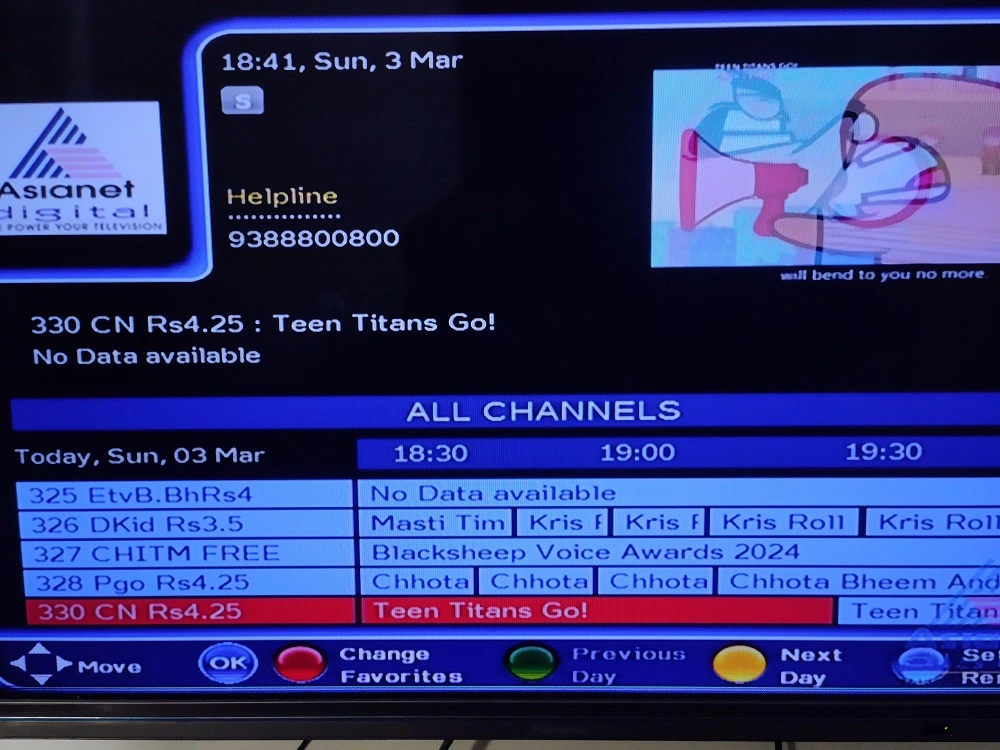
An EPG (Electronic Program Guide) is the on-screen grid that shows you what’s currently playing and coming up next across your channels, the digital replacement for the old paper TV listings magazine. It works by pulling schedule data from a provider (most commonly Gracenote, owned by Nielsen), formatting it into a standard like XMLTV, and rendering it as the guide you scroll through on your cable box, smart TV, or streaming app.
But EPGs have quietly become a lot more important, and more complicated, over the past couple of years, thanks to the explosion of FAST (Free Ad-Supported Streaming TV) channels and the slow rollout of NextGen TV broadcasting.
Here’s what’s actually going on under the hood, and where you’ll run into an EPG without necessarily realizing it.
How EPG Data Actually Reaches Your Screen
An EPG isn’t something your TV or streaming app generates on its own. It’s assembled from data that comes from somewhere else entirely. Here’s the actual chain:
- A broadcaster or channel operator builds a schedule. This includes the program title, description, start and end times, and metadata like genre and rating.
- That schedule gets licensed or distributed through a data provider. In the US, the dominant player by far is Gracenote, a Nielsen-owned company that supplies listings data to cable, satellite, and smart TV platforms alike. Broadcasters also transmit their own scheduling data directly, using standards like ATSC PSIP in the US or DVB-SI in Europe.
- The data gets formatted into a standard your device can read. The most common format is XMLTV, an open format widely used by IPTV apps, DVR software, and guide aggregators. Streaming platforms increasingly expose guide data through JSON-based REST APIs instead, since it’s easier to work with in modern app environments.
- Your device or app fetches that data on a schedule, typically covering a 7-day forward window, though some services offer more, and renders it as the grid or list interface you actually see and interact with.
One detail that surprises people: your guide isn’t generic. Gracenote and similar providers organize listings by postal code, so the channel lineup you see reflects what’s actually available at your address, not a one-size-fits-all national list.
EPG vs. IPG: Is There a Difference?
You’ll sometimes see the term IPG (Interactive Program Guide) used instead of, or alongside, EPG.
Technically, an IPG is a step up; it lets you act directly from the guide, like setting a recording, creating a reminder, or filtering by genre, rather than just viewing a static schedule.
In practice, the industry uses “EPG” as a catch-all for both, and nearly every modern guide, cable, satellite, or streaming service is interactive by default. The distinction matters more to the engineers building these systems than to anyone actually using one.
The Data Formats Behind Every Guide
If you ever find yourself troubleshooting a guide (especially on an IPTV or DIY setup), it helps to know what you’re actually looking at:
| Format | What It’s For | Where You’ll See It |
|---|---|---|
| XMLTV | Open format listing channels and scheduled programs | IPTV apps, DVR software (Plex, Kodi, Channels DVR), EPG aggregators |
| M3U | Playlist format listing channel stream URLs | IPTV setups, often paired with an XMLTV feed for guide data |
| JSON / REST API | Modern, app-friendly schedule data | Streaming platforms, smart TV, live-TV tabs |
| DVB-SI | Broadcast signaling standard | Digital TV broadcasts across Europe and other DVB regions |
| ATSC PSIP | Broadcast signaling standard | Over-the-air digital TV broadcasts in the US |
Where You’ll Actually Run Into an EPG Today
EPGs show up anywhere live or linear-style content exists, which is a broader list than most people realize:
- Cable and satellite boxes – Xfinity, Spectrum, DIRECTV, and DISH all layer their own guide interface on top of licensed Gracenote data.
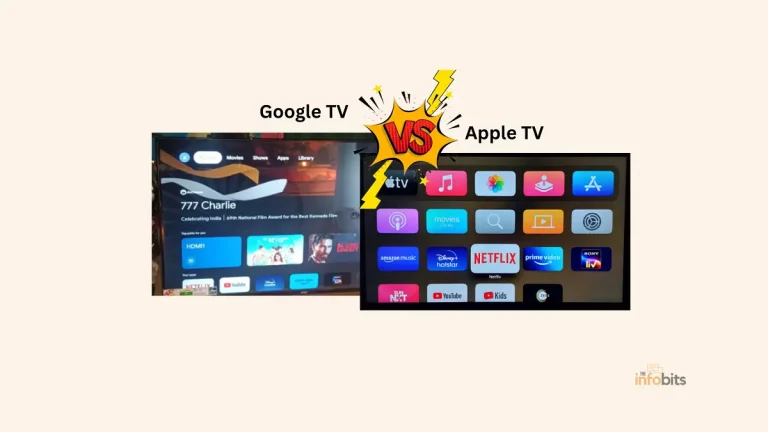
- Smart TV “Live” tabs – Google TV’s Live tab, Samsung TV Plus, and LG Channels all use an EPG to organize their free, ad-supported linear channels.
- FAST platforms -the Roku Channel, Tubi, Pluto TV, and similar free streaming services rely entirely on EPG-style scheduling to organize their channel lineups.
- IPTV and DIY setups – apps and DVR software like Plex, Kodi, and Channels DVR pull in XMLTV feeds, either from a paid provider like Schedules Direct or free community-run sources.
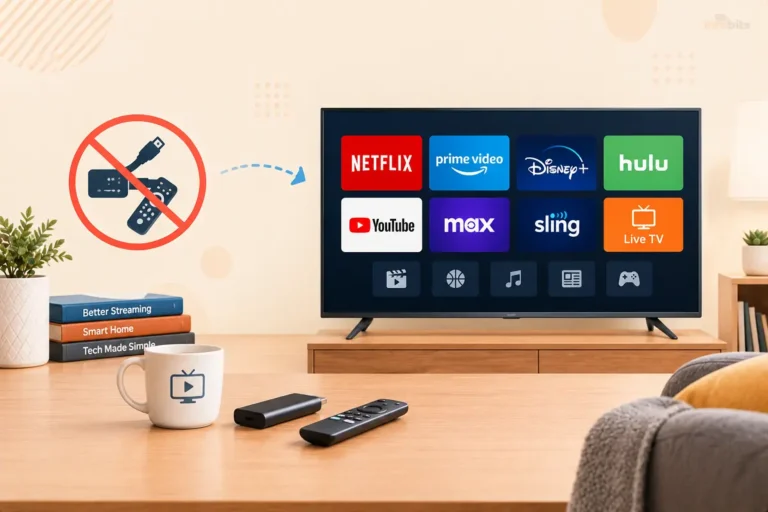
- Streaming devices – Roku and Amazon Fire TV both bake EPG-style live guides into their home interfaces, on top of standard on-demand browsing.
Related: AVOD vs FAST: What’s the Difference and Which Is Right for You?
The 2026 EPG Landscape: What’s Actually Changed
This is the part that a basic definition of “EPG” misses entirely, and it’s exactly where things have shifted recently.
FAST channels have made EPGs a much bigger deal. Free ad-supported streaming TV has grown fast. The global FAST channel count passed roughly 1,960 channels in 2025, up about 21% year-over-year, with sports content alone more than doubling.
Without accurate, enriched EPG metadata, a FAST channel is effectively invisible in discovery. This is exactly why Gracenote has expanded its dedicated FAST metadata program to help smaller, independent content owners get their channels properly listed and discoverable across major platforms.
The industry has also noticeably shifted focus: instead of “launch as many channels as possible,” the priority now is who controls the home-screen placement, since that’s what actually drives discovery.
Platform-native FAST guides are winning over standalone apps. Samsung TV Plus, the Roku Channel, and LG Channels are the free tiers built directly into your TV or streaming device’s own interface.
They have been outperforming separate, destination-style FAST apps, largely because their EPGs are already sitting right where viewers are browsing anyway.
NextGen TV (ATSC 3.0) is still in a messy transition, with real implications for over-the-air guides. The next-generation US broadcast standard now reaches roughly three-quarters of American households.
But the FCC has yet to decide whether to set a hard cutoff date for the older ATSC 1.0 standard, and broadcasters and cable/pay-TV groups are actively lobbying on opposite sides of that question as of early to mid-2026.
In the meantime, dedicated NextGen TV receiver boxes like the HDHomeRun Flex 4K (view on Amazon) and similar devices offer expanded EPG windows, often a free 24-hour guide, with a paid subscription unlocking a full two-week schedule and DVR-style features.
If you’re relying on an antenna and considering one of these boxes, checking exactly how much guide data comes free versus behind a subscription is worth doing before you buy.
AI is starting to reshape content discovery on top of the EPG layer. Gracenote has flagged that large language models can meaningfully improve content search and discovery.
But only if they’re not properly grounded in accurate metadata, they generate confidently wrong answers about what’s airing where.
This mirrors the broader AI push happening across smart TV platforms generally, where features like Google Gemini’s “Deep Dives” and sports briefs on Google TV sit on top of the same underlying guide data described here, just presented conversationally instead of as a grid.
Advantages of Using an EPG
Efficiency and convenience. EPGs consolidate scheduling information in one place, cutting down on random channel surfing, and most guides update in real time to reflect last-minute schedule changes.
Better navigation across a large volume of content. A well-designed EPG makes it easy to find something to watch while surfacing related content you might not have thought to look for, genre filters, search, and recommendation rows all sit on top of the same underlying schedule data.
Time-shifting and recording integration. Many modern EPGs let you pause, rewind, or fast-forward live content, or schedule a recording directly from the guide. But features that used to require a separate DVR interface entirely.
Personalization. Many providers use your viewing history to surface recommendations directly within the guide. This is genuinely convenient, though worth knowing about if you’re mindful of how your viewing data gets used and shared.
Myth vs. Fact
Myth: Every streaming app builds its own guide from scratch. Fact: Most platforms license the same underlying data, most commonly from Gracenote, and simply present it through their own interface. The guide you see on your cable box and the one on a FAST app may ultimately trace back to the same source.
Myth: EPG and IPG are two completely different technologies. Fact: An IPG is technically just an interactive EPG, with the ability to record, set reminders, or filter directly from the guide. Nearly every modern guide qualifies as both, and the industry uses the terms interchangeably.
Myth: Free IPTV guide sources are just as reliable as paid ones. Fact: Free XMLTV feeds and community aggregators can work well, but some pull data from larger providers like Gracenote or Zap2it without authorization, which can sit in a legal gray area and may be less consistently maintained than a licensed paid source like Schedules Direct.
Myth: NextGen TV (ATSC 3.0) automatically comes with a better guide. Fact: The broadcast standard itself can support richer program data, but the actual guide window and features you get often depend on your specific receiver and whether you’re paying for a subscription tier. Check the specifics before assuming more is included for free.
Common EPG Problems and How to Fix Them
- Guide shows “no data” or blank listings. Usually, a connectivity issue or an EPG source that’s misconfigured. Check your device’s internet connection first, then confirm the guide source is properly set in settings.
- Wrong channels or missing local stations. Since guide data is typically organized by postal code, double-check that your device or app has your correct location set; an incorrect zip code is a common, easy-to-miss cause.
- Guide data is outdated or several hours behind. Most apps fetch new data on a fixed schedule rather than continuously; a manual app restart or update often forces a refresh.
- Using a free XMLTV feed and running into unreliable listings. This is a known problem with community-run, unauthorized aggregators. If guide accuracy really matters for your setup, a modest paid source like Schedules Direct is generally more consistent.
- Recording or reminder features don’t appear. Confirm you’re using an IPG-capable app or device; some very basic EPG implementations are view-only and don’t support scheduling directly from the guide.
Setting Up Your Own EPG: A Quick Decision Guide
If you’re building a custom setup, a DIY IPTV box, Plex, Kodi, or Channels DVR, you’ll generally choose between three approaches:
- A cable/satellite provider’s built-in guide → No setup needed; it’s licensed and maintained for you, but you’re locked into whatever channels and interface your provider offers.
- A paid aggregator like Schedules Direct (around $35/year) → The best balance of reliability and cost for DIY setups; it licenses data from Gracenote and is purpose-built for tools like MythTV, Plex, and Kodi.
- Free, open-source XMLTV feeds and community aggregators → No cost, and often broader channel coverage for IPTV setups, but consistency and accuracy vary, and some sources operate in a legal gray area, worth knowing if reliability matters to you.
Tips for Getting the Most Out of Your EPG
Double-check your postal code if listings look wrong. Since most providers localize by address, this is the single most common fix for a guide that looks off.
Explore the “Live” tab on your smart TV platform, not just your streaming apps. Google TV, Samsung TV Plus, and LG Channels all fold free, ad-supported channels into an EPG that’s easy to overlook if you’re used to browsing on-demand content only.
If you’re chasing sports listings specifically, check platform-native FAST guides first. Sports content on FAST platforms has grown significantly, and it’s increasingly organized directly within your TV’s built-in guide rather than a separate app.
For over-the-air viewers considering a NextGen TV upgrade, [Affiliate Opportunity] pairing a NextGen TV-compatible antenna and receiver gives you access to expanded EPG windows and better picture quality on supported channels. Worth researching current receiver options if you’re relying on antenna TV and haven’t upgraded recently.
If you’re using an EPG to plan around new movie releases, check our guide to PVOD streaming for how premium rental windows and pricing work. New releases often show up in on-demand guides well before or after their initial listing.
The Future of EPGs
The EPG’s role is quietly expanding even as it becomes less visible as a standalone “grid” interface.
AI-powered search and recommendation layers, like Gemini on Google TV or Bixby/Copilot on Samsung and LG platforms, are increasingly sitting on top of the same underlying schedule data, answering questions conversationally instead of making you scroll through a grid yourself.
That shift only works well if the underlying metadata is accurate, which is exactly why companies like Gracenote have been investing heavily in metadata enrichment specifically to ground AI-generated answers in real, current schedule data rather than confident guesses.
Expect the EPG to keep showing up in more places rather than fewer. FAST channels, NextGen TV broadcasts, and AI-driven discovery layers are all growing at once, even as the classic grid-view interface itself becomes just one of several ways that same underlying data gets presented to viewers.
Summary
To summarize, the Electronic Program Guide has evolved from a digital reproduction of a paper TV schedule to an important interactive tool that enhances the viewer’s experience.
It enables quick navigation across a continually increasing world of content, making media consumption more personal, convenient, and pleasant.
As technology evolves, so will the capabilities and features of EPGs, ensuring their place at the forefront of digital media experiences.
The future of EPGs is expected to offer even more integration and intelligence, changing the way consumers interact with television and video content for years to come.
Frequently Asked Questions
What does EPG stand for?
EPG stands for Electronic Program Guide. The on-screen schedule that shows what’s currently airing and what’s coming up next across your available channels.
What’s the difference between an EPG and an IPG?
An IPG (Interactive Program Guide) adds interactive features like recording, reminders, and filtering directly from the guide. In practice, the terms are used interchangeably, since nearly every modern EPG is also interactive.
Where does EPG data actually come from?
Most EPG data in the US comes from Gracenote, a Nielsen-owned company that licenses listings to cable, satellite, and smart TV platforms. Broadcasters also transmit scheduling data directly using standards like ATSC PSIP.
What is XMLTV?
XMLTV is an open data format for listing TV channels and their scheduled programs. It’s widely used by IPTV apps, DVR software like Plex and Kodi, and EPG aggregators.
Why does my streaming app’s guide show the wrong channels?
This is usually a postal code issue; most EPG providers localize listings by address, so an incorrect location setting is the most common cause of an inaccurate guide.
Is Schedules Direct worth paying for?
For DIY setups like Plex, Kodi, or MythTV, Schedules Direct (about $35/year) offers more reliable and consistently maintained listings than most free alternatives, since it licenses its data directly from Gracenote.
Are free XMLTV feeds legal to use?
Many free, community-run feeds operate normally, but some pull data from larger providers without authorization, which can fall into a legal gray area depending on that provider’s terms of service. This rarely affects casual viewers but is worth knowing if you’re maintaining a custom setup.
What is a FAST channel EPG?
It’s the same underlying EPG concept applied to Free Ad-Supported Streaming TV channels; services like Tubi, Pluto TV, and the Roku Channel use EPG-style scheduling to organize their free, ad-supported linear content.
Does NextGen TV (ATSC 3.0) improve the EPG?
NextGen TV can support richer program data and metadata, but the actual guide window and features available to you often depend on your specific receiver device and whether certain features sit behind a paid subscription.
How far ahead does a typical EPG show programming?
Most platforms show a 7-day forward window, though this varies; some dedicated guide services or premium DVR subscriptions extend further, and most viewers only actually look at the next few hours regardless.
Can I set up an EPG without a cable subscription?
Yes. Streaming devices, smart TV live-TV tabs, and FAST apps all include built-in EPGs with no cable subscription required, and DIY setups can pull in XMLTV data from a paid or free source independently of any pay-TV provider.
Why do some smart TVs show ads within the EPG itself?
Free, ad-supported platforms like Samsung TV Plus and LG Channels typically monetize through advertising shown within or around the guide, since there’s no subscription fee funding the service.
What is Gracenote?
Gracenote is a Nielsen-owned company that supplies the majority of TV listings data used across cable, satellite, and smart TV platforms in the US, including channel details, program metadata, and imagery.
Does every smart TV platform use the same EPG data source?
Not necessarily. While Gracenote is the dominant source in the US, platforms can supplement it with their own broadcaster feeds or additional metadata providers, which is part of why listings can occasionally differ slightly between platforms for the same channel.
Is IPTV EPG data reliable?
It depends heavily on the source. Paid aggregators like Schedules Direct tend to be more consistently accurate than free, unauthorized community feeds, which can vary in reliability and completeness.
Will AI replace the traditional EPG grid?
Not entirely, but AI-powered search and recommendation layers are increasingly sitting on top of the same EPG data, letting you ask conversational questions instead of scrolling a grid manually, though the accuracy of those AI answers still depends entirely on the same underlying metadata.
Please share this article with your friends and relatives if you find it useful.
We also ask that you bookmark this page for future reference, as we are constantly updating our articles with new information.
Sign up for our free newsletter as well to receive fresh information immediately in your inbox and keep technically up to date.
Disclosure: If you follow our links to a retailer’s website and make a purchase, we will get an affiliate commission on some, but not all, of the items or services we promote. This will cause no price change for you.