
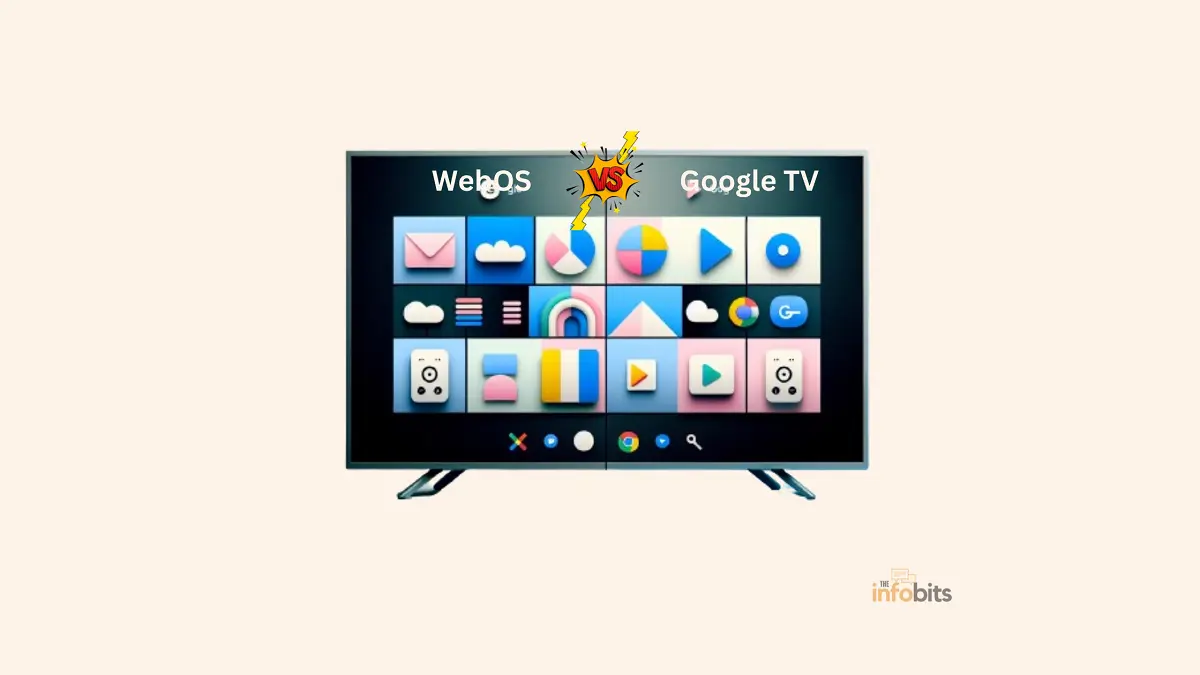
WebOS vs Google TV (2026): Which Platform Future-Proofs Your TV?
WebOS vs Google TV: The Quick Answer
WebOS (LG’s smart TV platform) is the better pick if you want a fast, polished interface backed by a strong long-term software update commitment. LG now guarantees up to five years of updates on newer sets, and its 2026 software brings a genuinely useful multi-AI system.
Google TV is the better pick if you want the widest choice of TV brands and price points. It ships on Sony, TCL, Hisense, and other manufacturers, and its Gemini-powered overhaul is the most ambitious AI push of any smart TV platform right now.
Both platforms changed substantially through 2025 and into 2026, so if you’re comparing them based on an older review, you’re not getting the full picture. Here’s what’s actually true today, including a few things worth knowing before you buy either one.
WebOS vs Google TV at a Glance
| WebOS (26) | Google TV | |
|---|---|---|
| Made by | LG | |
| Available on | LG TVs only | Sony, TCL, Hisense, and other partner brands, plus the Google TV Streamer device |
| AI assistant | Multi-AI: Google Gemini + Microsoft Copilot | Gemini (replaced Google Assistant) |
| Voice personalization | AI Voice ID (recognizes individual speakers, switches profiles) | Google account-based profiles |
| Smart home hub | LG ThinQ (Matter-compatible) | Google Home / Nest |
| App store | LG Content Store | Google Play Store |
| OS update support | Up to 5 years (LG Re: New program) | Varies by manufacturer |
| Free content | LG Channels, Haystack News integration | Google TV free channels |
| Notable controversy | Non-removable Microsoft Copilot app added via update | Staggered, inconsistent AI feature rollout across brands |
| Best for | LG households, long-term update support | Multi-brand shoppers, widest device selection |
What Is WebOS?
WebOS is LG’s Linux-based smart TV platform, originally developed by Palm, later acquired by LG, and now the exclusive software running on every LG smart TV.
It’s built around a simple “card” interface for switching between open apps and inputs, plus a launcher bar for quick access to your most-used content.
The 2026 version, webOS 26, is a meaningfully bigger update than the past couple of release cycles.
It introduces a multi-AI architecture that routes your voice requests to whichever AI model, Google Gemini or Microsoft Copilot, is best suited to answer it, rather than relying on a single built-in assistant.
It also adds AI Voice ID, which recognizes who’s speaking and automatically switches to that person’s personalized profile, complete with their own weather, calendar, and sports preferences.
Related: WebOS vs Tizen: Which One Is Right for Your TV?
What Is Google TV?
Google TV is Google’s smart TV platform, built on Android TV OS, designed around unified content discovery across your subscriptions.
Unlike WebOS, it isn’t tied to a single manufacturer; you’ll find it on TVs from Sony, TCL, Hisense, and others, as well as on Google’s own Google TV Streamer device.
The platform’s defining 2026 change is the replacement of the old Google Assistant with Gemini across supported devices, adding features like narrated “Deep Dives” on educational topics, “Sports Briefs” covering major leagues, and voice-controlled picture/sound adjustments.
You can say “the dialogue is too quiet” mid-show, and Gemini fixes it without you touching a menu.
Related: Tizen vs Google TV: Which Platform Takes the Lead?
The Big Platform Changes You Should Know About in 2026
This is where a truly “future-proof” comparison has to go beyond specs and look at how each company is actually treating its existing customers right now.
LG’s webOS 26 brings a genuine multi-AI system, but it also caused a real backlash. In late 2025, LG began automatically installing Microsoft Copilot onto existing webOS TVs through a software update, and the app cannot be uninstalled.
The change went viral on Reddit, with tens of thousands of users frustrated about a non-removable AI assistant of unknown data access being pushed onto TVs they already owned.
If you’d rather review updates before they install rather than have new apps appear automatically, go to Settings > Support > Software Update and turn off Auto Update, then check for updates manually so you can see what’s changing before it lands on your TV.
LG has formally committed to longer software support. Through its Re: New program, LG now guarantees up to five years of OS updates on newer sets.
This is a genuinely useful data point for anyone trying to actually future-proof a TV purchase, since software support windows vary wildly by manufacturer, and LG publishing a firm commitment is more than most brands offer.
Google TV’s Gemini rollout remains uneven across brands. As covered in more depth in our Tizen vs Google TV comparison, Gemini’s new features debuted first on select TCL models and Google’s own Google TV Streamer, with other manufacturers catching up over subsequent months.
Some capabilities, like high-resolution image generation, also require a separate Google AI subscription. In practice, “Google TV” describes a meaningfully different experience depending on your specific brand and model, worth checking directly rather than assuming.
Both platforms are converging on the same idea: AI as the primary interface, not a voice-search add-on.
LG’s approach routes between two different AI providers depending on the task; Google’s approach goes all-in on Gemini as a unified layer across search, settings, and content discovery. Neither approach is clearly “better” yet, both are still maturing.
Interface and User Experience
WebOS keeps its signature card-based interface for switching between open apps, plus a launcher bar for quick access.
The 2026 redesign keeps this “Simple switching” concept while layering in more personalized recommendations through AI Voice ID. Thus, different family members see different home screens automatically based on who’s talking, without manually selecting a profile first.
Google TV leans into content discovery through a “For You” tab powered by Google’s recommendation engine.
With Gemini now integrated, the interface increasingly responds to natural-language questions with custom-generated visual answers, live scorecards, recipe videos, and narrated explainers, rather than just linking out to static app pages.
Smart Home Integration
WebOS connects through LG ThinQ, LG’s smart home hub, which is Matter-compatible and works alongside Apple AirPlay and Google Cast support (added in webOS 24). LG’s Home Hub also integrates security features through the LG Shield system.
Google TV integrates with Google Home and Nest, letting you view camera feeds and control smart devices directly from the TV.
With Gemini now handling more requests conversationally, smart home control through Google TV has become less menu-dependent; you can ask it to do something rather than navigating a dedicated app.
Both platforms support AirPlay 2 and general cross-platform casting standards, so neither locks you out of using devices from the other’s ecosystem entirely. The difference is in how deeply integrated your primary smart home hub is.
App and Content Availability
WebOS runs through the LG Content Store, which LG advertises as covering over 4,000 apps and 400+ free live channels, plus a substantial cloud gaming portal. It covers every major streaming service, though its overall catalog remains narrower than Google Play’s.
Google TV, built on the Android app ecosystem, has access to the full Google Play Store, giving it a real edge in app variety, including more niche and specialized options.
Because Google TV spans many manufacturers, actual day-to-day performance can vary more by hardware tier than WebOS’s more tightly controlled LG-only pairing.
Performance and Responsiveness
WebOS is generally praised for snappy, low-lag navigation, since LG controls both the hardware and software on every device it ships.
Google TV’s performance is more dependent on the specific manufacturer and price tier. A premium Sony or TCL set running Google TV can feel just as fast as a WebOS TV, but a budget Google TV set may lag, particularly when running Gemini’s newer AI features, which require Android TV OS 14 or higher.
Myth vs Fact
Myth: WebOS and Google TV are basically interchangeable now that both have AI features. Fact: They’re taking meaningfully different approaches. WebOS 26 routes between two separate AI providers (Gemini and Copilot) depending on the task, while Google TV builds everything around a single, deeply integrated Gemini layer.
Myth: The Microsoft Copilot app on LG TVs is optional. Fact: As of the update that introduced it, Copilot installs automatically and cannot be uninstalled from the app drawer, though you can prevent future auto-updates from installing new apps by turning off Auto Update in settings.
Myth: All Google TVs get the same Gemini features at the same time. Fact: The rollout has been staggered. TCL devices and Google’s own Google TV Streamer received early access, with other brands catching up over the following months. Always check your specific model.
Myth: LG’s 5-year update commitment applies to every LG TV. Fact: The Re: New program applies to newer LG models; older sets running earlier webOS versions may not receive the same extended support window. Check your specific model’s update policy before assuming.
Common Mistakes to Avoid
- Assuming “future-proof” means the same thing on both platforms. LG’s formal 5-year update commitment through Re: New is more concrete than Google TV’s manufacturer-dependent policies, which vary by brand. Always check the specific update policy for your exact model on either platform.
- Leaving auto-updates on without checking what’s changing. The Copilot rollout on LG TVs is a clear example of why reviewing update notes (or switching to manual updates) is worth the extra step.
- Buying a budget Google TV set expecting full Gemini functionality. Advanced AI features require Android TV OS 14 or higher and sufficient hardware; cheaper sets and older models may not receive the full feature set, even after software updates.
- Overlooking your existing smart home ecosystem. If your home already runs on Matter-compatible devices through LG ThinQ, or you’re deep in Google Home/Nest, factor that into your decision; switching ecosystems adds real friction.
- Not checking gaming-specific features if that matters to you. WebOS 25/26 added 1440p 120Hz support, which is relevant for Nintendo Switch 2 and PC gaming. A detail that can get lost in a general platform comparison, but matters a lot if you game on your TV.
Which One Should You Choose? A Quick Decision Guide
- You already own an LG TV or are set on one → WebOS. The 2026 multi-AI system and formal 5-year update commitment make it a genuinely stronger long-term bet than in past years. Just review the update notes given the Copilot rollout controversy.
- You want the widest possible choice of TV brands and price points → Google TV, since it spans many manufacturers rather than locking you into one.
- You’re deep in the Google ecosystem (Photos, Nest, Calendar) → Google TV, for the tightest integration and Gemini’s natural-language controls.
- You game on your TV and care about high refresh rates → Check WebOS’s 1440p 120Hz support specifically, and compare against your target Google TV model’s gaming specs, since this varies more by hardware than by platform.
- Long-term software support is your top priority → Lean WebOS given LG’s explicit 5-year commitment, but confirm your exact model qualifies for the Re: New program before assuming.
- You want to avoid pre-installed AI apps you can’t remove → Worth asking directly, since both companies are pushing AI features aggressively; check current user reports for your specific model before buying if this is a dealbreaker.
Tips for Getting the Most Out of Either Platform
On WebOS: Turn off Auto Update if you’d rather review what’s changing before it installs, especially after the Copilot rollout controversy. Explore the LG Gaming Portal for cloud gaming if you don’t own a dedicated console. It’s built into the same interface.
On Google TV: Confirm your specific device is running Android TV OS 14 or higher before expecting Gemini features to appear. Try the voice-controlled settings adjustments first, asking Gemini to fix picture or sound issues directly is consistently rated as the most genuinely useful of the new AI features.
On either platform: If you’re using either platform’s smart home hub, pairing your TV with a Matter-compatible smart speaker like Amazon Echo Dot [view on Amazon] or hub device like Aeotec Smart Home Hub [view on Amazon] gives you hands-free control without picking up the remote, a worthwhile add-on regardless of which ecosystem you’re in.
For streaming quality regardless of platform: A stable connection matters more than the platform badge on your remote. If you’re planning to use either TV for PVOD movie rentals, prioritize a wired Ethernet connection where available, since both platforms’ AI features and premium 4K streams benefit from consistent bandwidth over Wi-Fi alone.
The Future of WebOS and Google TV
Both companies are clearly betting that AI becomes the primary way people interact with their TVs, not a bolt-on voice search feature.
LG’s multi-AI approach hedges by routing between providers depending on the task, while pairing that bet with a concrete long-term software support commitment through Re: New, a signal that LG wants “future-proof” to mean something concrete, not just a marketing phrase.
Google’s strategy leans on Gemini’s broader capabilities across Google’s ecosystem, expanding steadily through 2026 with sports content, generative photo tools, and deeper Google Home integration.
Though the uneven rollout across manufacturer partners remains a real friction point for anyone buying a non-Google-branded Google TV set today.
Which platform genuinely “wins” the future-proofing question will likely come down to two very practical things. How long your specific TV model actually keeps getting updates, and how much you trust either company’s approach to pushing new AI features onto hardware you already own.
WebOS vs Google TV: Final Verdict
To summarize, both WebOS and Google TV provide strong reasons for adoption, each with its own ideology on how a smart TV should function.
WebOS stands out for its simplicity and dependability, making it excellent for people looking for a straightforward and stable smart TV experience. Google TV excels in customization and app diversity, appealing to those who want a more connected and configurable platform.
Ultimately, the decision between WebOS (see the latest models on Amazon) and Google TV (find out the newest models on Amazon) will be based on your particular preferences, the devices you use, and how you interact with information.
As the ecosystem evolves with breakthroughs and upgrades, competition between these two platforms is expected to promote even more innovation and benefits for the end user.
Frequently Asked Questions
Is WebOS better than Google TV?
It depends on your priorities. WebOS offers a faster, more consistent experience with a concrete long-term update commitment if you’re buying an LG TV, while Google TV offers broader brand choice and the most ambitious AI feature set currently rolling out across the industry.
What is webOS 26?
WebOS 26 is LG’s 2026 smart TV software update, introducing a multi-AI architecture that combines Google Gemini and Microsoft Copilot, along with AI Voice ID for personalized, voice-recognized user profiles.
Why does my LG TV suddenly have a Microsoft Copilot app I can’t remove?
LG began automatically installing Copilot through a webOS software update in late 2025. The app currently cannot be uninstalled, though you can prevent future automatic app additions by turning off Auto Update in Settings > Support > Software Update.
Does Google TV still use Google Assistant?
No. Google TV has replaced its classic Google Assistant with Gemini across supported devices, with the rollout expanding significantly through CES and spring 2026.
Which TV brands use Google TV?
Google TV is available across multiple manufacturers, including Sony, TCL, and Hisense, as well as Google’s own Google TV Streamer device, unlike WebOS, which is exclusive to LG.
Can I get WebOS on a non-LG TV?
No. WebOS is exclusive to LG’s smart TV lineup and isn’t licensed for use on other manufacturers’ televisions for consumer TVs.
How long will my LG TV receive software updates?
Through LG’s Re: New program, newer LG models are guaranteed up to five years of OS updates. Confirm your specific model qualifies, since older sets may have shorter support windows.
How long will my Google TV receive software updates?
Update timelines for Google TV vary by manufacturer rather than being set uniformly by Google, so check your specific brand’s policy directly.
Do all Google TVs have Gemini features?
Not yet. The rollout has been staggered, starting with select TCL models and the Google TV Streamer, with broader manufacturer support expanding through 2026. Your device also needs Android TV OS 14 or higher.
What is AI Voice ID on webOS?
AI Voice ID is a 2026 webOS feature that recognizes individual speakers by voice and automatically switches to that person’s personalized profile, showing tailored weather, calendar, and sports information.
Does WebOS support high refresh rate gaming?
Yes, webOS 25 and 26 added support for 1440p at 120Hz, which is particularly useful for Nintendo Switch 2 and PC gaming on supported LG TV models.
Is Google TV the same as Android TV?
Google TV is built on top of Android TV OS but adds Google’s own content-discovery interface and, now, Gemini AI features layered on top of the underlying Android TV foundation.
Which platform has better free content?
Both are strong here, WebOS through LG Channels and its Haystack News integration, Google TV through its own free channel offerings, and the practical difference for most viewers is fairly minor.
Can I turn off AI features on either platform?
On WebOS, you can disable Auto Update to prevent new AI apps like Copilot from being installed, though existing installed apps may not be removable. On Google TV, Gemini features are generally tied to the OS version rather than individually toggleable, though voice activation settings can typically be adjusted.
Is it worth updating to webOS 26 if my current interface works fine?
If your LG TV is eligible, the update brings genuine new features like the multi-AI system and AI Voice ID, but it’s worth reviewing the release notes first, given the automatic Copilot installation some users experienced. Switching to manual updates lets you check before installing.
Which platform is easier for a non-technical user?
WebOS’s simpler, more consistent card-based interface tends to be easier for less tech-savvy users, though Google TV’s natural-language Gemini controls are specifically designed to reduce menu navigation, which can also lower the learning curve once fully rolled out on your device.
Please share this article on WebOS vs Google TV with your friends and relatives if you find it useful.
We also ask that you bookmark this page for future reference, as we are constantly updating our articles with new information.
Sign up for our free newsletter as well to receive fresh information immediately in your inbox and keep technically up to date.
Disclosure: If you follow our links to a retailer’s website and make a purchase, we will get an affiliate commission on some, but not all, of the items or services we promote. This will cause no price change for you.
:%20Which%20Platform%20Future-Proofs%20Your%20TV?)