What Is an OTT TV Box? How It Works, Types, and How to Choose One
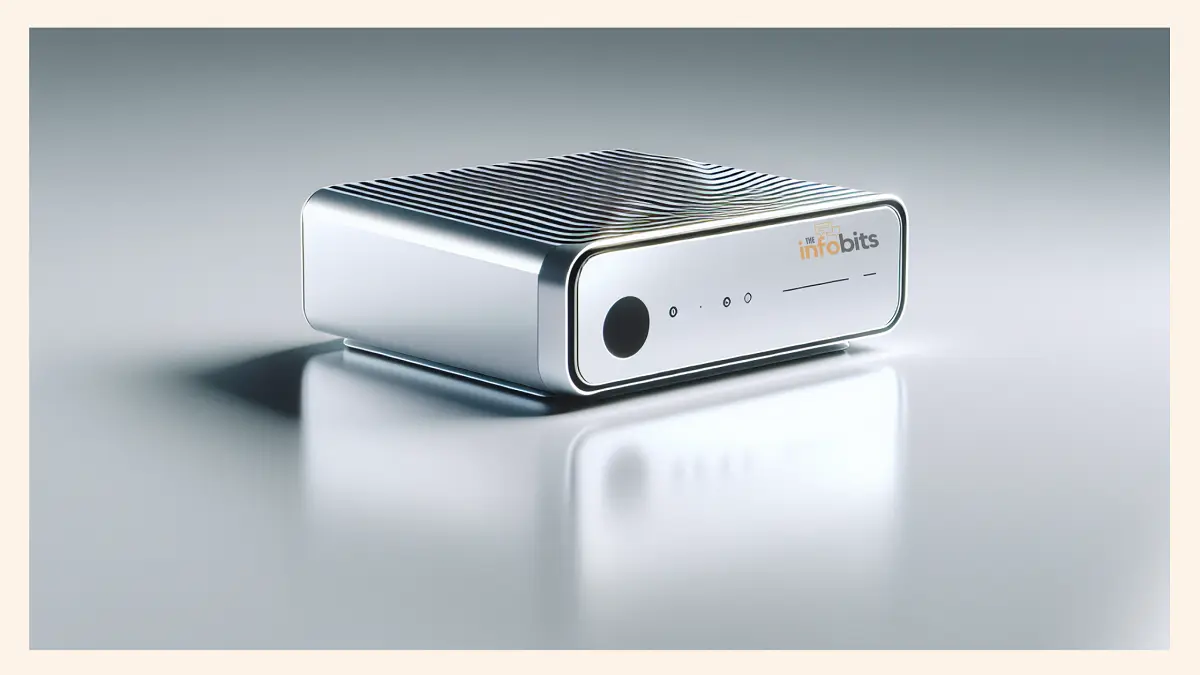
Quick Answer: An OTT TV box is a small device that plugs into your television’s HDMI port and streams video from the internet using Netflix, YouTube, Disney+, and thousands of other apps, without needing cable or satellite.
It’s the easiest way to turn a regular TV into a smart TV, and it’s why devices like the Roku Streaming Stick, Amazon Fire TV Stick, Apple TV, and Nvidia Shield have become fixtures in living rooms everywhere.
That’s the short version. If you’re deciding whether you actually need one, which type fits your setup, or how to avoid the sketchy “fully loaded” boxes flooding Facebook Marketplace right now, here’s everything worth knowing before you buy.
What Does OTT Actually Mean?
OTT stands for Over-The-Top, content delivered “over the top” of traditional broadcast infrastructure, straight through the open internet.
Instead of a cable company sending channels down a coaxial line, an OTT service like Netflix or Hulu sends video as data packets over your regular internet connection, the same way a webpage or an email reaches you.
This is the shift that’s driven cord-cutting for the past decade: OTT platforms don’t care what provider you have, don’t require a technician visit, and let you pick and choose services individually instead of paying for a channel bundle.
An OTT TV box is simply the hardware that makes this content accessible on the biggest screen in the house.
How Does an OTT TV Box Work?
The mechanics are simple, even though a lot happens in the background:
- The box connects to your TV via HDMI, and to your internet via Wi-Fi or Ethernet.
- You launch an app: Netflix, YouTube, Disney+, whatever you’ve installed.
- The app requests video from that service’s servers over the internet.
- The box’s processor decodes the incoming video stream in real time and converts it into the audio/video signal your TV understands.
- The picture and sound play through HDMI, exactly as if a cable box had sent them.
Under the hood, most modern OTT boxes contain the same basic components as a stripped-down computer: a processor (CPU) that handles video decoding and app performance, RAM for smooth multitasking between apps, onboard storage for the operating system and downloaded apps, and Wi-Fi/Ethernet connectivity to talk to your router.
Better processors and more RAM translate directly into faster app launches, smoother 4K playback, and less lag when navigating menus, which is why a $20 no-name box and a $50 Roku can feel worlds apart in daily use, even though they do the same basic job.
To keep playback smooth despite variable internet speeds, OTT boxes rely on adaptive bitrate streaming: the video is buffered a few seconds ahead, and quality automatically steps down if your connection dips rather than freezing the picture entirely.
That’s the same technology (HLS or MPEG-DASH) that lets Netflix drop from 4K to 1080p mid-scene on a shaky Wi-Fi connection instead of stalling out.
Related: What Are FAST Channels? Free Streaming TV Explained
How Much Internet Speed Do You Need?
As a rough guide:
- SD streaming: 3 Mbps minimum
- HD (1080p) streaming: 5–10 Mbps recommended
- 4K streaming: 25 Mbps or higher recommended
These numbers are per stream. If two people in the house are streaming 4K at once, double the requirement. A wired Ethernet connection is more stable than Wi-Fi for boxes that support it, since it avoids interference and congestion from other wireless devices.
Types of OTT TV Boxes
Not every OTT device looks or works the same way. Broadly, they fall into a few categories:
- Streaming sticks: Small dongles (Roku Streaming Stick, Fire TV Stick, Chromecast with Google TV) that plug directly into the HDMI port and draw power via USB or a wall adapter. Compact and cheap, but generally less powerful than box-style devices.
- Streaming boxes: Larger set-top units (Apple TV 4K, Nvidia Shield, Amazon Fire TV Cube) with more processing power, more storage, and often additional ports like USB or Ethernet.
- Android TV / Google TV boxes: Run Google’s Android TV OS, giving access to the full Google Play Store, sideloading capability, and often the widest raw app selection of any category.
- Hybrid OTT boxes: Some devices blend OTT app streaming with traditional broadcast input (an antenna or DVB tuner), letting you combine live over-the-air channels with streaming apps on one device, more common outside the US.
Related: Apple TV vs Roku: A Comprehensive Comparison
OTT Box vs. Smart TV: Do You Need One If You Already Have a Smart TV?
Not necessarily, but there’s a common reason people buy one anyway. A smart TV has streaming apps built directly into the television, so there’s no extra hardware or HDMI port used. An OTT box is a separate unit that adds the same capability to any TV, smart or not.
The problem is upgradability. A smart TV’s software is tied to hardware that was current in the year it was built; three or four years later, it’s common for older smart TVs to lose app updates or drop support for newer streaming platforms entirely, while the TV panel itself is still perfectly fine.
An OTT box sidesteps that problem. When the software feels dated, you replace a $50 device instead of an entire television, and it usually gets updates faster than TV manufacturers push them to their own smart TV platforms.
OTT Box vs. IPTV Box: These Are Not the Same Thing
This is a common point of confusion, so it’s worth being precise about it. Despite similar-sounding names, OTT and IPTV boxes deliver content in fundamentally different ways:
| OTT Box | IPTV Box | |
|---|---|---|
| Network | Open, public internet | Private, managed network run by an ISP/telecom |
| Content source | Individual streaming apps (Netflix, YouTube, etc.) | Bundled channel packages from a specific provider |
| Quality guarantee | Varies with your internet connection | More consistent; the provider controls the network path |
| Examples | Roku, Fire TV, Apple TV, Chromecast | Set-top boxes from telecoms (e.g., AT&T U-verse-style services) |
In short, an OTT box is app-centric and works over whatever internet connection you already have. An IPTV box is more like a modern replacement for cable, delivered by a specific provider over their own controlled network, with a traditional channel-surfing style interface.
Related: What Is Cloud TV? How It Works and How It Differs from OTT
Benefits of Using an OTT TV Box
Access to a huge content library. Between subscription services (Netflix, Prime Video, Disney+), free ad-supported platforms (Pluto TV, Tubi, the Roku Channel), and niche international apps, an OTT box gives you access to far more content variety than any single cable package ever offered.
True on-demand control. No programming schedule to work around; pause, rewind, resume, or binge an entire season whenever you want.
Lower cost, more control. You pay for exactly the services you actually use instead of a bundled package full of channels you never watch. The box itself is typically a one-time cost of $20–$200, with no ongoing rental fee like a cable company charges for its hardware.
Faster software updates than most smart TVs. Dedicated streaming device makers tend to push OS and app updates more aggressively than TV manufacturers do for their built-in smart platforms, which extends the useful life of an older television.
What to Consider Before Buying an OTT TV Box
Compatibility with your TV. Confirm the box’s HDMI output matches an available port on your TV, and that your TV can actually display the resolution the box outputs. Buying a 4K box for a 1080p TV won’t hurt anything, but you won’t see the benefit either.
Your internet setup. Check whether the box supports Ethernet if you want a wired connection, and confirm your router can handle the load if multiple devices in the house stream simultaneously.
App availability. Make sure the platform (Roku OS, Google TV, Fire OS, tvOS) actually carries the specific apps you use. Regional availability varies; some apps common in the US aren’t available on every platform internationally.
Processing power. Look for at least a quad-core processor and 2GB of RAM as a baseline for smooth 4K playback and quick app switching; budget models with less than that tend to feel sluggish within a year.
Storage. 8–16GB is enough for a typical app library; heavier users who install a lot of apps or games may want more.
Extra features. Voice remotes, smart home/Alexa or Google Assistant integration, Dolby Atmos passthrough, and HDR support (HDR10, Dolby Vision) are worth checking if you have a TV and sound system capable of using them.
Popular OTT TV Box Brands
Roku remains the go-to choice for simplicity; a clean, ad-supported-but-unobtrusive interface and the widest channel/app catalog of any platform, spread across streaming sticks and boxes at nearly every price point. (see the latest Roku models on Amazon)
Amazon Fire TV integrates tightly with Alexa and Amazon’s ecosystem, which is a strong pull for existing Prime members, though its home screen leans noticeably toward promoting Amazon’s own content. (View on Amazon)
Apple TV delivers the smoothest experience for anyone already inside the Apple ecosystem. AirPlay, iCloud photo sharing, and Apple TV+ all work seamlessly. But it carries a higher price tag than most competitors and has a smaller third-party app catalog. (see the latest model)
NVIDIA Shield targets power users and gamers: the most capable hardware in the category, with AI upscaling and GeForce Now cloud gaming support, though its price and feature set are overkill for someone who just wants to watch Netflix. (Buy on Amazon)
Google TV / Chromecast with Google TV leans into content discovery, pulling recommendations across all your installed apps into one unified home screen, and integrates well with Google Assistant and the wider Android ecosystem. (Available on Amazon)
Related: Chromecast vs Apple TV: The Battle of the Streaming Devices
A Word of Caution: “Fully Loaded” and Jailbroken Boxes
Search for streaming boxes online, and you’ll inevitably run into ads for devices promising “free premium TV forever” or a “one-time payment, no monthly fees”, often branded as things like fully loaded, jailbroken, or preloaded IPTV boxes. It’s worth understanding what these actually are before considering one.
These devices are typically standard Android TV hardware pre-loaded with third-party apps configured to scrape and stream copyrighted content.
They are bringing live sports, premium channels, and current movies from unlicensed sources, without paying the license holders anything. A few things are worth knowing before you’re tempted:
- It’s not a legal gray area. The Protecting Lawful Streaming Act made large-scale unauthorized streaming a felony offense, and copyright holders can and do pursue civil claims against individual users, not just sellers.
- Security risk is real, not theoretical. In late 2025, federal agencies warned about “BadBox 2.0,” malware baked directly into the firmware of cheap Android streaming boxes before they even reach the buyer. This means that the device can be compromised straight out of the box, no sideloading required.
- They tend to stop working without warning. These services depend on unlicensed source servers that regularly get seized or shut down, which is why owners of branded “loaded” boxes sometimes wake up to a dead device with no support line to call.
- The savings are often illusory. A one-time fee of $200–$400 sounds appealing next to monthly subscriptions, but that math falls apart the moment the box goes dark, which happens routinely.
If a device or listing uses words like “fully loaded,” “jailbroken,” or “lifetime access with no subscription,” treat it as a red flag rather than a selling point.
Mainstream brands such as Roku, Fire TV, Apple TV, Google TV, and Nvidia Shield don’t unlock premium content for free because they aren’t built to bypass licensing in the first place; they’re simply a more convenient way to access services you still pay for individually.
Related: How to Choose the Best WiFi Channel for Faster Speeds
Common Mistakes People Make With OTT Boxes
Assuming a pricier box automatically means better streaming quality. Once you’re above a basic quad-core processor with 2GB RAM, video quality is mostly determined by your internet speed and the streaming service’s own encoding, not the box. Extra spend buys you a snappier interface and better gaming/upscaling features, not sharper Netflix.
Ignoring Wi-Fi placement. A box sitting behind a TV mount, blocked by a wall from the router, will buffer regardless of how fast your internet plan is. If 4K playback stutters, check signal strength before assuming your internet speed is the problem.
Skipping firmware updates. Update prompts are easy to dismiss, but they patch both security holes and app compatibility issues; an outdated box is what makes previously fine apps suddenly crash or lose support.
Buying a “loaded” box to save money. Covered above, but worth repeating: the security and legal risk consistently outweighs the savings versus simply subscribing to a couple of ad-supported free services (Pluto TV, Tubi) alongside your paid subscriptions.
Frequently Asked Questions
What is an OTT TV box in simple terms?
It’s a small device that connects your television to the internet, letting you stream apps like Netflix and YouTube directly on the big screen instead of a phone or laptop, without needing a cable or satellite subscription.
Is an OTT box the same as a smart TV?
No. A smart TV has streaming apps built into the television itself. An OTT box is a separate external device that adds the same streaming capability to any TV with an HDMI port, smart or not.
Do I need cable internet to use an OTT box?
No, any broadband internet connection works, including cable, fiber, or DSL. What matters is speed and stability, not the type of provider.
What internet speed do I need for an OTT box?
Around 5 Mbps for smooth HD streaming and 25 Mbps or more for reliable 4K, per active stream. Multiple simultaneous streams in the same household need proportionally more bandwidth.
Are OTT TV boxes legal?
Yes, mainstream devices like Roku, Fire TV, Apple TV, and Google TV are entirely legal hardware. Legal trouble only arises from what content you access with them; streaming pirated content through modified “fully loaded” boxes is illegal and can lead to civil or criminal penalties.
What is the difference between an OTT box and an IPTV box?
An OTT box streams individual apps over the open public internet. An IPTV box receives bundled channel packages over a private, managed network run by a specific provider, more similar to how traditional cable operates.
Can I use an OTT box without any monthly subscriptions?
Yes, to an extent, free ad-supported apps like Pluto TV, Tubi, and the Roku Channel offer substantial libraries at no cost. You won’t get access to subscription-only content like Netflix originals without paying for that specific service.
Which OTT box is best for beginners?
Roku is generally considered the easiest to set up and navigate, thanks to a simple interface and the widest app catalog, without requiring an existing ecosystem like Apple’s or Amazon’s.
Do OTT boxes work with any TV?
Any TV with a free HDMI port and a way to select that input will work. Very old TVs without HDMI may need an adapter or aren’t compatible.
Why is my OTT box buffering even though I have fast internet?
The most common causes are a weak Wi-Fi signal at the box’s location, too many devices sharing the same network, or an outdated app/firmware version. Check signal strength and update the box before assuming your internet plan is at fault.
What does “jailbroken” mean on a streaming box?
It means the device’s software restrictions have been removed to allow installing apps from outside the official app store, often specifically to access pirated content. This voids manufacturer security protections and is a common way malware ends up on home networks.
Is it safe to buy a cheap, no-name Android TV box?
Exercise caution. Federal agencies have warned about malware pre-installed on the firmware of some inexpensive, unbranded Android boxes before they’re even sold. Sticking to recognized brands with Google Play Protect certification significantly reduces this risk.
Can an OTT box replace cable TV entirely?
For most people, yes; between paid streaming subscriptions and free ad-supported apps, an OTT box can cover the vast majority of what cable offered. The main gap tends to be live local news and sports, which may require an added live-TV streaming service or an over-the-air antenna.
Do OTT boxes support 4K and HDR?
Mid-range and higher models generally do, including HDR10 and sometimes Dolby Vision, provided your TV also supports those standards and your internet speed can sustain 4K bitrates.
How long does an OTT box typically last before needing an upgrade?
Most remain fully functional for 3–5 years, though budget models with limited RAM may start feeling sluggish sooner as apps grow more demanding. Software support ending is usually what forces a replacement, not hardware failure.
Can I connect a game controller or keyboard to an OTT box?
Many Android TV-based boxes support Bluetooth peripherals like controllers and keyboards, useful for casual gaming or easier text entry when searching for content.
What’s the difference between a streaming stick and a streaming box?
A stick is a compact dongle that plugs directly into the HDMI port and is typically less powerful; a box is a larger standalone unit with more processing power, storage, and often additional ports, usually at a higher price.
Please share this article with your friends and relatives if you find it useful.
We also ask that you bookmark this page for future reference, as we are constantly updating our articles with new information.
Sign up for our free newsletter as well to receive fresh information immediately in your inbox and keep technically up to date.