WiFi 6 vs WiFi 7: What’s the Real Difference and Should You Upgrade in 2026?
WiFi 7 routers are on shelves. The specs look extraordinary: 46 Gbps theoretical speeds, 320MHz channels, something called Multi-Link Operation.
WiFi 6 delivered real improvements over WiFi 5. But how much of WiFi 7’s marketing actually translates to your home? And do you need to upgrade now, or is WiFi 6 still the right call?
The honest answer is more nuanced than the marketing suggests. WiFi 7 brings two genuinely significant improvements, MLO and 320MHz channels, that deliver measurable benefits in specific scenarios. Whether those scenarios apply to you is the actual question.
This guide covers what each generation actually does differently, which improvements are real vs. theoretical, what real-world performance data shows, and a straightforward framework for deciding whether to upgrade.
Quick Answer : WiFi 6 vs WiFi 7
Description WiFi 6 (802.11ax) WiFi 7 (802.11be) Max theoretical speed 9.6 Gbps 46 Gbps Real-world single-device 1.5–2.5 Gbps 3–5 Gbps Max channel width 160MHz 320MHz Multi-Link Operation No Yes QAM modulation 1024-QAM 4096-QAM MU-MIMO streams 8 16 Typical latency 5–10ms Sub-2ms with MLO Minimum security WPA3 WPA3 Entry router price (2026) $80–$150 ~$250+ Bottom line: WiFi 7’s biggest real-world advantage is latency via MLO, not raw speed. For gaming, video calls, and dense smart homes, the improvement is meaningful. For a household under 1 Gbps internet with basic streaming needs, WiFi 6 is still excellent.
WiFi Generations at a Glance
Before diving into the specific differences, here’s the full lineage of modern WiFi:
| Standard | WiFi Name | Max Speed | Key Innovation |
|---|---|---|---|
| 802.11n | WiFi 4 | 600 Mbps | First MIMO; 2.4GHz + 5GHz |
| 802.11ac | WiFi 5 | 3.5 Gbps | 5GHz focus; downlink MU-MIMO |
| 802.11ax | WiFi 6 | 9.6 Gbps | OFDMA; uplink MU-MIMO; WPA3; TWT |
| 802.11ax (6GHz) | WiFi 6E | 9.6 Gbps | Added 6GHz band access |
| 802.11be | WiFi 7 | 46 Gbps | 320MHz channels; MLO; 4096-QAM |
WiFi 6E is worth noting specifically: it uses the same 802.11ax standard as WiFi 6 but adds access to the 6GHz frequency band, which provides more spectrum and far less congestion. WiFi 7 then takes the 6GHz band further with its wider channels and MLO.
Related: Wi-Fi 7 Router Won’t Connect to Older Devices: 9 Fixes That Work
The Five Real Differences Between WiFi 6 and WiFi 7
1. Multi-Link Operation (MLO): The Game-Changer
This is WiFi 7’s most significant and genuinely new capability. Nothing like it existed in WiFi 6.
What MLO does: In WiFi 6, a device connects to one band at a time, either 2.4GHz, 5GHz, or 6GHz. If that band experiences congestion or interference, performance degrades until the device switches bands (which causes a momentary interruption).
With MLO, a WiFi 7 device can connect to multiple bands simultaneously, for example, 5GHz and 6GHz at the same time. Traffic is intelligently split across both connections:
- Latency-sensitive data (gaming inputs, video call packets) routes through whichever band has lower latency at that moment
- High-throughput data (file downloads, video streams) uses aggregate bandwidth from both bands
- If one band experiences interference or congestion, the other immediately absorbs the traffic with no perceptible interruption.
What real-world testing shows: MLO reduced 99th-percentile latency from approximately 45ms on WiFi 6 to around 12ms in controlled tests.
For cloud gaming (Xbox Cloud Gaming, GeForce NOW), WiFi 6 users typically experience 25–35ms of wireless latency; WiFi 7 MLO users report 15–22ms in similar conditions.
The practical impact: for gaming, competitive applications, and video calls, where sporadic latency spikes matter more than average latency, MLO delivers a qualitatively different experience. For basic browsing and streaming, the difference is less perceptible.
The caveat: MLO requires both the router AND the client device to support WiFi 7. Most current phones, laptops, and consoles support WiFi 6 or 6E. WiFi 7 client adoption is growing (Samsung Galaxy S25, iPhone 16 series, recent Intel Lunar Lake laptops all support WiFi 7) but not yet universal.
2. 320MHz Channel Width: Double the Highway
WiFi 6: Maximum 160MHz channel width on the 5GHz and 6GHz bands
WiFi 7: 320MHz channel width (exclusive to the 6GHz band)
Doubling the channel width roughly doubles the maximum throughput in ideal conditions. It’s the digital equivalent of widening a two-lane motorway to four lanes. This is the primary driver behind WiFi 7’s theoretical 46 Gbps peak speed.
Real-world limitation: 320MHz channels require substantial clean spectrum. In the 6GHz band:
- The US has enough spectrum for a few non-overlapping 320MHz channels
- Europe (including the UK) has access to a smaller portion of the 6GHz band, limiting the practical availability of 320MHz channels in congested areas.
- The closer you are to other WiFi 7 networks using the 6GHz band, the more these wide channels compete for available spectrum.
In practice, many WiFi 7 deployments today use 160MHz channels (same as WiFi 6E) in the 6GHz band, only achieving 320MHz when spectrum conditions allow it.
Real-world single-device throughput on WiFi 7 with a 320MHz channel is approximately 3–5 Gbps, compared to 1.5–2.5 Gbps on WiFi 6.
3. 4096-QAM Modulation: 20% More Data Per Signal
WiFi 6: 1024-QAM (10 bits per symbol)
WiFi 7: 4096-QAM (12 bits per symbol)
QAM (Quadrature Amplitude Modulation) determines how much data each wireless transmission carries. Moving from 1024-QAM to 4096-QAM encodes 20% more bits per transmission.
The important caveat: 4096-QAM requires an excellent signal-to-noise ratio. In real homes with walls, furniture, and interference, the conditions for 4096-QAM are rarely met except very close to the router.
Further from the router, the system automatically uses lower-order modulation, matching WiFi 6 performance or falling back to even lower modulation.
The 20% improvement is real in optimal conditions; it’s the contribution you see in lab-grade throughput tests. In everyday home use at normal distances, the improvement is present but less dramatic.
4. Preamble Puncturing: Required, Not Optional
WiFi 6: Preamble puncturing was optional
WiFi 7: Preamble puncturing is mandatory
This is a technical feature that allows WiFi 7 to work around interference within a bonded channel.
With WiFi 6, if an interfering signal occupied part of a combined channel, the router had to either use the whole channel (accepting interference) or abandon it entirely and use a narrower channel.
With mandatory preamble puncturing in WiFi 7, the router can simply ignore the interfered sub-channels while using the rest, like taking a detour around roadworks without leaving the motorway.
This makes wider channels more practically usable in real-world environments with interference.
This is a quiet but genuinely useful improvement that makes WiFi 7’s theoretical specs more achievable in practice.
5. Enhanced MU-MIMO: 8 to 16 Streams
WiFi 6: Up to 8 simultaneous spatial streams (uplink and downlink)
WiFi 7: Up to 16 simultaneous spatial streams
WiFi 7 doubles the number of devices that can be served with simultaneous dedicated streams. This matters primarily in very high-density environments, 20+ active devices on the same network, each demanding meaningful bandwidth simultaneously.
For most home networks, 8 streams (WiFi 6) is already more than sufficient. The 16-stream improvement becomes relevant in professional settings, large households with 20+ high-bandwidth devices active simultaneously, or dense smart home deployments.
Related: What’s MU-MIMO and How Does It Work?
Theoretical vs. Real-World Speeds: What the Numbers Actually Mean
The 46 Gbps theoretical maximum for WiFi 7 gets a lot of attention in marketing. Here’s the honest context:
| Specification | WiFi 7 Theoretical | WiFi 7 Real-World | WiFi 6 Real-World |
|---|---|---|---|
| Maximum speed | 46 Gbps | 3–5 Gbps (peak) | 1.5–2.5 Gbps (peak) |
| Typical speed at 5m | 2–4 Gbps | Varies by environment | 800Mbps–1.5 Gbps |
| Latency (99th percentile with MLO) | <2ms | ~12ms | 35–45ms |
| Practical home improvement | — | ~2x faster peak | Reference |
The 46 Gbps number assumes: all 16 spatial streams active simultaneously, 320MHz channels with no interference, 4096-QAM signal quality, and multiple bands fully utilised by MLO. These conditions don’t exist in real homes.
Real-world WiFi 7 gives you roughly 2–2.5× the peak throughput of WiFi 6 in optimal conditions, significant, but far from the 5× implied by theoretical numbers.
The latency improvement through MLO is more practically achievable. It requires WiFi 7 on both router and client, but when that condition is met, the 75% reduction in worst-case latency is real and consistent.
WiFi 6 vs WiFi 7 vs WiFi 6E: Where Does 6E Fit?
WiFi 6E is worth addressing directly because many current mid-range routers are WiFi 6E, and the choice between upgrading from 6E to 7 is different from upgrading from 6 to 7.
WiFi 6E (802.11ax + 6GHz):
- Same theoretical throughput as WiFi 6 (9.6 Gbps)
- Adds 6GHz band access; significantly less congested spectrum than 2.4 or 5GHz
- Supports 160MHz channels on 6GHz
- No MLO
- Available in routers since 2021, now common in the $130–$200 range
WiFi 6E vs WiFi 7: If you already have a WiFi 6E router, the upgrade to WiFi 7 primarily gives you MLO, 320MHz channels (where available), and 4096-QAM. The real-world benefit depends heavily on whether you have WiFi 7 client devices to take advantage of MLO.
If you’re currently on plain WiFi 6 (no 6GHz band), upgrading to WiFi 7 gives you all of the above plus the 6GHz band itself, a more significant step.
Who Actually Benefits from WiFi 7 Right Now?
This is the question the marketing doesn’t want to answer directly. Let’s be specific.
WiFi 7 Makes a Meaningful Difference For:
Competitive gamers on wireless: MLO’s latency reduction, from 45ms spikes to sub-15ms consistency, is the first time WiFi has been genuinely competitive with wired Ethernet for latency-sensitive gaming.
If you currently use WiFi for gaming and experience occasional lag spikes, WiFi 7 MLO (with a compatible device) directly addresses this.
Multi-gigabit internet subscribers: If your ISP delivers 1Gbps, 2Gbps, or faster, WiFi 6’s practical ~1.5–2.5 Gbps ceiling means you may not be using your full internet speed wirelessly. WiFi 7’s 3–5 Gbps real-world throughput can match multi-gig fiber connections more effectively.
Households with 20+ simultaneous high-bandwidth devices: Video production households, smart homes with many 4K cameras, or tech-heavy family households where multiple people are simultaneously streaming 4K, gaming, and on video calls all benefit from WiFi 7’s higher simultaneous stream count and bandwidth.
Those buying a router that needs to last 5–7 years: WiFi 7 is the current generation. Client device support is growing rapidly. A WiFi 7 router purchased today will be the right hardware as more devices over the next few years include WiFi 7 chipsets by default.
WiFi 6 Is Still the Right Choice For:
Households with internet plans below 1Gbps: WiFi 6’s real-world throughput (1.5–2.5 Gbps) already exceeds what most home internet connections deliver. If your bottleneck is your internet plan, not your router, WiFi 7 won’t make your downloads or streaming faster.
Those with predominantly WiFi 5 or 6 client devices: MLO, WiFi 7’s headline feature, only works when the client device supports WiFi 7. If your phones, laptops, and tablets are WiFi 6 or older, you won’t experience MLO’s latency benefits. You’d be paying WiFi 7 prices for WiFi 6 performance.
Casual users with fewer than 10 active devices: WiFi 6’s 8-stream MU-MIMO, OFDMA, and 6GHz (if 6E) already provide more than enough bandwidth and efficiency for a typical household. The improvements in WiFi 7 won’t be noticeable in everyday browsing, streaming, and video calls.
Budget-conscious buyers: WiFi 7 entry-level routers start at around $250 in 2026, down from $400+ at launch. Quality WiFi 6 routers are available for $80–$150. The $100–$150 premium buys you WiFi 7, but only delivers its full benefit when you also have WiFi 7 client devices.
Should You Upgrade? Decision Framework
Upgrade to WiFi 7 now if:
- You have multi-gig fiber (1Gbps+) and wireless speed is the bottleneck
- You play competitive games wirelessly, and latency spikes are a real problem
- You have 20+ high-bandwidth devices active simultaneously
- You have WiFi 7-capable client devices (Samsung S25, iPhone 16, recent Intel laptops)
- You’re buying a router that needs to serve you for 5+ years
- You do large local file transfers frequently (Plex server, NAS streaming to TV)
Stick with WiFi 6 (or upgrade to WiFi 6E) if:
- Your internet plan is 500 Mbps or below
- Your existing WiFi 6 router is working well for your household
- Most of your devices are WiFi 5 or 6, no WiFi 7 clients yet
- You primarily use WiFi for streaming Netflix, browsing, and light video calls
- Budget is a consideration; WiFi 6 routers at $80–$150 deliver excellent value
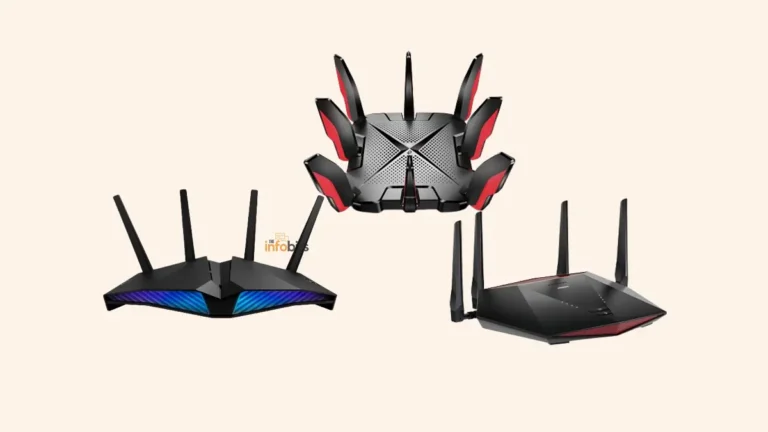
If you’re upgrading to WiFi 7, the TP-Link Archer BE800 (view on Amazon) and ASUS RT-BE96U (view on Amazon) are highly rated for home use with full MLO support and tri-band operation. Both represent the current generation’s best value points at around $350–$550.
If WiFi 6E makes more sense for your situation- more budget, no WiFi 7 clients yet- the TP-Link Deco XE75 (view on Amazon) or TP-Link AXE5400 (view on Amazon) offer excellent tri-band WiFi 6E coverage; both are available at around $150–$250 and remain highly capable for the next 3–4 years.
Related: Must-Have Features to Look for in a Router
Compatibility and Backward Compatibility
A common concern: “Will my old devices work with a WiFi 7 router?”
Yes, completely. WiFi 7 is fully backward compatible with WiFi 6, 6E, 5, 4, and even older standards. Your WiFi 5 phone, WiFi 4 smart TV, and WiFi 6 laptop all connect to a WiFi 7 router without any changes; they just connect using their native standard.
The WiFi 7-specific features (MLO, 320MHz channels, 4096-QAM) activate automatically for client devices that support them. Older devices receive their standard WiFi experience unchanged.
The PS5 and Xbox situation:
- PS5 (standard): supports WiFi 6 (802.11ax)
- PS5 Pro: supports WiFi 7
- Xbox Series X/S: supports WiFi 5 (802.11ac)
- Nintendo Switch OLED: supports WiFi 5 (802.11ac)
Related: WiFi Security for Beginners: How to Secure Your Home WiFi Network
Security: What’s New in WiFi 7?
Both WiFi 6 and WiFi 7 require WPA3 as the minimum security standard, a significant improvement over the WPA2-or-worse security common on older devices.
WPA3 improvements over WPA2:
- SAE (Simultaneous Authentication of Equals) handshake replaces the PSK handshake that was vulnerable to offline dictionary attacks
- Forward secrecy: past sessions can’t be decrypted if the password is later compromised
- Protected Management Frames (mandatory), block deauthentication attacks and the mechanism underlying KRACK
WiFi 7 doesn’t introduce fundamentally new security protocols beyond what WiFi 6 established with WPA3, but maintains the same strong baseline.
Related: Understanding WPA3 Encryption: Why Your Router Needs WPA3
Power Efficiency: TWT and Beyond
Target Wake Time (TWT) was introduced in WiFi 6 and carries forward into WiFi 7 with refinements.
TWT allows the router and a device to negotiate specific “wake up” windows, periods when the device’s WiFi radio activates to send or receive data. Between these windows, the radio sleeps, consuming negligible power.
The practical benefit: IoT devices (smart sensors, smart plugs, security cameras in standby mode) can maintain WiFi connections while consuming a fraction of the battery that always-on WiFi would require. For battery-powered smart home devices, TWT meaningfully extends battery life.
WiFi 7 refines TWT with more flexible negotiation and better scheduling for high-density environments, meaningful for smart homes with many battery-powered devices.
Related: How to Secure IoT Devices on Your Home WiFi Network (Practical Guide)
WiFi 6 vs WiFi 7: Complete Comparison Table
| Feature | WiFi 6 (802.11ax) | WiFi 7 (802.11be) |
|---|---|---|
| Standard | IEEE 802.11ax | IEEE 802.11be |
| Max theoretical throughput | 9.6 Gbps | 46 Gbps |
| Real-world peak throughput | 1.5–2.5 Gbps | 3–5 Gbps |
| Channel width | Up to 160MHz | Up to 320MHz |
| Frequency bands | 2.4GHz, 5GHz (+ 6GHz on 6E) | 2.4GHz, 5GHz, 6GHz |
| QAM modulation | 1024-QAM | 4096-QAM |
| Multi-Link Operation | No | Yes |
| MU-MIMO streams | Up to 8 | Up to 16 |
| OFDMA | Yes | Yes (enhanced) |
| Target Wake Time | Yes | Yes (enhanced) |
| Preamble Puncturing | Optional | Mandatory |
| Minimum security | WPA3 | WPA3 |
| Latency (typical) | 5–10ms | Sub-2ms with MLO |
| Backward compatible | Yes | Yes |
| Entry router price (2026) | $80–$150 | ~$250+ |
| Best for | Most homes; sub-1Gbps internet | Multi-gig fiber; dense homes; gaming |
Related: How to Choose the Best WiFi Channel for Faster Speeds
Common Myths About WiFi 6 vs WiFi 7
Myth: WiFi 7 is 5× faster than WiFi 6. Fact: The theoretical peak is about 5× higher, but real-world throughput is approximately 2–2.5× better. Marketing numbers assume ideal conditions that don’t exist in typical homes.
Myth: You need a WiFi 7 router to access the 6GHz band. Fact: WiFi 6E routers, which have been available since 2021, also provide 6GHz band access using the same 802.11ax standard. The 6GHz band is not exclusive to WiFi 7.
Myth: A WiFi 7 router will speed up your internet connection. Fact: Your internet speed is limited by your ISP plan, not your router. A WiFi 7 router cannot make a 500Mbps connection deliver more than 500Mbps to the internet. It improves local network throughput and latency, but only up to what your internet plan allows for internet-facing traffic.
Myth: All WiFi 7 routers support full 320MHz channels. Fact: 320MHz channels require available spectrum in the 6GHz band and are only supported in regions where the 6GHz band is allocated for WiFi. Even where available, real-world use often involves 160MHz channels due to interference and spectrum sharing. Check specifications carefully.
Myth: Older devices will perform worse on a WiFi 7 router. Fact: WiFi 7 is fully backward compatible. Older devices connect and perform identically to how they did on a WiFi 6 router; they simply don’t benefit from WiFi 7-specific features like MLO.
Conclusion
WiFi 7 is a genuine advancement, not marketing hype, but it’s targeted at specific use cases and delivers its most meaningful improvements only when both the router and client devices support it.
MLO is the real story. The 50–75% latency reduction through Multi-Link Operation is something new, a qualitative improvement over WiFi 6 that matters for gaming, video calls, and dense connected households.
The throughput improvement (roughly 2× in real-world conditions) is significant but less dramatic than the theoretical specs imply.
For most households in 2026, those with sub-1Gbps internet plans and WiFi 6 client devices, upgrading from a well-functioning WiFi 6 router to WiFi 7 today delivers limited practical benefit.
The smarter approach is to upgrade client devices first (phones, laptops with WiFi 7 chipsets) and then consider a WiFi 7 router when your existing hardware needs replacement anyway.
For multi-gig fiber subscribers, serious gamers playing wirelessly, or households with newer WiFi 7-capable devices, the upgrade makes concrete sense, particularly because WiFi 7 routers bought today will serve you through the next generation of client devices.
The bottom line: WiFi 7 is worth the premium for the right use case. WiFi 6 and 6E remain excellent choices for everyone else.
Frequently Asked Questions
What is the main difference between WiFi 6 and WiFi 7?
The two most significant differences are Multi-Link Operation (MLO) and 320MHz channel width. MLO allows devices to connect to multiple frequency bands simultaneously, reducing latency by 50–75% for time-sensitive applications. 320MHz channels double the throughput capacity versus WiFi 6’s 160MHz maximum. WiFi 7 also uses 4096-QAM (vs 1024-QAM in WiFi 6) for about 20% more data per transmission.
Is WiFi 7 worth upgrading to from WiFi 6 in 2026?
It depends on your specific situation. If you have multi-gigabit internet, play competitive games wirelessly, or have WiFi 7-capable client devices, the upgrade delivers real benefits, especially MLO’s latency improvements. If your internet plan is under 1Gbps and you mostly stream and browse on WiFi 6 devices, the practical difference is minimal.
What is Multi-Link Operation (MLO) in WiFi 7?
MLO allows a WiFi 7 device to connect to multiple frequency bands simultaneously, for example, 5GHz and 6GHz at the same time. Traffic is intelligently routed across both connections, reducing latency and virtually eliminating connection drops. It requires both the router and the client device to support WiFi 7.
What are the real-world speeds of WiFi 7 vs WiFi 6?
In real-world conditions, WiFi 7 achieves approximately 3–5 Gbps peak single-device throughput versus 1.5–2.5 Gbps for WiFi 6. These figures are significantly below the theoretical maximums (46 Gbps and 9.6 Gbps, respectively) because ideal conditions for peak theoretical throughput don’t exist in typical homes.
Does WiFi 7 work with older WiFi 5 and WiFi 6 devices?
Yes, completely. WiFi 7 is fully backward compatible with all previous WiFi generations. Older devices connect and work normally. They simply don’t benefit from WiFi 7-specific features like MLO, 320MHz channels, or 4096-QAM, which require client device support.
What is 4096-QAM and how does it differ from 1024-QAM in WiFi 6?
QAM (Quadrature Amplitude Modulation) determines how much data each wireless transmission carries. 4096-QAM (WiFi 7) encodes 12 bits per symbol versus 10 bits in 1024-QAM (WiFi 6), a 20% improvement in data density per transmission. However, 4096-QAM requires excellent signal quality, so the improvement is most pronounced in proximity to the router.
Is WiFi 6E the same as WiFi 7?
No. WiFi 6E uses the 802.11ax standard (same as WiFi 6) but extends it to the 6GHz frequency band. WiFi 7 is the newer 802.11be standard with additional features including MLO, 320MHz channels, and 4096-QAM. WiFi 6E is a stepping stone between WiFi 6 and WiFi 7.
How much does a WiFi 7 router cost in 2026?
Entry-level WiFi 7 routers start at around $250, down significantly from $400+ at launch in 2024. Quality WiFi 6E routers remain available at $130–$200. The premium for WiFi 7 delivers its full value primarily when you also have WiFi 7 client devices for MLO benefits.
Does the PS5 support WiFi 7?
The standard PS5 supports WiFi 6 (802.11ax). The PS5 Pro supports WiFi 7. The Xbox Series X/S supports WiFi 5 (802.11ac). If you’re gaming on a standard PS5 or Xbox Series X/S, those consoles don’t benefit from WiFi 7’s MLO feature.
Does WiFi 7 improve latency for gaming?
Yes, significantly, when both the router and gaming device support WiFi 7. MLO reduced 99th-percentile latency from approximately 45ms on WiFi 6 to around 12ms in testing. For cloud gaming specifically, WiFi 7 users report 15–22ms wireless latency versus 25–35ms on WiFi 6.
What security does WiFi 7 use?
WiFi 7 requires WPA3 as the minimum security standard, the same requirement as WiFi 6. WPA3 includes SAE authentication (which eliminates offline dictionary attacks), forward secrecy, and mandatory Protected Management Frames. WiFi 7 maintains WPA3’s strong security baseline without introducing a new security protocol.
Will a WiFi 7 router make my internet faster?
Only if your router is currently a bottleneck. If your internet plan delivers more than ~1.5 Gbps and your current WiFi router can’t keep up, a WiFi 7 router can help. If your internet plan is 500 Mbps or below, your internet speed, not your router, is the bottleneck, and a WiFi 7 upgrade won’t increase your internet speed.
What is preamble puncturing in WiFi 7?
Preamble puncturing allows the router to work around interference within a bonded channel, using the unaffected sub-channels while ignoring the interfered ones. This makes wide channel bonding more practical in real environments. It was optional in WiFi 6 but is mandatory in WiFi 7, which is one reason WiFi 7’s 320MHz channels are more practically usable than similar-width channels would have been in WiFi 6.
How many devices can WiFi 7 handle simultaneously?
WiFi 7 supports up to 16 simultaneous MU-MIMO spatial streams (versus 8 in WiFi 6), plus enhanced OFDMA for efficient handling of many small devices. In practice, a WiFi 7 router comfortably handles 30–50+ connected devices while actively serving 16 simultaneously with dedicated streams.
When should I not upgrade from WiFi 6 to WiFi 7?
Wait on upgrading if: your internet plan is under 1 Gbps, your client devices are WiFi 6 or older (no MLO benefit), your current WiFi 6 router is performing well, or your budget is a consideration. WiFi 6 remains an excellent standard that serves the vast majority of home network needs.
What is the difference between WiFi 7’s theoretical and real-world speeds?
WiFi 7’s theoretical maximum is 46 Gbps, but real-world peak throughput is approximately 3 to 5 Gbps. The theoretical figure assumes all 16 spatial streams active, 320MHz channels with no interference, and 4096-QAM signal quality simultaneously. These conditions do not exist in real homes, making real-world throughput roughly one-tenth of the theoretical maximum.
Found this useful? Share it with someone evaluating a router upgrade. Follow us on Facebook and Twitter, and subscribe to our free newsletter for more WiFi and networking guides.
We also ask that you bookmark this page for future reference, as we are constantly updating our articles with new information.
Disclosure: Some links in this article are affiliate links. If you purchase through them, we may earn a small commission at no additional cost to you.