What Is Cloud TV? How It Works and How It Differs from OTT
Television has quietly become a cloud technology story. The set-top box that used to sit under your TV, the satellite dish on the roof, the physical DVR with its spinning hard drive; these are all being replaced by infrastructure that lives in data centres thousands of miles away.
That shift is what Cloud TV is about.
The term gets used in several ways, and that causes real confusion, especially when it bumps up against closely related terms like OTT, IPTV, and CTV.
This guide untangles all of it: what Cloud TV actually means, how it works technically, how it compares to OTT and the other acronyms you keep seeing, and which services you already use fall into each category.
Quick Answer: What Is Cloud TV?
Cloud TV is a television service where content is stored, processed, and delivered using remote cloud infrastructure, rather than physical broadcast equipment, cable systems, or hardware in your home. Instead of a cable box decoding a signal, a cloud server handles everything: live channel streaming, on-demand libraries, digital video recording, programme guides, and personalised recommendations. The result reaches your TV, phone, tablet, or laptop over the internet.
In practical terms, Cloud TV is what powers services like YouTube TV, Hulu + Live TV, Xfinity Stream, Sky Go, and similar live TV streaming platforms.
It combines the live-channel experience of traditional cable with the flexibility of internet streaming, and stores everything, including recordings, in the cloud rather than on physical hardware.
The Problem Cloud TV Was Built to Solve
To understand Cloud TV, it helps to understand what came before it.
Traditional cable and satellite TV required enormous physical infrastructure: headend equipment at broadcast centres, satellite dishes, coaxial cables running into homes, and a rented set-top box (STB) in each room.
If you wanted to record something, you needed a DVR with local storage. If you wanted to watch in another room, you needed another box. If you moved house, the engineer came out again.
IPTV (Internet Protocol Television) improved on this by delivering channels over IP networks. But still over a private, managed network controlled by the telecom or ISP, still often requiring a provider-supplied STB, and still limited to subscribers within that operator’s network.
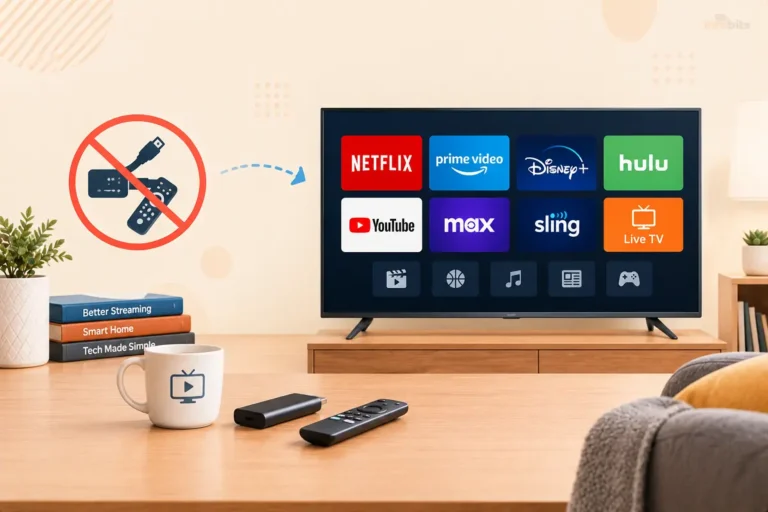
Cloud TV took the next step: virtualise everything. Move the processing, recording, and content management off physical hardware at the customer’s premises and into cloud data centres.
The set-top box either disappears entirely (replaced by an app) or becomes a thin client that just streams what the cloud renders. Updates happen remotely. Recordings are stored on servers. The same interface works on a phone or a smart TV without any additional hardware.
Related: Chromecast vs Apple TV: The Battle of the Streaming Devices
How Cloud TV Works: Under the Hood
The technology stack behind Cloud TV involves several layers working together:
Content Ingestion. Live broadcast signals, licensed on-demand content, and third-party streaming sources are all ingested into cloud servers. Typically, on infrastructure like AWS, Microsoft Azure, or Google Cloud, or private cloud data centres operated by the service provider.
Transcoding. Raw video is encoded into multiple formats and bitrate levels to support different devices and network conditions.
A live sports feed, for instance, might be transcoded into 1080p at 8 Mbps for a fast home broadband connection and 480p at 2 Mbps for a slow mobile connection simultaneously.
Adaptive Bitrate Streaming (ABR). Using protocols like HLS (HTTP Live Streaming) or MPEG-DASH, the video is delivered in small chunks. If your internet speed drops mid-programme, the player automatically switches to a lower bitrate version without stopping playback, just a brief dip in quality.
Cloud DVR. Rather than recording to a hard drive in your home, your DVR recordings are stored on cloud servers. You can access them from any device, share storage limits with other profiles on your account, and, in most cases, play back recordings remotely.
YouTube TV offers unlimited cloud DVR storage with recordings kept for nine months. Hulu + Live TV offers unlimited storage included with the plan. FuboTV offers up to 1,000 hours.
Personalisation and the Programme Guide. The Electronic Programme Guide (EPG), content recommendations, watchlists, and parental controls are all managed in the cloud and synced across devices. Change your watchlist on your phone; it appears instantly on your TV.
Content Delivery Network (CDN). To handle millions of simultaneous streams without buffering, Cloud TV services distribute copies of popular content across CDN servers located geographically close to viewers. This reduces latency and ensures smooth playback even during peak demand.
DRM (Digital Rights Management). Cloud TV platforms use DRM systems, Widevine (Google), FairPlay (Apple), and PlayReady (Microsoft), to ensure licensed content cannot be copied or played on unauthorised devices.
Cloud TV, OTT, IPTV, and CTV: Clearing Up the Confusion
These four terms are frequently used interchangeably, but they mean different things. Understanding the distinctions matters because they describe different aspects of the same ecosystem, sometimes overlapping, sometimes distinct.
OTT (Over-The-Top)
OTT describes the delivery method. It means streaming content over the public internet, bypassing traditional cable or satellite infrastructure.
The “over the top” refers to going over the top of the internet service provider’s network, using the internet connection the provider supplies, but without using that provider’s own TV service.
Netflix, Disney+, Amazon Prime Video, YouTube, Tubi, and Pluto TV are all OTT services. So is YouTube TV. OTT covers everything from on-demand subscription services to free ad-supported channels to live TV streaming, as long as it’s delivered over the open internet.
The key distinction: OTT is about delivery method, not content type. A documentary on Netflix and a live Premier League match on YouTube TV are both OTT.
Related: What is an OTT TV Box? A Comprehensive Overview
IPTV (Internet Protocol Television)
IPTV describes delivery over a private, managed IP network controlled by the service provider, typically a telecom company or ISP. Unlike OTT, IPTV doesn’t use the open public internet.
It uses a dedicated, managed network where the provider can guarantee quality of service (QoS), control bandwidth allocation, and ensure consistent picture quality.
Your BT TV, Sky Q broadband package, or telecom-bundled TV service is likely IPTV. Because the network is closed and controlled, IPTV can deliver very stable streams. But it’s limited to subscribers within the operator’s network, and often requires provider-supplied hardware.
The key distinction: IPTV uses a private, controlled network. OTT uses the open internet. Both use the IP protocol.
CTV (Connected TV)
CTV describes the device, not the delivery method. A Connected TV is any television set that can stream digital content over the internet, either a smart TV with built-in streaming capabilities or a standard TV connected via a streaming device (Roku, Amazon Fire TV, Apple TV, Chromecast, or a games console like PlayStation or Xbox).
All CTV content is OTT content, but not all OTT content is watched on CTV. When you stream Netflix on your laptop, that’s OTT but not CTV. When you stream Netflix on your TV via a Roku stick, that’s both OTT and CTV.
The key distinction: CTV is a screen type (television), not a delivery method.
Cloud TV
Cloud TV describes the infrastructure model. It refers specifically to services that have moved their processing, storage, and delivery architecture to the cloud, virtualising what used to require physical hardware on the provider’s end or the customer’s premises.
Cloud TV can be delivered as OTT (over the open internet) or as part of an IPTV service (over a managed network). It can be watched on a CTV device or a smartphone. Cloud TV is a backend architecture choice that powers the front-end service.
The simplest way to think about it: Cloud TV is the evolution of traditional Pay TV. It has the live channels, the programme guide, the DVR, and the bundled experience of cable TV, but all of it is processed and stored in the cloud and delivered over the internet.
Cloud TV vs OTT: The Core Differences
The confusion between Cloud TV and OTT is understandable because every Cloud TV service is also an OTT service (delivered over the internet).
But they’re not the same thing, and the differences matter for understanding what you’re getting as a viewer.
| Feature | Cloud TV | OTT (Pure On-Demand) |
|---|---|---|
| Content model | Live channels + on-demand + cloud DVR | Primarily an on-demand library |
| Programme guide | Yes, scheduled, linear EPG | No, browse a content library |
| Cloud DVR | Core feature | Not typically included |
| Example services | YouTube TV, Hulu + Live TV, Sky Go, Xfinity Stream | Netflix, Disney+, Amazon Prime Video |
| Replaces | Traditional cable/satellite | Video rental stores, broadcast TV |
| Subscription type | Monthly TV + internet bundle | Monthly streaming subscription |
| Multiple live channels | Yes, dozens to hundreds | Rarely (most are on-demand) |
| Best for | Users who want live TV without cable | Users who prefer on-demand viewing |
The key practical difference: Cloud TV is internet cable. It’s the thing you turn to when you want to watch live sport, the news as it happens, or a scheduled programme at broadcast time, but without a cable box or satellite dish.
OTT, in its purest form, is the thing you turn to when you want to choose exactly what you watch and when.
In reality, the line has blurred significantly. Most Cloud TV services now include on-demand libraries. Most major OTT services now include live sport, live events, or linear channels.
YouTube TV gives you both live TV and on-demand content. Hulu + Live TV bundles live channels with Hulu’s on-demand library and Disney+.
Real-World Examples of Cloud TV in 2026
Understanding Cloud TV becomes much easier when you look at specific services:
YouTube TV is the most widely used Cloud TV service in the United States. At $82.99/month, it offers 100+ live channels, unlimited cloud DVR storage (recordings kept for nine months), streaming on up to three devices simultaneously, and six user profiles.
It works on smart TVs, streaming devices, phones, tablets, and browsers, no hardware required beyond your existing internet connection.
Hulu + Live TV bundles 95+ live channels with Hulu’s on-demand library, Disney+, and ESPN Select, starting at $89.99/month.
It’s an unlimited cloud DVR that stores recordings for nine months. The combination of live TV and a deep on-demand library makes it one of the most comprehensive Cloud TV offerings available.
FuboTV focuses on sports, offering 130+ channels with a particular strength in live sports. Its cloud DVR provides up to 1,000 hours of storage, the most of any major service.
Sling TV is the most affordable entry point at $40–$55/month with 30–50 hours of cloud DVR included. It’s best for viewers who want a live TV option without committing to a higher-priced package.
Philo offers entertainment and lifestyle channels without news or sports, starting at $33/month, with unlimited cloud DVR that marks up commercial breaks for easy skipping.
Sky Go and Xfinity Stream represent hybrid Cloud TV models, extensions of traditional pay-TV services that allow subscribers to access their existing channel packages on any device, powered by cloud infrastructure.
DirecTV Stream brings the familiar DirecTV channel lineup (including regional sports networks that most streaming services lack) to a cloud-based, no-satellite model starting at $94.99/month.
If you’re ready to cut cable and switch to Cloud TV, a streaming device like the Roku Streaming Stick 4K (available on Amazon) gives you native access to YouTube TV, Hulu + Live TV, and most major Cloud TV services, with easy setup and 4K HDR support for under $50.
Advantages of Cloud TV
No physical hardware required. Unlike cable TV, you don’t need a provider-installed set-top box or satellite dish. Most Cloud TV services work directly on a smart TV app, a streaming device you already own, or a web browser.
Watch anywhere, on any device. Because everything is stored and processed in the cloud, you can start watching a live match on your TV, continue on your phone during a commute, and resume on a tablet, all without missing a moment.
Cloud DVR is dramatically better than local DVR. Traditional DVRs ran out of storage, degraded over time, and couldn’t be accessed remotely. Cloud DVR is effectively unlimited (on some services), accessible from any device, and doesn’t require any hardware at home.
Scalability. Cloud infrastructure handles sudden spikes in viewer numbers, like millions of people watching a major sporting event simultaneously, without performance degradation. Traditional broadcast systems had to pre-provision capacity for peak load; cloud platforms scale dynamically.
Lower upfront cost. There’s no expensive set-top box to rent, no installation fee, no engineer visit. You subscribe, download the app, and start watching.
Always up to date. Software updates, new features, and interface improvements are pushed to all users simultaneously from the cloud, without requiring hardware replacement or manual updates.
Personalisation across profiles. Cloud storage of viewing history, watchlists, and preferences means each profile in a household gets personalised recommendations and their own recording library.
Disadvantages and Limitations of Cloud TV
Internet dependency. Cloud TV is entirely dependent on your internet connection. A stable broadband connection of at least 25 Mbps is recommended for HD streaming; 4K content requires 50 Mbps or more. In areas with unreliable internet, the experience can be inconsistent.
Data usage. Streaming live TV consumes significant data, roughly 3–7 GB per hour for HD content. Households without unlimited data plans can hit caps quickly.
Price has risen significantly. Cloud TV services have increased their prices substantially over the past few years.
YouTube TV has had five price increases since launch; Hulu + Live TV has had eight since 2019. At $83–$90/month for the leading services, plus internet costs, the total bill can rival or exceed traditional cable for some households.
DVR limitations exist. Despite cloud storage, most services have recording retention limits (typically 9 months), restrict fast-forwarding through ads on certain channels, and don’t allow downloads to local devices. These are contractual restrictions from content owners, not technical limitations.
Some channels are still missing. Carriage disputes between streaming services and content owners occasionally result in channels being dropped.
Regional sports networks, in particular, remain a weak point for most Cloud TV services; DirecTV Stream is one of the few that carries them comprehensively.
Live streaming lag. There’s typically a 20–45 second delay between a live broadcast on traditional cable and the same event on a Cloud TV service. This can be frustrating for sports fans who want to avoid spoilers from social media.
Cloud TV vs Cable: Is It Worth Switching?
The honest answer depends on your viewing habits.
Cloud TV makes sense if you: watch live TV on multiple devices, want DVR access from anywhere, don’t need regional sports networks, prefer a contract-free month-to-month arrangement, already pay for broadband with enough speed, and are comfortable managing services via apps.
Cable TV still makes sense if you: rely heavily on regional sports networks, live in an area with slow or unreliable broadband, prefer a single bundled bill (internet + TV), or have elderly household members who struggle with app-based interfaces.
The cost comparison: Cable TV averages $147/month in the US. YouTube TV at $82.99/month is cheaper, but you still need broadband (average $65/month). A household paying for broadband plus YouTube TV pays roughly $148/month, about the same as cable, but with more flexibility and no contract.
Where Cloud TV clearly wins: no equipment rental fees, no installation appointments, no early termination fees, and the ability to cancel and restart anytime.
The Future: Where Cloud TV Is Heading
Several trends are shaping what Cloud TV looks like over the next few years.
AI-powered personalisation. Cloud infrastructure makes it practical to use machine learning for real-time recommendations, predictive recording (the service records programmes it thinks you’ll want before you ask it to), and intelligent programme guides that surface relevant content based on your habits.
Kaltura and other Cloud TV platform providers are already building what they call “Cognitive TV”, AI that learns and adapts continuously.
5G enabling mobile Cloud TV. As 5G networks expand globally, reliable high-quality live TV streaming on mobile becomes genuinely practical outside the home, not just on Wi-Fi. This removes one of the last remaining advantages of traditional broadcast TV (antenna reliability without internet).
Live sports are moving to Cloud TV. Sports rights are the last major content category anchoring traditional cable subscriptions.
Major streaming services are steadily acquiring live sports rights, with the NFL Sunday Ticket on YouTube TV being the most prominent example. Expect this expansion to continue, gradually eroding the sports advantage of cable TV.
Convergence of SVOD and Cloud TV. The boundary between on-demand streaming services and live TV is blurring. Netflix and Disney+ added live events. YouTube TV (cloud TV) added on-demand depth.
By the end of the decade, the distinction between “a streaming service” and “a Cloud TV service” may largely dissolve into a unified experience that covers everything, live, on-demand, and recorded.
Augmented and interactive features. Cloud TV’s processing power enables overlays, statistics during live sports, alternate audio tracks, and eventually AR enhancements, features that weren’t practical with traditional broadcast infrastructure.
Choosing Between Cloud TV and OTT: A Practical Guide
Here’s a simple decision framework based on what you actually want to watch:
Choose Cloud TV (YouTube TV, Hulu + Live TV, Sling TV, etc.) if:
- You want live TV – sports, news, and scheduled programmes as they air
- You want cloud DVR to record what you miss
- You’re replacing cable TV and want a similar channel lineup
- You watch on multiple devices and want everything in sync
Choose OTT (Netflix, Disney+, Amazon Prime Video, etc.) if:
- You prefer on-demand viewing – watching what you want, when you want
- You’re mainly interested in films and series
- You don’t need live TV or a programme guide
- You want the lowest possible monthly cost for entertainment
Use both together if:
- You want live sport and news (Cloud TV) plus a library of films and series (OTT)
- The most common setup in modern households is one Cloud TV service plus one or two SVOD subscriptions
Add FAST channels (Tubi, Pluto TV, The Roku Channel) if:
- You want supplementary free content without another bill
- These free, ad-supported services complement both Cloud TV and OTT without adding a monthly cost
For households building an all-in-one streaming hub that covers Cloud TV, OTT, and FAST channels, a Fire TV Stick 4K Max (available on Amazon) supports YouTube TV, Hulu, Netflix, Disney+, Tubi, and all major services in a single device, with Alexa voice control and 4K HDR support.
Related: What Are FAST Channels? Free Streaming TV Explained
Common Questions About Cloud TV
Do I need special hardware for Cloud TV? No. Most Cloud TV services work on smart TVs, smartphones, tablets, and web browsers. If your TV isn’t smart, a streaming device like a Roku stick, Amazon Fire TV, or Apple TV adds Cloud TV app support for $30–$50.
Related: Apple TV vs Roku: A Comprehensive Comparison
How much internet speed do I need for Cloud TV? For HD (1080p) streaming: at least 25 Mbps. For 4K HDR: 50 Mbps or more. If multiple people in your household stream simultaneously, multiply accordingly. A household with three simultaneous 4K streams ideally needs 150 Mbps or higher.
Is Cloud TV the same as IPTV? Not exactly. All Cloud TV services use IP delivery, but IPTV traditionally refers specifically to delivery over a private, managed network controlled by a telecom or ISP, not the open public internet.
Cloud TV typically delivers over the open internet (which technically makes it OTT), though some telecom providers offer Cloud TV-style services over their managed IPTV infrastructure.
Can I watch Cloud TV abroad? Generally, no, or with significant restrictions. Cloud TV services are licensed for specific territories, and most use geo-blocking to restrict access when you’re outside the country.
Some services allow limited out-of-country viewing (particularly for international travel), but sustained access from another country typically violates terms of service.
What happens to my Cloud DVR recordings if I cancel? In most cases, recordings are deleted when you cancel your subscription. This is a key difference from local DVR recordings, which you own. Check your service’s terms before cancelling if you have recordings you want to keep.
Conclusion
Cloud TV is what television looks like when you remove all the physical infrastructure and move everything to the cloud. No satellite dish, no cable box, no local hard drive for recordings, just your internet connection, an app, and remote servers doing the heavy lifting.
The difference between Cloud TV and OTT comes down to what you’re watching and how the service is structured: Cloud TV is internet cable (live channels, programme guides, cloud DVR), while OTT, in its traditional sense, is on-demand streaming.
In practice, the two are converging; most services now offer both, but understanding the distinction helps you choose the right combination for your viewing habits.
For the majority of people in 2026, the question isn’t whether to use Cloud TV or OTT, but which combination of services makes sense at what price.
A Cloud TV service for live sport and news, one or two SVOD services for films and series, and a FAST platform for free background viewing is the modern equivalent of what cable TV bundled into one box, and it’s typically more flexible, sometimes cheaper, and always accessible from any device.
Frequently Asked Questions
What is Cloud TV?
Cloud TV is a television service where content is stored, processed, and delivered using remote cloud infrastructure rather than physical cable equipment or hardware in your home. It includes live channels, on-demand content, and cloud DVR, all accessible through an app on any internet-connected device, no cable box or satellite dish required.
What is the difference between Cloud TV and OTT?
Cloud TV refers to the infrastructure model, television services delivered via cloud computing, including live channels and cloud DVR. OTT (Over-The-Top) is the delivery method, any content streamed over the public internet, bypassing traditional cable. All Cloud TV services are technically OTT, but not all OTT services are Cloud TV. Netflix is OTT but not Cloud TV (it’s on-demand only). YouTube TV is both OTT and Cloud TV (it has live channels and cloud DVR).
What is the difference between Cloud TV and IPTV?
IPTV (Internet Protocol Television) delivers content over a private, managed network controlled by a telecom or ISP, with guaranteed quality of service, but limited to subscribers on that network. Cloud TV typically delivers over the open public internet, works on any device anywhere, and moves DVR and processing to cloud servers. Cloud TV is more flexible and accessible; IPTV provides more consistent, managed quality.
What is CTV, and how is it different from Cloud TV?
CTV (Connected TV) refers to the device, a television set that connects to the internet to stream content, either as a smart TV or via a streaming device like Roku or Apple TV. Cloud TV is the service and infrastructure model. When you use YouTube TV (Cloud TV) on your smart TV (CTV), you’re using both simultaneously.
What are the best Cloud TV services?
The leading Cloud TV services in the US as of 2026 are YouTube TV ($82.99/mo, 100+ channels, unlimited DVR), Hulu + Live TV ($89.99/mo, 95+ channels + Disney bundle), Sling TV ($40–55/mo, entry-level), FuboTV ($90+/mo, best for sports), Philo ($33/mo, entertainment-only), and DirecTV Stream ($95+/mo, best regional sports coverage).
Does Cloud TV require a set-top box?
No. Cloud TV services work through apps on smart TVs, streaming devices (Roku, Amazon Fire TV, Apple TV), smartphones, tablets, and web browsers. You don’t need to rent or install any provider-supplied hardware.
What internet speed do I need for Cloud TV?
Most Cloud TV services recommend a minimum of 25 Mbps for HD streaming and 50 Mbps or more for 4K content. For households where multiple people stream simultaneously, faster speeds are recommended; aim for 100 Mbps or more for a typical family household.
What is cloud DVR, and how does it work?
Cloud DVR records live TV to remote cloud servers instead of a local hard drive at home. You can access recordings from any device, never run out of storage (on unlimited plans), and watch on the go. YouTube TV and Hulu + Live TV both offer unlimited cloud DVR with recordings kept for nine months.
Is Cloud TV cheaper than cable?
It depends. YouTube TV at $82.99/month is cheaper than the average US cable bill of $147/month, but you still need broadband internet, which averages $65/month. Combined, the cost is similar to cable, but Cloud TV offers no installation fees, no equipment rental, no long-term contracts, and the flexibility to cancel anytime.
Can I watch Cloud TV on any device?
Yes. Cloud TV services are designed to work across smart TVs, streaming devices (Roku, Fire TV, Apple TV, Chromecast), smartphones (iOS and Android), tablets, and web browsers. Your watchlists, DVR recordings, and settings sync across all devices automatically.
Is Cloud TV available outside the United States?
Cloud TV services exist globally, but specific services vary by region. YouTube TV and Hulu + Live TV are US-only. Sky Go and Now TV serve the UK. Other regions have local equivalents through telecom operators and streaming platforms. Most Cloud TV services are geo-restricted and cannot be used internationally without a VPN (which may violate their terms of service).
What happens to my cloud DVR recordings if I cancel my Cloud TV subscription?
In most cases, your recordings are deleted when you cancel. Unlike a local DVR, where recordings are stored on hardware you own, cloud DVR recordings live on the provider’s servers and are tied to your active subscription. It’s worth downloading or noting important recordings before cancelling.
How is Cloud TV different from Netflix?
Netflix is an SVOD (Subscription Video On Demand) service. You pay monthly and choose what you want to watch from a library of content. Cloud TV, like YouTube TV or Hulu + Live TV, includes live television channels, a programme guide, and cloud DVR. These features make it function like cable TV over the internet. Netflix does not have live TV channels or a traditional programme guide.
What is the best Cloud TV service for sports?
DirecTV Stream offers the broadest sports coverage, including regional sports networks (RSNs), which most services lack. FuboTV is the best for international and live sports variety. YouTube TV includes NFL Sunday Ticket as an add-on. Hulu + Live TV includes ESPN Select. For local sports games, DirecTV Stream or FuboTV are usually the best options.
Does Cloud TV work on a smart TV?
Yes. All major Cloud TV services offer apps for popular smart TV platforms, including Samsung Tizen, LG webOS, Android TV, Google TV, Roku TV, and Amazon Fire TV. If your smart TV doesn’t support a specific app, a streaming stick or set-top box will add compatibility.
What is the difference between Cloud TV and cable TV?
Cable TV delivers channels through physical coaxial cables connected to your home, requires a rented set-top box, and typically requires a long-term contract. Cloud TV delivers the same channels (or similar ones) over your broadband internet connection, requires no special hardware, and is month-to-month with no contract. DVR recordings in Cloud TV are stored remotely on cloud servers rather than locally on a box in your home.
Can I use Cloud TV if I have slow internet?
Cloud TV services generally need at least 10–15 Mbps for standard-definition streaming and 25 Mbps for HD. Below 10 Mbps, live TV streaming becomes unreliable. If your internet connection is slow or frequently drops, the experience will be poor. In areas with limited broadband, traditional cable or satellite TV may still be a more reliable option.
Is YouTube TV a Cloud TV service?
Yes. YouTube TV is one of the most prominent Cloud TV services. It offers 100+ live channels, an unlimited cloud DVR, and access across all devices, all through Google’s cloud infrastructure. It’s the closest equivalent to a cable TV package delivered entirely over the internet.
What is the future of Cloud TV?
Cloud TV is expected to become the dominant form of television delivery over the next decade. Key trends include AI-powered personalisation and predictive recording, live sports rights migrating from cable to streaming, convergence with on-demand services (SVOD), 5G enabling better mobile live TV, and interactive features like live sports statistics overlays made possible by cloud processing power.
Is Cloud TV safe and secure?
Yes. Cloud TV platforms use Digital Rights Management (DRM) systems (Widevine, FairPlay, PlayReady) to protect licensed content. Data encryption secures your account information and viewing data. The main security considerations are using strong account passwords and enabling two-factor authentication, the same best practices as any online account.
Have questions about choosing between Cloud TV services? Drop them in the comments below. Please share this article with your friends and relatives if you find it useful.
We also ask that you bookmark this page for future reference, as we are constantly updating our articles with new information.
Sign up for our free newsletter as well to receive fresh information immediately in your inbox and keep technically up to date.
You May Be Interested in Reading:
- AVOD vs FAST: What’s the Difference and Which Is Right for You? (2026 Guide)
- Future-Proofing Your TV: WebOS vs Google TV Comparison Guide
- Chromecast vs Apple TV: The Battle of the Streaming Devices
- Ultimate Guide to PVOD Streaming: Everything You Need to Know
- WebOS vs Tizen: Which One Is Right for Your TV?