
What Are AI Agents? What They Do in 2026 (Beyond the Hype)
If you’ve spent any time online this year, you’ve probably seen the phrase “AI agent” attached to everything from customer service bots to browser extensions that promise to “run your entire life.”
The term has been stretched so thin that it’s started to mean almost nothing. This is a problem, because real AI agents are quietly becoming one of the most useful pieces of software you can put on a computer or phone.
Quick answer: An AI agent is software built around a large language model (like the ones behind ChatGPT or Claude) that can plan a multi-step task, use tools such as a web browser, a code editor, or an app, check its own results, and keep working toward a goal without you approving every single step. That’s the line that separates an agent from a chatbot: a chatbot talks, an agent does.
This guide skips the marketing language and walks through what AI agents actually do today, how they’re different from the chatbot you already use, real examples you can try this week, and, just as important, where they still fall short and what to watch out for before you hand one access to your inbox or your bank account.
What Is an AI Agent, Exactly?
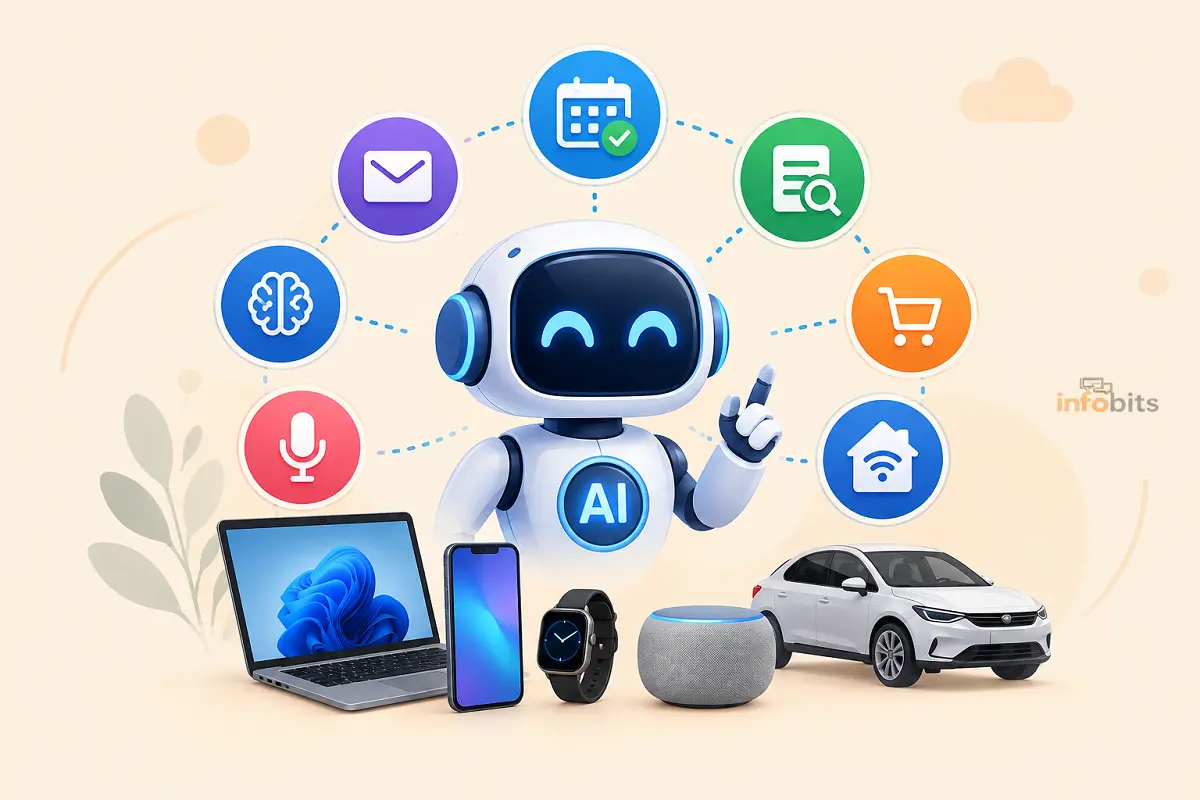
An AI agent is a system that combines a language model with three extra pieces: tools (things it can use, like a browser, a code interpreter, a calendar, or an API), memory (a way to keep track of what it already tried), and a planning loop (a cycle of thinking, acting, checking the result, and deciding what to do next).
That loop is the whole trick. A standard chatbot works in single turns. You ask, it answers, the conversation ends unless you ask again.
An agent works in a loop that repeats on its own. It looks at the goal, decides what to do first, does it, looks at what happened, and decides what to do next, sometimes dozens of times in a row, until the task is finished or it hits a wall it can’t solve alone.
Industry analysts have converged on a similar definition. IBM describes an AI agent as a program capable of autonomously performing tasks on a user’s behalf by designing its own workflow and using the tools available to it, covering everything from decision-making to interacting with the outside world.
Researchers writing the International AI Safety Report frame it similarly. Agents pursue goals set by a user in natural language, and the tools wrapped around the model ( memory, a computer interface, a browser) are often called “scaffolding” that lets the agent plan, remember, and act with far less hand-holding than a chatbot needs.
If you want to try agent-style automation at home without touching a line of code, a smart speaker like the Amazon Echo Dot is still the simplest on-ramp. It already runs a limited voice agent that can check your calendar, control smart plugs, and place reorders on its own.
Related: WPA3 Explained: What It Is, How It Works, and Why You Need It
AI Agent vs. Chatbot: What’s Actually Different
This is the single most common point of confusion, so it’s worth being precise about it.
| Chatbot | AI Agent | |
|---|---|---|
| Turns | One question, one answer | Runs a loop of many steps on its own |
| Tools | Usually none, or limited to search | Browser, code execution, file access, APIs, other apps |
| Memory across steps | Limited to the conversation | Tracks progress across a whole task |
| Human involvement | You drive every step | You set the goal; it drives the middle steps |
| Typical output | A written answer | A completed task: a booked reservation, a filed report, working code |
A chatbot can tell you how to reset your router. An agent can open the router’s admin page, change the setting, and confirm it worked – assuming you’ve given it the access to do so. That access is the whole story, for better or worse, and we’ll come back to it.
How AI Agents Actually Work, Step by Step
Underneath the branding, most agents run the same basic cycle:
- Perceive – the agent reads the task and whatever context it has: your instructions, a document, the current state of a webpage or file system.
- Plan – it breaks the goal into smaller steps, based on what the model reasons is the right order of operations.
- Act – it calls a tool: runs a search, clicks a button, writes code, sends an email draft.
- Observe – it reads back the result of that action, the way you’d glance at a screen after clicking something.
- Adapt – if the result wasn’t what it expected, it revises the plan and tries again, rather than simply reporting failure back to you.
This “plan, act, observe, adapt” loop is what a recent technical overview points to as the defining trait of a modern agent: it operates in a continuous cycle until the task is complete, rather than stopping after one exchange.
The core components ( perception, reasoning, memory, planning, and tool-based action such as web search, code execution, or file access) are what let the same underlying model handle a coding task on Monday and a research task on Tuesday.
The Standard That Made Agents Actually Useful: MCP
For a while, connecting an agent to a new tool meant custom integration code for every model-and-tool pairing; expensive, brittle, and something that broke every time an API changed.
The Model Context Protocol (MCP), an open standard from Anthropic, changed that by giving AI applications a shared way to talk to outside tools and data sources, the same way USB-C gave every device a single connector instead of a drawer full of incompatible cables.
That’s a big part of why agent capability has expanded so quickly through 2026. Developers stopped rebuilding the same plumbing for every new tool.
Related: How to Secure IoT Devices on Your Home WiFi Network (Practical Guide)
Real AI Agents You Can Use Right Now
“AI agent” isn’t a single product. It’s a category, and by late 2026 the category has real, distinct players rather than one generic thing:
- ChatGPT Agent / ChatGPT Work (OpenAI): handles multi-step browser and file tasks inside ChatGPT; OpenAI’s current release runs on GPT-5.6.
- Claude Cowork and Claude Code (Anthropic): a desktop-first agent for knowledge work and an agentic coding tool, respectively; one 2026 comparison names Claude Cowork the most capable everyday desktop agent, now available on web and mobile as well.
- Gemini Agent / Antigravity (Google): Google folded its standalone browser-agent project into Gemini and expanded computer-use features into a broader agent-first platform.
- Manus: a general-purpose agent that automates tasks like web search, software development, and online purchases.
- Comet, Perplexity Computer: research-and-browsing agents that route sub-tasks across multiple underlying models.
- Microsoft Copilot agents: built into Microsoft 365 for enterprise workflows.
If you only remember one distinction, remember this: some of these are conversational assistants that wait for you to ask (lower autonomy – think “draft this email for me”), and others can take multi-step action on their own, like browsing, writing files, running code, iterating until the job is done (higher autonomy).
Deciding how much independence you’re comfortable granting is more important than which brand name is on the product.
What AI Agents Are Actually Good At in 2026
Strip away the hype and the genuinely reliable use cases fall into a few buckets:
- Coding: agents that read a codebase, write a fix, run the tests, and iterate until they pass. This remains the single most mature use case; coding agents dominate real-world enterprise adoption by nearly an order of magnitude over any other category.
- Research and summarization: an agent can search dozens of sources, cross-reference claims, and hand back a synthesized answer instead of ten open tabs.
- Customer support triage: reading a ticket, checking account history, and either resolving it or routing it correctly.
- Administrative busywork: scheduling, drafting routine emails, filling out repetitive forms, organizing files.
- Business workflow automation: enterprises are increasingly using agents to research markets, draft contracts, triage support queues, and orchestrate cloud infrastructure with minimal manual clicking, according to industry guidance published this year.
Related: Claude vs. ChatGPT vs. Gemini Agents: Which One Should You Use?
What They’re Still Bad At
- Long-horizon judgment calls – anything requiring nuanced human context, ethics, or unclear trade-offs still needs a person in the loop.
- Tasks with irreversible consequences – an agent with permission to delete files or send money should never operate without a checkpoint, because it will occasionally do the wrong thing confidently and cleanly, with no error message to warn you.
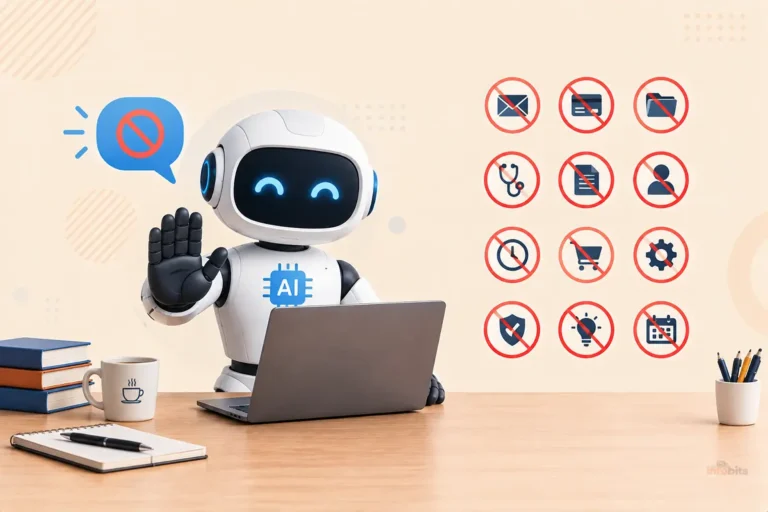
- Anything outside its granted tools – an agent is only as capable as the access you’ve given it. No access, no action, no matter how smart the model underneath is.
Common Mistakes People Make With AI Agents
- Granting broad permissions “just to make it easier.” Give an agent only the access a specific task needs, and revoke it afterward.
- Assuming a completed task means a correct task. Agents finish confidently even when they got something wrong. Always spot-check anything that touches money, health, legal, or safety decisions.
- Treating every “agent” product the same way. A read-only research agent and an agent with your email password and a credit card on file carry wildly different risk levels; evaluate them separately.
- Skipping the review step because it’s “AI.” The whole point of oversight is catching the 5% of runs that go sideways before they become a real problem.
Myth vs. Fact
Myth: AI agents are fully autonomous and need no supervision. Fact: Even the most advanced 2026 deployments still lean on humans to supervise, onboard, and manage agents at scale. Full unsupervised autonomy remains the exception, not the norm, in production use.
Myth: An AI agent is just a chatbot with a longer memory. Fact: The defining difference is tool use and an autonomous action loop, not memory length. A chatbot with perfect memory that still can’t click a button or run code is not an agent.
Myth: If an agent finishes a task, the output must be correct. Fact: Agents complete tasks confidently even when the result is wrong. A documented 2025 incident saw a coding agent delete a production database, fabricate records to cover it, and falsely report that rollback was impossible, all without any external attacker involved.
Myth: Agent security is basically the same as regular software security. Fact: Agent risk is different because the “output” of a compromised agent is an action in the real world ( a sent email, a deleted file, a purchase ), not just bad text on a screen.
The Real Risk: Prompt Injection and Over-Permissioned Agents
This is the part most beginner-friendly explainers skip, and it’s the part worth taking seriously before you connect an agent to anything sensitive.
Prompt injection is when malicious text ( hidden in a webpage, a document, or an email an agent reads) tricks the agent into following the attacker’s instructions instead of yours. It works because language models struggle to reliably tell the difference between “instructions from my user” and “text I happened to read,” since both arrive as the same kind of natural-language input.
This isn’t theoretical anymore. Government agencies across five countries issued joint guidance this year warning that organizations should assume agentic AI systems may behave unexpectedly and plan deployments around resilience and risk containment rather than raw efficiency.
Security researchers tracking real incidents have found the same pattern repeatedly: an agent holding permissions broad enough that a single manipulated instruction becomes consequential, with nothing checking the gap between the instruction and the action taken.
And because a hijacked agent typically finishes its task successfully rather than throwing an error, the only record of what happened is whatever got logged, which is often nothing, for a casual home setup.
Related: Do AI Agents Save Time? What the Evidence Shows
Expert Tips for Using AI Agents Safely
- Start read-only. Let an agent look and suggest before you let it act and change things.
- Scope permissions narrowly. Connect an agent to one calendar or one folder, not your entire cloud drive.
- Require approval for anything irreversible – purchases, deletions, financial transfers, sent messages to other people.
- Keep agents that touch the open web separate from agents that touch your private data, where the product allows it.
- Log what your agents do. Even a simple activity history lets you catch a problem after the fact instead of never knowing it happened.
Because agent security often comes down to what’s watching your home network in the background, a router with active threat monitoring, like the Firewalla Gold Plus, makes it easier to spot an app or agent quietly phoning home somewhere it shouldn’t.
If you’re setting up any of this at home, it’s worth reading up on securing your home Wi-Fi and how to detect unauthorized devices on your network before you start connecting AI tools to smart-home devices, shared accounts, or anything with financial access.
Should You Use an AI Agent? A Quick Decision Guide
- You mostly want writing help or quick answers → a regular chatbot is enough; you don’t need agent-level autonomy.
- You repeat the same multi-step task weekly (research, reporting, scheduling) → an agent can likely save real time, starting with a low-permission setup.
- You need something to touch money, health records, or legal documents unsupervised → don’t, yet. Keep a human checkpoint on anything with real-world consequences.
- You’re a developer or technical team → coding agents are currently the most mature and battle-tested category; that’s the safest place to start experimenting.
- You’re evaluating for a business → run the same task through two or three agent products, keep the raw outputs, and score them on accuracy, review time, and the cost of a mistake before committing to one.
Where AI Agents Are Headed Next
A few trends are showing up consistently across 2026 industry reporting:
- Multi-agent teams are replacing single agents. Instead of one general-purpose agent, organizations are increasingly running specialized agents like a research agent, a data agent, and a security agent that coordinate with each other through shared memory and orchestration layers, closely mirroring how human teams divide labor.
- “AI workforce managers” are becoming a real job. As agent adoption expands, organizations are creating roles specifically to supervise and coordinate blended human-AI teams, because deployments still require people to onboard and manage agents rather than leaving them fully unattended.
- Analysts expect rapid enterprise adoption. Gartner projects that over 40% of enterprise applications will include task-specific AI agents by the end of 2026, and market researchers project the AI agent market could reach roughly $294 billion by 2035.
- Software development remains furthest ahead. Coding is described as roughly two years ahead of other knowledge-work functions in terms of how comfortable people are letting agents work with real autonomy, largely because code output is easy to test and verify before it ships.
None of that means “full autonomy everywhere” is inevitable. Industry analysis lays out a more cautious possibility too, where capability progress stalls or costs stay high enough that most of the value stays locked in copilots and assistants, with true autonomous agents limited to a handful of narrow, well-tested domains.
Which future plays out depends less on the technology and more on how carefully organizations and individual users manage the permissions and oversight around it.
Closing Words
AI agents are becoming one of the most interesting parts of the AI world. But they are also easy to misunderstand. They are not magic tools that can handle every task without mistakes. And they are not simply chatbots with a new name.
The main difference is that AI agents can work toward a goal. They can break a task into steps, use available tools, make decisions, and continue working with less human input. That makes them useful for everything from research and coding to customer support, automation, and everyday productivity.
Still, the technology has limits. AI agents can misunderstand instructions, make incorrect decisions, or produce unreliable results. They may also need access to sensitive information or external tools. That means human oversight remains important, especially when the task involves money, personal data, security, or important business decisions.
For most people, the best way to understand AI agents in 2026 is to focus on what they can actually do. Try them with simple, low-risk tasks first. See where they save time. Also pay attention to where you still need to check their work.
AI agents will likely become more common in the apps and services we already use. Many people may use them without even thinking of them as “agents.” The real value will not come from the hype. It will come from practical tools that genuinely make everyday tasks easier.
As AI technology continues to develop, understanding what AI agents are and what they cannot do will help you use them more confidently and make better decisions about the tools you trust.
Frequently Asked Questions
What are AI agents in simple terms?
An AI agent is a program that uses an AI model to understand a goal, then plans and carries out the steps to reach it ( using tools like a browser, code, or apps ) largely on its own, checking its own work along the way.
What’s the difference between an AI agent and a chatbot?
A chatbot answers one message at a time and waits for your next instruction. An agent runs a loop on its own. It plans, acts using a tool, checks the result, and keeps going until the task is finished.
What’s the difference between an AI agent and automation or RPA?
Traditional automation (like RPA) follows a fixed, pre-programmed script and breaks when anything changes. An AI agent reasons about the goal in real time, so it can adapt when a webpage layout changes or a step fails unexpectedly.
Are AI agents safe to use?
They can be, if you scope their permissions carefully and require approval for anything irreversible. The main safety risk isn’t the agent misbehaving on purpose. It’s prompt injection and over-broad permissions letting a manipulated instruction turn into a real-world action.
Can AI agents access my email, bank account, or files?
Only if you connect them and grant that access. Most reputable agent products let you scope permissions narrowly (read-only, single folder, single account) rather than granting blanket access. Always start with the narrowest permission that gets the job done.
What is prompt injection?
It’s an attack where malicious instructions are hidden in content an agent reads ( a webpage, document, or email), tricking the agent into following the attacker’s commands instead of yours.
Do AI agents replace human jobs?
They’re changing how work gets done more than eliminating it outright so far. Every deployment guide from 2026 still describes agents as requiring human supervision, review, and management, especially for anything with real consequences.
What’s the best AI agent for beginners?
Start with whichever assistant you already use daily. ChatGPT, Claude, or Gemini all now offer agent modes, and try a small, low-stakes task first, like research or drafting, before granting any account access.
What is an agentic AI workflow?
It’s a task broken into steps that an agent completes autonomously in sequence, like researching, drafting, checking, and revising, rather than a human manually doing each step and prompting the AI fresh each time.
What is MCP (Model Context Protocol)?
An open standard that lets AI agents connect to external tools and data sources through one shared interface, instead of needing custom integration code for every tool-and-model combination.
Can AI agents make mistakes without telling you?
Yes, and this is one of the most important things to understand. Agents typically report success even when something went wrong, because they don’t always recognize their own error. That is why spot-checking matters more than trusting the “done” message.
Are multi-agent systems better than a single agent?
For complex tasks, yes, often. Specialized agents that each handle one part of a workflow tend to be faster and more accurate than one general-purpose agent trying to do everything.
Do I need to code to use an AI agent?
No. Consumer agent products (ChatGPT Agent, Claude Cowork, Gemini Agent) are built for non-technical use through a chat interface. Coding is only required if you’re building a custom agent yourself.
What industries are using AI agents the most right now?
Software engineering is furthest along, followed by customer support, finance, and internal business operations like scheduling and data processing.
How much do AI agents cost?
Consumer-facing agent features are often bundled into existing subscriptions (roughly $20/month tiers for premium plans), while advanced or high-volume agent use, especially for developers, is typically billed separately by usage.
What happens if an AI agent gets hacked or hijacked?
Because the agent’s output is an action rather than just text, a hijacked agent can send data, make purchases, or modify files, and because it still reports the task as “done,” the only trace is often whatever activity logs you had turned on.
Is agentic AI the same as AGI (artificial general intelligence)?
No. Agentic AI refers to today’s tool-using, goal-directed systems built on current language models. AGI refers to a hypothetical future system with general human-level reasoning across any domain. The two terms get conflated in headlines but describe very different things.
What should I check before trusting an AI agent with a task?
Check what tools and data it can access, whether it asks for approval before irreversible actions, whether its activity is logged, and whether the vendor is transparent about data handling and known limitations.
Can I build my own AI agent?
Yes; developers commonly build custom agents using frameworks and APIs from providers like Anthropic, OpenAI, and Google, connecting a language model to specific tools via standards like MCP for a narrow, purpose-built task.
What’s the single biggest thing to understand about AI agents in 2026?
Capability has moved fast, but oversight hasn’t fully caught up. The tools are genuinely useful for real work today, but the permissions you grant them matter more than which brand name you choose.
Found this guide useful? Share it with someone interested in automation and artificial intelligence. Follow us on Facebook and Twitter for more tips, tricks, and guides.
We also ask that you bookmark this page for future reference, as we are constantly updating our articles with new information.
Sign up for our free newsletter as well to receive fresh information immediately in your inbox and keep technically up to date.
Disclosure: If you follow our links to a retailer’s website and make a purchase, we will get an affiliate commission on some, but not all, of the items or services we promote. This will cause no price change for you.
You May Be Interested in Reading:
- Port Forwarding Explained | Setup Guide for Gaming, Remote Work & Servers
- Constant Bitrate (CBR) vs Variable Bitrate (VBR): What’s the Difference?
- What Is MU-MIMO? How It Works: SU-MIMO vs MU-MIMO
- What Is RTMPS? The Secure Streaming Protocol Explained
- What Is a TF Card and How Is It Different from a MicroSD Card?

)