AiProtection vs. Armor vs. HomeShield: Which Router Security Suite Actually Wins?
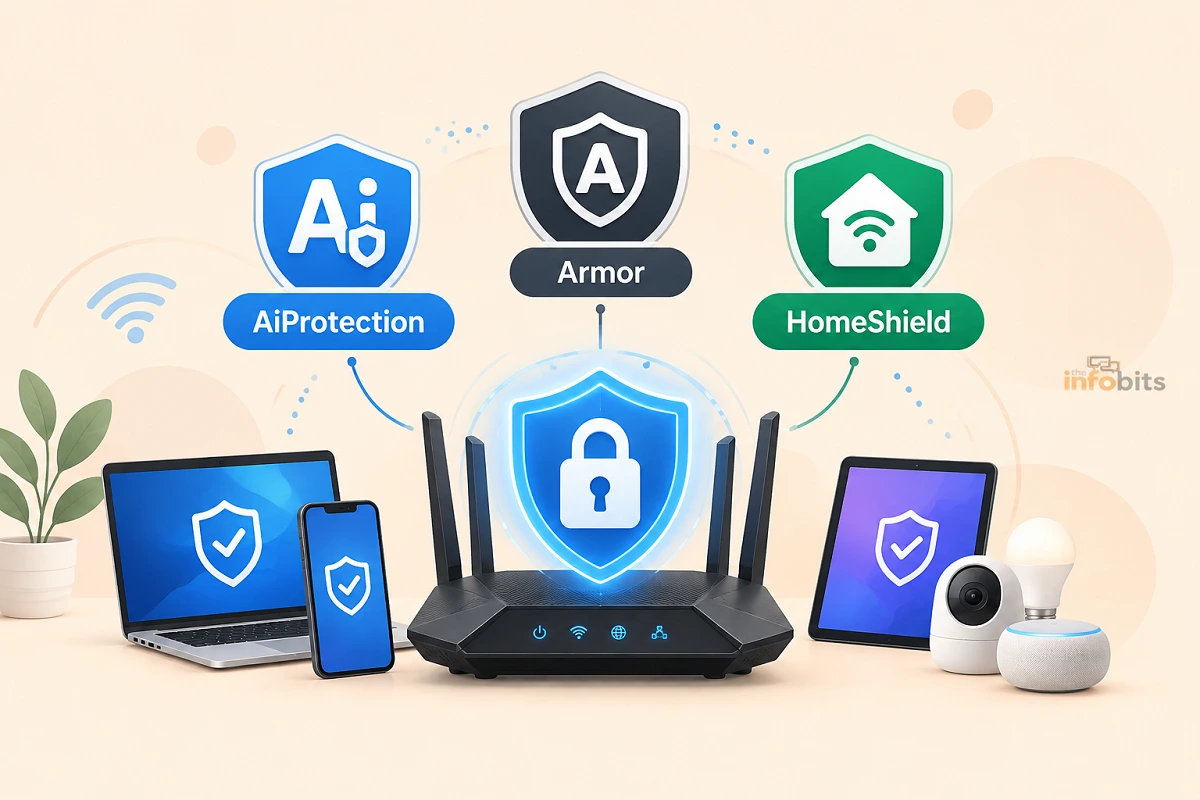
Every major router brand now claims to protect your smart home from hackers. ASUS calls its version AiProtection. NETGEAR calls its Armor. TP-Link calls its HomeShield.
They all promise the same basic thing, including malware blocking, parental controls, and protection for every device on your network, from the family iPad to the smart video doorbell nobody has updated since 2023.
Quick answer: In independent lab testing, NETGEAR Armor scored highest for raw threat detection, but it’s the only one of the three that costs real money every year. ASUS AiProtection Pro is free for the life of the router and still holds up well, which makes it the best value for most households. TP-Link HomeShield sits in the middle. It is a genuinely useful free tier, with the strongest features locked behind a paid HomeShield Pro or Total Security subscription. There isn’t one universal winner; there’s a right answer depending on whether you’d rather pay for the best protection or get solid protection for free.
This guide breaks down what each suite actually does, what it costs today, how they scored in real testing, and which one fits your household, like kids online, smart-home gadgets, budget, or all three.
The Three Contenders, in One Sentence Each
- ASUS AiProtection (Pro): Free, built into ASUS routers for life, powered by Trend Micro. No subscription, ever.
- NETGEAR Armor: A paid annual subscription powered by Bitdefender, available on Nighthawk and Orbi hardware, with a higher-tier Armor Plus that bundles a VPN and ad blocker.
- TP-Link HomeShield: A free basic tier plus paid Advanced Parental Controls, Security+, and Total Security add-ons, available on Archer routers and Deco mesh systems.
Related: Best Routers With Built-In Malware Protection in (Tested & Ranked)
Quick Comparison Table
| ASUS AiProtection Pro | NETGEAR Armor | TP-Link HomeShield | |
|---|---|---|---|
| Security engine | Trend Micro | Bitdefender | Avira / Trend Micro (varies by tier and hardware) |
| Base cost | Free for life | $99.99/year (Armor Plus: $149.99/year) | Free (Basic tier) |
| Paid tier cost | None; Pro is included | Included in base price | $2.99–$4.99/mo per add-on; Total Security $69.99 first year |
| Independent test score (AV-Comparatives) | 6.4/10 | 9.1/10 | 7.3/10 |
| VPN included | No | Yes, on Armor Plus | No (separate TP-Link product) |
| IoT device vulnerability scanning | Basic router scan | Yes, dedicated LAN/IoT scanning | Yes, on paid tiers |
| Parental controls | Free, fairly robust | Basic controls; deeper features vary by tier | Free basics; Advanced Parental Controls is a paid add-on |
| Hardware requirement | Most ASUS Wi-Fi 6/6E/7 routers | Nighthawk & Orbi only | HomeShield-compatible Archer routers and Deco mesh |
| Runs on | The router itself | Router + companion mobile antivirus | Router + Tether/Deco app |
How They Scored in Independent Testing
Marketing claims are one thing; third-party lab results are another. AV-Comparatives ran all four major router-security services through identical attack scenarios ( malicious URL protection, brute-force protection, denial-of-service protection, sensitive data protection, and exploit protection) and scored each on default, out-of-the-box settings.
The results: NETGEAR Armor by Bitdefender led the field with a 9.1/10, described by the testers as the standout for identifying vulnerable devices and detecting anomalies across the smart home. TP-Link HomeShield by Avira followed at 7.3/10, with ASUS AiProtection by Trend Micro scoring 6.4/10 and eero Plus trailing at 5.5/10.
That gap matters, but it isn’t the whole story. Armor’s score reflects a paid, actively maintained subscription service running dedicated threat-detection infrastructure. AiProtection’s lower score comes from a feature that costs nothing and never expires. For a free, always-on layer of protection, a 6.4 out of 10 against a purpose-built paid competitor is a reasonable deal, not a red flag.
Related: How to Secure IoT Devices on Your Home WiFi Network (Practical Guide)
Pricing: The Real Difference Between These Three
This is where the three suites diverge the most, and where “which one wins” really depends on your budget.
ASUS AiProtection Pro costs nothing. It ships active on most ASUS Wi-Fi 6, 6E, and Wi-Fi 7 routers and stays free for the router’s entire working life; no trial period, no renewal, no upsell screen. If you already own or are about to buy an ASUS router, you’re not choosing whether to pay for security; it’s simply there.
NETGEAR Armor is a genuine subscription. The standard tier runs $99.99 a year after an introductory trial period, and the newer Armor Plus tier. This adds an unlimited-device VPN, ad blocking, and anti-tracking, and runs $149.99 a year.
There’s no way to get Armor’s full feature set on NETGEAR hardware without paying annually, and pricing has climbed over the past few years as NETGEAR has bundled in more. Read our detailed article: Is NETGEAR Armor Worth $100 a Year? A Real Cost-Benefit Breakdown (2026).
TP-Link HomeShield splits the difference. The Basic tier is free on compatible Archer routers and Deco mesh systems and covers core parental controls and baseline security. Beyond that, TP-Link sells three add-ons: Advanced Parental Controls (from $2.99/month or $17.99/year), Security+ (from $4.99/month or $35.99/year), and a Total Security Package that bundles antivirus software for up to five personal devices, starting at $69.99 for the first year and renewing at $129.99.
Most users get a one-month free trial of the paid tiers before being asked to commit.
If cost is the deciding factor and you don’t already own hardware from any of these three brands, an ASUS router with AiProtection Pro built in, like the ASUS RT-AX55 available on Amazon, is the simplest way to get solid, permanent security without adding a recurring bill to your household budget.
Related: WPA3 Explained: What It Is, How It Works, and Why You Need It
What Each One Actually Protects Against
All three suites cover the same basic categories, but the depth varies:
- Malicious site and phishing blocking – all three block known bad URLs at the router level, so it works even on devices that don’t have antivirus software installed, like smart TVs or game consoles.
- Intrusion prevention (IPS) – ASUS offers Two-Way IPS on supported models; NETGEAR and TP-Link’s higher tiers include similar exploit-blocking.
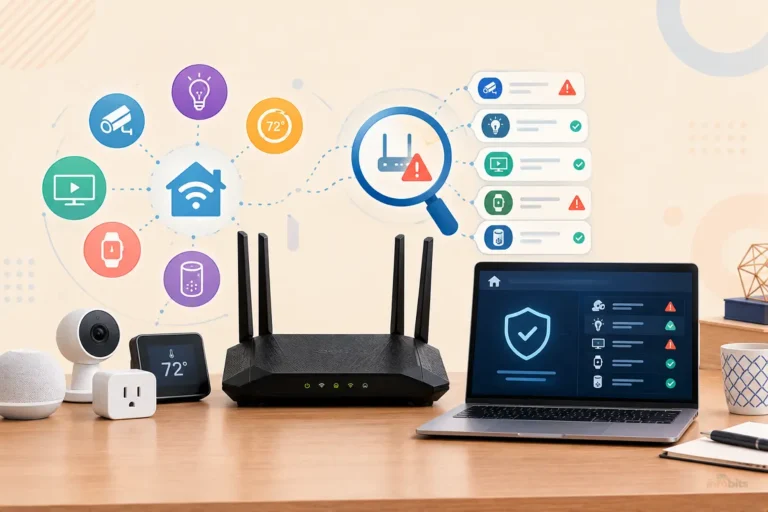
- IoT and smart-home device scanning – this is NETGEAR Armor’s strongest category. It actively scans for vulnerable devices on your LAN and flags anomalies, which is exactly the kind of protection a smart plug or budget security camera needs, since those devices rarely get security patches themselves.
- Infected device quarantine – AiProtection specifically detects and can isolate an already-compromised device on your network before it spreads.
- Data breach alerts – a NETGEAR Armor feature; it checks whether your email or accounts have shown up in known breaches.
- VPN protection – only Armor Plus bundles a VPN directly into the subscription; the other two require a separate app or service if you want one.
Parental Controls: Which One Actually Helps With Kids?
If managing kids’ screen time is your main reason for reading this, the answer shifts.
ASUS offers the most complete free parental control set of the three. It includes Per-device content filtering across categories like adult content, social media, gambling, and streaming; time scheduling with online/offline windows; Reward Time for extra minutes; SafeSearch enforcement; and Family profiles with age presets, with no subscription.
The main limitation is that it only works while the router is in standard router mode, not access-point or repeater mode.
TP-Link’s free tier covers the basics, which includes content filtering, usage reports, and simple time limits. But the features families actually ask for, like bedtime schedules, per-device time limits, and app-level blocking, sit behind the Advanced Parental Controls subscription.
NETGEAR’s parental controls are the least developed of the three out of the box; Armor is built primarily as a security and privacy suite rather than a family-management tool, so households that care most about screen-time control may find themselves layering on a separate app regardless of which router they buy.
Related: Best Routers with Built-in VPN for Ultimate Security
Common Mistakes People Make Choosing a Router Security Suite
- Assuming “free” means “worse.” AiProtection’s lab score is lower than Armor’s, but it’s still meaningfully better than having no router-level protection at all, and it costs nothing to leave on.
- Buying a router for its security brand without checking device compatibility. Armor only works on specific Nighthawk and Orbi models; HomeShield’s full feature set depends on which Archer or Deco model you own. Check compatibility before you buy, not after.
- Forgetting that these services renew automatically. Both Armor and HomeShield’s paid tiers auto-renew by default. If you took a free trial and forgot about it, check your router’s app before it bills you again.
- Treating router-level security as a replacement for device-level protection. All three suites work at the network level. They don’t replace antivirus software on a laptop that leaves the house and connects to other Wi-Fi networks.
- Ignoring the privacy trade-off. Any of these services means a third party (Trend Micro, Bitdefender, or Avira) is inspecting some amount of your network traffic to do its job. That’s the cost of the protection, not a hidden flaw. But it’s worth knowing going in.
Myth vs. Fact
Myth: The most expensive option is always the most secure. Fact: Independent testing does show NETGEAR Armor scoring highest, but ASUS AiProtection, which is completely free, still scored solidly above the lowest-ranked paid competitor in the same test, on default settings.
Myth: These suites protect every device the same way antivirus software does. Fact: Router-level protection filters traffic at the network gateway. It’s excellent for devices that can’t run antivirus themselves (smart plugs, TVs, cameras) but isn’t a substitute for endpoint protection on laptops and phones that travel outside your home network.
Myth: You need a subscription to get real router security. Fact: ASUS proves otherwise. AiProtection Pro is a genuinely capable, zero-cost security suite included with the router purchase, not a stripped-down trial version.
Myth: All three services are powered by the same technology. Fact: Each partners with a different cybersecurity vendor. These are Trend Micro for ASUS, Bitdefender for NETGEAR, and a mix of Avira and Trend Micro depending on the TP-Link tier and hardware generation. So their detection engines, update cadence, and strengths genuinely differ.
Expert Tips for Getting the Most Out of Whichever You Choose
- Turn on IoT/vulnerability scanning first, whichever suite you use. It’s the single feature most likely to catch the weakest link in a typical smart home.
- Check your router’s admin panel for compatibility mode. AiProtection and similar features often disable themselves in access-point, bridge, or mesh-satellite modes, which is an easy thing to miss after a network upgrade.
- Set a calendar reminder before any free trial ends; both NETGEAR and TP-Link’s paid tiers are structured to auto-renew unless you cancel manually.
- Pair router-level protection with basic device hygiene. No router security suite blocks a user from manually installing a bad app or reusing a leaked password. Treat this as one layer of a broader home network security plan.
- Review connected devices monthly. All three platforms will show you a device list; take five minutes to actually look at it and remove anything you don’t recognize.
For a deeper look at spotting devices that shouldn’t be on your network in the first place, see our guide on detecting unauthorized devices on your Wi-Fi, and pair whichever suite you choose with the basics covered in securing your home Wi-Fi.
If IoT vulnerability scanning is your top priority and you’re open to paying for the strongest option in independent testing, the NETGEAR Nighthawk with Netgear Armor bundle is the most direct way to get that AV-Comparatives-leading protection without hunting for compatible hardware separately, which is available on Amazon.
Which One Should You Actually Choose?
- You already own an ASUS, NETGEAR, or TP-Link router → use what’s built in before buying anything new. Switching brands purely for the security suite rarely justifies the cost of new hardware.
- You want the strongest lab-tested protection and don’t mind paying → NETGEAR Armor, ideally the Plus tier if you also want a bundled VPN.
- You want solid, permanent protection with zero ongoing cost → ASUS AiProtection Pro is the clear pick, especially for budget-conscious households.
- You’re mainly focused on parental controls and don’t need enterprise-grade threat scores → ASUS’s free tier still edges out the competition here, though TP-Link’s paid Advanced Parental Controls is close behind.
- You already own TP-Link Deco mesh hardware → the free HomeShield Basic tier covers the essentials; only upgrade to Security+ or Total Security if you specifically want IoT scanning or bundled antivirus for personal devices.
Related: Router-Level Security vs. Antivirus Software: Do You Need Both?
Closing Words
Choosing between AiProtection, NETGEAR Armor, and TP-Link HomeShield is not just about picking the router with the longest security feature list. The best choice depends on your router, your budget, and how much protection you actually need.
AiProtection is a strong option for ASUS router owners who want useful network security features without paying an ongoing subscription in many cases. NETGEAR Armor offers broader protection tools and can be a better fit for users who want security coverage beyond the router itself. TP-Link HomeShield, meanwhile, gives TP-Link users a flexible option, although some advanced features may require a paid plan.
The important thing is not to assume that every router security suite offers the same level of protection. Features, subscriptions, device coverage, parental controls, and threat detection can vary significantly.
Also, remember that router security is only one part of protecting your home network. Keep your router firmware updated. Use a strong Wi-Fi password. Remove devices you no longer use. And check your network occasionally for anything unfamiliar.
Whether you choose AiProtection vs. Armor vs. HomeShield, the right option is the one that fits your existing router and gives you protection without paying for features you will never use. A good router security suite should make your connected home safer while staying simple enough to manage.
Technology and online threats continue to change, so it is worth reviewing your router security settings from time to time. A few minutes of maintenance can help protect every device connected to your home Wi-Fi.
If you found this comparison helpful, explore more router, Wi-Fi, and home network guides on TheInfobits for practical tips and the latest technology updates.
Frequently Asked Questions
Is ASUS AiProtection really free forever?
Yes. AiProtection Pro is included with most ASUS Wi-Fi 6, 6E, and Wi-Fi 7 routers at no extra cost, with no trial period and no subscription required, for as long as you own the router. Yes. AiProtection Pro is included with most ASUS Wi-Fi 6, 6E, and Wi-Fi 7 routers at no extra cost, with no trial period and no subscription required, for as long as you own the router.
How much does NETGEAR Armor cost per year?
Standard NETGEAR Armor costs $99.99 a year after an introductory trial. The higher Armor Plus tier, which adds a VPN, ad blocking, and anti-tracking, costs $149.99 a year.
Does TP-Link HomeShield require a subscription?
Not entirely. HomeShield’s Basic tier is free and covers core parental controls and security. Advanced features like detailed IoT scanning, bedtime schedules, and bundled antivirus require a paid add-on, priced from roughly $3–$5 a month depending on the tier.
Which router security suite scored best in independent testing?
NETGEAR Armor, powered by Bitdefender, scored highest in AV-Comparatives’ IoT router security assessment at 9.1 out of 10, ahead of TP-Link HomeShield (7.3) and ASUS AiProtection (6.4).
Which security suite is best for parental controls?
ASUS AiProtection offers the most complete free parental control set of the three, including content filtering, time scheduling, and family profiles at no extra cost.
Do I need a VPN if I already have router-level security?
A router security suite protects your home network from incoming threats; a VPN protects your traffic when you’re away from home or want to hide your browsing from your ISP. They solve different problems. Only NETGEAR Armor Plus bundles both in one subscription.
Can I switch security suites without buying a new router?
No. AiProtection, Armor, and HomeShield are each tied to their respective brand’s hardware. Switching suites means switching routers.
Which one is best for a smart home full of IoT devices?
NETGEAR Armor has the strongest dedicated IoT vulnerability scanning of the three, actively flagging vulnerable LAN devices and anomalies rather than just blocking known-bad URLs.
Does router-level security slow down my internet speed?
It can introduce a small amount of latency since traffic is being inspected, but on modern router hardware the difference is generally not noticeable in everyday browsing.
Is my data private with these services?
Each service involves a third-party security vendor (Trend Micro, Bitdefender, or Avira) processing some network traffic data to detect threats. Review each brand’s privacy policy if this is a concern, particularly before enabling cloud-based scanning features.
What happens to my security suite if I don’t renew a paid subscription?
For NETGEAR Armor and TP-Link’s paid tiers, the router typically reverts to basic built-in firewall protection (or TP-Link’s free HomeShield Basic tier) once the subscription lapses; you don’t lose internet access, just the advanced features.
Is AiProtection the same as ASUS’s older “Network Protection” feature?
Largely, yes. ASUS has used AiProtection and, on some newer firmware, “Network Protection” as overlapping or updated names for the same Trend Micro–powered feature set. Check your specific router’s documentation for the current naming.
Which brand is best if the FCC’s security concerns about Chinese-owned tech worry me?
That concern applies specifically to TP-Link, which the FCC flagged as a potential risk in 2026 due to its Chinese ownership, though existing units still receive firmware updates. If that’s a dealbreaker, ASUS or NETGEAR sidestep the issue entirely.
Do these suites work if my router is in access point or bridge mode?
Generally no, or only partially. AiProtection specifically disables in access-point, repeater, and media-bridge modes. Check your specific setup before assuming full protection is active.
Can I use more than one of these at the same time?
Not meaningfully; each suite is built into its brand’s specific router hardware, so you’d need to own routers from multiple brands, and only one would typically be your primary gateway.
Is a paid router security subscription worth it for a single-person household?
Often not the higher tiers. A single-person household with few smart-home devices may get everything it needs from ASUS’s free AiProtection or TP-Link’s free HomeShield Basic tier, saving the subscription cost for a household with more devices and more people to protect.
Found this guide useful? Share it with someone who is suffering from networking-related issues. Follow us on Facebook and Twitter for more tips, tricks, and guides.
We also ask that you bookmark this page for future reference, as we are constantly updating our articles with new information.
Sign up for our free newsletter as well to receive fresh information immediately in your inbox and keep technically up to date.
Disclosure: If you follow our links to a retailer’s website and make a purchase, we will get an affiliate commission on some, but not all, of the items or services we promote. This will cause no price change for you.
You May Be Interested in Reading:
- Matter/Thread Devices Keep Disconnecting from Wi-Fi: 7 Fixes
- Wi-Fi 7 Router Won’t Connect to Older Devices: 9 Fixes That Work
- How to Block Specific Devices from Your WiFi Router
- Can Routers Track Internet History? What WiFi Owners Can (and Can’t) See
- How to Set Up Parental Controls on Your Router (All Major Brands + DNS Filtering)