

Can a VPN Secure Your Home WiFi? What It Protects (and What It Doesn’t)
The question sounds simple: can a VPN make your home WiFi more secure? But the honest answer is more nuanced than either “yes, definitely” (which VPN marketing would have you believe) or “no, you don’t need one at home” (which dismisses real benefits).
A VPN absolutely improves security and privacy in specific ways. But it doesn’t protect against most of the threats that actually affect home networks. Understanding the difference between what a VPN does and doesn’t do is what lets you make a genuinely informed decision and use one effectively if you decide to.
This guide covers exactly that: what a VPN protects against at home, what it doesn’t, the difference between device-level and router-level VPN setups, how to choose one, and whether you actually need it for your situation.
Quick Answer : Does a VPN Secure Home WiFi?
Yes, for specific threats: A VPN encrypts your traffic between your device and the VPN server, hiding your browsing activity from your ISP, preventing passive eavesdropping, and protecting your data even if your WiFi password is weak or compromised.
No, for local network threats: A VPN does not protect against malware already on your device, compromised IoT devices on your network, router vulnerabilities, phishing, or someone gaining physical access to your router.
Bottom line: A VPN is a strong privacy and data protection tool. It’s not a complete home network security solution on its own , pair it with WPA3 encryption, a strong router password, firmware updates, and network segmentation for comprehensive coverage.
What a VPN Actually Does: Technically Explained
To understand when a VPN helps and when it doesn’t, you need a clear picture of how it works.
When you connect to the internet without a VPN, your traffic flows like this:
Your device → Your router → Your ISP → Internet
Every step is visible to the parties involved. Your ISP can see every domain you visit. Your router logs DNS queries. Anyone on your network (if it’s compromised) could potentially intercept unencrypted traffic.
When you connect through a VPN:
Your device → [Encrypted tunnel] → VPN server → Internet
Your device establishes an encrypted tunnel to the VPN provider’s server before sending any traffic. Inside that tunnel, all data is encrypted. The result:
- Your ISP sees only encrypted traffic going to the VPN server, not what you’re doing online
- Your router sees only encrypted traffic; it can’t read the contents
- Anyone intercepting your WiFi traffic sees only encrypted, unreadable data
- Websites you visit see the VPN server’s IP address, not yours
- DNS queries go to the VPN’s DNS server, not your ISP’s, hiding which sites you look up
The VPN server at the other end decrypts your traffic and forwards it to the internet on your behalf.
VPN Protocols: What They Use to Encrypt
The security of a VPN depends substantially on the protocol it uses to create the encrypted tunnel:
| Protocol | Speed | Security | Best For |
|---|---|---|---|
| WireGuard | Fastest | Very strong | Best all-around choice in 2026 |
| OpenVPN | Moderate | Very strong | Established standard, highly audited |
| IKEv2/IPSec | Fast | Strong | Mobile devices (reconnects quickly) |
| L2TP/IPSec | Moderate | Moderate | Avoid if better options available |
| PPTP | Fast | Weak (broken) | Never use |
Modern VPN services like NordVPN, ExpressVPN, and Mullvad all support WireGuard, which offers the best combination of speed and security. Avoid any service still relying on PPTP, which was cryptographically broken years ago.
Related: Post-Quantum Cryptography: What It Means for Your Devices
What a VPN Protects Against on Your Home WiFi
1. ISP Surveillance and Data Collection
In many countries, including the US after the 2017 repeal of FCC broadband privacy rules, ISPs are legally permitted to collect and sell your browsing data. Your ISP can see every domain you visit, the timing and volume of your traffic, and patterns of use.
A VPN prevents this entirely. All your ISP sees is an encrypted connection to the VPN server. The domains you visit, the services you use, the times you’re active- all of it becomes invisible to them.
2. WiFi Eavesdropping (Passive Monitoring)
Even on a password-protected WPA2 home network, a sophisticated attacker who captures your network’s 4-way handshake can potentially decrypt your WiFi traffic offline if they crack your password (especially relevant for weak passwords). HTTPS protects the content of traffic, but a VPN encrypts the connection layer itself, adding a protection layer.
3. DNS Leaks and DNS-Based Tracking
Without a VPN, your DNS queries go to your ISP’s DNS servers, revealing every domain name you look up, even when the content is protected by HTTPS. This is a form of surveillance that persists even on HTTPS sites.
A VPN routes DNS queries through the VPN’s own servers (usually with encryption), hiding your domain lookups from your ISP and your router.
4. ISP Throttling of Specific Traffic Types
Some ISPs throttle certain types of traffic, such as streaming services, gaming, or peer-to-peer downloads, when they detect it. Since a VPN encrypts your traffic, your ISP can’t identify what type it is and therefore can’t selectively throttle it. This can result in noticeably faster speeds for some activities.
5. Remote Work and Business Security
If you work from home and handle sensitive work data, a VPN adds a meaningful layer of protection between your home network (which may have IoT devices, guest WiFi, and other security variables) and your employer’s systems or the internet at large. Many employers require a VPN for exactly this reason.
Related: Is Guest WiFi Safe? How to Create a Secure Guest Network
What a VPN Does NOT Protect Against at Home
This is the part VPN marketing tends to gloss over, and it’s the part that matters most for realistic home security expectations.
Malware and Viruses on Your Device
A VPN encrypts the connection between your device and the VPN server. It does nothing to stop malware that’s already running on your device.
If you click a phishing link, download infected software, or have malware installed, the VPN protects the traffic tunnel, but the malware has access to your device and everything on it. A VPN is not an antivirus.
Phishing Attacks
If you’re tricked into entering your credentials on a fake website (a convincing replica of your bank or email provider), the VPN will encrypt your traffic as you submit those credentials to the scammer’s server.
The encryption doesn’t change the fact that you’re communicating with a malicious site. Some premium VPNs include malware/phishing domain blocking as an additional feature (NordVPN’s Threat Protection, ExpressVPN’s Lightway with Threat Manager), but this is separate from the core VPN function.
Compromised Devices on Your Network
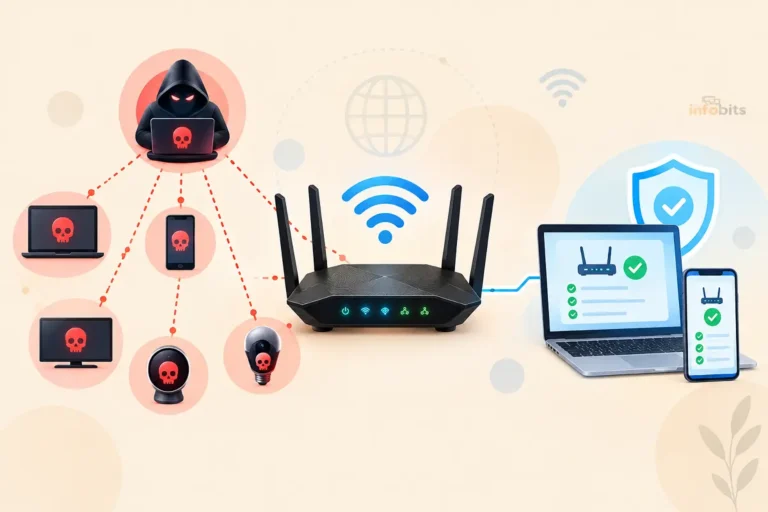
If another device on your home network- a smart TV, a baby monitor, an old laptop – is compromised, the attacker is inside your network. A VPN running on your laptop doesn’t protect you from an attacker who has already gained a foothold locally through another device.
This is why network segmentation (keeping IoT devices on a separate network from your personal devices) is important independently of VPN use.
Router Vulnerabilities
Your router is the gateway for your entire network. If it has a known, unpatched vulnerability, or if its default admin credentials were never changed, an attacker could potentially compromise it without your knowledge.
A VPN running on individual devices doesn’t protect the router itself. Keeping router firmware updated and changing default credentials addresses this.
Evil Twin / Rogue Access Point Attacks
An attacker can create a WiFi network with the same name as yours. If your device connects to the rogue network, the attacker can intercept traffic, and while a VPN encrypts your traffic, it doesn’t authenticate the access point.
On your own home network, this isn’t typically a concern, but it’s worth noting for context.
Data the VPN Provider Itself Collects
A VPN shifts trust from your ISP to your VPN provider. If your VPN provider maintains logs of your activity (despite claiming otherwise) or is subject to a legal order requiring data disclosure, your privacy isn’t protected by the VPN itself.
This is why choosing a no-logs VPN with an independently verified privacy policy matters significantly.
Related: Best Routers With Built-In Malware Protection in 2026
The Honest Threat Model: Do You Need a VPN at Home?
The question of whether you need a VPN for home WiFi specifically depends on your personal threat model, who you’re concerned about, and what you’re trying to protect.
| Threat | Does VPN Help? | Alternative Protection |
|---|---|---|
| ISP seeing your browsing history | Yes – fully | DNS-over-HTTPS (partial) |
| ISP throttling specific traffic | Yes – fully | None (only VPN helps) |
| Weak WiFi password being cracked | Yes – encrypts content | WPA3 + strong password |
| Malware on your device | No | Antivirus, safe browsing habits |
| Phishing attacks | No (partially with premium features) | Awareness, 2FA, browser warnings |
| Router vulnerabilities | No | Firmware updates, admin password |
| IoT device compromise | No | Network segmentation, firmware |
| Government surveillance (legal intercept) | Partially – VPN provider may be compelled | Tor, encrypted communications |
| Tracking by websites/advertisers | Partially – hides IP | Browser privacy settings, ad blockers |
VPN is most valuable at home if:
- You care about ISP privacy and don’t want your browsing data sold
- You frequently handle sensitive work or financial data from home
- Your country has poor digital privacy laws and ISP data retention requirements
- You use your home connection for activities that might attract throttling
VPN is less critical at home if:
- Your primary concerns are router security, malware, and phishing (other tools address those)
- You’re already using HTTPS everywhere and DNS-over-HTTPS for privacy
- You’re more concerned about local network threats than ISP surveillance
Related: Can Routers Track Internet History? What WiFi Owners Can See
Device-Level VPN vs. Router-Level VPN: Which Is Better?
This is one of the most practically important decisions when using a VPN at home, and it’s a gap most articles don’t fully address.
Device-Level VPN (App on Each Device)
You install the VPN provider’s app on your laptop, phone, tablet, and other devices individually. Each device connects to the VPN separately.
Pros:
- Easy to set up; most VPN apps install in minutes
- Can be turned on and off per device
- Works on any internet connection (not just home WiFi)
- No router configuration needed
- Can choose different VPN servers for different devices
Cons:
- Must be installed and activated on each device separately
- Devices that don’t support VPN apps (smart TVs, IoT devices, game consoles) aren’t protected
- Easy to forget to enable on a device
Related: How to Secure IoT Devices on Your Home WiFi Network
Router-Level VPN (VPN Running on the Router)
You configure the VPN directly on your router. All devices connected to your home WiFi automatically route through the VPN; no app installation needed on individual devices.
Pros:
- Protects every connected device automatically, including smart TVs, IoT devices, and gaming consoles
- Set-and-forget: no need to remember to enable it on each device
- Protects devices that don’t support VPN apps
- One VPN subscription covers the entire household
Cons:
- More complex to set up (requires router VPN support or compatible firmware)
- VPN is always on for all traffic; can’t easily exclude certain devices or apps
- Can reduce router performance on older/slower hardware
- Changing VPN servers requires logging into the router
| Factor | Device-Level VPN | Router-Level VPN |
|---|---|---|
| Setup complexity | Low | Moderate–High |
| Coverage | Device only | All connected devices |
| Smart TV / IoT protection | No | Yes |
| Flexibility | High | Lower |
| Performance impact | Per-device | On router CPU |
| Best for | Individuals, travel, mixed use | Whole-home protection |
Which Routers Support VPN?
Not all home routers support running a VPN client. Options include:
- Routers with native VPN client support: ASUS (has built-in VPN client), GL.iNet (VPN-focused), some Netgear and TP-Link models
- DD-WRT or OpenWrt custom firmware: Many routers can run these open-source firmware options, which include VPN client functionality
- Pre-configured VPN routers: FlashRouters sells routers pre-configured with VPN support
Related: Top Routers with Built-in VPN for Ultimate Security
NordVPN is one of the few premium VPN services that supports both device-level apps and router-level configuration natively, with WireGuard and OpenVPN support. Its subscription is available on Amazon and covers up to 10 devices simultaneously, making it one of the most versatile home options.
How to Set Up a VPN on Your Home Network
Option A: Device-Level Setup (Easiest)
- Choose a VPN provider and subscribe (NordVPN, ExpressVPN, Mullvad, ProtonVPN are all reputable no-logs services)
- Download the app for your operating system (Windows, macOS, iOS, Android)
- Log in with your account credentials
- Select a server location; for general home use, your own country provides the fastest speeds
- Click Connect
- Verify your connection: visit
ipleak.netordnsleaktest.comto confirm your IP has changed and there are no DNS leaks
Option B: Router-Level Setup (ASUS Example)
ASUS routers with AsusWRT firmware have a built-in VPN client:
- Log into your ASUS router admin panel (
router.asus.comor192.168.1.1) - Go to VPN → VPN Client
- Click Add Profile
- Choose your protocol (OpenVPN or WireGuard)
- Import the configuration file from your VPN provider (download this from your VPN account dashboard)
- Enter your VPN account credentials
- Click Activate
- Under VPN Director, you can set which devices route through the VPN and which connect directly
Option C: GL.iNet VPN Router (Simplest Router Setup)
GL.iNet routers are designed specifically for VPN use and have a clean, non-technical setup process:
GL.iNet Beryl AX (GL-MT3000) is a travel/home VPN router that supports NordVPN, ExpressVPN, Mullvad, and other major providers natively via a simple app-like interface, with no technical configuration required; available on Amazon.
How to Choose a VPN for Home Use
Not all VPNs are created equal. These are the criteria that genuinely matter:
No-Logs Policy (Verified by Audit)
The most critical feature. Your VPN provider has visibility into your traffic; a no-logs policy means they don’t record or store your browsing activity.
Look for providers that have had their no-logs claims independently audited by third-party security firms. NordVPN, ExpressVPN, Mullvad, and ProtonVPN have all undergone independent audits.
Strong Protocol Support
Look for WireGuard support (fastest, most modern) and/or OpenVPN (most established). Avoid services that still push PPTP or L2TP as primary protocols.
Kill Switch
A kill switch automatically cuts your internet connection if the VPN drops, preventing your unencrypted traffic from being exposed during a brief disconnection. Essential for robust protection.
DNS Leak Protection
Confirms that DNS queries route through the VPN’s servers, not your ISP’s. Good VPN clients include this by default; verify with dnsleaktest.com.
Server Locations
More server locations give you more options for speed and geo-specific needs. For home use in the US, UK, Canada, Australia, and New Zealand, all major providers have extensive server coverage.
Free VPNs: Avoid Them for Home Security
Free VPN services face a fundamental business model problem: if you’re not paying, how are they making money? The answers are rarely reassuring:
- Selling user data to third parties
- Injecting ads into your traffic
- Mining cryptocurrency using your device
- Limited bandwidth and server options that make the service practically unusable
- In some documented cases, operating as data collection tools rather than privacy tools
For meaningful home WiFi security improvement, a paid VPN from a reputable provider is the only sensible option. Costs typically run $3–$8/month on annual plans.
VPN + Other Security Measures: A Layered Approach
A VPN is one layer of home network security, not a complete solution. Here’s how it fits with the other measures:
| Security Layer | What It Protects Against | Tool |
|---|---|---|
| WPA3 encryption | WiFi eavesdropping, password cracking | Router settings |
| Strong router admin password | Unauthorized router access | Router settings |
| Firmware updates | Known router vulnerabilities | Router settings |
| Network segmentation (IoT isolation) | Compromised IoT devices pivoting to main network | Guest network / VLAN |
| VPN | ISP surveillance, traffic interception, DNS tracking | VPN service |
| DNS filtering | Malware domains, phishing domains | Pi-hole, Cloudflare 1.1.1.2 |
| Antivirus/endpoint security | Malware, ransomware, malicious downloads | Security software |
| 2FA on accounts | Account compromise even if password is stolen | Authenticator app |
No single layer covers everything. A VPN fills a specific, important gap: ISP-level surveillance and encrypted traffic protection that the other layers don’t address.
Related: Understanding WPA3 Encryption: Why Your Router Needs WPA3
Common Mistakes When Using a VPN at Home
| Mistake | What to Do Instead |
|---|---|
| Using a free VPN for “security” | Use a paid, audited no-logs service |
| Thinking the VPN protects against malware | Still use antivirus and safe browsing habits |
| Never verifying the VPN is working | Check ipleak.net or dnsleaktest.com after setup |
| Using an outdated protocol (PPTP) | Ensure WireGuard or OpenVPN is selected |
| Forgetting to enable the kill switch | Enable it in VPN settings for consistent protection |
| Using the VPN for security but not enabling WPA3 | Both are needed; VPN and router encryption are different layers |
| Router-level VPN on underpowered hardware | Check your router’s CPU specs; OpenVPN is CPU-intensive |
Myth vs. Fact: VPN and Home WiFi
Myth: A VPN makes you completely anonymous online. Fact: A VPN hides your IP and encrypts your traffic, but it doesn’t make you anonymous. Websites can still track you via cookies, browser fingerprinting, and logged-in accounts. A VPN is a privacy tool, not an anonymity guarantee.
Myth: A VPN protects you from hackers on your home network. Fact: A VPN protects traffic leaving your device through an encrypted tunnel. It doesn’t protect against threats already inside your network, compromised routers, infected IoT devices, or malware on your device. Network segmentation and router security are what address local threats.
Related: How to Monitor Network Traffic on Your Home Router
Myth: Home WiFi is already secure, so you don’t need a VPN. Fact: WPA3 and a strong password protect against unauthorized WiFi access. They don’t protect your traffic from your ISP, from DNS surveillance, or from passive monitoring by your ISP. These are different layers of protection.
Myth: All VPNs slow down your internet significantly. Fact: Premium VPNs using WireGuard introduce minimal latency for most activities. Surfshark, Mullvad, and NordVPN with WireGuard regularly achieve 90–95% of baseline speeds in independent tests. PPTP or overloaded OpenVPN servers can be slow, which is why protocol choice and server selection matter.
Myth: A VPN on my laptop protects my entire home network. Fact: A device-level VPN only protects the device it’s running on. Your smart TV, game console, and IoT devices on the same network are unprotected. For whole-home VPN coverage, configure it at the router level.
Conclusion
A VPN genuinely improves your home WiFi security and privacy, but in specific, defined ways. It encrypts your traffic beyond the router, hides your browsing from your ISP, and protects your DNS lookups from surveillance. These are real, meaningful benefits.
What a VPN doesn’t do is protect your router itself, defend against malware and phishing, or secure IoT devices on your local network. These require different tools: WPA3 encryption, strong router credentials, firmware updates, network segmentation, and endpoint security.
The most effective home network security strategy is layered: WPA3 for WiFi authentication, a VPN for traffic privacy and ISP protection, network isolation for IoT devices, DNS filtering for malware domains, and firmware diligence for your hardware. A VPN is a valuable part of that stack, not a replacement for it.
If ISP privacy is a concern, or if you’re regularly handling sensitive personal or work data from home, a paid, no-logs VPN with WireGuard support is a worthwhile monthly investment. If your primary concerns are router security, malware, and local threats, address those with router-level settings first, then consider whether a VPN adds value for your specific situation.
Frequently Asked Questions
Can a VPN make home WiFi more secure?
Yes, for specific threats. A VPN encrypts your traffic, hides your browsing from your ISP, and protects DNS lookups. It does not protect against malware, phishing, compromised local devices, or router vulnerabilities. It’s an important privacy and security tool but not a complete home network security solution on its own.
Do I need a VPN at home if I already have WPA3?
They address different threats. WPA3 secures the connection between your device and your router, protecting against unauthorized WiFi access and offline password attacks. A VPN encrypts your traffic beyond the router, protecting it from your ISP and any surveillance between your router and the destination server. Both are useful; neither replaces the other.
Does a VPN hide my activity from my router?
Yes, the router sees only encrypted traffic going to the VPN server. It cannot read the contents of your traffic or see which websites you visit. However, the router can still see that you’re using a VPN (by the VPN server’s IP) and how much data you’re transferring.
Should I set up a VPN on my router or on each device?
Router-level VPN protects every connected device automatically, including smart TVs and IoT devices that can’t run VPN apps. Device-level VPN is simpler to set up and more flexible. For whole-home protection, router-level is better. For personal privacy on specific devices, device-level is usually sufficient.
Does a VPN protect against hackers on public WiFi?
Yes, this is where VPNs are most valuable. Public WiFi is unencrypted and a prime target for passive eavesdropping. A VPN encrypts your traffic so that even if someone intercepts it, they see only encrypted data. For home WiFi with WPA3, the benefit is less about local eavesdropping and more about ISP privacy and upstream traffic protection.
What is the best VPN for home WiFi security?
NordVPN, ExpressVPN, Mullvad, and ProtonVPN are consistently top-rated for security, speed, and independently verified no-logs policies. For router-level compatibility, NordVPN and ExpressVPN have native router setup guides. Mullvad is particularly privacy-focused with anonymous payment options and a very strict no-logs stance.
Will a VPN slow down my home internet?
Premium VPNs using WireGuard typically reduce speeds by 5–10%, barely noticeable for most activities. OpenVPN can reduce speeds more significantly, particularly on older router hardware if running at the router level. Choose WireGuard where available for the best speed/security balance.
Does a VPN stop my ISP from seeing what I do online?
Yes, a VPN prevents your ISP from seeing the domains you visit, the content of your traffic, or your browsing patterns. Your ISP sees only encrypted traffic going to the VPN server.
Is it safe to use a free VPN for home security?
No. Free VPN services frequently monetise through data collection, ad injection, or bandwidth reselling. Some have been caught logging and selling user data to third parties, the opposite of the privacy protection promised. For home security use, only paid services with verified no-logs policies should be considered.
Does a VPN protect smart home devices?
Only if configured at the router level. A device-level VPN (app on your laptop) doesn’t protect your smart TV, thermostat, or security cameras. A router-level VPN encrypts all traffic from all devices, including IoT devices that don’t support VPN apps.
Can my employer see what I do if I use a VPN?
If you’re using your employer’s VPN (the one they provide for work), your employer’s IT team can see your traffic through that tunnel. If you’re using a personal VPN on your personal devices, your employer cannot see your traffic through that connection. They can see VPN activity if monitoring software is installed on company devices.
What does a VPN not protect against?
A VPN does not protect against: malware already on your device, phishing attacks, compromised router or local network devices, evil twin access points (you connect to a fake network), data you voluntarily share with websites after connecting, or legal surveillance orders issued to your VPN provider.
Should I leave my VPN on all the time at home?
If privacy from your ISP is a concern, yes, leaving it on continuously ensures consistent protection. If you notice performance issues with specific activities (gaming, video calls with latency-sensitive applications), consider enabling split tunnelling to route those directly while keeping other traffic through the VPN.
What is split tunnelling in a VPN?
Split tunnelling lets you route some traffic through the VPN and some directly to the internet, on the same device simultaneously. For example, you might route web browsing and streaming through the VPN while gaming connects directly (for lower latency). Most premium VPN apps support split tunnelling.
Is a VPN router worth it for home use?
Yes, if you want whole-home VPN coverage without managing apps on every device. It’s particularly valuable for protecting smart home devices, which can’t run VPN apps themselves. The main trade-off is router CPU load during encryption and a slightly more complex setup.
Found this useful? Share it with someone who’s been wondering about VPNs. Follow us on Facebook and Twitter, and subscribe to our free newsletter for more home networking and privacy guides.
We also ask that you bookmark this page for future reference, as we are constantly updating our articles with new information.
Disclosure: Some links in this article are affiliate links. If you purchase through them, we may earn a small commission at no additional cost to you.



)