PVOD Streaming: What It Is, What It Costs, and Where to Watch in 2026
What Is PVOD Streaming? (Quick Answer)
PVOD stands for Premium Video on Demand ; a way to rent or buy a brand-new movie for your TV, usually within days or weeks of its theatrical release, for a higher price than a normal digital rental. A typical PVOD rental costs somewhere between $19.99 and $29.99, gives you a 48-hour viewing window once you press play, and is available on platforms you probably already use, like Amazon Prime Video, Apple TV, and Fandango at Home.
That’s the short version. If you’ve ever wondered why a “new release” rental costs four times more than everything else in your streaming library, or whether it’s actually worth it, this guide walks through everything: how the pricing works, which platforms carry PVOD titles, how it compares to waiting for Netflix or Disney+, and how to avoid the common traps that make people overpay.
How PVOD Actually Works
Movies used to follow one path: theaters first, then months later, home video.
PVOD shortens that gap dramatically. Instead of waiting 90+ days for a film to reach a normal rental price, studios now release many titles for premium home rental within a few weeks of their theatrical debut, sometimes on the very same day.
Here’s the mechanics of a typical PVOD transaction:
- You choose a title on a participating platform while it’s still in its “premium” window.
- You pay the premium rate, well above what you’d pay for a catalog title.
- Your rental window opens. Once you hit play, you typically have 48 hours to finish watching, and you can restart or rewatch as many times as you like inside that window.
- The title eventually “moves down” to a standard VOD price, and later, it may land on a subscription service.
Studios like this model because they keep a much larger cut of the revenue than they do from a theatrical release. It is often up to 80%, compared to a roughly 50/50 split with theater chains.
For viewers, it means access to a film without leaving the house, at a price that can still beat a family trip to the cinema once you add up tickets, parking, and concessions.
PVOD vs. VOD vs. SVOD vs. TVOD vs. AVOD: What’s the Difference?
These acronyms get thrown around interchangeably, but they describe genuinely different business models. Here’s how they stack up:
| Model | What It Means | How You Pay | Typical Content |
|---|---|---|---|
| PVOD | Premium Video on Demand | One premium rental fee (~$19.99–$29.99) | Brand-new releases, day-and-date or near-theatrical |
| TVOD | Transactional Video on Demand | Pay per title, standard rate (~$3.99–$5.99) | Older titles are no longer “premium” |
| SVOD | Subscription Video on Demand | Flat monthly/annual fee | Full back catalog, some day-and-date originals |
| AVOD | Advertising Video on Demand | Free, ad-supported | Library content, older seasons, some originals |
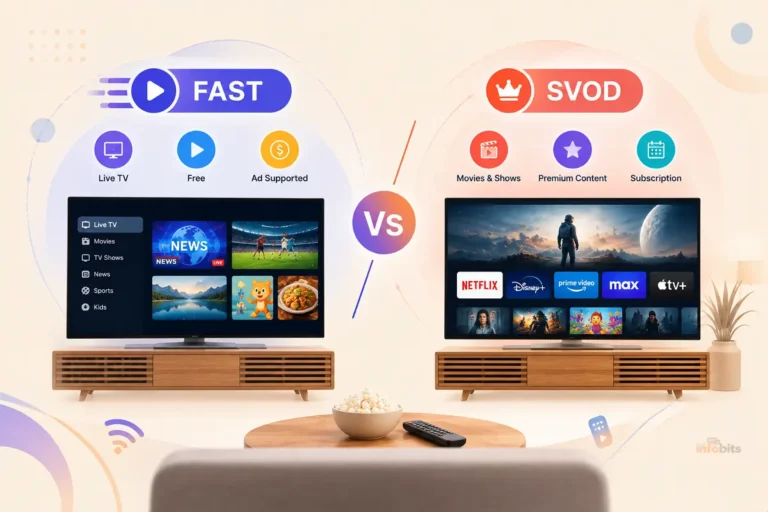
| FAST | Free Ad-Supported Streaming TV | Free, channel-style with ads | Live, linear-style channel programming |
PVOD and TVOD are often confused because both charge per title. The difference is timing and price: PVOD is the express lane for content that’s still new and in demand, while TVOD is what that same title becomes once the hype (and the price tag) settles down.
What Does PVOD Cost, and How Long Do You Get to Watch?
Pricing is fairly consistent across platforms, though it varies by title and studio:
- Rental price: roughly $19.99–$29.99, compared to $3.99–$6.99 for standard VOD.
- Viewing window: typically 48 hours from when you start watching, with unlimited replays inside that window.
- Purchase option: many platforms also let you buy the movie outright (often called “electronic sell-through”) for permanent access, usually at a higher price than the rental.
- Release timing: some titles arrive day-and-date with theaters, others a few weeks later, depending on the studio’s strategy for that release.
Quick cost comparison: A single PVOD rental at $24.99 covers everyone in your household for one viewing window. Compare that to a family of four at a theater; tickets alone can run $60,$80 before popcorn, and PVOD often comes out ahead for group viewing, even though the sticker price looks steep for a solo watch.
Where to Find PVOD Movies in 2026: Platform-by-Platform Guide
The streaming landscape has been consolidating fast, and it directly affects where you’ll find PVOD titles going forward. Here’s the current picture.
Amazon Prime Video
Amazon Prime Video remains one of the most reliable places to find PVOD titles, thanks to its scale and tight integration with Prime accounts.
New releases show up in a dedicated section, rentals and purchases sync across devices automatically, and Amazon’s recommendation engine does a decent job of surfacing what’s newly available.
If you’re building a home viewing setup around PVOD, having a reliable streaming device that handles 4K playback smoothly makes a real difference here, since PVOD titles are almost always offered in the highest quality tier available.
Apple TV (App)
Apple’s storefront is consistently one of the first to list day-and-date PVOD titles, and purchases carry over into iCloud, so they’re accessible across every Apple device tied to your account. It’s a strong option if you’re already inside the Apple ecosystem.
Google TV / Google Play
Google TV pulls rentals and purchases into one library alongside your other streaming subscriptions, which is convenient if you don’t want to hunt across multiple apps to remember where you rented something.
Fandango at Home (formerly Vudu)
Long a dedicated home for transactional and premium rentals, Fandango at Home is worth checking for titles that occasionally get better pricing or bundled deals compared to the big three above.
Disney+ (and Hulu)
Disney popularized the PVOD model with high-profile day-and-date releases in past years, and it continues to offer premium access windows for select titles.
Worth knowing: Disney has been consolidating Hulu into the Disney+ app, with the two services moving toward a single unified experience.
If you use both today, expect that separation to disappear over the next year, which may also affect how PVOD-style premium titles are presented.
HBO Max
HBO Max has occasionally made theatrical titles available to subscribers at no extra PVOD charge, folding what would otherwise be a premium rental into the regular subscription.
That said, the streaming landscape here is shifting: Warner Bros. Discovery and Paramount are in the process of merging, with plans to combine HBO Max and Paramount+ into a single service.
The exact shape of that combined platform, including how premium/early-access titles will be priced, hadn’t been finalized as of mid-2026, so if you’re an HBO Max subscriber, keep an eye on official announcements before assuming your current perks carry over unchanged.
Netflix
Netflix has historically leaned on its subscription model, but it has tested premium, pay-extra access to select new releases for subscribers who don’t want to wait for a title to hit the general library.
It’s not Netflix’s core strategy, but it shows how far the PVOD concept has spread beyond its original home on Amazon, Apple, and Disney+.
The bigger picture: streaming is consolidating. Fewer, larger platforms mean PVOD pricing and availability could shift as these mergers close, so it’s worth checking a title’s availability across two or three platforms before you commit to a rental; prices and windows aren’t always identical.
Myth vs. Fact: Common PVOD Misconceptions
Myth: PVOD and streaming are the same thing. Fact: Streaming (SVOD) is unlimited access to a library for a flat monthly fee. PVOD is a one-time, premium-priced rental for a single new title, separate from any subscription you already pay for.
Myth: You always get the movie the same day it hits theaters. Fact: Day-and-date releases happen, but plenty of PVOD titles arrive a few weeks after their theatrical debut. Release timing is decided title-by-title by the studio.
Myth: A PVOD rental is a bad deal compared to a theater ticket. Fact: For one person watching alone, a theater ticket can be cheaper. For a household of three or more, PVOD is usually the better value once you factor in tickets, parking, and snacks for everyone.
Myth: Once you rent, you can watch anytime, forever. Fact: Rentals expire. You typically get 48 hours from your first play to finish (and rewatch) the title. If you want it permanently, you’ll need to buy it outright.
Common Mistakes to Avoid With PVOD
- Starting the rental before you’re ready. The 48-hour clock starts the moment you press play, not the moment you pay. Don’t start a rental the night before a busy week.
- Not checking if it’s about to hit a cheaper tier. Some titles move from PVOD to standard VOD pricing within a matter of weeks. If you’re not in a rush, waiting can save you $15–$20.
- Assuming every platform has the same price. Pricing can vary slightly between Amazon, Apple, and Google for the same title. A quick check across two apps before renting takes thirty seconds and can save money.
- Ignoring the fine print on 4K/HDR availability. Not every device or internet plan delivers the full-quality PVOD experience; check your device’s supported resolution before assuming you’re getting what you paid for.
- Forgetting to use family sharing where it’s supported. Some platforms let household members access a rental from the same account, effectively splitting the cost.
Should You Rent on PVOD or Just Wait? A Quick Decision Guide
Ask yourself these questions before renting:
- Are three or more people watching together? PVOD usually wins on cost versus a theater trip.
- Is this a must-see-now title for you, or can it wait a month? If you can wait, the price will very likely drop once it moves to standard VOD or lands on a subscription service you already pay for.
- Do you already subscribe to the platform where it’ll eventually stream? If yes, patience is usually the cheaper option.
- Is it a limited theatrical release you can’t easily catch in a nearby cinema? PVOD may be your only realistic way to watch it on the big screen’s home equivalent.
Tips to Get the Most Out of Your PVOD Experience
Get your connection sorted first. PVOD titles are almost always delivered in the highest quality a platform offers, so buffering is the fastest way to ruin the experience.
A wired Ethernet connection to your streaming device or smart TV is more consistent than Wi-Fi, especially for 4K/HDR content.
If you’re deciding between streaming devices for a PVOD-heavy setup, prioritize one with solid HDR10+ or Dolby Vision support and a strong, updated Wi-Fi 6 chipset if wired isn’t an option.
Check your audio setup. Many PVOD titles include Dolby Atmos or 5.1 surround tracks that a TV’s built-in speakers can’t fully deliver.
If you’re watching PVOD releases regularly, a compact soundbar with HDMI eARC support like Amazon Fire TV Soundbar [view on Amazon] is one of the cheaper upgrades that noticeably improves the experience without a full home-theater rebuild.
Use family or household sharing where available. Several platforms allow one rental to be viewed by everyone under the same account, which is the easiest way to bring the effective per-person cost down.
Double-check the rental window before you start. Once you hit play, the clock is running; don’t start a two-hour movie with fifteen minutes before you need to leave the house.
Watch for bundles and loyalty perks. Prime members, for instance, occasionally get small discounts or early access windows on select PVOD titles. It’s worth glancing at platform promotions before paying full price.
Related: Future-Proofing Your TV: WebOS vs Google TV Comparison Guide
The Future of PVOD Streaming
A few trends are shaping where PVOD goes from here:
Faster windows, more day-and-date releases. As audiences get more comfortable paying for home premieres, studios are increasingly comfortable shrinking the gap between theatrical and digital release, sometimes eliminating it for certain titles.
AI-driven personalization. Recommendation engines are getting better at surfacing PVOD titles you’re actually likely to pay for, rather than just showing you whatever is newest.
Platform consolidation changes the map. With Disney+ and Hulu merging into a single app, and Warner Bros. Discovery’s HBO Max moving toward a combined service with Paramount+, the number of separate places you’ll need to check for PVOD titles is likely to shrink.
But so is the number of competing platforms that might otherwise undercut each other on price. It’s worth watching how these mergers affect PVOD pricing once they finalize.
Better compression and higher bitrates. Continued improvements in video compression mean PVOD platforms can deliver 4K/HDR content with less buffering, even on moderate internet connections, good news if your household doesn’t have a fiber connection.
Related: What Is IRL Streaming? A Complete 2026 Guide for Creators
Conclusion
PVOD streaming represents a significant shift in how we access and enjoy new movie releases.
With its combination of convenience, flexibility, and cost-effectiveness, PVOD is poised to become an integral part of the entertainment ecosystem.
By understanding its benefits, exploring leading platforms, staying informed about future trends, and utilizing practical tips, you can make the most of your PVOD experience and enjoy the latest films from the comfort of your home.
Frequently Asked Questions
What does PVOD stand for?
PVOD stands for Premium Video on Demand; a model where you pay a premium, one-time fee to watch a newly released movie at home, ahead of when it would normally reach a standard rental or subscription service.
How is PVOD different from regular VOD?
Regular VOD (video on demand) is typically older or catalog content priced around $3.99–$6.99. PVOD is reserved for brand-new releases and is priced significantly higher, usually $19.99–$29.99.
How long do I have to watch a PVOD rental?
Most platforms give you 48 hours to finish watching once you press play for the first time, with unlimited replays inside that window.
Can I watch a PVOD rental more than once?
Yes, as many times as you like within your rental window. After the window closes, you’ll need to rent or buy it again to watch it.
Is PVOD more expensive than a movie ticket?
For a single viewer, a theater ticket is often cheaper. For a group of three or more watching together at home, PVOD is usually the better value once you factor in transportation, parking, and concessions.
Which platforms offer PVOD movies?
Amazon Prime Video, Apple TV, Google TV, Fandango at Home, and Disney+ are among the most consistent options. HBO Max and Netflix have both experimented with premium, pay-extra access to select titles as well.
Do I need a subscription to rent a PVOD title?
Not usually. Most PVOD platforms let you rent a title as a standalone transaction, though having an account (like a free Amazon or Apple ID) is required to complete the purchase.
Why is PVOD so much more expensive than a normal rental?
The premium price reflects the fact that you’re getting access to the movie much sooner than a standard rental would allow, often while it’s still playing in theaters or shortly after. Studios use the higher price to recoup a larger share of production costs directly.
Will a PVOD movie eventually be cheaper?
Yes. Almost every PVOD title eventually moves down to standard VOD pricing, and many later become available on a subscription streaming service at no extra cost.
Can I buy a PVOD movie instead of renting it?
Many platforms offer a “buy” option alongside the rental, typically at a higher one-time price, which gives you permanent access instead of a 48-hour window.
Does PVOD content come in 4K?
Most major PVOD releases are offered in up to 4K with HDR, provided your device, app, and internet connection support it. Check your streaming device’s specs if the picture doesn’t look as sharp as expected.
Is PVOD available outside the US?
Availability and pricing vary by country and by studio licensing agreements. Major platforms like Amazon Prime Video and Apple TV offer PVOD titles in the UK, Canada, Australia, and New Zealand, though title selection and release timing can differ from the US.
What happened to Vudu?
Vudu was rebranded to Fandango at Home and continues to operate as a transactional and premium rental platform.
Are Hulu and Disney+ becoming the same app?
Disney has been consolidating Hulu into the Disney+ app, moving toward a single combined streaming experience. If you use both services, expect that separation to fade over time.
Is HBO Max merging with Paramount+?
Warner Bros. Discovery and Paramount are in the process of merging, with plans to eventually combine HBO Max and Paramount+ into one service. As of mid-2026, the timeline and final details of the combined platform hadn’t been officially confirmed.
Can I split the cost of a PVOD rental with family or roommates?
Some platforms support household or family sharing, which lets multiple people on the same account watch a single rental, effectively splitting the cost. Check your platform’s sharing policy, since this isn’t universal.
What’s the difference between PVOD and day-and-date release?
Day-and-date describes a movie launching in theaters and on a premium home platform at the same time. PVOD is the pricing and access model that makes day-and-date releases possible. Not every PVOD title is day-and-date, since some arrive a few weeks after theaters.
Do PVOD rentals have ads?
No. PVOD rentals are transactional purchases, so they’re ad-free regardless of whether the platform you’re using has an ad-supported subscription tier elsewhere in its catalog.
Is PVOD the same as pay-per-view (PPV)?
They’re closely related concepts; both involve paying per title rather than a flat subscription. But PPV is more commonly associated with live events (like sports or concerts), while PVOD specifically refers to premium access to newly released movies.
What device do I need to watch PVOD content?
Any modern smart TV, streaming stick, or streaming box that supports the app you’re renting through will work. For the best experience with 4K/HDR titles, a dedicated streaming device with strong app support and a stable connection is worth the upgrade if your smart TV’s built-in apps feel sluggish.
Please share this article with your friends and relatives if you find it useful.
We also ask that you bookmark this page for future reference, as we are constantly updating our articles with new information.
Sign up for our free newsletter as well to receive fresh information immediately in your inbox and keep technically up to date.
Disclosure: If you follow our links to a retailer’s website and make a purchase, we will get an affiliate commission on some, but not all, of the items or services we promote. This will cause no price change for you.