Cord Cutting Guide: How to Replace Cable With FAST, Streaming Services, and Live TV Apps
Cancelling cable used to be a simple decision: lose the channel guide, keep a few hundred dollars a year. In 2026, the trade is more interesting, and a bit more complicated.
Nearly every major streaming service has raised its price over the past twelve months, sports rights are scattered across half a dozen apps, and the free side of streaming has quietly grown into something you can genuinely live with.
The shift away from cable is real. Nielsen’s July 2026 report put streaming at 49.0% of all TV viewing in the US, while cable fell to a record low of 18.7%. But people only come out ahead when they build their setup on purpose instead of subscribing to everything in sight.
This guide shows you how: what FAST, SVOD, and live TV apps actually are, how to combine them, what each costs right now, how to handle football season, and where most people get burned.
Quick Answer: You can replace cable with four layers. (1) Local channels through a cheap antenna. (2) Free FAST channels for background TV. (3) One or two subscription streaming services (SVOD) that you rotate. (4) A live TV app, only if you truly need cable channels like ESPN or CNN. Depending on how much live sports and news you watch, expect to pay roughly $9 to $105 a month instead of a traditional cable bill.
What Are FAST, SVOD, and Live TV Apps?
The jargon trips people up, so here are plain-English definitions you can lean on.
- SVOD (subscription video on demand): You pay a monthly fee and watch what you want, when you want. Netflix, HBO Max, Disney+, Peacock, Paramount+, and Apple TV are all SVOD. Most now offer a cheaper plan with ads.
- FAST (free ad-supported streaming television): Free channels that run on a schedule, like an old cable guide, paid for by ads. Think Pluto TV, The Roku Channel, Samsung TV Plus, and Tubi’s live channels.
- AVOD (ad-supported video on demand): Free on-demand libraries with ads. Tubi and parts of The Roku Channel work this way. Most FAST apps blend both.
- Live TV streaming apps: Internet-delivered bundles that replace the cable box, with live channels, local stations, and a cloud DVR. YouTube TV, Hulu + Live TV, Fubo, Sling TV, and DirecTV’s streaming plans live here.
| Type | How you pay | Typical cost | Ads? | Best for |
|---|---|---|---|---|
| SVOD | Monthly subscription | About $8 to $27 per service | Optional, cheaper with ads | Shows and movies on demand |
| FAST / AVOD | Free | $0 | Always | Channel surfing, reruns, filler |
| Live TV apps | Monthly bundle | About $20 to $100 | Some | Live sports, news, local channels |
| Antenna | One-time purchase | About $25 and up | None on the broadcast | Free local networks |
Why this matters: each type solves a different problem. Most disappointed cord-cutters tried to make a single service do everything.
Is Cord-Cutting Still Worth It in 2026?
For many households, yes. But the honest answer is that it depends on how you stack things.
Streaming has gone through its own version of cable-style price creep. Over the past year, Netflix, Disney+, HBO Max, Paramount+, Apple TV, and Peacock have all raised prices, and Peacock did it again on August 18, 2026.
One recent estimate put a household with five ad-free services (Netflix, Disney+, HBO Max, Hulu, and Peacock) at roughly $90 to $95 a month before that latest Peacock increase. Add a full live TV app at around $83 to $100, and you can end up paying cable money for a worse remote.
Cord-cutting usually saves money if you:
- Watch a handful of shows and don’t need dozens of channels
- Can get local channels with an antenna
- Are willing to rotate subscriptions instead of keeping all of them
- Don’t need regional sports networks every night
It may not save much if you:
- Watch live sports almost daily across multiple networks
- Currently get a heavy bundle discount on cable plus internet
- Want every streaming service running year-round
Watch out for the bundle trap. Before you cancel, ask your provider what internet-only service costs. Some companies raise the internet price noticeably once the TV package goes away. Always compare internet-only pricing, not just the TV line item on your bill.
How to Cut the Cord in 8 Steps
Step 1: Audit what you actually watch
Write down the 10 or so shows, channels, and sports teams your household really uses. Check your cable bill for channels nobody has watched in months. This list tells you which layers you need and which you can skip.
Step 2: Check your internet
Streaming only works as well as your connection. As a rule of thumb, plan on around 5 Mbps per HD stream and about 15 to 25 Mbps per 4K stream, then multiply by the number of screens that may run at once.
A 100 Mbps plan handles most households comfortably, but the real problem is often Wi-Fi, not speed. If your router is old or buried in a closet, start with our guide to setting up a router at home before you blame the streaming app.
Also check whether your internet plan has a monthly data cap, since heavy 4K streaming can use hundreds of gigabytes.
If your Wi-Fi is the weak link, a modern Wi-Fi 6 or Wi-Fi 6E router, or a mesh system for larger homes, usually fixes buffering far more effectively than paying for a faster internet tier.
Step 3: Pick your streaming device
Most smart TVs have apps built in, but they’re often slow and stop getting updates after a few years. A dedicated streamer tends to be snappier and gets app support longer.
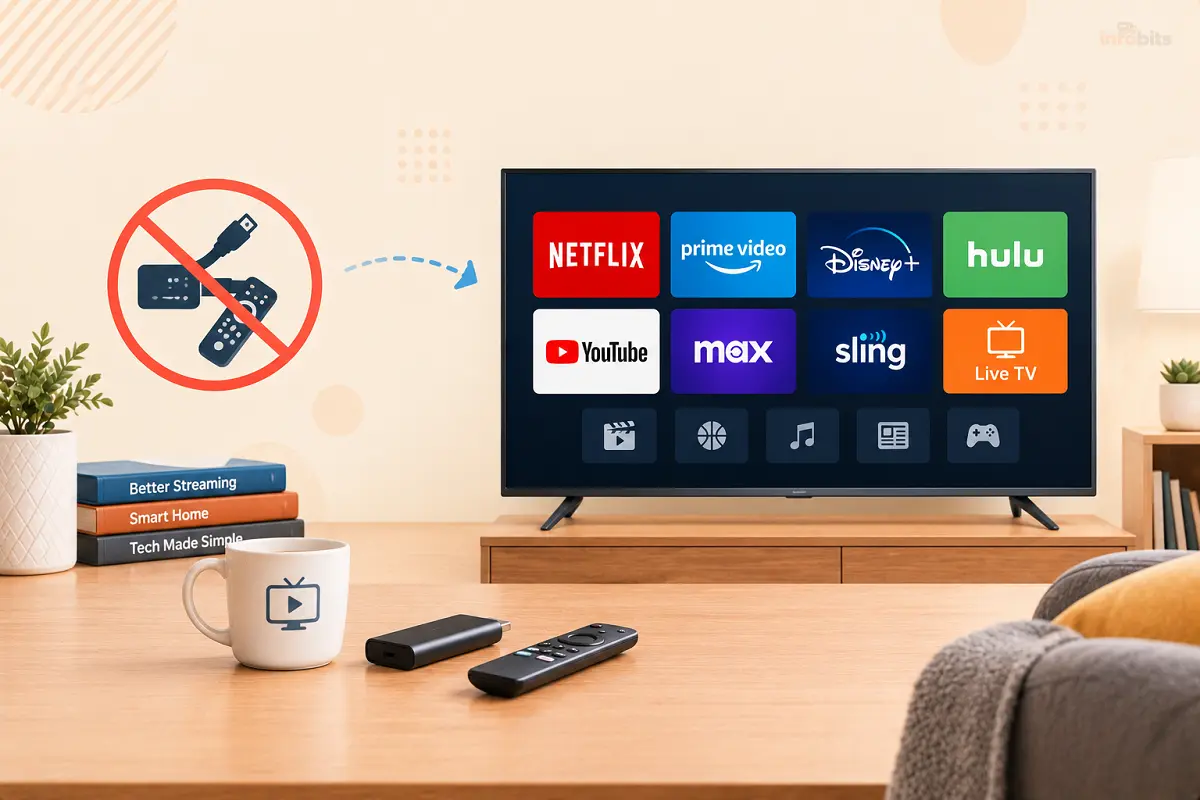
If your TV’s built-in apps feel sluggish, an OTT Box or dedicated streamer such as a Roku Streaming Stick, an Amazon Fire TV Stick 4K, an Apple TV 4K, or a Google TV Streamer is usually the cheapest upgrade you can make.
Step 4: Get your local channels
ABC, CBS, NBC, FOX, PBS, and The CW are available free over the air, and you have three ways to get them: an antenna, a live TV app that includes locals, or the networks’ own apps.
For most people, an antenna is the cheapest and most reliable route. We cover it in detail below.
Step 5: Add free FAST channels
Install two or three FAST apps before you pay for anything. The Roku Channel, Pluto TV, Tubi, and Samsung TV Plus (on Samsung TVs) cover a surprising amount of what people used to watch by flipping channels.
Step 6: Choose one or two streaming services
Pick the service that matches your must-watch list, not the one with the biggest catalog. Plan to rotate. More on that in the SVOD section.
Related: FAST vs. SVOD: Which Streaming Model Should You Use?
Step 7: Decide if you need a live TV app
If you only want local channels, news clips, and a few shows, you may not. If you need ESPN, TNT, regional sports, or live cable news, compare the live TV services below and choose one.
Step 8: Cancel cable the smart way
Before you call, make sure your new setup works for at least a week. When you cancel, ask for the internet-only price, return every piece of rented equipment, get a confirmation number, and check your final bill for leftover rental fees.
If they offer a retention discount, do the math against your new monthly total before saying yes.
Live TV Streaming Apps: The Closest Thing to Cable
If you want the cable experience (a channel guide, live sports, local stations, and a DVR) without the box, live TV apps are the answer.
Here’s how the main options compare. Prices come from several October 2026 roundups and vary a bit by source, plan, and region, so confirm before buying.
| Service | Starting price (approx.) | Channels | Standout feature | Watch out for |
|---|---|---|---|---|
| YouTube TV | $82.99 | 100+ | Unlimited cloud DVR, three streams, six profiles | 4K is an add-on (about $9.99); locals depend on your ZIP code |
| Hulu + Live TV | About $90 to $100 | 90 to 100+ | Includes Disney+ and ESPN | Highest price of the big names; Disney has been folding it together with Fubo, so packaging may change |
| Fubo | From about $65 up to $89 or more | 30 to 200+ | Sports-heavy lineup | Regional sports fee of roughly $3.99 to $16.99 a month in some areas |
| Sling TV | About $46 for Orange or Blue; lighter plans near $20 | 30 to 50+ | Cheapest big-name option, pick-your-own add-ons | Local channels only in select cities |
| DirecTV (streaming) | About $87 to $90 | 90 to 185+ | Most cable-like guide, strong regional sports | Fees and promo pricing can change the bill |
| Frndly TV | About $9 | Lifestyle and family channels | Very cheap | Little sports or news |
Which live TV app should you pick?
- Best all-rounder: YouTube TV. It’s the easiest recommendation for a typical household because of the strong DVR and the solid channel mix.
- Best for budget: Sling TV, ideally paired with an antenna for locals.
- Best for sports fans: Fubo or DirecTV, depending on which regional sports networks you get. Check your ZIP code before you commit.
- Best if you also want Disney+ and Hulu: Hulu + Live TV.
- Best for a gentle, family-friendly lineup: Frndly TV.
Expert tip: Enter your ZIP code on a provider’s website before you subscribe. Local channels and regional sports vary by address, and this single step prevents the most common “wait, where’s my local channel?” regret.
Streaming Services (SVOD): Pay for What You’re Watching Right Now
The goal isn’t to own every service. It’s to own the right one this month. Subscription prices keep climbing, so how you pick and when you cancel matters more than which logo you choose.
| Service | With ads | Ad-free standard | Good to know |
|---|---|---|---|
| Netflix | About $8.99 | About $19.99 | Premium (4K, more screens) is around $26.99 |
| HBO Max | About $10.99 | About $18.49 | Premium is around $22.99 |
| Disney+ | Check current price | About $18.99 | Hulu with ads has been around $7.99; bundles are cheaper |
| Paramount+ | $8.99 (Essential) | $13.99 (Premium) | Prices rose on January 15, 2026 |
| Apple TV | No ad plan | $14.99 | Raised from $12.99 in late August 2026 |
| Peacock | Check current price | Check current price | Raised every plan on August 18, 2026 |
Figures come from published price trackers in 2026 and may have changed since. Always confirm on the service’s own page.
The rotation strategy that actually saves money
The most cost-conscious cord-cutters treat streaming like a utility they switch on and off, not a permanent bill.
- Keep one “anchor” service you use almost every week.
- Add one “seasonal” service for something specific, such as football season or a show you’re following.
- Rotate a third slot. Subscribe for a month, binge what you wanted, then cancel. Set a calendar reminder for the cancellation date the day you sign up.
This alone can cut a typical streaming bill roughly in half compared with keeping five or six services running all year.
Should you pick the ad-supported plan?
For most households, yes. Netflix with ads is about $11 a month cheaper than its ad-free standard plan, which is around $130 a year. The trade-offs are ad breaks and sometimes a few titles or features that aren’t available on the cheaper plan.
If you watch two or three hours a week, the ad tier is usually the better deal. If TV is your main hobby, ad-free may be worth it for one anchor service.
Bundles can beat buying separately.
Disney has been combining Disney+, Hulu, and ESPN into bundles, and has said it plans to fold the standalone Hulu app into Disney+ during 2026, so check which version you’re buying.
Recent trackers have also listed a Disney+, Hulu, and HBO Max bundle with ads at around $20 a month, which is often less than two of those services separately.
Which service fits which viewer?
- Prestige drama and film fans: HBO Max. One major 2026 report card named it the single best pick if you can only keep one service.
- Wide variety and binge-watching: Netflix.
- Families: Disney+, ideally in a bundle.
- Live sports add-on: Peacock for NBC events, plus ESPN or Fox One for other leagues (see the sports section).
- Smaller catalog, strong originals: Apple TV.
Expert tip: Subscribe directly through each service’s own website instead of through multiple app stores. Cancelling is usually simpler, and you can see every charge in one place.
FAST Channels: The Free Layer That Makes Cord-Cutting Livable
FAST is the part of streaming that feels most like old-school TV. You turn it on, a channel is already playing, and you flip through a guide. There’s no sign-up fee and no subscription, because ads pay for it.
It’s also no longer a niche. Nielsen’s July 2026 report credited The Roku Channel, one of the biggest FAST platforms, with 3.1% of all US TV viewing, a share that rivals some well-known paid services.
| FAST app | Where you find it | Why people like it |
|---|---|---|
| The Roku Channel | Roku devices, plus apps on other platforms | Live channels, movies, shows, and Roku Originals in one place |
| Pluto TV | Most devices | Themed channels (crime, classic TV, news, movies) that you can drop into |
| Tubi | Most devices | Large free on-demand library plus live channels |
| Samsung TV Plus | Samsung TVs, plus some Android devices | Starts working the moment the TV turns on |
| Plex | Most devices | Free live TV plus tools for your own media library |
| Sling Freestream | Sling app | Free channels inside a live TV app you may already use |
| MyFree DIRECTV and TCL+ | Select devices | Newer options worth trying on compatible TVs |
What FAST does well, and where it falls short
Great for: reruns, classic shows, movies you missed, local-style news clips, true crime and reality marathons, and background TV while you cook or work.
Not great for: brand-new releases, major live sports, and the latest season of a hit show. Channels also come and go, so don’t build your whole week around one.
Privacy note: Free apps and smart TVs collect viewing data to target ads. Look in your TV’s privacy or system settings for options related to viewing information or automatic content recognition, and decide what you’re comfortable sharing.
The Antenna: Still the Best Deal in Cord-Cutting
Broadcast TV never went away, and it’s free. A digital antenna picks up your local ABC, CBS, NBC, FOX, PBS, and CW stations with no monthly fee, often in better picture quality than compressed cable.
A good antenna costs roughly $25 and up, and it pays for itself within a couple of months compared with a bill that includes local channels.
How to set up an antenna
- Check your signal first. The FCC offers a free reception map that shows which stations you can expect at your address.
- Place it high and near a window. Height and a clear line toward the towers matter more than price.
- Run a channel scan from your TV’s settings menu, and rescan every few months because stations change.
- Skip the amplifier at first. Amplifiers can overload a strong signal. They’re mostly useful for long cable runs or weak signals.
A flat indoor HD antenna is usually enough for apartments and homes fairly close to the broadcast towers, while rural homes and those farther away often get better results from an attic or outdoor antenna.
If you want to pause and record broadcast shows, look for an antenna DVR box. Also note that some stations are moving to the newer ATSC 3.0 broadcast format in certain cities, so before buying a new TV just for that feature, check what your local stations actually transmit.
Sports Without Cable: The Hardest Part of Cord-Cutting in 2026
Sports rights are scattered, and prices keep moving, so this is where cord-cutters either win or overspend. Here’s how the 2026 NFL season breaks down.
| NFL window | Where to watch without cable | Notes |
|---|---|---|
| Sunday afternoon (FOX) | Antenna, a live TV app, or FOX One (about $19.99 a month) | FOX One streams FOX’s NFL games |
| Sunday afternoon (CBS) | Antenna, a live TV app, or Paramount+ in many markets | Check your local market |
| Sunday night (NBC) | Antenna, a live TV app, or Peacock | NBC’s 26 games this season also stream on Peacock |
| Monday night | ESPN Unlimited (about $31.99 a month since September 17) or a live TV app with ESPN | 17 games on ESPN; ABC simulcasts 10 of them |
| Thursday night | Prime Video | Included with Prime-based access |
| Out-of-market Sundays | NFL Sunday Ticket | Sold as an add-on |
A few updates worth knowing. ESPN Unlimited went from $29.99 to $31.99 a month in mid-September, and ESPN Select, the cheaper plan, went to about $14. ESPN now owns NFL Network, and NFL Network is included with ESPN Unlimited.
ESPN has also offered bundles with Fox One (about $40 a month) and with Disney+ and Hulu (about $36 a month with ads).
The part-time subscription plan: football runs from early September into January, with the Super Bowl in February 2027 on ESPN and ABC. Subscribe to the sports services you need for those months, then cancel. Many cord-cutters pay for sports services only about five months a year.
Other leagues are just as fragmented. Major League Baseball’s national games for 2026 to 2028 are split among NBC and Peacock, Netflix, ESPN, FOX, TBS, and Apple TV. Before you subscribe for a team, look up that team’s current broadcast partners and local rights.
Three Cord-Cutting Setups, With the Math
Prices exclude taxes and fees, and use the approximate figures from earlier in this guide.
| Setup | What’s in it | Monthly cost |
|---|---|---|
| Lean | Antenna (one-time purchase), free FAST apps, Netflix with ads at about $8.99 | About $9, or up to about $20 if you rotate in a second service |
| Balanced | Antenna, FAST apps, Netflix with ads (about $8.99), Sling Orange or Blue (about $45.99) | About $55 |
| Full replacement | YouTube TV ($82.99), Netflix with ads (about $8.99), HBO Max with ads (about $10.99) | About $103 |
Which one should you choose? If you mostly watch shows and want local news, start with Lean. If you watch ESPN or cable news regularly, go Balanced. If you want a cable-style guide with unlimited DVR and plenty of live sports, Full is a fair swap.
Hidden Costs and Common Mistakes
- Promotional pricing that expires. Many live TV apps advertise an introductory rate for the first few months. Put the regular price in your budget.
- Regional sports fees. Fubo’s mandatory fee runs about $3.99 to $16.99 a month in areas with regional sports channels.
- Add-ons that add up. YouTube TV’s 4K Plus add-on is around $9.99, and extra screens, DVR upgrades, and sports packages all pile on.
- The cable internet bundle jump. As mentioned earlier, internet-only pricing can be higher than what you pay inside a bundle. Compare the totals.
- Subscribing to everything at once. Stacking six ad-free services can cost about as much as a cable package.
- Ignoring your Wi-Fi. Most buffering complaints trace back to a weak signal, not the streaming service.
- Forgetting to cancel. Free trials convert quietly. Use a calendar reminder the day you start.
Myth vs. Fact
| Myth | Fact |
|---|---|
| Streaming is always cheaper than cable. | Only if you manage the stack. Several ad-free services plus a full live TV app can match cable. |
| Free streaming is only old movies. | FAST platforms now carry live channels, shows, and Originals, and The Roku Channel alone drew 3.1% of US TV time in July 2026. |
| You need cable for local channels. | An antenna gets them for free, and live TV apps include them in many markets. |
| You need the fastest internet plan. | Most homes need solid Wi-Fi more than extra speed. |
| Cheap IPTV boxes are a smart shortcut. | They’re typically unlicensed and risky (see the next section). |
A Safety Warning: Skip the Cheap IPTV Services
Search for cord-cutting help, and you’ll run into ads promising 18,000 channels and 60,000 movies for around $10 a month. Be careful.
Services pitched this way are typically unlicensed, which means they can disappear overnight with your money, may expose your payment details, and sometimes push malware through unofficial apps or pre-loaded boxes.
The legal alternative is already cheap. A free antenna, a few FAST apps, and one ad-supported subscription give you more reliable viewing without the risk. If a deal seems too good to be true compared with what YouTube TV, Sling, or Fubo cost, it usually is.
Troubleshooting: Fixing the Most Common Streaming Problems
| Problem | Likely cause | What to try |
|---|---|---|
| Constant buffering | Weak Wi-Fi or an overloaded network | Move closer to the router, use Ethernet if you can, restart the router and streamer |
| App won’t load or says the network is down | DNS or connection trouble | See our fix for DNS server not responding |
| Streaming works on phones but not the TV | Router settings or a Wi-Fi band issue | Review our Windows network troubleshooting basics |
| Router still acting up after everything | Corrupted settings | Consider a reset using our router factory reset guide |
| Local channels missing in a live TV app | ZIP code or home-area issue | Update your home area in the app and confirm your address supports locals |
| Antenna loses channels | Weather, new obstructions, or station changes | Rescan, reposition the antenna, try a spot higher up |
| Too many screens in use | Stream limit reached | Check your plan’s simultaneous stream limit and upgrade if needed |
If your streamer sits far from the router and Wi-Fi keeps dropping, a wired Ethernet connection (a long Ethernet cable or a powerline adapter if you can’t run cable) is often the most reliable fix.
If you share Wi-Fi with guests or smart-home gadgets, setting up a separate network can also keep your streaming traffic cleaner. We explain how in Is Guest WiFi Safe? How to Create a Secure Guest Network.
Cord-Cutting Outside the United States
The four-layer idea works in other Tier 1 markets too, though service names and prices differ. Check each service’s current offering before you commit.
- United Kingdom: Free-to-air TV over an aerial, plus free catch-up apps such as BBC iPlayer, ITVX, and Channel 4. Remember that a TV licence is required to watch live TV or BBC iPlayer.
- Canada: Free apps like CBC Gem, paid services such as Crave, and sports streaming from the major sports networks.
- Australia: Free catch-up apps like ABC iview, SBS On Demand, 9Now, and 7plus, plus paid options such as Binge, Stan, and Kayo for sports.
- New Zealand: Free local catch-up apps such as TVNZ+, plus paid services including Sky’s streaming options.
Your Cord-Cutting Checklist
- I listed the shows, channels, and sports I actually use
- I checked my internet speed and Wi-Fi coverage
- I compared the internet-only price with my bundle
- I checked which local channels I can get with an antenna
- I installed two or three FAST apps
- I picked one or two subscription services, not five
- I checked live TV apps against my ZIP code
- I set a calendar reminder to review subscriptions monthly
- I tested the new setup for at least a week before cancelling cable
- I returned all cable equipment and kept the confirmation number
The Bottom Line
Cord-cutting in 2026 isn’t about finding one service that replaces cable. It’s about layering a few smart pieces. An antenna for locals, FAST for free filler, one or two subscriptions you rotate, and a live TV app only if your sports and news habits demand it.
Do that, and you keep the shows you love, the games that matter, and a monthly bill that’s actually under your control.
Start small, test it for a week, and adjust. The beauty of streaming is that nothing is permanent. If a service stops earning its price, you can drop it in two taps.
Frequently Asked Questions
What does cord-cutting mean?
Cord-cutting means cancelling traditional cable or satellite TV and watching through the internet instead, using streaming services, free FAST channels, live TV apps, and often an over-the-air antenna for local channels.
What is FAST TV?
FAST stands for free ad-supported streaming television. These are free, scheduled channels delivered over the internet, like a classic channel guide, and paid for with ads. Examples include Pluto TV, The Roku Channel, Samsung TV Plus, and Tubi’s live channels.
What is the difference between FAST, AVOD, and SVOD?
SVOD is a paid subscription for on-demand video, like Netflix. AVOD is free on-demand video supported by ads. FAST is free, live-style channels with ads. Most free apps combine AVOD and FAST in one interface.
Is cord-cutting cheaper than cable in 2026?
Often yes, but not automatically. A lean setup with an antenna, FAST apps, and one ad-supported service can cost under $20 a month. Stacking several ad-free services plus a full live TV app can reach cable-level prices.
How much does a cord-cutting setup cost per month?
Roughly $9 to $20 for a lean setup, about $55 with a budget live TV plan like Sling, and around $103 with a full live TV app such as YouTube TV plus two ad-supported services, before taxes and fees.
What is the best live TV streaming service in 2026?
For most US households, YouTube TV is the easiest all-around pick, with 100+ channels and unlimited DVR at about $83 a month. Sling is cheaper, Fubo and DirecTV suit sports fans, and Hulu + Live TV adds Disney+.
Can I get local channels without cable?
Yes. A digital antenna receives ABC, CBS, NBC, FOX, PBS, and The CW where available, with no monthly fee. Live TV apps and the networks’ own apps can also deliver locals, depending on your ZIP code.
Do I need an antenna if I use a live TV app?
Not necessarily, since most major live TV apps include locals in many markets. An antenna is still a smart backup and can let you choose a cheaper plan, such as Sling, that carries fewer local channels.
How fast does my internet need to be to cut the cord?
Plan on roughly 5 Mbps per HD stream and 15 to 25 Mbps per 4K stream, multiplied by how many screens run at once. Many households do fine with 100 Mbps, but strong Wi-Fi matters as much as speed.
What is the best device for cord-cutting?
The best device is the one that fits your TV and habits. Roku is simple and loaded with free channels, Fire TV is affordable, Apple TV 4K is polished, and Google TV streamers work well for Google-account users.
How can I watch NFL games without cable in 2026?
Use an antenna or live TV app for FOX, CBS, and NBC games. Peacock streams NBC games, Prime Video carries Thursday games, ESPN Unlimited covers Monday Night Football, and FOX One streams FOX games. Out-of-market games need NFL Sunday Ticket.
Are free streaming services really free?
They cost no subscription fee, but they show ads and may collect viewing data. Check your TV’s privacy settings and expect fewer new releases than on paid services.
How many streaming services should I have?
Most households do well with one or two paid services at a time, plus free FAST apps and an antenna. Rotating a service every month or two keeps costs down.
Is IPTV legal?
Licensed services like YouTube TV, Sling, and Fubo are legal. Cheap services promising thousands of channels for about $10 are typically unlicensed, can be shut down without notice, and carry payment and malware risks. Avoid them.
Does cord-cutting work outside the US?
Yes, though services and prices differ. UK viewers need a TV licence for live TV and BBC iPlayer, Canada and Australia have free local apps plus paid sports services, and New Zealand has local catch-up apps plus Sky options.
Can I keep a DVR after cutting the cord?
Yes. YouTube TV includes unlimited cloud DVR with a nine-month retention window, and many other live TV apps offer DVR features. Antenna users can add a dedicated antenna DVR box.
How do I cancel cable without surprise fees?
Ask for the internet-only price first, return all equipment, request written confirmation, and check your final bill for leftover rental or termination fees. Keep return receipts or tracking numbers.
Found this guide useful? Share it with someone who is cord-cutting and streaming. Follow us on Facebook and Twitter for more tips, tricks, and guides.
We also ask that you bookmark this page for future reference, as we are constantly updating our articles with new information.
Sign up for our free newsletter as well to receive fresh information immediately in your inbox and keep technically up to date.
Disclosure: If you follow our links to a retailer’s website and make a purchase, we will get an affiliate commission on some, but not all, of the items or services we promote. This will cause no price change for you.