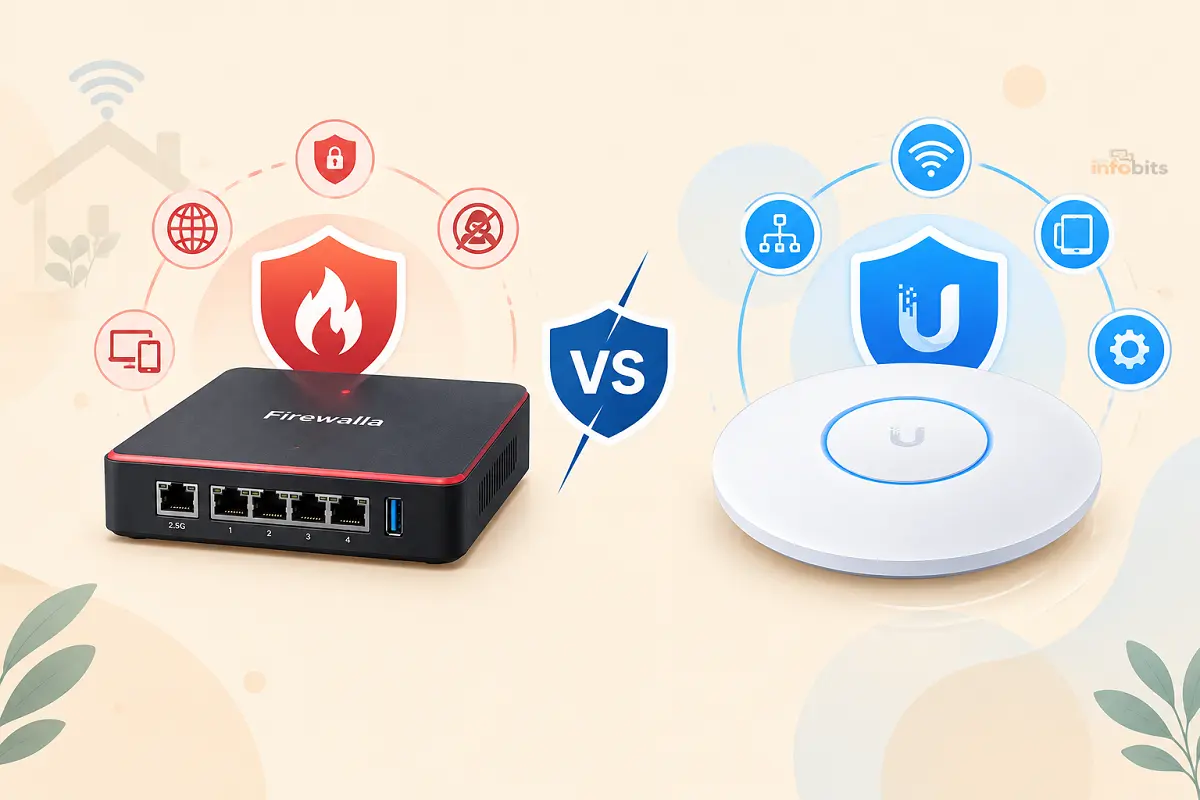
Firewalla vs. UniFi Dream Machine: Which Is Better for a Home Network?
Once you outgrow whatever router your ISP handed you, two names come up constantly in the same breath: Firewalla and UniFi’s Dream Machine lineup. Both promise real network visibility, serious firewall protection, and the kind of control that a $60 big-box router simply doesn’t offer.
But they’re built on genuinely different philosophies, and picking the wrong one for your situation means either paying for complexity you’ll never use or hitting a ceiling faster than you expected.
Quick answer: Firewalla is the better fit if you want plug-and-play security layered onto a network you already have, with a phone app as the primary interface and no subscription required. UniFi’s Dream Machine lineup is the better fit if you want to build out a full home network including router, Wi-Fi access points, switches, and eventually cameras under one unified, browser-based ecosystem. Firewalla is simpler to add; UniFi is more powerful to grow into.
This guide breaks down how each one actually works, what they cost once you count the extras, and which type of household or home-lab enthusiast each one is really built for.
The Core Difference: Bridge Mode vs. Full Ecosystem
Firewalla is designed to be dropped into a network you already have. Most models (Gold, Gold SE, Gold Pro, Purple SE) don’t include Wi-Fi at all. You keep your existing router or access point for wireless and either replace your router entirely with the Firewalla as your main gateway, or run it in bridge mode alongside your current setup.
Firewalla requires a mobile phone app to manage it day-to-day, with a browser-based MSP interface available for larger, multi-site setups. There is no subscription fee for any physical Firewalla product.
UniFi’s Dream Machine lineup is built as the anchor of a full ecosystem. The rackmount models (Dream Machine Pro, Pro Max, SE) are dedicated gateways with no built-in Wi-Fi, meant to be paired with separate UniFi access points, switches, and optionally cameras and door access hardware, all managed from one browser-based controller.
For a more home-friendly, all-in-one option, Ubiquiti also sells the Dream Router (UDR, now in a Wi-Fi 7 UDR7 version), which bundles a gateway, a built-in access point, and a small switch into a single desktop unit. It is the closest thing to a true “Firewalla competitor” in form factor.
Related: Best Routers With Built-In Malware Protection (Tested & Ranked)
Quick Comparison Table
| Firewalla | UniFi Dream Machine (Pro/SE/Pro Max) | UniFi Dream Router (UDR/UDR7) | |
|---|---|---|---|
| Built-in Wi-Fi | No (except Purple, portable model) | No; requires separate UniFi APs | Yes, built-in |
| Primary interface | Mobile app | Browser-based UniFi controller | Browser-based UniFi controller |
| Subscription required | None, ever | None for core features; optional CyberSecure add-on | None; optional CyberSecure add-on |
| Starting price (approx.) | $249 (Purple SE) – $509+ (Gold SE/Plus/Pro) | $379 (UDM Pro) – $599+ (Pro Max) | ~$300 (UDR7) |
| Best for | Adding real security to an existing router | Building a full networked ecosystem from scratch | Home users who want one all-in-one box |
| Ecosystem lock-in | Low; works alongside almost any router | High; designed around UniFi APs, switches, and add-ons | Moderate |
| Firmware update track record | Generally stable, frequent updates | Occasionally buggy after automatic updates, per independent reviews | Shared with the broader UniFi platform |
Setup: How Each One Actually Gets Installed
Firewalla’s core pitch is simplicity. Most models are designed to sit between your existing router and the rest of your network, either replacing the router outright or working in a bridge/monitoring mode that doesn’t require you to rebuild anything.
Setup and day-to-day management both happen through the Firewalla phone app, which is where you’ll see device activity, set rules, and get alerts. This is a deliberate design choice that keeps the barrier to entry low for people who don’t want to live inside a networking dashboard.
UniFi’s Dream Machine devices take more commitment. Rackmount models like the Dream Machine Pro and Pro Max have no built-in Wi-Fi, so you’re buying into a multi-device setup from the start: the gateway plus at least one separate UniFi access point.
In exchange, you get a genuinely more powerful, unified controller: all your networking gear, and optionally your cameras, door access, and VoIP phones, live in one browser-based dashboard rather than a phone app.
If you want the “just plug it in” experience closer to Firewalla’s, the Dream Router (UDR7) is the more directly comparable product, bundling Wi-Fi 7, a gateway, and a small switch into one box.
Security Features: What Are You Actually Protected By?
Both platforms run real intrusion detection and prevention (IDS/IPS), not just basic packet filtering, but they source their threat intelligence differently.
Firewalla builds its security stack ( the same core software that’s powered the platform since its earliest Red and Blue models in 2017) directly into every device at no extra cost. Independent, side-by-side testing against UniFi’s top-end hardware has found Firewalla’s firmware to be notably stable, with consistent updates and comparatively few of the buggy-after-automatic-update issues reported on UniFi hardware.
UniFi ships every current gateway with built-in IDS/IPS using Suricata, an open-source engine, updated roughly once daily across around three dozen threat categories at no extra cost.
For sharper, more frequently updated threat intelligence, Ubiquiti offers an optional add-on called CyberSecure, powered by Proofpoint for intrusion signatures and Cloudflare for content filtering, which expands coverage to around 53 categories with real-time signature updates.
CyberSecure costs $99/year for the standard tier (roughly $499/year for the enterprise tier), and if the subscription lapses, your gateway simply reverts to the free, daily-updated signature set; core protection doesn’t disappear, you just lose the faster, deeper feed.
Related: How to Monitor Network Traffic on Your Home Router
Pricing: The Real Cost Once You Count Everything
This is where the two philosophies diverge most sharply.
A Firewalla purchase is close to the total cost, since there’s no subscription for any physical product. The lineup runs from the Purple SE at $249 up through the Gold SE (around $429–$509), Gold Plus (around $569), and Gold Pro at the high end for multi-gigabit fiber connections.
The catch is that, if your model doesn’t include Wi-Fi, you’re keeping (or separately buying) an access point, which is an extra cost most comparisons don’t factor in up front.
A UniFi setup has more moving parts to price out. The Dream Machine Pro starts at $379, the SE (with built-in PoE switching) at around $499, and the Pro Max at $599, and that’s before adding a separate UniFi access point if you’re not going with the all-in-one Dream Router.
The optional CyberSecure subscription adds $99/year on top if you want it. In exchange, that spending scales into a much larger ecosystem: switches, additional access points for whole-home coverage, cameras, and door access all plug into the same controller without needing a separate app or vendor.
If you already have a router you’re happy with and just want to add real threat monitoring without an ecosystem commitment, the Firewalla Gold SE is the more budget-predictable path; one purchase, no ongoing subscription, and it drops into most existing setups without replacing anything else.
Who Firewalla Is Actually Built For
- You already like your current router or mesh system and don’t want to replace it.
- You want a phone-app-first experience rather than a browser dashboard you have to actively check.
- You want zero ongoing subscription cost, guaranteed, for the life of the device.
- You care most about visibility and alerts, knowing what’s happening on your network, over building out a larger managed ecosystem.
- You’re not planning to add UniFi-branded cameras, access points, or door hardware down the line.
Who UniFi’s Dream Machine Lineup Is Actually Built For
- You’re building (or rebuilding) a home network from scratch and want everything ( router, Wi-Fi, switches) under one brand and one dashboard.
- You anticipate adding UniFi Protect cameras, UniFi Access door locks, or UniFi Talk VoIP down the line and want them to integrate natively.
- You have, or plan to have, a fiber connection well above 1 Gbps and want headroom. The Pro Max’s 5 Gbps IDS/IPS ceiling and the newer Dream Machine Beast’s 25 Gbps ceiling comfortably outpace what most home internet plans need today.
- You’re comfortable in a browser-based admin dashboard and don’t mind occasional firmware hiccups in exchange for deeper configurability.
- You want the option of professional-style support and an active user community for troubleshooting more advanced setups.
Related: How to Set Up a VLAN for IoT Devices on Your Home Router (Step-by-Step)
Common Mistakes People Make Choosing Between Them
- Buying a Firewalla model without built-in Wi-Fi and forgetting you’ll need an access point. Only the Purple includes short-range Wi-Fi; every other current model assumes you’re keeping or adding one separately.
- Assuming UniFi is subscription-based like a security camera service. Core networking and IDS/IPS work fully without any subscription. CyberSecure is a genuine optional upgrade, not a paywall on basic protection.
- Underestimating the UniFi ecosystem commitment. Once you’re a few devices deep into UniFi hardware, switching platforms later means replacing more than just one box. Consider that factor before buying your first piece.
- Overbuying throughput you don’t need. Unless your internet plan genuinely exceeds a few gigabits, the difference between a mid-tier and top-tier model in either lineup won’t be noticeable in daily use.
- Ignoring firmware update history. Independent long-term comparisons have flagged UniFi’s automatic updates as occasionally introducing bugs; if you go that route, it’s worth reading recent release notes before updating a production home network.
Myth vs. Fact
Myth: Firewalla requires a subscription like most modern security products. Fact: None of Firewalla’s physical products carry a subscription fee. The security stack, app, and updates are included with the hardware purchase.
Myth: UniFi gateways are locked behind a paywall for real security. Fact: Every current UniFi gateway ships with functional IDS/IPS and basic content filtering at no recurring cost. CyberSecure is a genuine add-on for sharper, faster-updated threat intelligence; not a requirement for baseline protection.
Myth: Firewalla and UniFi solve the same problem in the same way. Fact: Firewalla is designed to layer onto an existing network with minimal disruption; UniFi’s Dream Machine lineup is designed to be the foundation of a new, unified network. They overlap in the security-conscious buyer they attract, but they solve different problems.
Myth: You need networking expertise to use either platform. Fact: Firewalla in particular was built specifically to lower that barrier through its phone-app interface. UniFi has a steeper initial learning curve, especially for multi-device setups, but its default settings are workable for most home users without deep configuration.
Expert Tips
- Start with the smallest model that meets your actual internet speed, not your aspirational one. Both companies sell headroom you likely won’t use for years; a mid-tier unit is enough for the vast majority of home connections today.
- If you’re Firewalla-curious but nervous about commitment, start in bridge/monitoring mode rather than replacing your router outright. You get the visibility and alerting without changing your existing network’s behavior.
- If you’re going the UniFi route, budget for at least one access point from day one unless you’re buying the all-in-one Dream Router. A bare gateway alone won’t give you Wi-Fi.
- Check current firmware release notes before a major UniFi update, especially on a network you rely on daily, given the documented history of occasional post-update issues.
- Pair either platform with good network hygiene fundamentals. Neither one replaces the basics. See our guides on securing your home Wi-Fi and detecting unauthorized devices on your network for the foundation both of these tools build on top of.
If you’re specifically weighing these against the built-in security suites covered in our AiProtection vs. Armor vs. HomeShield comparison, it’s worth noting both Firewalla and UniFi sit a tier above those consumer router-brand suites in depth and control. The difficulty is more setup involvement in exchange for more capability.
Final Verdict: Firewalla or UniFi Dream Machine?
Choosing between Firewalla and UniFi Dream Machine comes down to what you want from your home network.
If you want strong security without rebuilding your network, Firewalla is the easier choice. It works well with an existing router or mesh system. Its mobile app keeps network activity easy to understand. You also get security features and updates without adding a monthly or yearly subscription.
UniFi Dream Machine makes more sense if you want to build a complete home network around one ecosystem. You can add UniFi access points, switches, cameras, and other devices later. Everything can be managed from the same dashboard. It takes more time to learn, but it gives you much more room to expand.
Neither option is automatically better for everyone. Think about your current setup first. Then consider where you want your network to be a few years from now.
For a simple upgrade with strong security, Firewalla is hard to beat. For a larger and more customizable network, UniFi is the better long-term platform.
Whichever one you choose, don’t overlook the basics. Use strong Wi-Fi passwords, keep your devices updated, and regularly check which devices are connected to your network.
Frequently Asked Questions
Is Firewalla or UniFi Dream Machine better for a home network?
It depends on your goal. Firewalla is better if you want to add strong security to a network you’re keeping mostly as-is. UniFi’s Dream Machine lineup is better if you’re building a full home network ( router, Wi-Fi, and potentially cameras and switches) from the ground up.
Does Firewalla require a subscription?
No. None of Firewalla’s physical products carry a subscription fee for their core security features.
Does UniFi require a subscription?
No, core networking and basic IDS/IPS work without any subscription. UniFi offers an optional CyberSecure add-on ($99/year for the standard tier) for enhanced threat intelligence and content filtering, but it’s not required for the gateway to function or provide baseline protection.
Can I use Firewalla with my existing router?
Yes, this is one of Firewalla’s core use cases. Most models can run in a bridge or monitoring mode alongside your current router, or replace it outright if you prefer.
Does the UniFi Dream Machine include Wi-Fi?
It depends on the model. The rackmount Dream Machine Pro, SE, and Pro Max do not include Wi-Fi and require a separate UniFi access point. The Dream Router (UDR/UDR7) does include a built-in access point.
Which is easier to set up, Firewalla or UniFi?
Firewalla is generally considered easier for a first-time setup, largely because of its phone-app interface and design as an add-on to an existing network. UniFi’s browser-based controller offers more configuration depth but has a steeper initial learning curve.
Which has better firmware reliability?
Independent side-by-side comparisons have generally found Firewalla’s firmware updates more consistently stable, while UniFi’s automatic updates have occasionally introduced bugs in some releases, though both companies actively maintain and patch their software.
Can I add cameras or smart locks to a Firewalla setup?
Not natively as part of the Firewalla ecosystem. Firewalla is focused on network security and visibility rather than a broader smart-home or physical-security product line. UniFi, by contrast, offers native cameras (Protect), door access (Access), and VoIP (Talk) that integrate directly with the same controller.
How much does a basic Firewalla setup cost?
The entry-level Purple SE starts around $249, with higher-throughput models like the Gold SE, Gold Plus, and Gold Pro running from roughly $429 up to $500+, depending on port count and inspection speed.
How much does a basic UniFi Dream Machine setup cost?
The Dream Machine Pro starts at $379, with the SE around $499 and the Pro Max at $599 – plus the cost of at least one separate access point unless you choose the all-in-one Dream Router, which runs roughly $300.
Which one is better for a very fast fiber connection?
Both scale to multi-gigabit speeds at their higher tiers. Firewalla’s Gold Pro and UniFi’s Pro Max and Dream Machine Beast are built for exactly this. Choose based on ecosystem preference rather than raw throughput, since either flagship tier comfortably exceeds most home fiber plans.
Do I need networking experience to manage either platform long-term?
Not for basic use. Firewalla’s app is built to be approachable without a networking background. UniFi’s default settings work reasonably well out of the box too, though getting the most out of its advanced features (VLANs, zone-based firewalls, multi-site setups) benefits from at least some networking familiarity.
Found this guide useful? Share it with someone who is suffering from networking-related issues. Follow us on Facebook and Twitter for more tips, tricks, and guides.
We also ask that you bookmark this page for future reference, as we are constantly updating our articles with new information.
Sign up for our free newsletter as well to receive fresh information immediately in your inbox and keep technically up to date.
Disclosure: If you follow our links to a retailer’s website and make a purchase, we will get an affiliate commission on some, but not all, of the items or services we promote. This will cause no price change for you.
You May Be Interested in Reading:
- TV vs Monitor: Can You Use a Monitor as a TV (or Vice Versa)?
- Matter/Thread Devices Keep Disconnecting from Wi-Fi: 7 Fixes
- Android 17 Not Showing Up on Your Phone? Here’s Why (and When You’ll Get It)
- Windows 11 KB5094126 Boot Failure & BitLocker Recovery: How to Fix It
- Is Guest WiFi Safe? How to Create a Secure Guest Network (All Major Routers)