Is Your Router Part of a Botnet? How to Check and What to Do
Your router is the one device in your house that never gets checked in most cases. Your phone gets security updates pushed automatically. Your laptop runs antivirus software in the background. But that box blinking quietly in the corner of a closet?
Most people set it up once and never look at it again. That is exactly why it’s become one of the most targeted devices on the internet. Routers now account for roughly a third of the most critical vulnerabilities found on connected devices, with the average router carrying nearly 32 known security flaws, according to Forescout’s 2026 Riskiest Connected Devices report.
Quick answer: You can’t tell for certain whether your router is part of a botnet just by looking at it. Most infections are designed to be invisible. But you can check for real signs. Log into your router’s admin panel and look for unfamiliar settings changes, check whether you’re locked out of the panel entirely, review connected devices for anything you don’t recognize, check your firmware version against the manufacturer’s latest release, and run your public IP address through an online blacklist checker. If several of these turn up problems at once, treat it as a likely infection and move to the factory-reset steps below.
This guide walks through what a router botnet actually is, the real warning signs (and the ones that don’t mean much on their own), how to check your specific router, and what security agencies actually recommend doing if you find something.
What Is a Router Botnet, Actually?
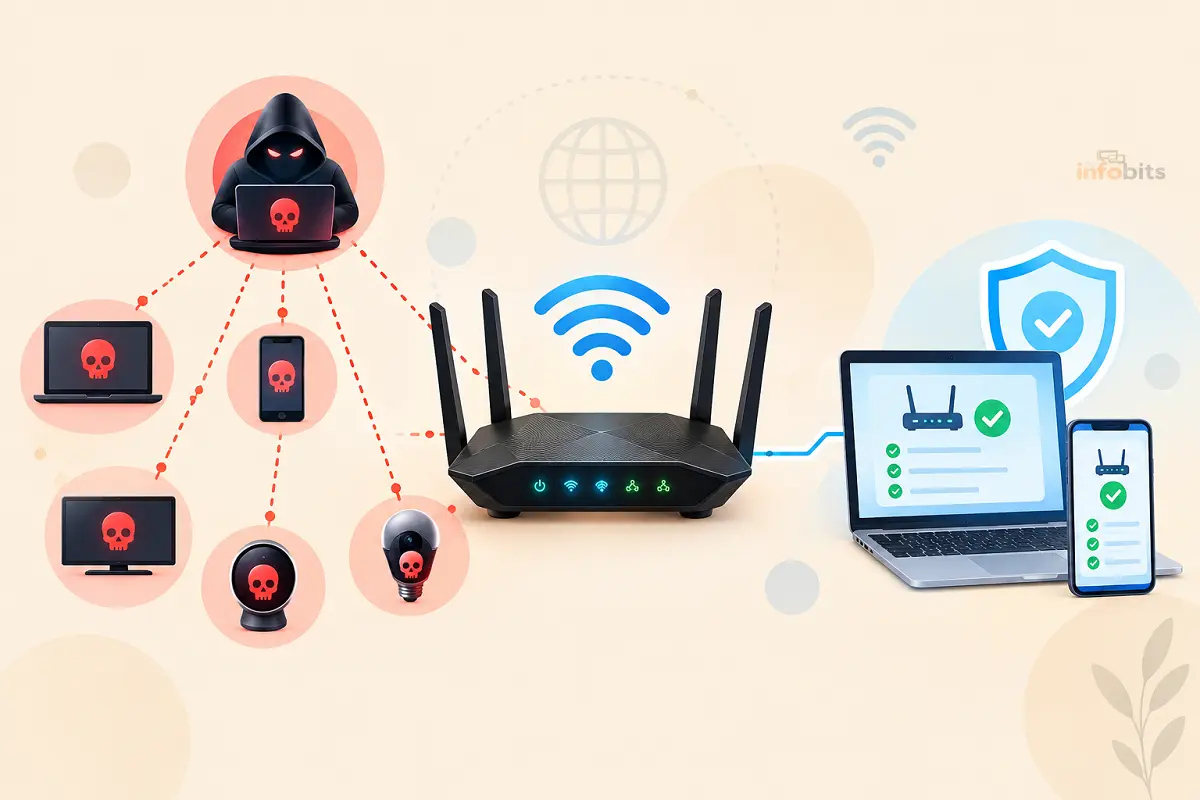
A botnet is a network of compromised devices such as computers, routers, cameras, and DVRs that an attacker controls remotely, usually without the owner ever knowing.
Once your router is part of one, it can be used to send spam, scan for other vulnerable devices, proxy someone else’s internet traffic so their activity looks like it’s coming from your home, or join a distributed denial-of-service (DDoS) attack against a third-party target; all while your internet connection looks, to you, mostly normal.
Routers are attractive targets specifically because they sit at the edge of your network, face the internet directly, run outdated software more often than any other device in the house, and are checked for security problems less than almost anything else you own.
Once compromised, malware on a router can also enable DNS hijacking, redirecting your traffic to malicious sites without changing anything visible on your screen.
This Isn’t a Hypothetical Risk: Recent Examples
Router botnets aren’t a rare or theoretical threat. Several major, well-documented campaigns have hit consumer routers in just the past two years:
- KadNap (2026) – discovered by Lumen’s Black Lotus Labs team in March 2026, this campaign has compromised more than 14,000 devices, primarily ASUS routers, since it was first detected in August 2025. It uses a modified peer-to-peer protocol (Kademlia DHT) borrowed from BitTorrent-style networking to hide its command-and-control servers from security researchers, and sells access to the infected devices as a residential proxy service to other criminals. Roughly 60% of victims are in the United States.
- Operation Masquerade (April 2026) – the FBI confirmed a Russian GRU-linked router compromise campaign across at least 23 US states.
- AVrecon (2026) – the subject of an FBI FLASH notice warning about routers being hijacked into residential proxy networks; the FBI specifically noted that rebooting or even factory-resetting an infected device is not always enough, since certain variants can disable the reset function.
- TheMoon (2025) – infected thousands of end-of-life routers with outdated firmware, building a botnet later linked to the same proxy-selling infrastructure behind KadNap.
- Raptor Train (disrupted September 2024) – a botnet of over 200,000 devices dismantled by US authorities.
- KV-Botnet and “Dying Ember” (early 2024) – Justice Department operations that involved the FBI remotely accessing and cleaning malware from routers as part of the disruption, without individual owners’ direct involvement.
The scale of these operations has reached a point where the FBI has used court orders to remotely clean compromised home routers on at least three separate occasions. It is a strong signal that this isn’t a niche concern reserved for tech-savvy targets.
Warning Signs Worth Checking (and Ones That Aren’t Reliable Alone)
The single strongest individual signal: you’re locked out of your router’s admin panel, and you didn’t change the password yourself. Attackers who successfully compromise a router frequently change admin credentials specifically to keep the real owner from regaining control, which makes this one of the most reliable indicators on its own.
Beyond that, look for a cluster of signs rather than relying on any single one:
- DNS settings have changed to servers you don’t recognize.
- Unknown devices appear in your router’s connected-device list.
- Your browser keeps redirecting to unexpected pages.
- Remote management is enabled, and you never turned it on.
- Speeds drop suddenly or traffic spikes while nothing in your house should be using bandwidth.
- Your router or a specific device runs unusually hot, since actively participating in an attack takes processing power.
- Your public IP address shows up on a blacklist check even though your own devices scan clean.
What’s weak evidence on its own: general internet slowness. It’s the single most commonly cited symptom, and also the least reliable. There are dozens of ordinary things that cause a slow connection. Treat slowness as a prompt to check further, not as confirmation of anything.
How to Actually Check Your Router
1. Log into your router’s admin panel
Type your router’s IP address (commonly 192.168.0.1 or 192.168.1.1) into a browser. If your saved password suddenly doesn’t work and you haven’t changed it, that alone is a serious red flag worth acting on immediately.
2. Check your firmware version against the latest release
Compare the firmware version shown in your admin panel against the current version listed on your router manufacturer’s support site. Devices that haven’t been updated in a long time, or that are officially end-of-life, are disproportionately represented in nearly every botnet campaign listed above.
3. Review connected devices
Every router admin panel has a device list. Go through it and confirm you recognize each entry. If you don’t have a way to definitively identify a device, our guide on detecting unauthorized devices on your Wi-Fi walks through the process in more depth.
4. Check DNS and remote management settings
Look specifically for DNS server addresses you didn’t set, and a “remote management” or “remote access” option that’s been switched on without your knowledge. Both are common footholds attackers use to maintain control after the initial compromise.
5. Search for your specific router model and “botnet”
Search “[your router brand and model] botnet 2026” to see whether your device has been specifically named in a recent campaign. Security researchers regularly publish device-specific advisories, and campaigns like KadNap and AVrecon named exact affected models.
6. Run your public IP through a blacklist checker
Search “what is my IP,” then run that address through a blacklist-lookup tool (services like MXToolbox are commonly used for this). A flagged IP doesn’t automatically prove your router is compromised ( plenty of things can trigger a listing ), but combined with other signs, it’s worth taking seriously.
Note that these checks mostly reflect email-related abuse; a clean result doesn’t rule out other kinds of botnet activity.
7. Check your router logs for outbound connections
If your router’s admin panel exposes traffic or security logs, look for repeated outbound connections to unfamiliar IP addresses, especially ones occurring at odd hours when no one in your home is actively using the internet.
Related: How to Monitor Network Traffic on Your Home Router
What to Do If You Find Signs of Infection
Security agencies have been explicit and consistent on this point: a simple reboot is not enough.
Rebooting can disrupt some active infections temporarily, but it does not remove the underlying malware and does not prevent reinfection, particularly for malware designed to survive a restart by re-exploiting the same vulnerability.
- Factory reset the router. This is the step most security guidance converges on as the minimum necessary action. Note that a small number of malware variants, including some AVrecon strains, have been found to disable the factory-reset function itself. If the reset doesn’t appear to complete normally, treat that as a sign the infection is more serious than usual.
- Update the firmware immediately after resetting, before reconnecting it to your network long-term, so you’re not restoring the same vulnerability that let the infection in.
- Change the admin password to something unique. It should not be the factory default, and not the password you use anywhere else.
- Change your Wi-Fi network passwords too, not just the admin credentials, since some malware harvests both.
- Disable remote management unless you specifically need it and understand the risk.
- Change your DNS settings back to trusted servers if they were altered.
- If your router is old and no longer receives firmware updates, replace it. The FBI’s primary recommendation in its 2026 AVrecon advisory was replacement, not just remediation, for end-of-life devices. A factory reset on hardware the manufacturer has stopped patching only buys you time before the same vulnerability is exploited again.
- Consider a dedicated security router or firewall appliance if you want ongoing monitoring going forward, rather than only reacting after the fact.
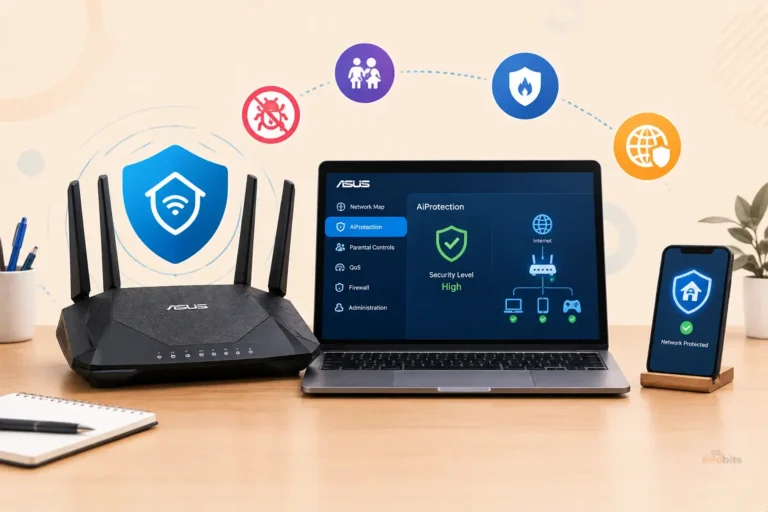
If you find that your router is no longer receiving security updates, replacing it may be the best option. A model such as the ASUS RT-AX55 (available on Amazon) includes AiProtection Pro at no extra cost for the life of the router.
This can help close security gaps that threats like KadNap can exploit. It also provides active threat protection without requiring a separate subscription.
Related: Best Routers With Built-In Malware Protection (Tested & Ranked)
Common Mistakes People Make After Suspecting an Infection
- Rebooting and assuming that’s enough. As covered above, this is explicitly called out by security agencies as insufficient for most current router malware.
- Ignoring the signs because “the internet still works fine.” Botnet malware is designed specifically to keep your connection functioning normally so you have no reason to investigate.
- Changing the Wi-Fi password but not the admin password, or vice versa. Both need to be changed, since attackers frequently harvest whichever one they can reach first and use it to regain the other.
- Skipping the firmware update after a factory reset. Resetting the router without patching the vulnerability that let the malware in the first place just resets the clock until reinfection.
- Assuming a newer router is automatically safe. While older, end-of-life hardware is disproportionately represented in these campaigns, KadNap specifically targeted current-generation ASUS routers running standard firmware; newness alone isn’t protection.
Myth vs. Fact
Myth: If my internet still works normally, my router isn’t infected. Fact: Botnet malware is specifically designed to keep your connection functioning so you don’t investigate. A working internet connection tells you almost nothing about whether your router is compromised.
Myth: A quick reboot clears a botnet infection. Fact: The FBI has explicitly stated that rebooting can disrupt some active infections but does not remove the malware or prevent reinfection. A factory reset combined with a firmware update is the minimum recommended step.
Myth: Only cheap, off-brand routers get targeted. Fact: The KadNap campaign primarily targeted ASUS routers ( a mainstream, well-regarded brand ), and other major campaigns have hit Linksys, Netgear, TP-Link, and Cisco devices. Brand reputation doesn’t equal immunity; unpatched vulnerabilities and default credentials are the common thread.
Myth: Antivirus software on my computer would catch this. Fact: Router-level malware operates below your computer entirely, at the network gateway. Standard antivirus software on a laptop or phone has no visibility into what’s happening on the router itself.
Myth: A factory reset always fully removes the malware. Fact: In most cases, yes. But some documented malware variants, including certain AVrecon strains, have been found to disable the factory-reset function specifically to prevent this remediation. If a reset doesn’t behave as expected, that’s itself a warning sign.
Related: How to Tell If Your Router Has Been Hacked (12 Warning Signs)
Expert Tips to Avoid Becoming Part of a Botnet in the First Place
- Change the default admin password on day one. Password-based access using factory-default or weak credentials remains the assessed primary infection vector for campaigns like KadNap.
- Turn off remote management unless you actively use it. It’s one of the most common footholds attackers use to maintain long-term control.
- Enable automatic firmware updates if your router supports them, and check manually every few months if it doesn’t.
- Retire end-of-life hardware genuinely. The FBI has specifically advised consumers to retire routers that no longer receive firmware updates, since exactly those devices have been repeatedly swept into major botnets.
- Look for the US Cyber Trust Mark when buying a new router. This is a voluntary security label for consumer IoT devices that launched in January 2025, designed to make more secure products easier to identify at the point of purchase.
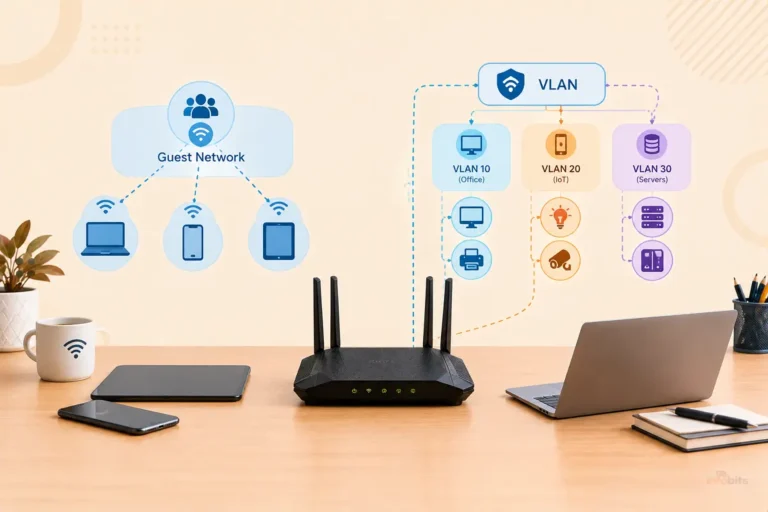
- Segment your network. Isolating IoT devices from your main network limits how far an attacker can move even if one device is compromised. See our guide on setting up a VLAN for IoT devices for the full walkthrough.
- Pair strong router-level security with the basics. Our guides on securing your home Wi-Fi and WPA3 encryption cover the foundational steps that make a router meaningfully harder to compromise in the first place.
Related: How to Secure IoT Devices on Your Home WiFi Network (Practical Guide)
Final Thoughts
A compromised router can be easy to overlook. Your internet may still work normally. That does not always mean your network is safe. Router malware and botnet infections can run quietly in the background without obvious signs.
Knowing how to tell if your router is hacked can help you spot trouble early. Look for unusual admin logins, unknown devices, unexpected DNS changes, or strange network activity. These signs do not always mean your router is infected. However, they are worth investigating.
If you suspect a router botnet infection, take action quickly. Disconnect the router from the internet if needed. Reset it to factory settings. Then install the latest firmware and create a strong, unique admin password. Disable remote management if you do not use it.
You should also check how old your router is. Older models may no longer receive important security updates. In that case, replacing the router can be safer than trying to keep outdated hardware running.
Learning how to secure your home router is one of the simplest ways to protect your entire network. Keep the firmware updated. Use a strong password. Turn off unnecessary features. Review connected devices from time to time.
Your router is the gateway to your home network. Keeping it secure helps protect your phones, computers, smart TVs, cameras, and other connected devices.
Frequently Asked Questions
How do I know if my router is part of a botnet?
Check for a cluster of warning signs together: being locked out of the admin panel unexpectedly, changed DNS settings, unknown connected devices, remote management enabled without your knowledge, and your public IP flagged on a blacklist check. No single sign proves infection on its own, but several appearing together is a strong indicator.
Is a slow internet connection a sign my router is in a botnet?
On its own, it’s weak evidence. Too many ordinary things cause slow internet. Treat it as a prompt to check the stronger signs above, not as confirmation by itself.
Will rebooting my router remove a botnet infection?
Usually not fully. The FBI has stated that rebooting can disrupt some active infections but doesn’t remove the underlying malware or prevent reinfection. A factory reset plus a firmware update is the recommended minimum.
Does a factory reset always fix an infected router?
In most cases, yes, especially when followed by a firmware update. However, some malware variants have been found capable of disabling the factory-reset function specifically to resist this remediation. If your reset doesn’t behave normally, treat it as a more serious sign.
How can I check if my IP address has been blacklisted?
Search “what is my IP” to find your public IP address, then run it through an online blacklist-checking tool. Keep in mind these checks primarily reflect email/spam-related abuse and don’t cover every kind of botnet activity.
What is the KadNap botnet?
KadNap is a malware campaign, discovered by Lumen’s Black Lotus Labs in March 2026, that has compromised more than 14,000 devices ( primarily ASUS routers) since August 2025, using a peer-to-peer protocol to hide its command infrastructure and selling access to infected devices as a residential proxy service to other criminals.
Should I replace my router or just reset it?
If your router is old and no longer receives firmware updates from the manufacturer, replacement is the FBI’s recommended step, since a factory reset on unpatched hardware only delays reinfection through the same vulnerability. If your router is current and still supported, a factory reset plus firmware update and password changes is typically sufficient.
Can a router be part of a botnet without any noticeable symptoms?
Yes, and this is the norm rather than the exception. Botnet malware is deliberately designed to avoid disrupting your normal internet use, since a functioning connection means you’re less likely to investigate.
What does it mean if my router is being used as a “residential proxy”?
It means an attacker is routing someone else’s internet traffic through your home connection so that traffic appears to originate from your IP address. This may be used to disguise criminal activity like credential-stuffing attacks, scraping, or fraud behind your home’s legitimate reputation.
Do I need special software to check my router for malware?
Not necessarily. Most of the checking process, like reviewing the admin panel, connected devices, firmware version, and DNS settings, can be done through your router’s built-in web interface. A blacklist check for your public IP just requires a browser.
Is my router more likely to be targeted if I never change the default password?
Yes, significantly. Investigators have specifically identified password-based access using default or weak credentials as the primary infection vector in multiple major 2025–2026 router botnet campaigns.
How often should I check my router for signs of compromise?
A quick check of connected devices and firmware version every few months is reasonable for most households, with an immediate check any time you notice unusual network behavior, a locked-out admin panel, or hear about a botnet campaign affecting your specific router brand.
What is the US Cyber Trust Mark?
It’s a voluntary security label for consumer IoT devices, including routers, that launched in January 2025, intended to help shoppers identify products that meet baseline security standards at the point of purchase.
If this guide helped you, follow The Infobits on Facebook and X for more practical technology tips, cybersecurity guides, troubleshooting advice, and easy-to-understand tech updates.
We also ask that you bookmark this page for future reference, as we are constantly updating our articles with new information, and share it with someone who is suffering from networking-related issues.
Sign up for our free newsletter as well to receive fresh information immediately in your inbox and keep technically up to date.
Disclosure: If you follow our links to a retailer’s website and make a purchase, we will get an affiliate commission on some, but not all, of the items or services we promote. This will cause no price change for you.