HDMI 2.1 Explained: What It Actually Means and Do You Need It?
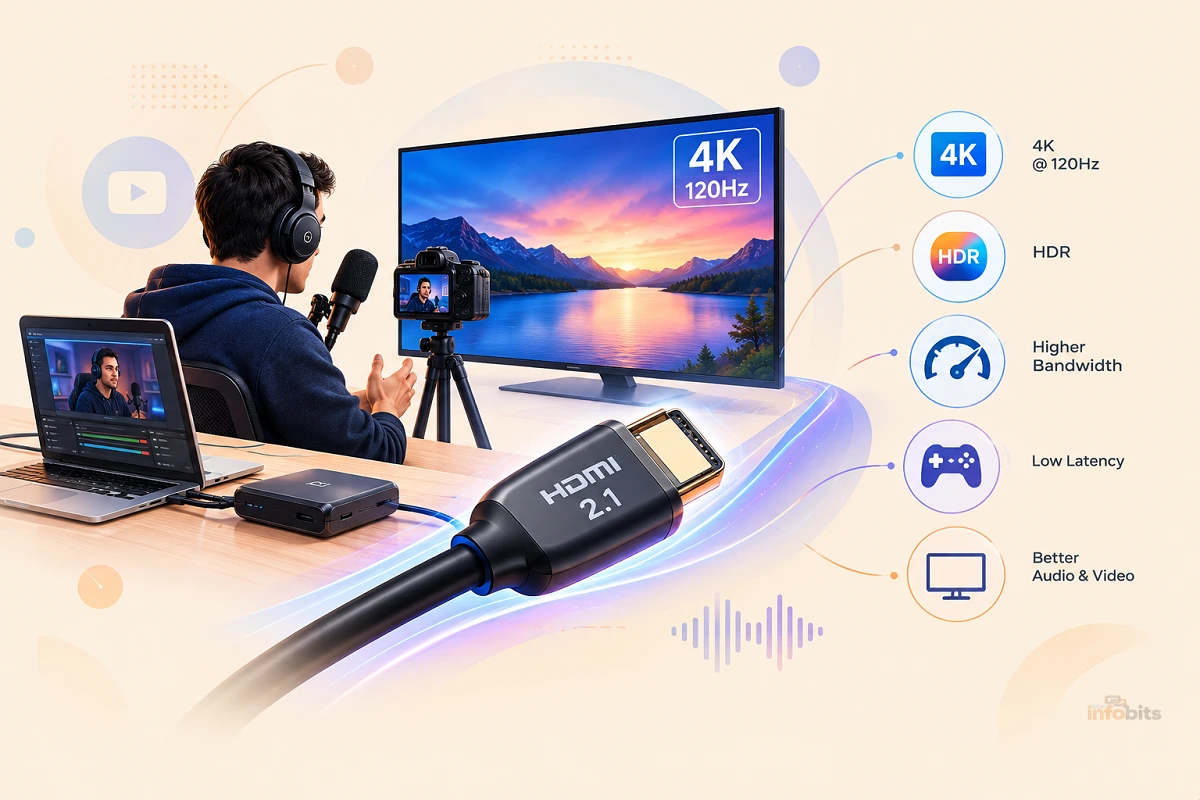
Quick answer: HDMI 2.1 is a version of the HDMI standard that supports up to 48Gbps of bandwidth ( nearly triple HDMI 2.0’s 18Gbps ), enabling 4K at 120Hz, 8K at 60Hz, Variable Refresh Rate (VRR), Auto Low Latency Mode (ALLM), Dynamic HDR, and enhanced eARC audio. You only need it if you’re gaming at 4K/120Hz or higher, running an 8K display, or want the best possible audio through eARC. For a typical 4K TV watched at 60Hz, HDMI 2.0-level bandwidth is still plenty.
If you’ve shopped for a TV, monitor, console, or even just a cable in the last few years, you’ve probably run into “HDMI 2.1” plastered across the box like it’s the only thing that matters. Sometimes it is. Often it isn’t. And now that HDMI 2.2 has started appearing on high-end gear, the version numbers are getting even more confusing.
This guide breaks down exactly what HDMI 2.1 changes, what the terms on the packaging actually mean, and, more usefully, how to figure out whether your setup benefits from it at all.
What Is HDMI 2.1?
HDMI stands for High-Definition Multimedia Interface; the standard that carries video and audio over a single cable between devices like consoles, streaming boxes, PCs, TVs, and monitors. Each new version number represents an increase in how much data the connection can carry per second, plus a set of new features unlocked by that extra headroom.
Think of it like a highway. HDMI 2.0 is an 18-lane road, enough for steady 4K traffic at a normal pace. HDMI 2.1 widens that to roughly 48 lanes, letting far more data move at once. That’s what makes higher resolutions, faster refresh rates, and richer color all possible simultaneously, instead of forcing an exchange between them.
HDMI Versions Compared
| Version | Max Bandwidth | What It Unlocks | Released |
|---|---|---|---|
| HDMI 2.0 / 2.0b | 18 Gbps | 4K @ 60Hz, HDR10 | 2013 |
| HDMI 2.1 | 48 Gbps | 4K @ 120Hz, 8K @ 60Hz, VRR, ALLM, Dynamic HDR, enhanced eARC | 2017 (widely adopted from 2020) |
| HDMI 2.2 | 96 Gbps | 4K @ 240Hz, higher-resolution 8K/10K workflows, next-gen displays | 2025, appearing in high-end gear through 2026 |
HDMI 2.1’s jump to 48Gbps is the single largest bandwidth increase in the standard’s history, and it’s still the practical ceiling for the vast majority of consumer gear in 2026.
HDMI 2.2 exists and is beginning to show up in flagship monitors and source devices, but it’s not yet something most people need to shop for. Treat it the way you treated 8K TVs a few years ago: real, but ahead of the curve for most living rooms.
The Features HDMI 2.1 Actually Adds
Raw bandwidth is only half the story; HDMI 2.1 also introduced a specific set of features. Not every “HDMI 2.1” device supports every feature on this list, which is one of the most common sources of confusion (more on that below).
- 4K at 120Hz (and up to 8K at 60Hz): The headline feature. This is what lets modern consoles and gaming PCs push smooth, high-frame-rate 4K instead of capping out at 60Hz.
- Variable Refresh Rate (VRR): Syncs your display’s refresh rate to your source’s frame rate in real time, reducing screen tearing and stutter, especially noticeable in fast-paced games.
- Auto Low Latency Mode (ALLM): Automatically switches your TV into its low-latency “game mode” the moment it detects a console or PC input, without you digging through settings menus.
- Dynamic HDR: Adjusts HDR metadata scene-by-scene (or even frame-by-frame) instead of applying one static setting for an entire piece of content, resulting in more accurate brightness and color as scenes change.
- Enhanced eARC: A significantly higher-bandwidth audio return channel that supports uncompressed, object-based audio formats like Dolby Atmos and DTS:X at full quality, rather than the compressed versions older ARC connections were limited to. If you’re setting up a soundbar or AV receiver, our guide on HDMI ARC vs eARC covers this specific piece in depth.
Do You Actually Need HDMI 2.1?
This is the real question buried under the marketing, and the honest answer depends entirely on what’s on both ends of the cable.
You’ll benefit from HDMI 2.1 if:
- You’re gaming on a PS5, Xbox Series X, or a modern gaming PC and want 4K at 120Hz with VRR
- You own or plan to own an 8K display
- You’re building a home theater system where lossless Dolby Atmos or DTS:X through eARC matters to you
- Your monitor supports high refresh rates (120Hz+) at 4K resolution for competitive or fast-paced gaming
HDMI 2.0-level bandwidth is still fine if:
- Your setup is essentially “TV plus streaming box” for movies and shows at 4K/60Hz
- You’re doing general office work, browsing, or non-gaming use on a monitor
- Your source device (console, PC, streaming box) doesn’t output above 4K/60Hz in the first place. The version number of your cable or TV won’t matter, because you’re bottlenecked upstream.
The weakest-link rule
HDMI is only as fast as the slowest component in the chain. If you connect an HDMI 2.1 cable between an HDMI 2.0 Blu-ray player and an HDMI 2.0 TV, the connection runs at HDMI 2.0 speeds.
The extra bandwidth in the cable simply goes unused. Before buying a new cable to “unlock” a feature, confirm that both your source device and your display support it. This applies whether you’re weighing a monitor vs. a TV for a gaming setup or comparing display panel types on your current screen.
Understanding HDMI Cable Certification Labels
Cables are categorized by certified bandwidth tier, not by the version number printed on a box, and this is where a lot of shoppers get misled by marketing language that doesn’t match the official terminology.
| Certification | Max Bandwidth | Typical Use |
|---|---|---|
| Standard | ~5 Gbps | 1080i and lower |
| High Speed | ~10.2 Gbps | 1080p, 4K @ 30Hz |
| Premium High Speed | 18 Gbps | 4K @ 60Hz, HDR10 |
| Ultra High Speed | 48 Gbps | 4K @ 120Hz, 8K @ 60Hz, full HDMI 2.1 feature set |
| Ultra96 | 96 Gbps | HDMI 2.2 feature set, 4K @ 240Hz |
If you’re setting up a 4K/120Hz gaming rig or an 8K display, look specifically for a cable carrying the official Ultra High Speed HDMI Certification Label ( a holographic seal with a QR code you can scan to verify it) rather than one that simply says “HDMI 2.1” on the packaging, since that term alone isn’t independently verified.
Certified Ultra High Speed cables like Highwings 8K@60 HDMI Cable are widely available on Amazon at a range of price points and lengths.
One thing worth knowing before you spend more than you need to: for any given resolution within a cable’s bandwidth limit, there’s no picture-quality difference between a cheap certified cable and an expensive one.
HDMI is a digital signal. It either arrives intact or it doesn’t. A pricier cable won’t sharpen the image; it either has enough bandwidth for what you’re asking it to do, or it doesn’t.
Cable Length Matters More Than People Think
Bandwidth and length work against each other. A standard passive copper HDMI cable can reliably carry high-bandwidth 4K/8K signals for roughly 3 to 5 meters before signal degradation becomes a real risk; lower resolutions can travel further without issue.
For runs longer than that for mounting a projector across a room or running a cable through a wall, an active or fiber-optic HDMI 2.1 cable maintains full bandwidth over much longer distances and is worth the extra cost over a passive cable of the same length.
Several well-reviewed options like Highwings Long 8K Fiber Optic HDMI Cable are available on Amazon specifically rated for long-distance 4K/120Hz or 8K signal runs.
HDMI 2.1 vs HDMI 2.2: Should You Wait?
HDMI 2.2 doubles bandwidth again, to 96Gbps, and is starting to appear in flagship monitors and next-generation source devices as of 2026.
For nearly everyone reading this in 2026, though, HDMI 2.1 remains the practical sweet spot. It’s mature, widely supported across consoles, GPUs, TVs, and monitors, and covers every mainstream gaming and home theater use case.
Unless you’re specifically buying a display advertised for 4K at 240Hz or working with cutting-edge 8K/10K production workflows, there’s no need to hold out for 2.2-labeled gear. HDMI ports and cables remain backward compatible, so upgrading later won’t require replacing everything at once.
Common Mistakes When Shopping for HDMI 2.1
- Buying an “HDMI 2.1” cable without checking that both the source device and the display actually support the features you want. The cable alone can’t add capability that’s missing upstream.
- Assuming a more expensive cable delivers a better picture at the same resolution. It doesn’t, since HDMI is a pass/fail digital signal, not an analog one.
- Overspending on Ultra High Speed cables for a setup that only outputs 4K/60Hz, where Premium High Speed cables are already sufficient.
- Ignoring cable length limits on long runs, leading to intermittent dropouts, flickering, or HDR that randomly disables itself.
- Forgetting that not every “HDMI 2.1” device implements every 2.1 feature. Some support the higher bandwidth but skip VRR or ALLM, so check the specific feature list rather than just the version number.
Myth vs Fact
Myth: “HDMI 2.1 means my TV supports every feature on the list.” Fact: HDMI 2.1 features are optional for manufacturers to implement individually. A TV can be labeled “HDMI 2.1” while only supporting some of the bandwidth increase and none of the gaming features. Always check the specific feature list, not just the version number.
Myth: “A more expensive HDMI cable gives a sharper picture.” Fact: HDMI carries a digital signal. At a given resolution and refresh rate within its bandwidth limit, a cable either transmits the signal correctly or it doesn’t. There’s no in-between quality level to pay extra for.
Myth: “I need HDMI 2.1 for any 4K TV.” Fact: Only if you’re aiming for 4K at 120Hz or higher, or want the enhanced eARC audio. Standard 4K movie and streaming playback at 60Hz runs comfortably within HDMI 2.0 bandwidth.
Frequently Asked Questions
What’s the main difference between HDMI 2.0 and HDMI 2.1?
HDMI 2.1 supports up to 48Gbps of bandwidth compared to HDMI 2.0’s 18Gbps, enabling 4K at 120Hz, 8K at 60Hz, Variable Refresh Rate, Auto Low Latency Mode, and enhanced eARC audio that HDMI 2.0 can’t handle.
Do I need a new cable to get HDMI 2.1 features?
Yes, if your current cable isn’t rated Ultra High Speed. Older cables physically can’t carry the bandwidth HDMI 2.1 features require, regardless of what your devices support.
Will an HDMI 2.1 cable improve picture quality on an older TV?
No. If your TV only supports HDMI 2.0, the connection runs at HDMI 2.0 speeds no matter how capable the cable is, since the link operates at the level of the weakest device in the chain.
Is HDMI 2.1 necessary for watching Netflix or YouTube in 4K?
No. Standard 4K streaming at 60Hz fits comfortably within HDMI 2.0 bandwidth; HDMI 2.1’s extra headroom matters most for gaming and high-frame-rate or 8K content.
What is VRR and why does it matter?
Variable Refresh Rate syncs your display’s refresh rate to match your source device’s frame rate in real time, reducing screen tearing and stutter during fast motion, which is most noticeable in gaming.
Can I use an HDMI 2.1 cable with an HDMI 2.0 device?
Yes, HDMI is backward compatible. An HDMI 2.1 cable works fine with older devices, but the connection is limited to whatever the older device supports.
What does ALLM do?
Auto Low Latency Mode automatically switches your TV into its lowest-latency picture setting when it detects a console or gaming PC, removing the need to manually toggle “Game Mode” every time you switch inputs.
How do I know if my HDMI cable is genuinely Ultra High Speed certified?
Look for the official Ultra High Speed HDMI Certification Label on the packaging, which includes a holographic seal and QR code that can be verified with the HDMI certification app. The phrase “HDMI 2.1” printed on a box alone isn’t an official designation.
Is HDMI 2.2 worth buying into now?
For most people, not yet. HDMI 2.2 is beginning to appear in flagship gear as of 2026, but HDMI 2.1 still covers the overwhelming majority of gaming, streaming, and home theater use cases, and ports remain backward compatible if you want to upgrade later.
Why does my 4K/120Hz mode keep dropping out?
This is usually a cable-length or certification issue. Passive copper cables lose reliability over long high-bandwidth runs, so check that your cable is genuinely Ultra High Speed certified and within a safe length for the resolution and refresh rate you’re using.
Does HDMI 2.1 affect audio, or just video?
Both. Alongside video improvements, HDMI 2.1 introduced enhanced eARC, which supports higher-bandwidth, uncompressed audio formats like Dolby Atmos and DTS:X that older ARC connections couldn’t carry at full quality.
Do gaming monitors need HDMI 2.1, or is DisplayPort better?
Both can deliver comparable performance at the top end, but many gaming monitors still cap refresh rate over HDMI depending on their specific port implementation. Check your monitor’s spec sheet for which port delivers your target refresh rate at your target resolution.
Found this guide useful? Share it with someone who is suffering from networking-related issues. Follow us on Facebook and Twitter for more tips, tricks, and guides.
We also ask that you bookmark this page for future reference, as we are constantly updating our articles with new information.
Sign up for our free newsletter as well to receive fresh information immediately in your inbox and keep technically up to date.
Disclosure: If you follow our links to a retailer’s website and make a purchase, we will get an affiliate commission on some, but not all, of the items or services we promote. This will cause no price change for you.
You May Be Interested in Reading:
- What Is an OTT TV Box? How It Works, Types, and How to Choose One
- Apple TV vs Roku: Which Streaming Device Actually Wins?
- Chromecast vs Apple TV: What Google’s Discontinuation Actually Means
- How to Convert DVD to Digital: Free Methods That Actually Work
- Monitor Won’t Wake Up From Sleep? Fixes That Actually Work