How to Stream Safely as a Content Creator: A Practical Guide
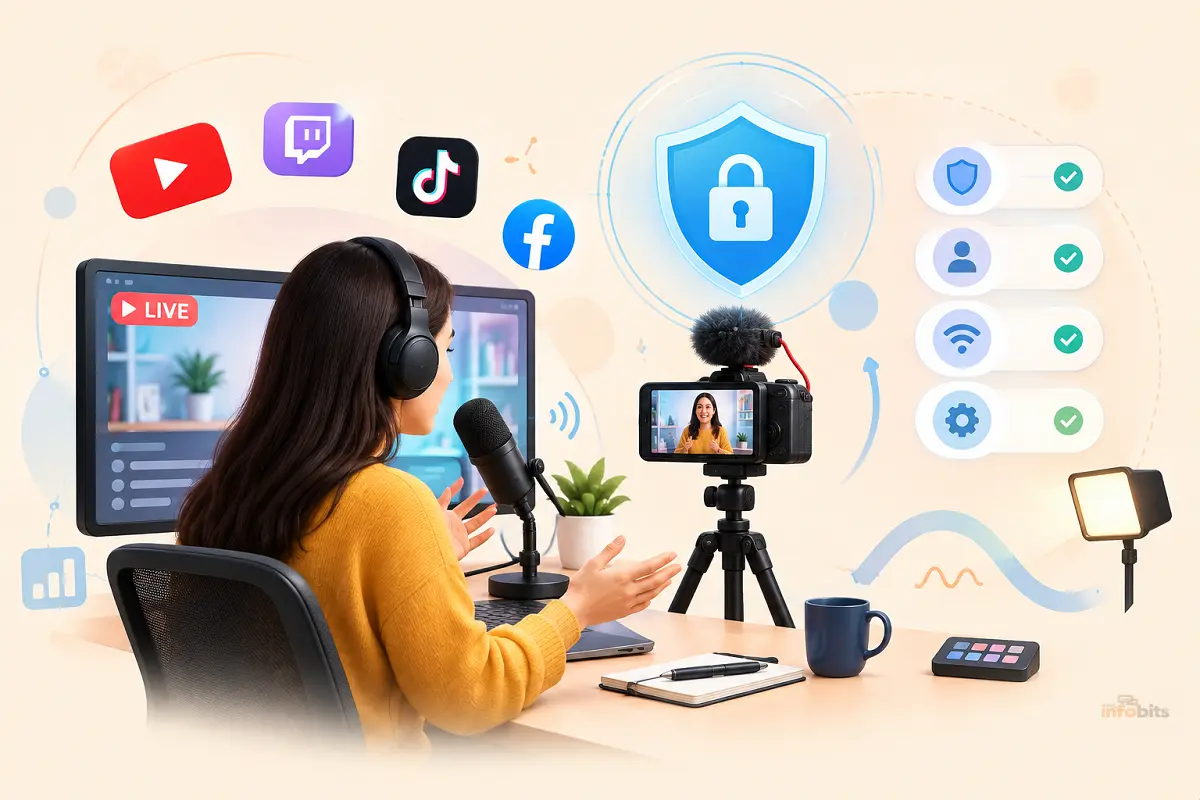
Quick answer: Streaming safely comes down to four habits: keep your real identity separate from your streamer identity, lock down your accounts and home network, control what your camera and mic can accidentally reveal, and have a response plan ready before anything goes wrong. None of this requires a security background; just about an hour of setup and a few ongoing habits.
Going live means opening your life to strangers, and most of them are there for the content, not for you. But it only takes one person with bad intentions and a bit of patience to turn a hobby into a genuinely frightening experience.
Doxxing, swatting, account hijacking, and stalking aren’t hypothetical for streamers. They’re an occupational hazard that scales with your audience size.
Almost every major streamer safety incident traces back to a handful of preventable mistakes like an unblurred package label in the background, a stream key pasted into a public Discord, a home Wi-Fi network with no password rotation, or a personal Instagram that’s one click away from a Twitch handle. Fix those, and you’ve closed off the paths attackers actually use.
This guide walks through streaming safety in the order it matters: what to set up before you ever hit “Go Live,” what to watch for while you’re on camera, the network and hardware side most guides skip, and what to do if something does go wrong.
Why Streamers Face a Different Kind of Risk
A normal social media user overshares occasionally. A streamer overshares live, continuously, for hours at a time, in front of an audience that can include anyone, like fans, trolls, and occasionally people actively trying to find out where you live.
Three things make streaming riskier than regular content creation:
- You’re broadcasting in real time. There’s no edit button. Whatever slips out ( a location, a delivery notification, a family member’s name) is already public the moment it happens.
- Your income is tied to your online identity. A hijacked channel isn’t just embarrassing; it can wipe out months of subscriber revenue and sponsor trust overnight.
- Success increases exposure. The more you grow, the more valuable your account becomes to hijackers and the more visible you become to people who might want to harass or locate you.
None of this means streaming is inherently dangerous. It means safety has to be built into your setup the same way lighting and audio are; not bolted on after something happens.
Before You Go Live: Setting Up Your Safety Foundation
Most of the actual protection happens off-camera, before you ever open your streaming software. Do this once, properly, and you’ll spend far less time worrying during every future broadcast.
1. Separate Your Streamer Identity From Your Real One
This is the single most effective thing you can do, and it’s the one most new streamers skip.
- Use a dedicated email address for your streaming accounts. Never your personal or work email.
- Pick a username that isn’t a variation of your real name, old gaming handles, or anything searchable back to your personal social profiles.
- Create separate social accounts for your creator persona if you plan to talk about your personal life at all. Keep your “real” accounts private and disconnected from your streaming brand.
- Avoid cross-linking accounts in ways that make it trivial to connect your streaming handle to your real name. A shared profile photo, a shared bio line, or a follow pattern is often enough for someone determined to piece it together.
2. Strip Metadata Before You Post Anything
Photos and clips carry more information than what’s visible. GPS coordinates, device model, and timestamps are often embedded directly in the file, even if you never mention your location out loud.
- Turn off location tagging in your camera app and streaming software.
- Run photos and thumbnails through a metadata stripper before uploading. Most phones let you do this from the share menu, and free desktop tools exist for batch-processing.
- Treat “behind the scenes” photos with extra caution; they’re the most likely to include background details you didn’t consciously notice.
3. Lock Down Your Home Network
Your router is the foundation everything else sits on top of, and it’s one of the most overlooked parts of streamer security.
- Set a strong, unique Wi-Fi password and rename your network so it doesn’t reveal your name or address.
- Turn on WPA3 encryption if your router supports it. It’s a meaningful upgrade over older WPA2 setups. Our WPA3 encryption guide breaks down what changes and how to enable it.
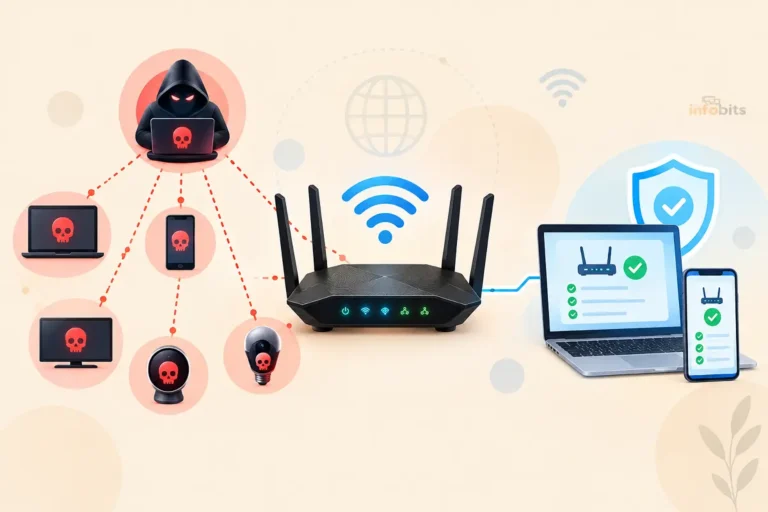
- Put smart home devices, cameras, and streaming accessories on a separate guest network so a compromised smart plug can’t become a doorway into your main devices. Here’s how to secure IoT devices on your home Wi-Fi.
- Periodically check for devices you don’t recognize on your network. Our guide on how to detect unauthorized devices on your Wi-Fi walks through the exact steps.
- If your overall home network setup feels overdue for a refresh, start with our guide to securing your home Wi-Fi.
4. Mask Your IP Address With a VPN
Your public IP address can be used to roughly geolocate you, and in rare cases it’s been extracted from stream metadata, chat logs, or a poorly configured game server. A VPN routes your traffic through a separate server, which hides your real IP from anyone trying to trace your connection.
If you’d rather not manage VPN software separately from your router settings, a router with VPN support built in, like the models covered in our routers with built-in VPN roundup, several of which are available directly on Amazon, protects every device on your network automatically, including your gaming console and any smart devices, without needing an app running on each one.
Curious whether a VPN actually strengthens your home network beyond just IP masking? We cover that in detail in ” Can a VPN make your home Wi-Fi more secure”.
5. Secure Every Account Tied to Your Channel
Account takeovers are one of the most common and most damaging incidents streamers face, and they’re almost entirely preventable.
- Use a unique, strong password for every platform. Reusing passwords means one leaked database can compromise everything.
- A password manager makes this painless. Our best password managers guide compares the top options, several of which offer family or creator-friendly plans available through their Amazon-listed subscription cards.
- Turn on two-factor authentication everywhere it’s offered, and use an authenticator app rather than SMS where possible, since SIM-swapping is a known attack against creators specifically.
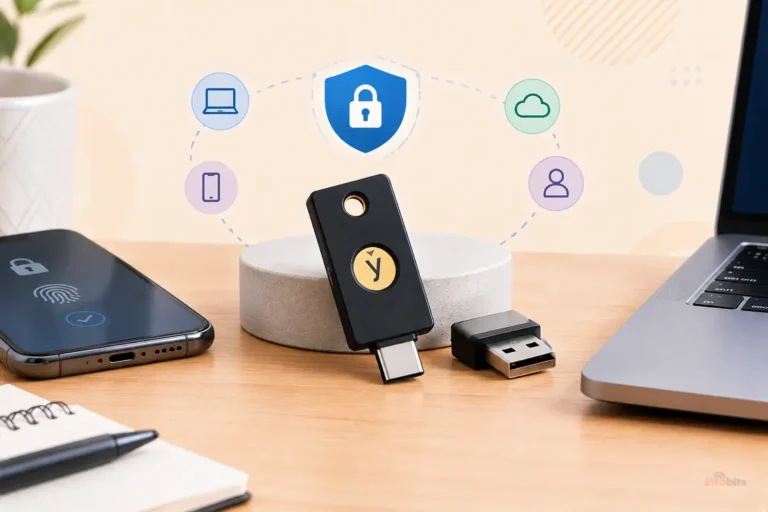
- For an extra layer on your most important accounts (email, streaming platform, banking), a physical hardware security key such as a YubiKey ( widely available on Amazon) is nearly impossible for an attacker to bypass remotely, since it requires the physical device in hand.
- Never paste your stream key into a public Discord, chat, or screenshot. Regenerate it immediately if you suspect it’s been exposed.
6. Run Real Security Software, Not Just Antivirus Defaults
Streaming software often runs with elevated permissions and stays open for hours, which makes your PC a more attractive target while you’re live.
- Keep your operating system, OBS or streaming software, and drivers updated. Attackers often exploit known, already-patched vulnerabilities.
- A dedicated malware protection tool catches phishing links and malicious downloads that antivirus alone can miss; see how two popular options compare in Malwarebytes vs Kaspersky.
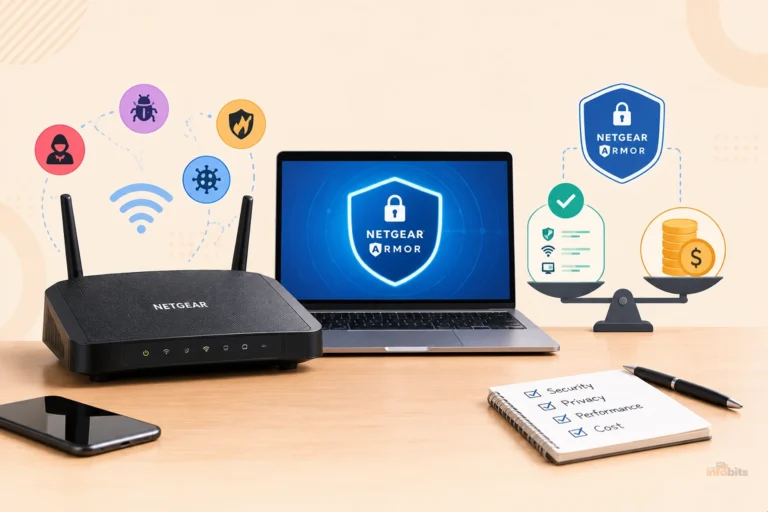
- If you’re due for a router upgrade anyway, models with built-in malware protection, covered in our best routers with built-in malware protection guide and purchasable on Amazon, filter threats at the network level before they ever reach your streaming PC.
While You’re Live: Protecting Yourself in Real Time
Setup gets you 80% of the way there. The rest is about habits you build into every broadcast.
Use a Stream Delay
A short delay, even 15 to 30 seconds, gives you a buffer to catch and cut anything that shouldn’t go live: a notification pop-up with personal info, someone walking into frame, or a piece of mail left visible on the desk.
For anything involving real-world visibility, especially IRL streaming, a delay is one of the highest-value safety features you can turn on.
Audit Your Background and Overlays
Before every stream, not just the first one, glance at what’s visible:
- Mail, packages, or delivery labels with your address
- Reflections in windows, glasses, or monitors that show street signs or house numbers
- School names, work badges, or license plates in the background
- Calendar entries or sticky notes visible on a desk or whiteboard
Don’t Broadcast Your Routine
Predictable patterns are more dangerous than any single leaked detail. Avoid consistently confirming you’re home alone, sharing your exact daily schedule, or announcing when you’ll be away (which tells viewers your home is empty).
Moderate Your Chat Actively
Set up auto-moderation bots to filter slurs, links, and known harassment phrases, and give trusted moderators the tools to timeout or ban instantly. Waiting to “see if it escalates” is how brigading and coordinated harassment gain momentum.
Know When to Cut the Feed
If someone shares personal information about you in chat, starts making threats, or the situation escalates quickly, ending the stream immediately isn’t overreacting. It’s the right call every time.
You can always explain to your audience afterward; you can’t undo information that’s already out.
The Technical Side Most Guides Skip
Safety isn’t only about privacy settings. A surprising number of incidents come down to network and hardware issues that have nothing to do with what you say on camera.
Secure Your Streaming Protocol
If you’re pushing your stream out over RTMP, know that the standard protocol isn’t encrypted by default, which matters if you’re streaming from public or shared networks.
Our breakdown of RTMPS explains the encrypted alternative and when switching makes sense.
Watch Your Network During High-Traffic Streams
Big spikes in viewers or donation-bot traffic can be a good sign, or a sign someone’s probing your network.
Learning to monitor network traffic helps you tell the difference between normal load and something worth investigating.
Understand What Affects Your Stream Quality Under Pressure
A stream that keeps dropping frames or buffering during a harassment wave isn’t always malicious. But it’s worth understanding your setup well enough to rule out DDoS activity versus a simple bitrate vs. resolution mismatch or an ISP issue.
Don’t Overlook Your Microphone Setup
It sounds unrelated to safety, but a mic that keeps cutting out mid-stream often means troubleshooting live, on camera, digging through settings menus that can accidentally expose device names, saved networks, or other system details.
Fixing it in advance ( see our guide on why your mic keeps cutting out) keeps you from having to dig through system settings while live.
Comparing Your Privacy Options
| VPN app on your PC | VPN built into your router | No VPN | |
|---|---|---|---|
| Protects | Only the device it’s installed on | Every device on your network automatically | Nothing; real IP exposed |
| Setup effort | Low, but repeated per device | One-time setup, covers whole household | None |
| Best for | Streaming from a laptop you move around | Full-time streamers with a fixed home setup | Not recommended for live streaming |
| Ongoing cost | Monthly subscription per device or plan | Often bundled with router hardware cost | Free |
If you stream regularly from the same location, a VPN-enabled router (see our routers with built-in VPN picks) is usually the better long-term investment. It protects your gaming console, phone, and smart devices too, not just your streaming PC.
Myth vs. Fact
Myth: “I’m not big enough to be a target.” Fact: Doxxing and account theft attempts often target smaller, growing channels precisely because their security habits are less mature and the attacker faces less scrutiny than going after a major streamer.
Myth: “A VPN makes me completely anonymous.” Fact: A VPN hides your IP address, but it doesn’t erase information you’ve already shared, metadata in old photos, or details visible in your background. It’s one layer, not a complete solution.
Myth: “Doxxing only matters if my exact address gets posted.” Fact: A city, neighborhood, workplace, or school ( combined with other public details) is often enough for someone determined to narrow down your location.
Common Mistakes That Undermine Streamer Safety
- Reusing the same username and profile photo across personal and streaming accounts
- Leaving old, unused streaming accounts active with weak passwords
- Posting “come find me at [event]” details before the event has ended
- Assuming private Discord servers are truly private; screenshots and leaks happen constantly
- Sharing your stream key in a support ticket or public help forum without redacting it
- Skipping 2FA because it “feels like a hassle” for daily logins
Expert Tips
- Do a “cold open” audit: have a friend watch your stream setup with fresh eyes before your first broadcast. They’ll catch background details you’ve stopped noticing.
- Set a recurring monthly reminder to review connected apps and devices across your streaming platform account, email, and router.
- Keep a printed or offline copy of your account recovery codes; don’t store them only in the same inbox that could be compromised.
- If you ever start receiving suspicious “account verification” messages, go directly to the platform’s official site rather than clicking the link; phishing attempts spike as channels grow.
If You’re Doxxed or Swatted: What to Do Next
Even with strong precautions, incidents can still happen. Having a plan ready reduces panic and response time.
- Document everything. Screenshot the doxxing post, URLs, usernames, and timestamps before anything gets deleted.
- Report to the platform immediately. Twitch, YouTube, Kick, and most major platforms have dedicated doxxing and harassment reporting flows. Use them, even if you’re also involving law enforcement.
- Contact local law enforcement if there’s a credible threat. For swatting risk specifically, some police departments offer address-flagging or “false report” registries for known streamers. Check whether your local department participates.
- Lock down accounts. Change passwords, rotate your stream key, and review active sessions across every connected account.
- Avoid engaging publicly with the harasser. Responding often escalates the situation and gives them the reaction they’re looking for.
- Loop in your community carefully. You can let your audience know something happened without repeating any of the exposed personal details.
- Consider professional support. A cybersecurity-focused service or, for serious cases, a lawyer familiar with cyberstalking and doxxing law can help with takedown requests and, if needed, legal action.
A Simple Pre-Stream Safety Checklist
- [1] Streaming accounts use unique passwords and 2FA
- [2] Home Wi-Fi uses WPA3 (or WPA2 at minimum) with a strong password
- [3] VPN active on your streaming device or router
- [4] Background and overlays checked for identifying details
- [5] Stream delay enabled
- [6] Chat moderation bot active
- [7] Stream key not exposed anywhere publicly
- [8] Recent photos/thumbnails stripped of metadata before posting
Frequently Asked Questions
Is it safe to stream from home every day?
Yes, as long as your network and accounts are secured and you’re mindful about what’s visible in your background and audio. Consistency in location isn’t the risk by itself; oversharing identifying details is.
Do I really need a VPN just to stream games?
Not strictly, but it’s one of the cheapest ways to prevent your IP address from being tied to your real location, especially if you play games where opponents or lobby members can sometimes see connection data.
Can someone find my address just from my IP?
Not directly. An IP address typically reveals your ISP and a general regional area, not a precise street address. But combined with other leaked details, it can help narrow down a location significantly.
What’s the difference between doxxing and swatting?
Doxxing is the act of publicly revealing someone’s private information, like their address or real name. Swatting is a dangerous escalation where someone uses that information to file a false emergency report, sending armed police to the victim’s home.
Should I use my real name when streaming?
It’s a personal choice, but many streamers use a stage name specifically to create separation between their public persona and their private life, which reduces how easily the two can be linked.
How often should I change my stream key?
Rotate it immediately if you suspect it’s been exposed, and consider doing it periodically (every few months) as a general precaution, especially if you’ve shared your screen with others or worked with guest moderators.
Is streaming from a phone less secure than from a PC?
Not inherently, but phones often have location services and cloud backups enabled by default, so it’s worth double-checking those settings before going live on mobile.
Can viewers see my IP address just by watching my stream?
Not directly through the platform itself, but IP exposure has happened through third-party tools, malicious links clicked during a stream, or poorly secured game servers, which is part of why VPN protection matters.
What’s the safest way to accept donations or subscriptions?
Use your platform’s built-in payment system or an established third-party processor rather than sharing personal payment details, and never share banking information directly with viewers.
Do I need antivirus software if I already have a VPN?
Yes. A VPN protects your connection and hides your IP, but it doesn’t stop malware, phishing links, or malicious downloads. The two serve different purposes and work best together.
How do I stop people from finding my old social media accounts?
Search your old usernames and real name yourself to see what surfaces, tighten privacy settings on anything you can’t fully remove, and avoid reusing old handles for your streaming brand.
Is it safe to let my stream be clipped and reposted elsewhere?
Generally yes, but review clips for anything identifying before they circulate widely, since clips can spread far beyond your original audience and stay online longer than the source broadcast.
What should I do if my stream gets DDoSed?
Contact your ISP and platform support, avoid revealing that you know your IP has been targeted (which can encourage further attempts), and consider a VPN or router-level protection to prevent a repeat.
Can I be swatted even if I never reveal my address?
Yes, unfortunately; determined attackers sometimes use data broker sites, reverse image searches, or pieced-together clues rather than a direct confession of your location, which is why minimizing incidental details matters just as much as avoiding obvious ones.
Is it worth hiring someone to do a privacy audit of my accounts?
For established streamers with a large following, it can be worth it, especially after any harassment incident. For most creators, working through a checklist like this one covers the majority of real-world risk.
Should kids or family members ever appear on stream?
If they do, be extra cautious about names, schools, and routines being mentioned, and consider whether their appearance is worth the added exposure, since family members are sometimes targeted specifically because they’re easier to locate than the streamer.
Found this guide useful? Share it with someone interested in content creation and streaming. Follow us on Facebook and Twitter for more tips, tricks, and guides.
We also ask that you bookmark this page for future reference, as we are constantly updating our articles with new information.
Sign up for our free newsletter as well to receive fresh information immediately in your inbox and keep technically up to date.
Disclosure: If you follow our links to a retailer’s website and make a purchase, we will get an affiliate commission on some, but not all, of the items or services we promote. This will cause no price change for you.