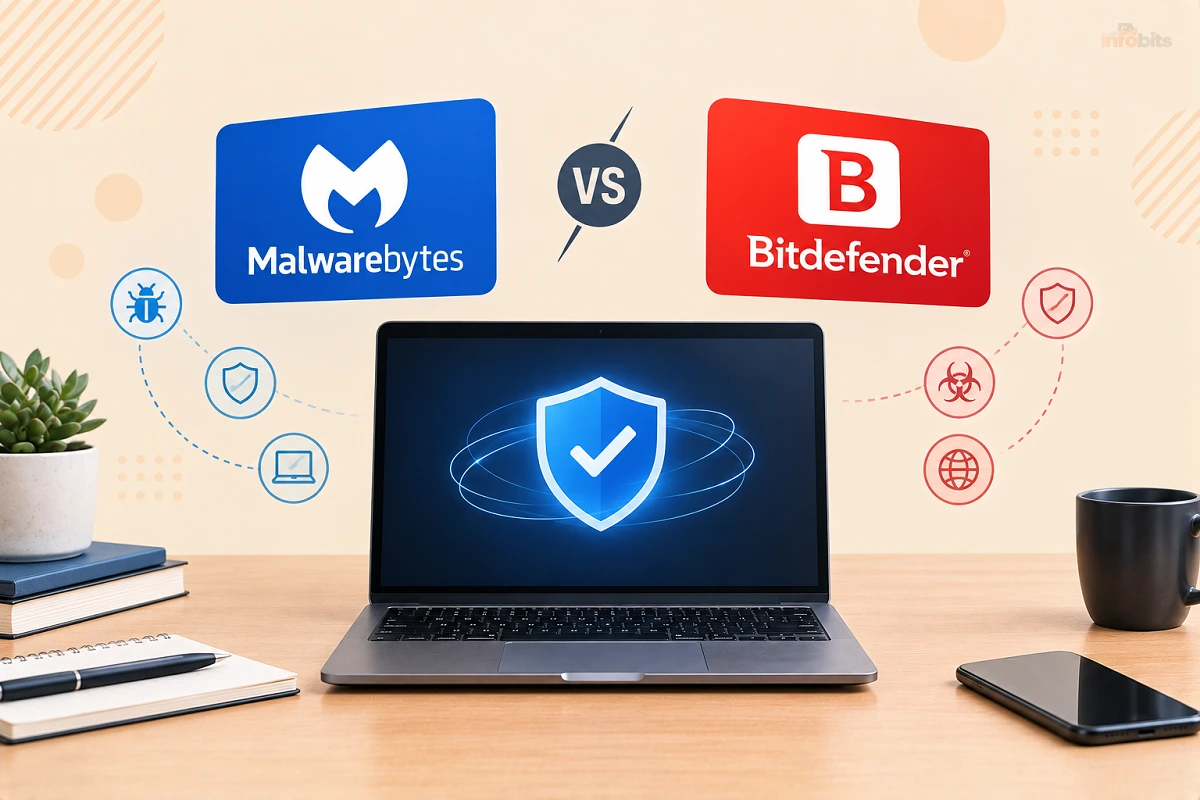
Malwarebytes vs Bitdefender: Which Antivirus Should You Buy?
Quick answer: For most people, Bitdefender Total Security is the better all-round choice. It has stronger lab consistency, far fewer false alarms, and more features per dollar. Malwarebytes Premium is a good pick if you want a simpler app with a strong scam-protection focus. Malwarebytes Free is also useful as an on-demand second-opinion scanner alongside whatever real-time protection you already run.
Both products passed the toughest recent independent tests. The real differences are in false alarms, bundled extras, and what you’ll pay after year one. Those are what this guide focuses on.
Malwarebytes vs Bitdefender at a glance
| Bitdefender | Malwarebytes | |
|---|---|---|
| Best for | Set-and-forget, all-in-one protection | Simple protection, scam focus, cleanup |
| AV-TEST (Aug 2026, Windows 11) | 6/6/6, Top Product | 6/6/6, Top Product |
| AV-Comparatives real-world (Feb–May 2026) | 398 of 400 blocked, 5 false alarms | 395 of 400 blocked, 39 false alarms |
| Free version | Yes (Windows), with real-time protection | Yes, but manual scans only |
| Typical entry price | About $25–60/yr first year | About $60/yr for 3 devices |
| Password manager | Included in Total Security | Not part of the core plan |
| VPN | Daily-capped on lower plans; unlimited on higher tiers or as an add-on | Included at the Plus tier |
| Refund window | 30 days | 60 days on annual plans |
| Platforms | Windows, Mac, Android, iOS | Windows, Mac, Android, iOS |
What are Malwarebytes and Bitdefender, exactly?
Bitdefender is a full security suite. You get real-time malware protection, ransomware defense, and web protection. Depending on your plan, you also get a VPN, password manager, and identity monitoring.
Malwarebytes started as a malware removal tool and has grown into a complete antivirus. Its paid product, Malwarebytes Premium Security, adds real-time protection, web filtering, and Browser Guard. Its free version is still best thought of as a cleanup scanner.
How protection compares
Independent labs are the fairest place to start. Marketing pages from either company tell you what they want you to hear.
AV-TEST (August 2026). AV-TEST put 15 home products through Windows 11 testing in July and August. Both Bitdefender Total Security 27.0 and Malwarebytes Premium 5.5/5.6 earned the maximum 6 points in protection, performance, and usability. Both received the Top Product award.
AV-TEST six-month endurance test (March–August 2026). AV-TEST published this on October 21, 2026. Bitdefender Total Security scored a perfect 18 out of 18. Malwarebytes wasn’t in that 13-product panel, so it has no result to compare.
AV-Comparatives real-world test (February–May 2026). This test throws 400 live malicious URLs at each product. Based on the published results, Bitdefender blocked 398 (99.5%), and Malwarebytes blocked 395 (98.8%). Both are strong scores.
The bigger gap is false alarms, meaning safe files or sites wrongly flagged as threats. Bitdefender had about 5 in that test. Malwarebytes had about 39. False alarms matter more than they sound. They push people to whitelist things or switch protection off, and that leaves you with no protection at all.
AV-Comparatives malware test (March 2026). Bitdefender was one of ten products named top-rated out of 20 tested. Malwarebytes Premium was tested but not among those ten.
The takeaway: Neither will leave you exposed. Bitdefender is the steadier performer, and Malwarebytes is more likely to interrupt you with a false flag.
Free versions: not the same thing
This is where many comparisons mislead people.
- Bitdefender Antivirus Free (Windows) gives you automatic, real-time protection with no setup.
- Malwarebytes Free is an on-demand scanner and cleaner. It checks your device when you run it, and real-time protection requires a trial or paid plan.
Malwarebytes Free is still a very good tool for finding and removing something that has already slipped in. It just isn’t a replacement for always-on protection.
Features and extras
What Bitdefender adds: Total Security covers up to five devices across Windows, Mac, Android, and iOS. It includes a password manager and cryptomining protection.
Cheaper plans include scam protection and a VPN capped at a daily data limit. Higher tiers add unlimited VPN and identity monitoring.
What Malwarebytes adds:
- Scam Guard on mobile, where you can upload a suspicious text or screenshot and get quick guidance.
- Trusted Advisor, a personalized protection score with tips.
- Digital Footprint Scanner, a free tool that checks whether your personal info has been exposed.
- Browser Guard, a browser extension that blocks malicious sites and ads.
- Personal Data Remover, a paid add-on that helps remove your details from data broker sites.
Malwarebytes advertises round-the-clock live support. Some reviewers report ticket-based help in practice, so check what’s offered when you buy.
Related: Best Password Managers 2026: Tested Picks for Every Need
Pricing: watch the renewal
Both companies offer attractive first-year prices, and the renewal is where costs change. Typical US list prices as of October 2026:
| Plan | Devices | First year | Renewal |
|---|---|---|---|
| Bitdefender Antivirus Plus | 1 | ~$24.99 | ~$49.99 |
| Bitdefender Total Security | 5 | ~$59.99 | ~$109.99 |
| Bitdefender Ultimate Security (identity monitoring) | 5 | ~$89.99 | ~$159.99 |
| Malwarebytes Standard | 3 | ~$59.99 | Check at checkout |
| Malwarebytes Plus (adds VPN) | 3 | ~$79.99 | Check at checkout |
Here’s a useful way to compare. Bitdefender Total Security works out to roughly $12 per device in year one, and Malwarebytes Standard to roughly $20 per device. At Bitdefender’s renewal price, that climbs to about $22 per device, which is close to Malwarebytes’ price.
Sales can cut Bitdefender’s first-year price a lot. During early Black Friday promotions, for example, Total Security for three devices has been listed around $19.99. Turn off auto-renew or set a calendar reminder so the second-year price doesn’t catch you off guard.
Money-back window: Malwarebytes offers 60 days on annual plans, and Bitdefender offers 30 days. Both brands’ subscriptions are often also sold as activation codes on Amazon, and it’s worth comparing the price of Malwarebytes and Bitdefender to buying direct before you check out.
Do you even need either one on Windows 11?
Fair question. Microsoft Defender is built into Windows and has become a strong baseline. In AV-TEST’s August 2026 test, it earned Top Product status, with a slightly lower performance score than Bitdefender and Malwarebytes. In AV-Comparatives’ real-world test, it blocked 396 of 400 with zero false alarms.
So what do paid suites really add? Mostly the extras like VPN, password manager, identity monitoring, scam protection, cross-device coverage, and support.
If you only want a solid scanner on one PC, Defender may be enough. If you want one subscription across a laptop, phone, and tablet, Bitdefender or Malwarebytes makes sense.
Mac, Android, and iPhone
Mac: Bitdefender Antivirus for Mac earned full marks in AV-TEST’s March 2026 test and was certified in AV-Comparatives’ Mac test in June 2026. Malwarebytes also supports Mac, so compare the current lab results for your macOS version.
Android: Both offer mobile apps. Malwarebytes leans on scam protection, call and text filtering, and a built-in VPN. Bitdefender covers malware scanning plus scam and web protection.
iPhone: iOS limits what any security app can do, since apps can’t scan other apps. On iPhone, both mostly help with web filtering, scam links, and alerts. Don’t expect desktop-style malware scanning.
Related: Malwarebytes vs Kaspersky (2026): Is Kaspersky Even Legal?
Can you use Malwarebytes and Bitdefender together?
Not as two real-time protection suites. Two programs scanning every file at once can conflict and slow your device down.
The smart combo is one real-time product (Bitdefender or Defender) plus Malwarebytes Free as an occasional manual scan when something feels off. It’s a cheap way to get a second opinion.
What antivirus won’t stop
Here’s the part vendors rarely say out loud. Modern attacks often don’t involve a malicious file at all. Phishing emails, fake login pages, stolen passwords, and investment scams slip past even the best scanner.
If you want a low-cost upgrade that actually blocks account takeovers, use a hardware security key like YubiKey 5C NFC on your important accounts (email, password manager, banking). Buy two, so a lost key doesn’t lock you out.
For ransomware, the best defense is a backup that malware can’t reach. Back up to an external drive ( see the options on Amazon) and unplug it afterward.
If you use a Bitdefender plan with webcam protection, a physical camera cover is a cheap extra layer. Pick an ultra-thin slide webcam cover from Amazon so your laptop lid still closes safely.
Myth vs fact
| Myth | Fact |
|---|---|
| “Malwarebytes Free protects me all the time.” | The free version scans on demand. Real-time protection needs a paid plan or trial. |
| “Paid antivirus is always far better than Defender.” | Labs show Defender is competitive. Paid suites mainly add extras and cross-device coverage. |
| “A 100% lab score means I can’t get infected.” | Lab scores measure specific test sets. Phishing and scams often bypass scanners entirely. |
| “Two antivirus programs are twice as safe.” | Two real-time suites can conflict. Use one, plus an occasional on-demand scan. |
| “The first-year price is the real price.” | Bitdefender’s renewals can nearly double the cost, so check year two. |
Common mistakes to avoid
- Running two real-time antivirus programs at once.
- Ignoring the renewal price and leaving auto-renew on.
- Buying more devices than you need, or too few for the family.
- Dismissing a warning without reading it, then switching protection off.
- Trusting any single “winner” page, including the vendors’ own comparison pages.
Which should you choose?
| If you… | Pick |
|---|---|
| Want one subscription for the whole household | Bitdefender Total Security |
| Hate false alarms and pop-ups | Bitdefender |
| Want the cheapest solid protection | Bitdefender Antivirus Plus or Microsoft Defender |
| Get lots of scam texts and calls | Malwarebytes (Scam Guard) |
| Want a free second-opinion scanner | Malwarebytes Free |
| Want identity monitoring in the US | Bitdefender Ultimate Security or Malwarebytes’ identity plans |
| Use a Mac | Compare current Mac lab results; Bitdefender has strong recent scores |
Troubleshooting
My PC feels slower after installing. Check that only one real-time security app is running. If you’re still on a spinning hard drive, that’s often the bigger bottleneck, and a SATA SSD upgrade like a 500GB–1TB SATA SSD such as Crucial BX500 or Samsung 870 EVO (both are available on Amazon) makes a bigger difference than switching antivirus.
It flagged a program I trust. Look at the file name and where it came from before allowing it. If you’re sure it’s safe, report it as a false positive to the vendor rather than turning protection off.
I can’t install it. Remove any leftover antivirus software first, using the other vendor’s official removal tool, then restart.
Signs your device may be infected: sudden slowness, constant pop-ups, unexpected browser changes, crashes, or files you can no longer open. Run a full scan, and if you suspect ransomware, disconnect from the internet and get help.
The verdict
For most readers, Bitdefender Total Security (view on Amazon) wins. It’s consistently excellent in lab testing, rarely cries wolf, and gives you more extras for the money.
Malwarebytes Premium (view on Amazon) is a strong, simple alternative, especially if scam protection matters most to you or you like its interface. And Malwarebytes Free earns a place on almost any computer as a backup scanner.
Whichever you choose, add the basics that scanners can’t replace: automatic updates, unique passwords, two-factor authentication, and an offline backup.
Frequently Asked Questions
Which is better, Malwarebytes or Bitdefender?
For most people, Bitdefender. It has steadier lab results, far fewer false alarms in AV-Comparatives’ 2026 testing, and more bundled features. Malwarebytes is a strong choice if you prefer a simpler app or want its scam-focused tools.
Is Malwarebytes a full antivirus?
Malwarebytes Premium is. It includes real-time protection, web filtering, and ransomware defense, and it earned a Top Product award from AV-TEST in August 2026. Malwarebytes Free is only an on-demand scanner and cleaner.
Can I use Malwarebytes and Bitdefender together?
Not as two real-time suites, because they can conflict. A good setup is one real-time product, like Bitdefender or Microsoft Defender, plus Malwarebytes Free for occasional manual scans.
Is Malwarebytes Free enough?
No, not on its own. It scans when you ask it to, but doesn’t protect you continuously. It works well as a second-opinion tool alongside real-time protection.
Is Bitdefender Free enough?
For basic Windows protection, it’s a solid option, since it includes real-time protection. Extras like a VPN, password manager, and identity monitoring are left to paid plans.
Which is cheaper, Malwarebytes or Bitdefender?
Bitdefender usually costs less in year one, especially during sales. Bitdefender’s renewal prices can be much higher, so compare year two as well. Malwarebytes Standard is about $60 a year for three devices.
Do they slow down my computer?
In AV-TEST’s August 2026 test, both earned a perfect performance score, meaning little noticeable slowdown on a modern PC. Older machines with spinning hard drives can feel slower with any security software.
Is Windows Defender enough on Windows 11?
For many people, yes. Defender earned Top Product status from AV-TEST in August 2026 and had zero false alarms in AV-Comparatives’ February–May 2026 test. Paid suites mainly add extras and multi-device coverage.
Which is better for Mac?
Bitdefender has strong recent results, including full marks in AV-TEST’s March 2026 Mac test. Malwarebytes supports Mac too, so check the latest lab results for your macOS version before buying.
Which is better for Android and iPhone?
Both work on both. Malwarebytes emphasizes scam protection with call and text filtering. Bitdefender adds malware scanning on Android plus scam and web protection. On iPhone, expect web and scam protection rather than file scanning.
Which has a better VPN?
It depends on your plan. Bitdefender’s lower plans cap daily VPN data, with unlimited VPN on higher tiers or as an add-on. Malwarebytes includes its VPN at the Plus tier. Both are for everyday privacy, not heavy streaming.
Do they protect against ransomware?
Yes. Both include behavior-based ransomware defense. No software is perfect, though, so keep an offline backup of important files.
Do they protect against phishing and scams?
Both block known malicious and phishing sites, and Malwarebytes’ Scam Guard adds mobile help with suspicious messages. Scanners can’t catch every social-engineering trick, so use two-factor authentication too.
Which has better support and refunds?
Malwarebytes offers a 60-day refund window on annual plans, while Bitdefender offers 30 days. Malwarebytes advertises live support, though some reviewers describe ticket-based help. Check current support options when buying.
Do either offer identity theft protection?
Yes, on higher tiers. Bitdefender’s Ultimate Security plans add identity monitoring, and its Plus tiers add identity theft protection with insurance for US customers. Malwarebytes sells identity protection as well. Availability varies by country.
Will the price go up when I renew?
Often, yes. Bitdefender’s list renewal prices can be notably higher than first-year prices. Check your renewal price before buying, and set a reminder before auto-renewal.
Which is better for families?
Bitdefender Total Security covers five devices across Windows, Mac, Android, and iOS in one plan, which makes it a convenient family option. Malwarebytes also sells multi-device plans, so compare device counts and prices.
Which is better for an older or slower PC?
Both scored top marks for performance in AV-TEST’s recent tests, so either should run fine. If your PC is still slow, an SSD upgrade or extra RAM will help more than switching antivirus.
Found this guide useful? Share it with someone interested in tech-related tips, tricks, solutions, and news. Follow us on Facebook and Twitter for more tips, tricks, and guides.
We also ask that you bookmark this page for future reference, as we are constantly updating our articles with new information.
Sign up for our free newsletter as well to receive fresh information immediately in your inbox and keep technically up to date.
Disclosure: If you follow our links to a retailer’s website and make a purchase, we will get an affiliate commission on some, but not all, of the items or services we promote. This will cause no price change for you.
You May Be Interested in Reading:
- Router-Level Security vs. Antivirus Software: Do You Need Both?
- Best Routers With Built-In Malware Protection in 2026 (Tested & Ranked)
- How to Tell If Your Router Has Been Hacked (12 Warning Signs)
- DNS Server Not Responding: How to Fix It on Windows, Mac, and Router
- TP-Link HomeShield Basic vs Pro vs Total Security: Is the Upgrade Worth It?