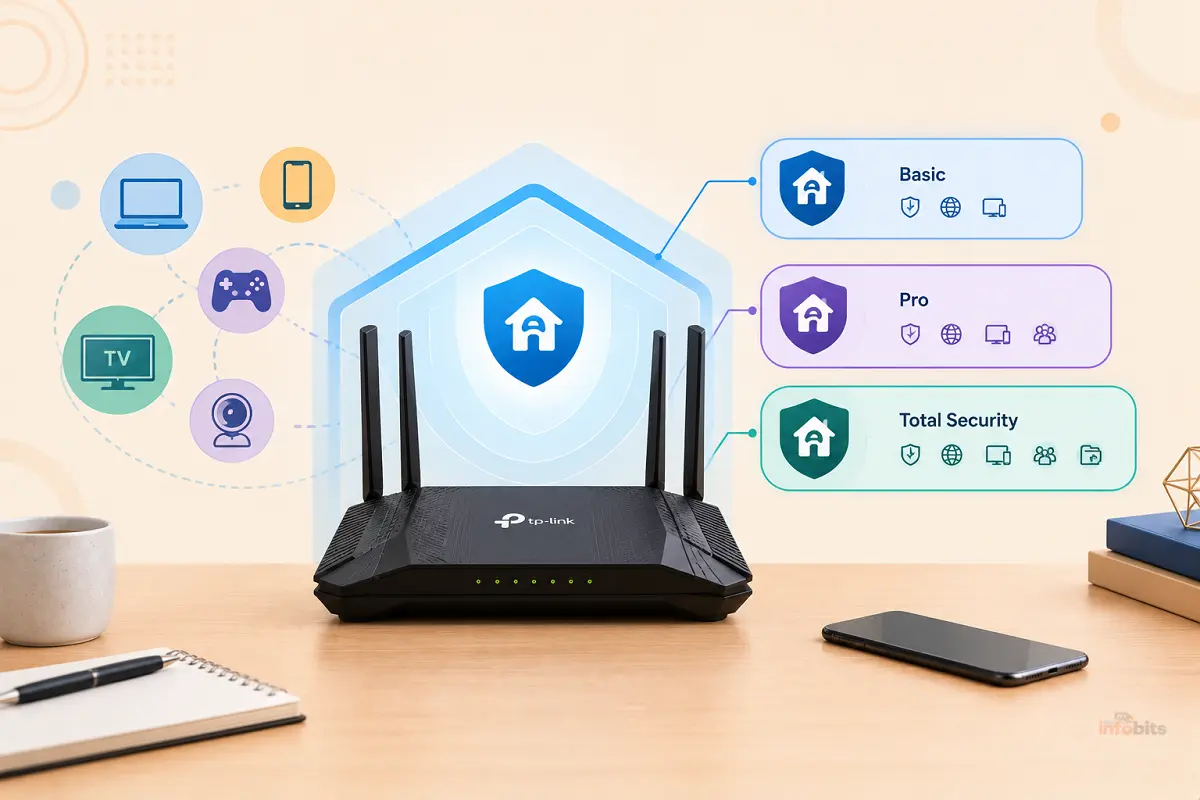
TP-Link HomeShield Basic vs Pro vs Total Security: Is the Upgrade Worth It?
You set up a new TP-Link Deco or Archer router, open the app, and there’s HomeShield. Some of it is free. Some of it comes with a “try free for 30 days” badge. And one option has no free trial at all and a price that nearly doubles after year one.
The tricky part is that the tiers have been renamed. The old “HomeShield Pro” many guides still talk about has been split into different plans, and a newer “Total Security Package” has been added on top.
This guide sorts out what each level includes, what it costs over three and five years, and who actually benefits from paying. It also covers a few traps that don’t show up on the subscription screen.
Comparing brands instead? See our AiProtection vs Armor vs HomeShield guide. This article is about choosing between HomeShield’s own tiers.
Quick answer: Start with the free Basic tier and the 30-day trials, because Basic already includes router and Wi-Fi security scans, IoT device identification, and simple parental controls. Upgrade to Security+ ($35.99 a year) if you have lots of smart-home devices and want active web protection and intrusion prevention. Add Advanced Parental Controls ($17.99 a year) only if you need time limits, app controls, or SafeSearch for kids. The Total Security Package ($69.99 first year, then $129.99) only makes sense if you’d actually use its bundled antivirus and VPN on up to 5 devices. For most homes, Basic plus one targeted add-on is the sweet spot.
Naming Change: Where Did “Pro” Go?
If you’ve read older reviews, you saw three tiers: HomeShield (free), HomeShield Pro, and sometimes the Total Security Package. In 2026, TP-Link lists three paid plans: Advanced Parental Controls, Security+, and the Total Security Package.
Here’s how they map:
- Old HomeShield Pro → now split in two. The security side lives in Security+, and the family side lives in Advanced Parental Controls. A TP-Link community moderator described the new Advanced Parental Controls feature set as quite like the last version of HomeShield Pro. The old Pro plan cost $54.99 a year in the US. Buying both current add-ons costs $53.98 a year, so the combined price is nearly identical.
- Basic → the free layer, still included with compatible routers.
- Total Security Package → new top tier, which adds antivirus software for client devices.
TP-Link has also renamed services before, and even Dong Knows Tech noted that the company has struggled with naming its tiers over the years. Always check which options your own app shows, since availability varies by model, region, and app version.
The Tiers at a Glance
| Basic (free) | Security+ | Advanced Parental Controls | Total Security Package | |
|---|---|---|---|---|
| Price | $0 | $35.99/yr or $4.99/mo | $17.99/yr or $2.99/mo | $69.99 first year, then $129.99/yr |
| Free trial | n/a | 1 month | 1 month | None (first-year discount instead) |
| Focus | Scans and simple controls | Active network security | Kids’ time and app controls | Security+ plus device antivirus |
| Covers away-from-home devices | No | No | No | Yes (up to 5 devices, via antivirus app) |
All prices are TP-Link’s US prices as of May 2026. TP-Link notes that pricing can differ by region and that the app’s price wins if there’s a conflict. All subscriptions renew automatically until canceled.
What You Get Free With Basic
Many people pay for something they already have. According to TP-Link’s own tier table, the free Basic layer includes:
Network security (free):
- Router Security Scan
- Wireless Security Scan
- IoT Device Identification
- Wi-Fi Access Control, Camera Security, and Device Isolation (availability varies by model and software version)
Parental controls (free):
- Create profiles for family members
- Preset age templates
- Pause the internet
- Content filter by URL and block specific websites
- Bedtime
- Basic insight reports
Also free: Quality of Service (device priority, plus scene priority on some models).
For a household that mainly wants to see what’s on the network, block a few sites, and pause the Wi-Fi at dinner, Basic may be all you need.
What Each Paid Plan Adds
Security+ ($35.99 a year)
Security+ adds the active protection layer, per TP-Link’s tier table:
- Web Protection: blocks access to malicious websites to avoid dangerous links and personal information disclosure.
- Intrusion Prevention: identifies potential threats and helps keep the network safe from attacks.
- IoT Protection: uses advanced algorithms to protect smart-home and other connected devices from cyber threats.
The difference from Basic is scanning versus blocking. Basic tells you what’s wrong with your setup. Security+ actively filters traffic.
Advanced Parental Controls ($17.99 a year)
This adds the deeper family features:
- Flexible bedtime, time limits, off time, and time rewards
- Family time
- App blocking, app time limits, and always-allowed apps (availability varies by model)
- SafeSearch and YouTube restrictions (availability varies by model)
- More comprehensive insight reports
One fine-print detail worth knowing: TP-Link says SafeSearch only works on Google search results. It won’t block explicit content on other search engines or on sites you visit directly.
Total Security Package ($69.99 first year, $129.99 renewal)
TP-Link says it includes all Security+ features plus third-party antivirus software for your devices. It can be installed on Windows, macOS, iPhone, and other devices, but only 5 devices at a time.
TP-Link’s community team says the device antivirus is powered by Avira, and an Avira Prime license covers up to 5 devices with antivirus and unlimited VPN. TP-Link’s feature table also lists a password vault.
Note that this package doesn’t include Advanced Parental Controls. If you want both, you’d pay for that separately.
One more twist: TP-Link announced late in 2024 that newer Wi-Fi 7 Deco models would use security powered by Norton. So the security provider can differ by model and over time. Check the app for what your model uses.
What It Really Costs: 3-Year and 5-Year Totals
A first-year price rarely tells the whole story. Here’s the math.
| Option | Year 1 | 3-year total | 5-year total |
|---|---|---|---|
| Basic | $0 | $0 | $0 |
| Advanced Parental Controls only | $17.99 | $53.97 | $89.95 |
| Security+ only | $35.99 | $107.97 | $179.95 |
| Security+ and Advanced Parental Controls | $53.98 | $161.94 | $269.90 |
| Total Security Package | $69.99 | $329.97 | $589.95 |
Two takeaways:
- Total Security is more than three times the price of Security+ over three years, because it renews at $129.99. The extra $94 a year at renewal is what you’re paying for Avira on up to 5 devices.
- Billing monthly costs more. Security+ at $4.99 a month adds up to about $59.88 a year, versus $35.99 billed yearly. Choose yearly once you’re sure.
Is Each Upgrade Worth It?
Is Security+ worth $35.99 a year?
Probably yes if:
- You have many smart-home gadgets (cameras, plugs, TVs, speakers) that can’t run antivirus
- Family members click on things they shouldn’t
- You want a set-and-forget filter and don’t want to configure DNS yourself
Probably not if:
- Your network is mostly a few laptops and phones with built-in protection
- You’re comfortable using free DNS filtering and keeping firmware updated
How good is it? In an AV-Comparatives test of four router security suites, HomeShield by Avira scored 7.3 out of 10 in the default post-setup configuration. That was behind NETGEAR Armor’s 9.1 but ahead of eero Plus at 5.5 and ASUS AiProtection at 6.4.
Remember that this study was commissioned by NETGEAR and Bitdefender and tested one router per brand. Treat it as one data point, not a verdict.
At $35.99 a year, it’s also the cheapest of the big-brand paid router security plans. NETGEAR Armor costs $99.99 a year, and eero Plus has been listed at about $9.99 a month in one 2026 comparison. ASUS AiProtection is free.
Is Advanced Parental Controls worth $17.99 a year?
Probably yes if: you have school-age kids on your home Wi-Fi and want automatic bedtimes, time limits, and app blocking without policing each device.
Think twice if: your kids mostly use cellular data or you already use Apple Screen Time, Google Family Link, or Microsoft Family Safety. Those work on the device, wherever the child is.
Router-level controls only work when the device is on your Wi-Fi. TP-Link has promoted a KidShield app for away-from-home control, but check whether it’s available for your model, since TP-Link has said it isn’t sold separately.
Consider pairing router controls with a kid-friendly device that has its own parental controls, like an Amazon Fire Kids tablet. Our router parental controls guide covers the broader options.
Is the Total Security Package worth $69.99, then $129.99?
This is the toughest sell. You’re paying for Security+ plus Avira Prime on 5 devices, which includes antivirus, an unlimited VPN, and a password vault.
It can make sense if:
- You’d otherwise buy an antivirus suite and a VPN
- You have 5 or fewer devices that would actually use it
- You’ll use the VPN and password vault, not just the antivirus
It’s hard to justify if:
- You already use Windows Defender or a suite you like
- You’d use only the antivirus
- You’re likely to forget the price jumps at renewal
A reasonable way to think about it. The renewal premium over Security+ is about $94 a year. For comparison, two 2026 reviews listed Bitdefender’s Total Security renewals around $90 to $100 for a multi-device plan, though prices change constantly.
If you want a suite, you can shop around, such as this multi-device Bitdefender plan available on Amazon. A TechRadar review of Avira Prime noted that its anti-phishing protection is also available in the free Avira, and that an average user might struggle to see a need to upgrade, especially alongside Windows Firewall.
Bottom line: if you’d use the bundled extras, it’s a decent bundle. If you’d use only one piece, it’s pricey.
Price and Renewal Traps
- The first-year discount ends. Total Security drops out of “nice deal” territory at $129.99.
- Auto-renewal is the default. TP-Link says all subscriptions renew until canceled. Set a reminder a week before, and check TP-Link’s cancellation guide in the app.
- No free trial on Total Security. Security+ and Advanced Parental Controls both get one month.
- Prices vary by region, and the app is authoritative.
- Bundles don’t stack. Total Security includes Security+ but not Advanced Parental Controls, so it’s easy to pay for overlap.
- The subscription belongs to the router ecosystem. If you replace the router with another brand, network-level protection won’t come with you. Our guide on how long routers last helps you estimate the payback window.
Privacy and the 2026 FCC Router Rule
Privacy: any cloud-based web filter needs to check what you visit against a threat database, so some traffic-related data passes through a vendor’s service. Read TP-Link’s privacy policy and, for Total Security, the terms of the antivirus provider before you accept.
The FCC rule: you may have seen news about routers in 2026. On March 23, 2026, the FCC added consumer-grade routers produced in foreign countries to its Covered List. In practice, this bars new router models from getting FCC authorization unless they receive an exemption.
The FCC’s fact sheet says it doesn’t prohibit existing authorized models and doesn’t affect routers you’ve already purchased. Law firm summaries also note that foreign-made routers sold before the change can keep receiving software and firmware updates.
What that means for you: if you already own a HomeShield router, this rule doesn’t change what you’re using. If you’re buying a new one, check availability and long-term update support before committing to a multi-year subscription.
HomeShield vs. the Alternatives
| Option | Cost | Best for | Catch |
|---|---|---|---|
| HomeShield Basic | Free | Visibility and simple filters | No active web protection |
| HomeShield Security+ | $35.99/yr | Budget active protection | Tied to TP-Link routers |
| ASUS AiProtection | Free for the router’s life | No-subscription protection | Requires an ASUS router |
| NETGEAR Armor | $99.99/yr (Plus $149.99) | Bundled device antivirus | Priciest option |
| Firewalla | One-time hardware purchase | Control and visibility on any router | More setup |
| Free DIY stack | $0 | Comfortable with settings | You maintain it |
Sources: ASUS says AiProtection is subscription-free, and NETGEAR lists Armor at $99.99 a year with Armor Plus at $149.99.
If you want strong visibility without a per-brand subscription, a Firewalla Gold Plus works with any router. See our Firewalla vs UniFi Dream Machine guide.
If you’re shopping for a new HomeShield-compatible mesh, TP-Link’s supported list includes systems like the Deco BE63 available on Amazon.
Who Should Upgrade? A Simple Decision Guide
Ask these five questions:
- Do I have more than about 15 smart-home devices? If yes, lean toward Security+.
- Do kids share this Wi-Fi? If yes, consider Advanced Parental Controls.
- Would I buy antivirus and a VPN anyway? If yes, price Total Security against buying them separately.
- Am I comfortable with free DNS filtering and updates? If yes, Basic may be enough.
- Do I plan to keep this router for 4+ years? If not, lean toward monthly or skip.
By household:
- Tech-savvy couple, few smart devices: Basic plus free DNS filtering.
- Family with kids and a smart home: Security+ and Advanced Parental Controls ($53.98 a year).
- Smart-home enthusiast, no kids: Security+ only.
- Wants an all-in-one suite for 5 devices: Total Security, but price it against alternatives.
- Renter with a basic setup: Basic only.
Your 30-Day Trial Checklist
TP-Link gives a free month for Security+ and Advanced Parental Controls. Use it deliberately.
- Screenshot the price and note the renewal date.
- Read the weekly reports. Are they telling you anything new?
- Check the blocked-threat and blocked-site logs. Are blocks meaningful?
- Test whether the free tier already does what you need.
- Notice false blocks. If Security+ blocks a safe site, TP-Link has a support article on allowing it.
- Try one real parental rule for a week, such as a bedtime or app limit.
- Decide by day 25. If you can’t name a benefit, cancel before it converts.
The $0 Alternative: What to Do Instead
If you skip the paid tiers, these free steps cover a lot of ground:
- Keep your router firmware updated. See our firmware update checklist.
- Use malware-blocking DNS.
- Put smart-home gadgets on a guest network.
- Use strong, unique passwords with a password manager.
- Use the free Basic scans and remove devices you don’t recognize. See securing IoT devices.
- Use built-in OS parental controls for kids’ devices.
Common Mistakes
- Paying for Total Security and Advanced Parental Controls without checking overlap.
- Assuming “Pro” is still a plan and looking for a $54.99 option that no longer exists.
- Choosing monthly billing and paying about 65% more over a year for Security+.
- Forgetting that router controls stop at your front door.
- Never opening the weekly report, then paying for insight you don’t use.
- Ignoring model differences. Some features are marked “availability varies by model.”
Myth vs. Fact
Myth: HomeShield is entirely free.
Fact: Basic is free, but active protection and advanced parental controls are paid.
Myth: Total Security is just a better Security+.
Fact: It adds antivirus for up to 5 devices, but not Advanced Parental Controls, and its renewal price is much higher.
Myth: Router-level protection replaces antivirus.
Fact: They cover different layers. Total Security bundles both for that reason.
Myth: The 2026 FCC decision stops my current router from working or updating.
Fact: The FCC says it doesn’t affect routers you already own, and existing models can keep receiving updates.
Myth: A free trial means no commitment.
Fact: Subscriptions auto-renew until you cancel.
Expert Tips
- Pay yearly, not monthly, once you’ve decided.
- Buy only the add-on you need. Two small subscriptions can beat one bundle.
- Look for the free feature first. Check your Basic tier before paying.
- Pair security with habits. No filter fixes a weak password.
- Set a calendar reminder for the renewal date.
- Re-evaluate every year. Your device mix changes.
Closing Words
HomeShield is a genuinely good freebie and a reasonably priced upgrade path, as long as you know what you’re buying. Basic covers visibility and simple controls. Security+ is the cost-effective way to add active protection.
Advanced Parental Controls is a targeted purchase for families. Total Security is the one to think hardest about, since its renewal price and bundled extras only pay off if you’d actually use them.
Start free, use the trials on purpose, and pay only for the layer that solves a problem you have. That approach will almost always cost less than buying the biggest plan on day one.
Frequently Asked Questions
What is TP-Link HomeShield?
It’s a built-in security and parental controls service on compatible TP-Link routers and Deco mesh systems. It offers free basics plus paid plans for advanced protection and family controls.
Is TP-Link HomeShield free?
Partly. The Basic tier is free and includes security scans, IoT device identification, and simple parental controls. Active protection and advanced parental controls require a subscription.
What happened to HomeShield Pro?
TP-Link now sells Security+, Advanced Parental Controls, and the Total Security Package. Together, the first two roughly replace the old Pro plan, and buying both costs about the same.
How much does HomeShield Security+ cost?
Security+ costs $35.99 a year or $4.99 a month in the US, with a one-month free trial for new users. Prices may vary by region.
What does Security+ add over the free tier?
It adds Web Protection, Intrusion Prevention, and IoT Protection, which actively filter traffic and protect connected devices, beyond the free tier’s scans and identification.
How much is Advanced Parental Controls?
It’s $17.99 a year or $2.99 a month in the US, with a one-month free trial.
What is the HomeShield Total Security Package?
It includes all Security+ features plus antivirus software (powered by Avira, per TP-Link’s community team) for up to 5 devices, with a VPN and password vault. It costs $69.99 the first year and $129.99 at renewal.
Does Total Security include parental controls?
No. It includes Security+ and device antivirus. Advanced Parental Controls is a separate subscription.
Is there a free trial for Total Security?
No. TP-Link says there’s a first-year discount instead of a trial.
Is HomeShield worth paying for?
It can be, if you have many smart devices or kids on your network. Try the free tier and 30-day trials first, and pay only for what solves a real problem.
Is HomeShield better than NETGEAR Armor?
In a test commissioned by NETGEAR and Bitdefender, Armor scored higher, but HomeShield Security+ costs much less. The better value depends on the features you need.
Can I cancel HomeShield anytime?
Yes, but subscriptions renew automatically until canceled, so cancel before the renewal date. Check TP-Link’s cancellation guide in the Deco or Tether app.
Does HomeShield work on any router?
No. It works on compatible TP-Link routers and Deco systems. Check the supported models list on TP-Link’s HomeShield page.
Do router parental controls work when kids leave home?
Router-level controls only apply on your Wi-Fi. For away-from-home control, use device-level tools like Apple Screen Time or Google Family Link.
Does SafeSearch block all explicit content?
No. TP-Link says SafeSearch only works on Google search results and won’t block explicit content on other search engines or sites visited directly.
Does the 2026 FCC router rule affect my TP-Link router?
The FCC says the rule doesn’t affect routers you already own and doesn’t prohibit existing authorized models. It restricts approval of new foreign-made models unless exempted.
Should I pay monthly or yearly?
Yearly is cheaper. Security+ costs about $59.88 a year billed monthly versus $35.99 billed yearly. Use monthly only while you decide.
What are free alternatives to HomeShield’s paid plans?
Use HomeShield’s free tier, keep firmware updated, use malware-blocking DNS, put smart devices on a guest network, and use built-in parental controls on kids’ devices. ASUS AiProtection is another free option on ASUS routers.
Found this guide useful? Share it with someone interested in networking-related information. Follow us on Facebook and Twitter for more tips, tricks, and guides.
We also ask that you bookmark this page for future reference, as we are constantly updating our articles with new information.
Sign up for our free newsletter as well to receive fresh information immediately in your inbox and keep technically up to date.
Disclosure: If you follow our links to a retailer’s website and make a purchase, we will get an affiliate commission on some, but not all, of the items or services we promote. This will cause no price change for you.