Router-Level Security vs. Antivirus Software: Do You Need Both?
Router makers now sell security subscriptions, and antivirus companies sell suites. Both promise to keep you safe. So if you already have Windows Defender or a paid antivirus, do you also need the security suite built into your router? And if you have router-level protection, can you skip antivirus?
Most articles on this topic either sell you one or the other. The honest answer is more useful: they protect different things, they fail in different ways, and you don’t necessarily need to pay for both. This guide explains what each layer actually does, where each one is blind, and how to build a layered setup that fits your home and budget.
Comparing the router security suites themselves? See our AiProtection vs Armor vs HomeShield guide. This article explains the bigger idea behind them.
Quick answer: Yes, in most homes you want both layers, but “both” doesn’t have to mean paying for both. Antivirus (including the free protection built into Windows, macOS, and Android) protects the individual device from malicious files and behavior, even away from home. Router-level security filters traffic at your network’s front door and covers devices that can’t run antivirus, like smart TVs and cameras.
Router-level tools can’t see inside encrypted HTTPS traffic, can’t clean an infected device, and are easy to bypass with a VPN or cellular data. Antivirus can’t protect your router or your smart-home gadgets. A solid baseline costs nothing: built-in device protection, up-to-date router firmware, and free malware-blocking DNS. Pay for extras only where they solve a problem you actually have.
The 30-Second Comparison
| Router-level security | Antivirus/endpoint protection | |
|---|---|---|
| Where it runs | On your router, at the network gateway | On each phone, laptop, or PC |
| What it covers | Every device on your home network, including smart TVs and cameras | Only the device it’s installed on |
| Works away from home? | No (unless the vendor adds an app) | Yes |
| Sees inside encrypted traffic? | No | Yes, at the device, after decryption |
| Can clean an infected device? | No | Yes, that’s its main job |
| Blocks known-bad websites? | Yes (at DNS or URL level) | Yes (via browser or URL filters) |
| Typical cost | Free to about $150 a year | Free (built-in) to about $100 a year |
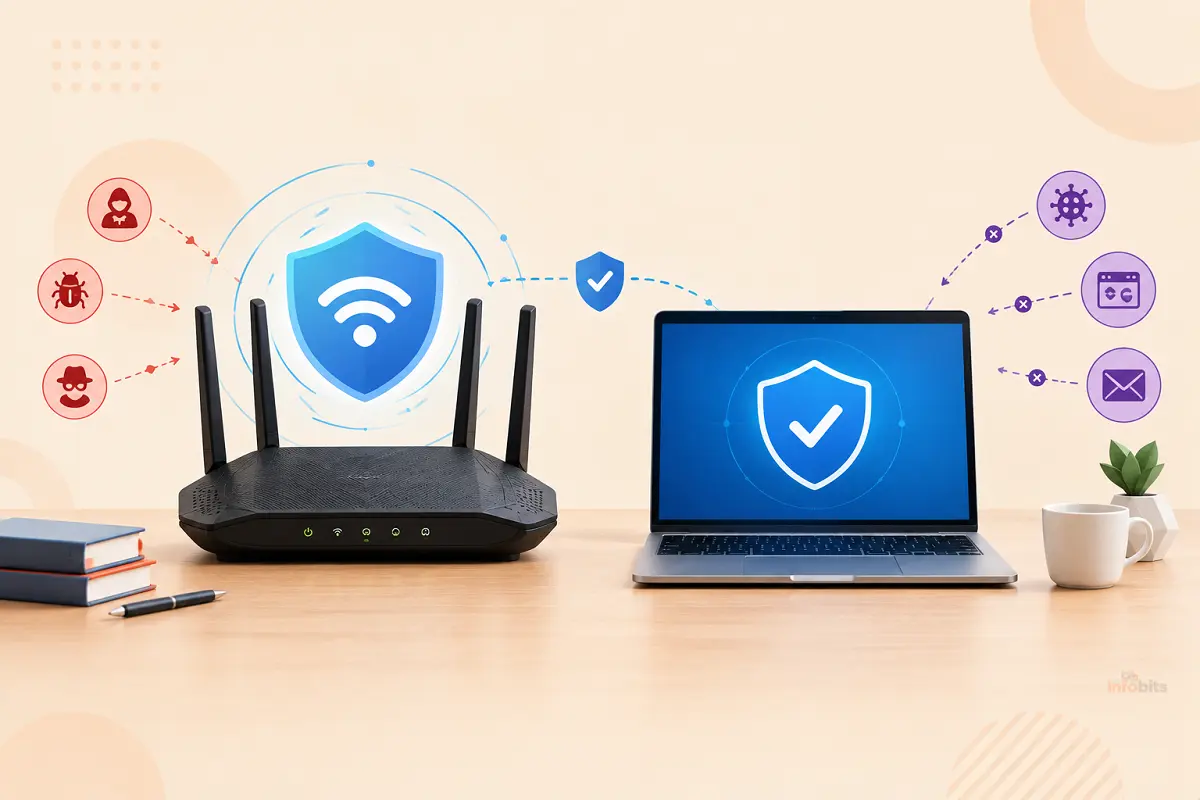
Think of it as a security guard at the front door versus an immune system in each person. The guard can turn away known troublemakers and watch who’s coming and going. The immune system deals with whatever gets through. You wouldn’t want to rely on only one.
What Router-Level Security Actually Does
Every router already has a basic firewall built in. What people mean by “router-level security” today is the extra suite that vendors add on top, such as ASUS AiProtection, TP-Link HomeShield, NETGEAR Armor, and eero Plus. These typically include some mix of:
- Malicious site blocking: stops devices from reaching known malware and phishing domains.
- Intrusion prevention (IPS): inspects traffic for known attack patterns and suspicious behavior.
- Infected-device detection: flags or isolates a device that starts talking to botnet servers.
- IoT monitoring: identifies smart devices and watches for vulnerabilities.
- Router security scans: checks your settings for weak passwords and risky options.
- Parental controls: content filtering and time limits.
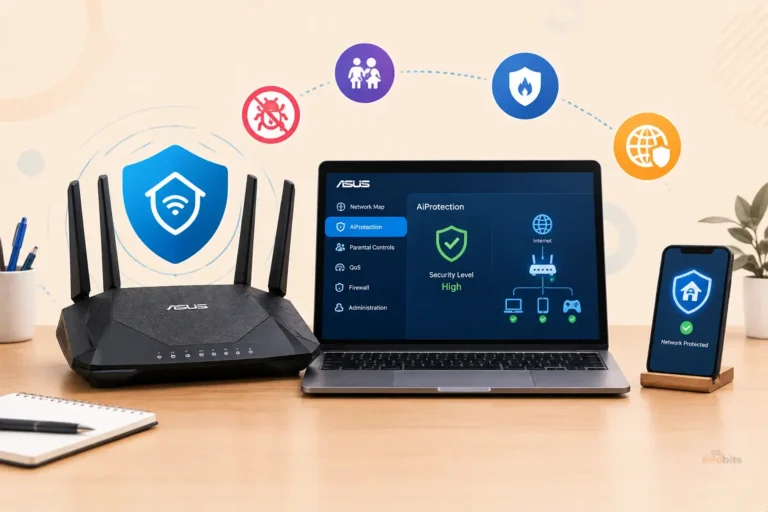
The big advantage is coverage. ASUS points out that smart TVs and cameras can’t run traditional antivirus, so router-level defense fills that gap. NETGEAR says Armor helps protect an unlimited number of devices on your home network, with its separate app covering up to 50 devices on the go.
Pricing varies a lot. ASUS says AiProtection is subscription-free, TP-Link’s Security+ is $35.99 a year, and NETGEAR Armor is $99.99 a year. See our guides on whether Armor is worth it and routers with built-in malware protection.
What Antivirus Software Actually Does
Antivirus, now often called endpoint protection, lives on the device and does the work a router can’t:
- Scans files when you download, open, or run them.
- Watches behavior, spotting a program that acts like ransomware even if it’s brand new.
- Provides real-time protection as things happen on the device.
- Filters URLs and phishing in the browser or system.
- Protects away from home, on café Wi-Fi or mobile data.
- Cleans up if something gets in.
You probably already have some. Windows ships with Microsoft Defender, macOS has built-in protections, and Android has Google Play Protect. Paid suites add extras like a VPN, password manager, identity monitoring, and parental controls.
Where Each One Falls Short
This is the part most guides skip. Both layers have real blind spots.
Router-level security’s blind spots
- It can’t see inside HTTPS. Google says roughly 95 to 99% of Chrome page loads have used HTTPS since around 2020. A router can see which site you’re connecting to, but not what’s inside the encrypted connection. It can’t scan a downloaded file in that stream the way device software can.
- It’s easy to bypass. DNS-based blocking only works if the device uses the router’s DNS. A VPN, cellular data, a hard-coded DNS server, or encrypted DNS on the device can sidestep it. Many smart-home devices use hard-coded DNS, and DNS-over-HTTPS looks like normal web traffic to a firewall. ASUS also confirms AiProtection can’t inspect traffic from a device using a VPN.
- It can’t clean an infected device, detect malicious attachments, or stop you from typing your password into a convincing fake page on a site that isn’t yet flagged.
- It only knows what’s been classified. Brand-new malicious domains can slip through until they’re reported.
- It only works at home, unless the vendor supplies an on-the-go app.
- False positives happen, occasionally blocking a safe site.
Antivirus’s blind spots
- It can’t protect devices that can’t run it. Smart TVs, cameras, doorbells, and many IoT gadgets are out of reach.
- It doesn’t protect your router. A compromised router can redirect DNS or expose your network no matter how good the antivirus is.
- Coverage differs by ecosystem. AV-Comparatives notes that Defender’s SmartScreen is tightly integrated with Microsoft Edge and Outlook, and people using other browsers or mail apps may see different phishing coverage.
- Cloud-dependent detection. AV-Comparatives’ March 2026 test found Defender’s offline detection rate was 89.2%, versus 98.6% for several other products, reflecting its reliance on cloud intelligence.
- Security software has bugs too. In May 2026, several Defender vulnerabilities were added to CISA’s Known Exploited Vulnerabilities catalog and fixed through regular updates. This isn’t unique to Microsoft, but it’s a reason for layers.
What Independent Testing Says
On endpoint protection: built-in antivirus has come a long way. One 2026 roundup reports Microsoft Defender received a perfect 18 out of 18 from AV-TEST in April 2026, and 99.0% protection in AV-Comparatives’ February to May 2026 real-world test.
Another review of AV-TEST’s May to June 2026 round found 6 out of 6 for protection but 5.5 out of 6 for performance. Microsoft’s own Learning Center guidance in January 2026 said that for many users, Defender’s level of protection is plenty, while noting third-party tools add extras like identity monitoring or VPNs.
AV-Comparatives’ own view is more nuanced. It agrees Defender is a credible baseline, but argues that the useful question isn’t “Defender or third-party?” It’s which combination of layers fits your risk. It also makes a case for defense diversity, meaning overlapping, independent protections rather than a single point of failure.
On router-level protection: the best-known independent comparison, AV-Comparatives’ router security test, scored NETGEAR Armor 9.1 out of 10, TP-Link HomeShield 7.3, ASUS AiProtection 6.4, and eero Plus 5.5 in default configurations. It was commissioned by NETGEAR and Bitdefender and tested one router per brand, so treat it as helpful evidence, not the final word.
Bottom line from the evidence: good free antivirus is a solved problem for most people, and router-level tools add value mainly for IoT coverage and network-wide visibility.
Which Threats Does Each Layer Actually Handle?
| Threat | Router-level | Antivirus | Best fix |
|---|---|---|---|
| Phishing link to a known-bad site | Yes | Yes | Both, plus browser protection |
| Phishing page not yet flagged | Sometimes | Sometimes | Password manager and MFA |
| Malware in a downloaded file | Limited (HTTPS hides it) | Yes | Antivirus |
| Ransomware behavior | No | Yes | Antivirus and backups |
| Compromised smart-home device | Yes (visibility, blocking) | No (can’t install) | Router-level and network segmentation |
| Router hijack or outdated firmware | Partly (scan flags issues) | No | Updates, strong admin password |
| Weak or reused passwords | No | Partly | Password manager and MFA |
| Threats on café Wi-Fi or mobile data | No | Yes | Antivirus (and VPN if needed) |
Notice how many of the highest-impact fixes are free habits, not subscriptions. CISA advises keeping router firmware updated, disabling remote management, and disabling UPnP unless you specifically need it.
The NSA says routers should be patched, preferably automatically, and replaced before they reach end of life. It also recommends weekly reboots of your router, phones, and computers. Our guides on router firmware updates and how long routers last cover this.
Do You Need Both? It Depends on Your Home
| Your household | What to do |
|---|---|
| A few laptops and phones, careful habits | Built-in antivirus, current updates, and free malware-blocking DNS. Skip paid router security. |
| Lots of smart-home gadgets | Add router-level protection (free options like ASUS AiProtection, or a paid tier) and put IoT on a guest network or VLAN. |
| Kids or less tech-savvy family members | Router-level content filtering plus device-level antivirus and parental controls. |
| Work-from-home with sensitive data | Solid endpoint protection is non-negotiable. Router-level is a bonus. |
| You travel and use public Wi-Fi often | Antivirus matters most, since router protection doesn’t follow you. |
| You already pay for both | Check for overlap and cancel whichever you don’t use. |
A rule of thumb: if a device can run antivirus, protect it with antivirus. If it can’t, protect it with the router. Then handle the router itself with updates and good settings.
What it costs
- Router-level: ASUS AiProtection is free on supported routers. TP-Link HomeShield Security+ is $35.99 a year, and NETGEAR Armor is $99.99 a year.
- Antivirus: Defender is free. Paid suites often advertise first-year prices around $20 to $40, then renew at roughly $90 to $100 per one 2026, so check the renewal price before you commit.
If you decide you want a paid suite, compare options like a multi-device Bitdefender plan on Amazon, and read our Malwarebytes vs Kaspersky comparison.
A Layered Setup That Doesn’t Cost Much
Here’s a practical, mostly free stack, in order of impact.
Layer 1: Router basics (free)
- Update firmware and enable automatic updates.
- Change the default admin password, and turn off remote management and UPnP.
- Use WPA3 if supported. Here’s what WPA3 does.
- Replace the router if it’s no longer getting updates.
Layer 2: Network-level filtering (free to cheap)
- Turn on your router’s free protections if it has them, such as ASUS AiProtection.
- Or use malware-blocking DNS servers for the whole home.
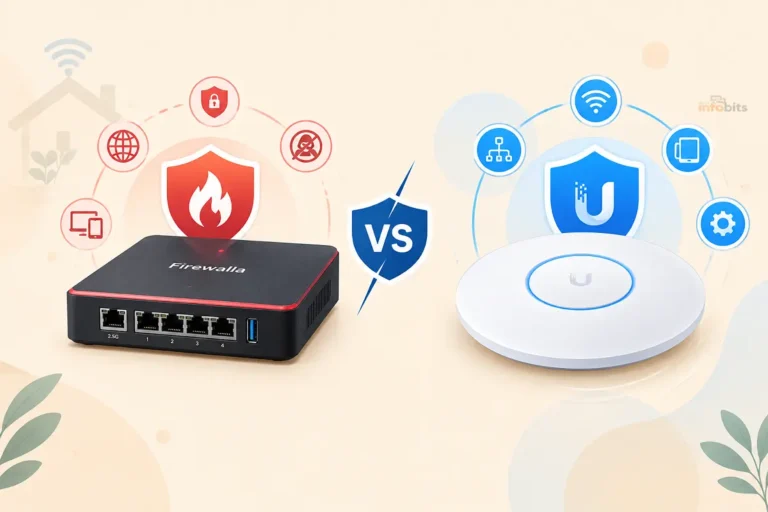
- Want stronger visibility on any router? A Firewalla Gold Plus adds network monitoring without brand lock-in.
Layer 3: Segmentation (free)
- Put smart-home gadgets on a guest network or VLAN.
- Follow our guide to securing IoT devices.
Layer 4: Device protection (free to paid)
- Keep Defender, macOS protections, or Google Play Protect on, and keep every device updated.
- Add a paid suite only if you need its extras.
- Run only one real-time antivirus engine per device. Two can conflict.
Layer 5: Accounts (cheap, high impact)
- Use a password manager with unique passwords.
- Turn on multifactor authentication, and consider a hardware key like the YubiKey 5C NFC (view on Amazon) for your most important accounts.
Layer 6: Backups (cheap, and your ransomware insurance)
- Keep an offline or versioned backup. A portable SSD or drive, such as a Samsung T7 or WD My Passport, is a simple option available on Amazon.
Router-level and device-level tools can overlap, and occasional duplicate blocks or false positives are normal. Running both rarely causes real conflicts, though very old routers can slow down when deep packet inspection is on.
Common Mistakes
- Assuming router security replaces antivirus. It can’t scan inside encrypted downloads or clean a device.
- Assuming antivirus protects your smart-home gadgets. It can’t install on them.
- Paying for both without checking overlap.
- Ignoring router updates, which is one of the most common ways home networks get compromised.
- Running two real-time antivirus engines on one PC.
- Trusting a green shield icon. Check that protections are actually on and updated.
- Skipping backups, the one thing that saves you from ransomware.
Myth vs. Fact
Myth: A secure router means I don’t need antivirus.
Fact: Routers can’t see inside HTTPS or clean infected devices.
Myth: Antivirus makes my whole home network safe.
Fact: It only protects the devices it runs on, not your router or smart TV.
Myth: Windows Defender is too weak to rely on.
Fact: It scores at or near the top in recent independent tests, though independent labs also point to gaps like offline detection and non-Microsoft browser coverage.
Myth: Router-level protection can’t be bypassed.
Fact: VPNs, cellular data, hard-coded DNS, and encrypted DNS can all sidestep it.
Myth: More security software always means more safety.
Fact: Overlap adds cost and noise. Choose layers that cover different gaps.
Expert Tips
- Match the layer to the device. Antivirus where it can run, router-level where it can’t.
- Fix the free stuff first: updates, passwords, remote management off.
- Use the router’s free trial or free tier before paying, and check whether the alerts tell you anything you didn’t know.
- Segment before you subscribe. A guest network for IoT beats most paid protections.
- Check for unknown devices with our guide to detecting unauthorized devices.
- Watch for signs of trouble with our guide to monitoring network traffic.
- Buying a new router? An ASUS model available on Amazon such as the RT-AX88U Pro includes free protection, so you’re not committing to a subscription.
The Verdict
Do you need both router-level security and antivirus? Usually yes, but not necessarily two paid products. They cover different ground. Antivirus protects the devices you use and follows you around. Router-level tools watch the front door and cover the gadgets that can’t protect themselves. Neither sees everything, and both can be bypassed.
For most homes, the smart move is a free, layered baseline: built-in device protection, a well-maintained router, malware-blocking DNS, and a guest network for smart devices.
Then add a paid layer only where it fixes a real gap: a router suite if you have lots of IoT devices, or a full antivirus suite if you want extras like identity monitoring.
Security isn’t about buying the most products. It’s about making sure no single failure leaves you exposed.
Frequently Asked Questions
What’s the difference between router-level security and antivirus?
Router-level security filters traffic at your network’s gateway and covers every connected device. Antivirus runs on each device, scanning files and behavior. They protect different layers.
Do I need both router security and antivirus?
Usually yes, but not necessarily two paid products. Use antivirus (including free built-in protection) on devices that can run it, and router-level protection for devices that can’t.
Can router-level security replace antivirus?
No. A router can’t see inside encrypted HTTPS traffic, can’t scan downloaded files the way device software can, and can’t clean an infected device.
Can antivirus protect my smart TV or cameras?
No, because those devices usually can’t run antivirus software. Router-level protection and network segmentation are the main ways to cover them.
Is Windows Defender enough?
For many home users on updated Windows 11, yes. It scored at or near the top in recent AV-TEST and AV-Comparatives tests. Independent labs still note gaps, like offline detection and coverage outside Microsoft’s browser.
Does router-level protection work on public Wi-Fi?
No. It protects devices only when they’re connected to your home network, unless the vendor offers a separate app for use away from home.
Can router security be bypassed?
Yes. A VPN, cellular data, hard-coded DNS servers, or encrypted DNS on a device can bypass router-level filtering.
Does router-level protection slow down my internet?
On modern routers, usually not noticeably. Older routers can slow down when deep inspection is on. Test with and without it.
Is free router protection like ASUS AiProtection worth using?
Yes, if your router has it. ASUS says AiProtection is subscription-free, and it adds IoT coverage at no cost. Check its privacy terms first.
What’s the cheapest good security setup?
Built-in device antivirus, automatic updates, a well-configured router, malware-blocking DNS, a guest network for smart devices, a password manager, and backups.
Should I run two antivirus programs?
No. Running two real-time antivirus engines on one device can cause conflicts. Use one, and rely on other layers for overlap.
Is a paid antivirus worth it?
Only if you want extras like a VPN, identity monitoring, or cross-platform coverage. Check the renewal price, which is often much higher than the first-year deal.
Does my router need antivirus features at all?
Not strictly. Router updates, a strong admin password, and disabled remote management matter more. Router-level filtering is a bonus, especially with many smart devices.
What do CISA and the NSA recommend for home routers?
Keep firmware updated, disable remote management and UPnP unless needed, use strong credentials, replace end-of-life routers, and reboot regularly.
Which is more important, router security or antivirus?
Neither wins alone. Antivirus is more important for the devices you use daily. Router-level protection matters most for smart-home devices and network-wide filtering.
Can router-level security stop ransomware?
Not reliably. It may block known malicious domains, but antivirus behavior detection and offline backups are the main defenses.
Do I need router security if I use a VPN?
A VPN encrypts your traffic but doesn’t replace protection. Router-level tools generally can’t inspect traffic from a device using a VPN, so device-level protection matters more there.
How do I know if my router is protecting me?
Check that firmware is current, protections are on, and any security report or event log shows activity. Run your router’s security scan if it has one.
Found this guide useful? Share it with someone who is suffering from networking-related issues. Follow us on Facebook and Twitter for more tips, tricks, and guides.
We also ask that you bookmark this page for future reference, as we are constantly updating our articles with new information.
Sign up for our free newsletter as well to receive fresh information immediately in your inbox and keep technically up to date.
Disclosure: If you follow our links to a retailer’s website and make a purchase, we will get an affiliate commission on some, but not all, of the items or services we promote. This will cause no price change for you.