
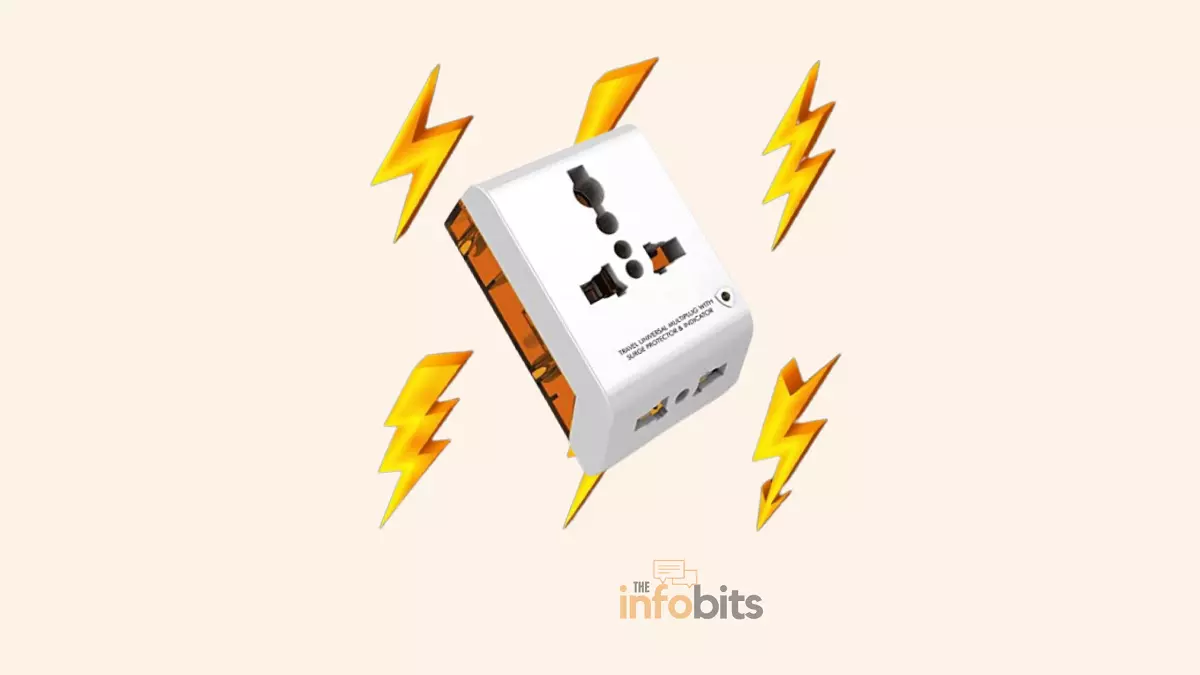
How to Choose a Surge Protector for Home Electronics
Power surges happen more often than most people realize. It happens every time your refrigerator’s compressor kicks on, every time a storm rolls through, every time your utility company switches grids.
Most of these surges are too small to notice. But over time, or in a single bad spike, they can quietly degrade or instantly destroy the microprocessors inside your computer, TV, router, and gaming console.
A surge protector is cheap insurance against that. But not all of them actually protect anything. Plenty of “surge protectors” on store shelves are really just power strips with a sticker, and the specs that actually matter (joule rating, clamping voltage, response time, UL certification) are usually buried in small print.
This guide breaks down exactly what to look for, how much protection your specific devices need, and which mistakes leave people with a false sense of security.
Quick Answer:
For most home electronics, including computers, TVs, and gaming consoles, look for a surge protector rated 2,000+ joules, a clamping voltage of 330V or lower, a response time under 1 nanosecond, and UL 1449 certification. Confirm it has enough properly spaced outlets for your setup, and plan to replace it every 3–5 years, or immediately after a major surge event.
What Is a Power Surge?
A power surge is a sudden, brief increase in voltage above the normal level your outlets are supposed to deliver: 120V in North America. Surges are typically classified two ways:
- Internal surges – by far the most common. These happen dozens of times a day inside your own home, usually when a high-draw appliance like an air conditioner, refrigerator, or hair dryer switches on or off. They’re small, but they add up over years of exposure.
- External surges – caused by something outside your home: utility grid switching, a downed power line, a blown transformer, or a lightning strike. These are less frequent but can be far more severe.
Even a “minor” surge that doesn’t visibly damage anything can slowly degrade the sensitive microprocessors inside modern electronics. It is a process sometimes called electronic corrosion or rusting. It’s cumulative damage you won’t notice until the device fails months or years later.
A note on lightning: A quality surge protector can handle surges from a distant lightning strike traveling through the power grid. It cannot reliably protect against a direct or very close strike. That amount of energy can overwhelm any consumer-grade device. During severe thunderstorms, unplugging sensitive electronics is still the safest option.
How a Surge Protector Actually Works
Surge protectors contain components called metal oxide varistors (MOVs) that sit between the hot wire and the ground wire. Under normal voltage, they do nothing. The moment voltage exceeds a set threshold, the MOV’s resistance drops almost instantly, diverting the excess energy safely into the grounding wire instead of letting it reach your devices.
This is exactly why every surge protector needs a properly grounded, three-prong outlet to function. Without a real ground path, there’s nowhere for the excess voltage to go. A surge protector plugged into an ungrounded or improperly adapted outlet provides little to no real protection, even if it’s plugged in and its light is on.
Surge Protector vs. Power Strip vs. UPS
These three get confused constantly, and the confusion is exactly what leaves people unprotected.
| Power Strip | Surge Protector | UPS (Battery Backup) | |
|---|---|---|---|
| Adds extra outlets | Yes | Yes | Yes (usually fewer) |
| Protects against voltage spikes | No | Yes | Yes |
| Keeps devices running during an outage | No | No | Yes, temporarily |
| Needs a grounded outlet to work | N/A | Yes | Yes |
| Typical use case | Convenience only, low-risk devices | Computers, TVs, routers, consoles | Desktops, servers, anything that needs a safe shutdown |
| Price range | $5–$15 | $15–$60 | $60–$300+ |
A power strip is purely a convenience item. It multiplies your outlets and nothing more. A surge protector adds the actual protective circuitry. A UPS goes a step further, adding a battery so your equipment keeps running (or has time to shut down safely) during a full power outage, in addition to surge protection.
If you work from a desktop computer or run a home server, a UPS is worth the extra cost; for a TV or gaming console, a good surge protector is usually sufficient.
The 6 Specs That Actually Matter
Marketing copy on surge protector packaging can be dense and confusing. These are the specs worth actually reading.
1. Joule Rating
This measures total energy absorption capacity over the device’s lifetime. Think of it as the size of the shield. A 1,000-joule protector might absorb ten 100-joule surges, or one large 1,000-joule event, before it’s depleted.
Every surge it absorbs draws down that reserve, even if you never notice. Higher is generally better, but joules alone don’t tell the whole story. See clamping voltage below.
2. Clamping Voltage (VPR/SVR)
This is arguably more important than the joule rating, and it’s the spec most shoppers skip. Clamping voltage (also labeled Voltage Protection Rating or Suppressed Voltage Rating) is the voltage level at which the protector actually kicks in.
A lower number means it reacts sooner and lets less excess voltage reach your devices. Look for 330V or lower. That’s the lowest standard rating under UL testing and offers the best real-world protection.
3. Response Time
Measured in nanoseconds, this is how quickly the protector reacts once voltage crosses the clamping threshold. Faster is better. Look for 1 nanosecond or less.
A slow response time means a brief window where excess voltage can still reach your equipment even on a protector with good joule and clamping specs.
4. UL 1449 Certification
Underwriters Laboratories’ UL 1449 standard is the recognized safety and performance benchmark for surge protection devices in the US. If a product isn’t clearly labeled with UL (or the Canadian ETL/CSA equivalent) certification, treat that as a red flag. It likely hasn’t been independently tested to actually do what it claims.
5. Number and Spacing of Outlets
Count the devices you actually need to plug in, including any oversized power bricks or wall-wart adapters, before buying. A surge protector with too few outlets tempts people into daisy-chaining another power strip onto it, which is unsafe and can void the warranty (more on this below).
Look specifically for outlets spaced at least 2 inches apart, or units with rotating/repositionable outlets, so bulky adapters don’t block neighboring plugs.
6. Warranty / Connected Equipment Guarantee
Many surge protectors advertise a “connected equipment warranty” covering damaged devices up to a set dollar amount. In practice, these claims often require proof of purchase, the original packaging, and sometimes returning both the damaged device and the protector for inspection, and payouts aren’t guaranteed.
Treat the warranty as a nice-to-have, not the deciding factor in your purchase. The underlying specs (clamping voltage, response time, UL certification) matter more for actual protection.
How Many Joules Do You Actually Need?
Match the rating to what you’re actually protecting rather than just buying the highest number available:
| Device Category | Recommended Joule Rating |
|---|---|
| Lamps, alarm clocks, small radios | Under 1,000 J (or skip surge protection; low risk) |
| Routers, modems, phone chargers | 1,000 J |
| Desktop computer, printer, single monitor | 1,500–2,000 J |
| TV (standard LED/LCD) | 1,000–1,500 J |
| Large/OLED TV, home theater receiver | 2,000+ J |
| Gaming PC, multiple monitors, home theater system | 2,500–3,000+ J |
| Whole-home protection (installed at the panel) | Rated separately by an electrician. See below |
If you live somewhere with frequent storms, an older electrical grid, or you’ve already experienced surge-related damage, size up from these baseline numbers.
What Should Be Plugged Into a Surge Protector?
Worth protecting: desktop and laptop computers (while charging), monitors, TVs, gaming consoles, home theater receivers and soundbars, routers and modems, external hard drives and NAS devices, and any charging phone or tablet during a storm.
Not worth the outlet space: simple resistive-load appliances without microprocessors like a basic lamp, an old-style alarm clock, or a toaster. These aren’t at meaningful risk from the kind of surge a household protector guards against, and dedicating a protected outlet to them just means less room for the electronics that actually need it.
Types of Surge Protection
- Plug-in/power strip style: the most common and most practical for households. Easy to install, easy to replace, and doesn’t require an electrician.
- Wall-outlet-style (in-wall) surge protectors: replace a standard outlet with a built-in protective one. They look cleaner but are harder to inspect and replace, generally requiring an electrician for installation and swaps.
- Whole-house surge protection: installed by a licensed electrician at your home’s main electrical panel, this protects everything on the circuit simultaneously, including hardwired appliances like your HVAC system, washer, and dryer that never get plugged into a strip. It’s a higher upfront cost but is the most comprehensive option, and many homeowners pair it with plug-in protectors at their most valuable individual devices for layered protection.
Step-by-Step: How to Choose the Right One
- Count your devices and their power bricks. List everything that needs an outlet, including anything you plan to add soon.
- Match a joule rating to your device category using the table above.
- Check clamping voltage – look for 330V or lower.
- Check response time – 1 nanosecond or under.
- Confirm UL 1449 certification is clearly printed on the packaging or spec sheet.
- Check outlet spacing against your actual power bricks, not just the outlet count.
- Measure the distance to your wall outlet and choose a cord length that reaches without needing an extension cord.
- Decide if you need USB ports built in – useful if you’re regularly charging phones or tablets nearby and want to free up standard outlets.
- Skip the extra features you won’t use. RF remote outlets, LED displays, and built-in UPS functionality all add cost. Decide if you’ll actually use them before paying for them.
Common Mistakes That Leave You Unprotected
- Buying by joule number alone and ignoring clamping voltage and response time. A protector can have a high joule rating and still let a damaging spike through if its clamping voltage is too high.
- Daisy-chaining surge protectors or power strips together for more outlets. This increases the risk of overloading the circuit and typically voids the warranty on both devices.
- Using a 2-prong adapter to plug a 3-prong surge protector into an old outlet. Without a real ground connection, the protection doesn’t work, even though the device still powers on normally.
- Assuming the indicator light means the protector is fine forever. Some units keep working (and powering devices) long after their protective capacity is exhausted, without any visible sign. See warning signs below.
- Confusing a power strip for a surge protector at the store. Check the packaging specifically for a joule rating and UL 1449 listing. If neither is printed, it’s just a power strip.
- Plugging a UPS into a surge protector, or vice versa, instead of directly into the wall. Stacking these devices can interfere with how each one functions.
Myth vs. Fact
Myth: A higher joule rating always means better protection. Fact: Joule rating measures total absorption capacity over time, not how well the device reacts to a single spike. Clamping voltage and response time determine how effectively it protects your equipment in the moment.
Myth: All surge protectors protect against lightning strikes. Fact: They can handle surges from distant lightning traveling through the grid, but a direct or nearby strike can carry more energy than any consumer device can safely absorb. Unplugging electronics during severe storms is still the safest move.
Myth: A surge protector lasts forever if it still powers your devices. Fact: Every surge it absorbs draws down its protective capacity, even without visible damage. A surge protector can continue supplying power like a normal outlet strip long after it has stopped offering meaningful surge protection.
Myth: Power strips and surge protectors are basically the same thing. Fact: A power strip only adds outlets. A surge protector adds outlets and active protective circuitry. They are not interchangeable, and using the wrong one for sensitive electronics leaves those devices exposed.
Warning Signs Your Surge Protector Needs Replacing
- The indicator light (if present) has turned off or changed color, signaling the protective capacity is used up.
- It’s been through a known major surge event. A nearby lightning strike, a blown transformer, or a significant grid fluctuation.
- It’s more than 3–5 years old, even if it still appears to work normally.
- You notice discoloration, a burning smell, or warmth around the outlets.
- The unit has visible physical damage or a cracked casing.
Because many basic models give no indication at all when their protection is depleted, replacing on a schedule (every 3–5 years, sooner in storm-prone areas) is a safer approach than waiting for a visible sign.
Installation and Safety Tips
- Always plug directly into a properly grounded three-prong wall outlet. Never through a 2-to-3 prong adapter.
- Never daisy-chain multiple surge protectors, power strips, or UPS units together.
- Leave space around the unit for ventilation, especially with higher-wattage devices plugged in.
- If you’re protecting a home office or entertainment center with high-value equipment, consider pairing a quality plug-in surge protector with whole-house protection installed at your electrical panel for layered coverage.
- Register your product if it comes with a connected-equipment warranty, but don’t treat that warranty as your primary line of defense. The specs matter more.
Conclusion
A good surge protector is one of the cheapest ways to protect thousands of dollars in electronics, but only if you look past the joule number splashed across the packaging.
Match the joule rating to what you’re actually protecting, insist on a low clamping voltage and fast response time, confirm UL 1449 certification, and make sure it physically fits your setup, meaning that it should have enough outlets, properly spaced, with a cord that reaches.
Replace it proactively every few years rather than waiting for a sign of failure, since most units won’t clearly tell you when their protection has run out.
Frequently Asked Questions
What is the difference between a surge protector and a power strip?
A power strip only adds extra outlets with no protective function. A surge protector adds outlets plus internal circuitry (typically metal oxide varistors) that actively redirects excess voltage away from your devices during a power surge.
How many joules do I need for a computer?
Look for at least 1,500–2,000 joules for a standard desktop computer setup, and 2,500+ joules if it’s a high-end gaming PC with multiple monitors and peripherals.
How many joules do I need for a TV?
A standard TV is generally well protected at 1,000–1,500 joules; larger or OLED televisions and full home theater setups are better matched to 2,000+ joules.
What is clamping voltage, and why does it matter?
Clamping voltage (also called VPR or SVR) is the voltage level at which the surge protector activates. A lower clamping voltage, 330V or less, is a good target. Means, it reacts sooner and lets less excess voltage reach your electronics.
Can I plug a surge protector into another surge protector?
No. Daisy-chaining surge protectors or power strips can overload the circuit, reduce the accuracy of both devices’ protective function, and will typically void the manufacturer’s warranty.
Do 2-prong surge protectors actually work?
Not effectively. Surge protectors rely on a proper ground connection to redirect excess voltage safely, and a 2-prong (ungrounded) connection removes that pathway, significantly reducing real protection even if the unit still powers your devices.
How long do surge protectors last?
Most last 3–5 years under typical household conditions, though frequent surges or a single major event (like a nearby lightning strike) can deplete their protective capacity much sooner, often without any visible warning.
Can a surge protector protect against a direct lightning strike?
Not reliably. Consumer surge protectors can handle surges from distant lightning traveling through the grid, but a direct or very close strike carries far more energy than any plug-in device is rated to absorb. Unplugging sensitive electronics during severe storms remains the safest precaution.
Is a UPS better than a surge protector?
A UPS (uninterruptible power supply) includes surge protection plus a battery backup that keeps devices running or allows a safe shutdown during an outage. It costs more, but it’s worth it for desktop computers, home servers, or anything where an abrupt power loss could cause data loss.
What does UL 1449 certification mean?
It’s the recognized US safety and performance standard for surge protection devices, tested by Underwriters Laboratories. A surge protector without this certification (or the Canadian ETL/CSA equivalent) hasn’t been independently verified to perform as claimed.
Do I need surge protection for every device in my home?
No. Devices with microprocessors such as computers, TVs, routers, game consoles, and smart appliances benefit the most. Simple devices like lamps, fans, or basic alarm clocks don’t carry meaningful surge risk and don’t need a dedicated protected outlet.
Can I use one surge protector for my entire entertainment center?
Generally yes, as long as its total joule rating and outlet count are matched to everything you’re connecting. If you’re protecting many high-value devices at once, size up the joule rating rather than relying on a small, low-rated unit for everything.
What’s the difference between a plug-in surge protector and whole-house surge protection?
A plug-in surge protector protects only the devices plugged directly into it. Whole-house surge protection, installed by an electrician at your main electrical panel, protects everything on your home’s circuits at once, including hardwired appliances that never get plugged into a strip.
How do I know if my surge protector still works?
Many models have an indicator light that turns off or changes color once the protective capacity is used up. But plenty of basic units give no warning at all. If yours doesn’t have an indicator, or you’re unsure of its age or surge history, replacing it proactively is the safer choice.
Can surge protectors overheat or cause a fire?
It’s rare with a properly rated, UL-certified unit used within its limits, but overloading it (via daisy-chaining or exceeding its wattage capacity) increases that risk. Warmth, discoloration, or a burning smell around the outlets are signs to unplug it and replace it immediately.
Should I unplug my surge protector during a thunderstorm?
For your most valuable or sensitive electronics, yes. Unplugging is the only guaranteed protection against a direct or very close lightning strike, which can exceed what any consumer surge protector is rated to absorb.
Are more expensive surge protectors always better?
Not necessarily. Price often reflects extra features (USB ports, LED displays, remote control) rather than better core protection. Focus on joule rating matched to your devices, clamping voltage, response time, and UL certification. Those factors determine actual protection quality, not the price tag alone.
We hope you found this post informative, and do like and follow us on Facebook and Twitter for regular updates.
We also ask that you bookmark this page for future reference. Sign up for our free newsletter as well to receive fresh information immediately in your inbox and keep technically up to date.
Disclosure: If you follow our links to a retailer’s website and make a purchase, we will get an affiliate commission on some, but not all, of the items or services we promote. This will cause no price change for you.






Excellent! Best of a dozen sites I looked at. Just wish I could have printed off document.
Thank you for your encouraging words.