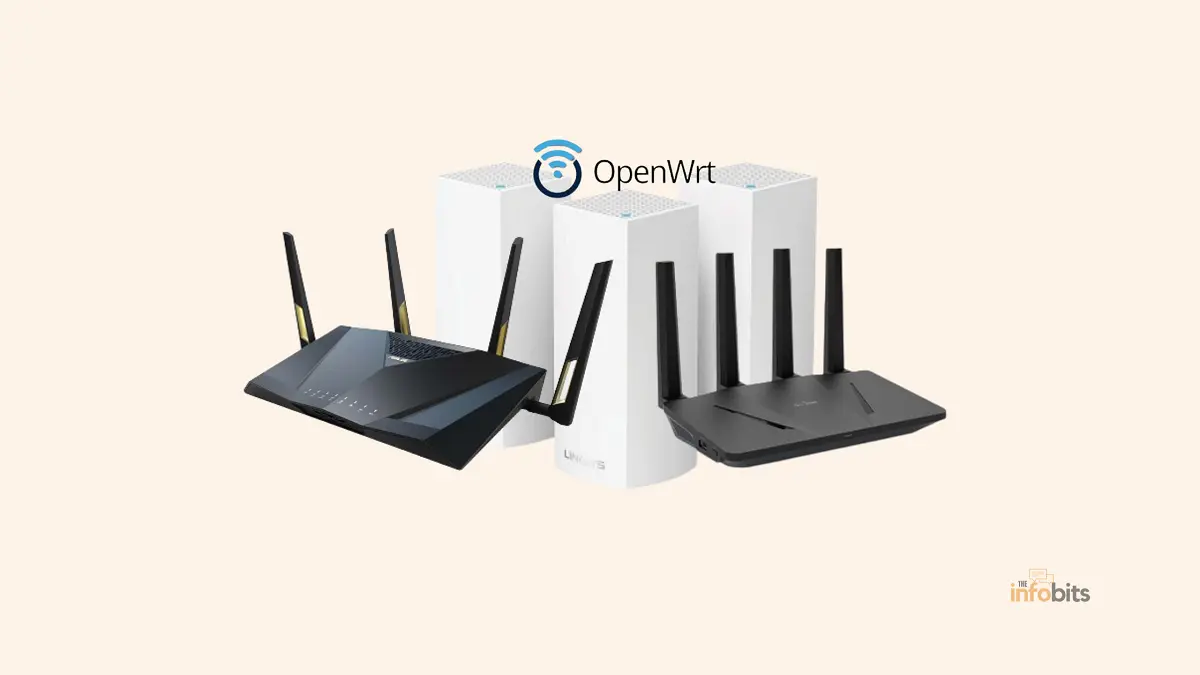
Best OpenWrt Routers of 2026: Tested Picks for Every Budget and Use Case
If you’ve outgrown your ISP’s rental router or you’re tired of “advanced settings” that hide the one option you actually need, OpenWrt is probably why you’re here.
It’s the open-source firmware that turns a router into a fully configurable Linux box; real firewall control, VLANs, WireGuard and OpenVPN, ad-blocking at the network level, and traffic shaping that stock firmware simply doesn’t offer.
The hard part isn’t OpenWrt itself. It’s picking hardware that actually supports it well, and that you can actually buy without hunting down a niche import site.
This guide focuses on routers that are currently available on Amazon.com, have confirmed OpenWrt support, and cover a wide range of budgets and use cases, from a $25 pocket router to a full Wi-Fi 7 home upgrade.
One note before diving in: every router below comes from GL.iNet. That’s not favoritism. It reflects how the OpenWrt-friendly router market actually looks on Amazon right now. GL.iNet builds its entire product line around OpenWrt (its stock firmware is an OpenWrt fork, and clean OpenWrt images are available for most models), and it’s currently the only brand with a consistent, wide lineup sold directly on Amazon.com across budgets and form factors.
Quick Picks: Best OpenWrt Routers
Best Overall: GL.iNet GL-MT6000 (Flint 2)
Best Budget Full-Size Router: GL.iNet GL-AX1800 (Flint)
Best Wi-Fi 7 Upgrade: GL.iNet GL-BE9300 (Flint 3)
Best Travel Router (Wi-Fi 6): GL.iNet GL-AXT1800 (Slate AX)
Best Travel Router (Wi-Fi 7): GL.iNet GL-BE3600 (Slate 7)
Best Budget Travel Router: GL.iNet GL-SFT1200 (Opal)
Best Ultra-Compact / Cheapest Entry Point: GL.iNet GL-MT300N-V2 (Mango)
Best for OpenWrt Tinkering / DIY: GL.iNet GL-AR300M16
Why OpenWrt Still Matters in 2026
Stock router firmware is built to be simple, which usually means it’s also limited.
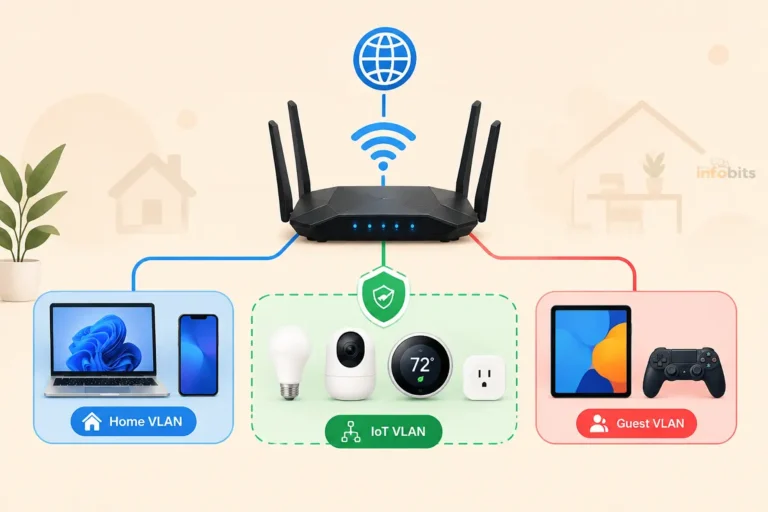
OpenWrt hands you the controls that vendor firmware locks away: granular firewall rules, VLAN segmentation for IoT devices, SQM-based traffic shaping so one device can’t choke your whole connection, and native WireGuard/OpenVPN support without a subscription.
It also tends to outlast vendor support. Many OpenWrt-friendly routers keep receiving security updates years after a typical consumer router would have been abandoned.
GL.iNet’s approach is a reasonable middle ground for most buyers. Their stock firmware is a polished OpenWrt fork with a friendlier interface than raw LuCI.
AdGuard Home and WireGuard are pre-installed, and 5,000+ available plug-ins, while still giving advanced users a path to flash vanilla OpenWrt on most models if they want full control.
Related: DD-WRT vs OpenWrt-Which Is the Best Custom Router Firmware?
Why You Can Trust This Guide
This list was built and checked against the live OpenWrt Table of Hardware, current vendor specification sheets, and community feedback from the OpenWrt forums and hardware-specific threads.
We prioritize routers with verifiable, currently-maintained OpenWrt support over marketing claims, and we call out where a router’s support status can vary by hardware revision.
If you’ve used one of these routers yourself, your real-world experience is worth more than any spec sheet. We’d genuinely like to hear it in the comments.
The Best OpenWrt Routers Reviewed
| Category | Router | Why It Wins |
|---|---|---|
| Best Overall | GL.iNet GL-MT6000 (Flint 2) | Wi-Fi 6, dual 2.5GbE, strong CPU, easy install |
| Best Budget Full-Size Router | GL.iNet GL-AX1800 (Flint) | Wi-Fi 6, 5 Gigabit ports, proven and affordable |
| Best Wi-Fi 7 Upgrade | GL.iNet GL-BE9300 (Flint 3) | Tri-band Wi-Fi 7, five 2.5GbE ports |
| Best Travel Router (Wi-Fi 6) | GL.iNet GL-AXT1800 (Slate AX) | Pocketable, strong VPN throughput |
| Best Travel Router (Wi-Fi 7) | GL.iNet GL-BE3600 (Slate 7) | Newer Wi-Fi 7 travel hardware, touchscreen |
| Best Budget Travel Router | GL.iNet GL-SFT1200 (Opal) | Full Gigabit ports at a low price |
| Best Ultra-Compact / Cheapest Entry Point | GL.iNet GL-MT300N-V2 (Mango) | Palm-sized, inexpensive first OpenWrt device |
| Best for OpenWrt Tinkering / DIY | GL.iNet GL-AR300M16 | Qualcomm Atheros chipset, UART/GPIO access |
1. GL.iNet GL-MT6000 (Flint 2): Best Overall
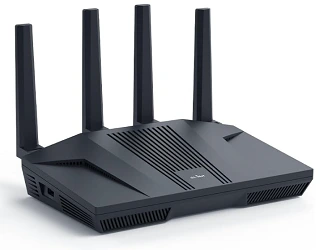
The Flint 2 is the router most people should start with in 2026. It pairs a MediaTek MT7981B chipset with dual 2.5GbE ports, Wi-Fi 6, and 1GB of DDR4 RAM with 8GB of eMMC storage, enough to comfortably run WireGuard, AdGuard Home, and SQM without breaking a sweat.
Pros:
- Fast, well-documented MediaTek platform with mature OpenWrt drivers
- Dual 2.5GbE ports handle multi-gig internet plans
- WireGuard speeds up to roughly 900Mbps
- Strong community support and troubleshooting resources
Cons:
- Not the cheapest option in its class
- Single 5GHz radio, so it’s not a tri-band mesh router
Who should buy it: Anyone setting up OpenWrt for the first time on a normal home network, especially with a gigabit or faster internet plan.
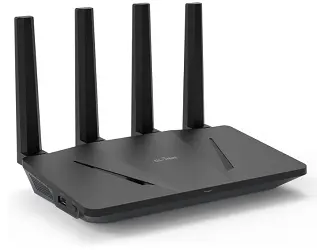
2. GL.iNet GL-AX1800 (Flint): Best Budget Full-Size Router
The original Flint remains a genuinely solid, affordable full-size router. It runs Wi-Fi 6 across five Gigabit Ethernet ports and supports up to 120 connected devices, plenty for most households, even if it lacks the 2.5GbE ports of its successor.
Pros:
- Proven, mature hardware with a long support track record
- Five Gigabit ports, more physical LAN ports than the Flint 2
- Noticeably cheaper than newer Flint models
- Pre-installed OpenVPN and WireGuard
Cons:
- No multi-gig ports, so it caps out around standard gigabit speeds
- Getting dated compared to the Flint 2 and Flint 3 in raw processing power
Who should buy it: Budget-conscious buyers who want a dependable, full-size Wi-Fi 6 router and don’t have a multi-gig internet plan.
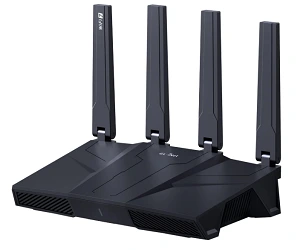
3. GL.iNet GL-BE9300 (Flint 3): Best Wi-Fi 7 Upgrade
The Flint 3 is GL.iNet’s first Wi-Fi 7 home router, and it’s a substantial jump from the Flint 2.
A 1.5GHz quad-core Qualcomm processor, 1GB of RAM, 8GB of eMMC storage, tri-band Wi-Fi 7 (2.4GHz + 5GHz + 6GHz), and five 2.5GbE ports (four of which support 10Gbps link aggregation). It also includes a USB 3.0 port for cellular or tethered backup internet.
Pros:
- Tri-band Wi-Fi 7 with genuinely fast theoretical throughput (up to ~9,300Mbps combined)
- Five 2.5GbE ports, with support for dual-WAN and load balancing
- WireGuard and OpenVPN-DCO throughput up to 680Mbps
- Includes AdGuard Home, Bark parental controls, and active cooling for sustained performance
Cons:
- Meaningfully pricier than the Flint 2
- Wi-Fi 7 client devices are still relatively uncommon, limiting day-one benefit for many households.
- Overkill if your internet plan is 1Gbps or slower
Who should buy it: Households with multi-gig fiber and a growing number of Wi-Fi 7-capable devices who want real headroom for the next several years.
Worth knowing: GL.iNet also sells the Flint 3e (GL-BE6500) [view on Amazon], a scaled-down Wi-Fi 7 sibling with a simpler dual-band radio setup at a lower price point. If the full tri-band Flint 3 is more than you need, the Flint 3e is worth comparing before you buy.
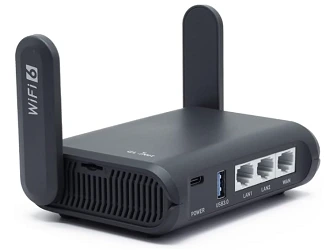
4. GL.iNet GL-AXT1800 (Slate AX): Best Travel Router (Wi-Fi 6)
The Slate AX solves a very specific problem: getting your own private, VPN-protected network anywhere you go, from hotel Ethernet to hotel Wi-Fi to a tethered phone connection.
It’s small enough to toss in a bag, but still runs OpenWrt underneath GL.iNet’s firmware layer.
Pros:
- Extremely portable without sacrificing OpenWrt flexibility
- Can bridge hotel Wi-Fi, wired Ethernet, or cellular tethering into one private network
- Pre-installed WireGuard and OpenVPN protect every connected device, including ones that can’t run VPN apps themselves
- Supports up to 120 connected devices despite its small size
Cons:
- Wi-Fi range is naturally limited by its compact size
- Single Gigabit Ethernet port
Who should buy it: Frequent travelers and remote workers who want a private, encrypted network wherever they land.
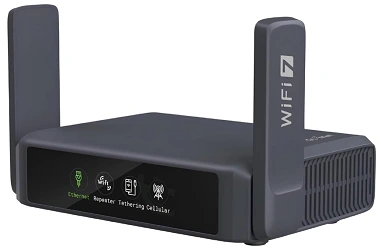
5. GL.iNet GL-BE3600 (Slate 7): Best Travel Router (Wi-Fi 7)
The Slate 7 is a newer, Wi-Fi 7 version of GL.iNet’s travel router line, built on OpenWrt 23.05 with 1GB of onboard storage for installing extra plug-ins.
It adds a small onboard touchscreen for checking status and toggling features without opening the admin panel, plus USB-C power and a USB port for tethering or external storage.
Pros:
- Wi-Fi 7 in a genuinely pocketable travel form factor
- Touchscreen makes basic status checks and toggles quickly without a laptop
- 1GB of storage gives real room for OpenWrt plug-ins, well beyond the Mango or AR300M16
- USB-C power simplifies charging on the road
Cons:
- Pricier than the Wi-Fi 6 Slate AX
- Dual-band rather than tri-band Wi-Fi 7, so it trades some of the Flint 3’s bandwidth for portability
Who should buy it: Travelers who specifically want current-generation Wi-Fi 7 hardware rather than settling for Wi-Fi 6 on the road.
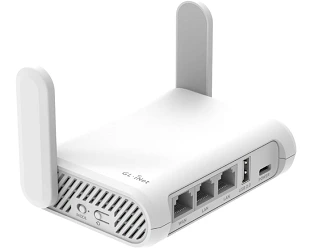
6. GL.iNet GL-SFT1200 (Opal): Best Budget Travel Router
The Opal is GL.iNet’s entry-level travel router, offering dual-band AC1200 Wi-Fi across two Gigabit LAN ports and one Gigabit WAN port.
It won’t match the speed of the Slate AX or Slate 7, but it covers the basics: VPN protection and a private network on the go, at a noticeably lower price.
Pros:
- Full Gigabit ports, unusual at this price point for a travel router
- Simple, low-cost way to get OpenWrt-based VPN protection while traveling
- Handles everyday tasks like browsing, email, and streaming comfortably on the 5GHz band
Cons:
- AC1200 (Wi-Fi 5) rather than Wi-Fi 6; noticeably slower peak speeds than the Slate AX
- Less RAM/flash headroom for extra packages than pricier travel routers
Who should buy it: Occasional travelers who want a cheap, no-frills way to get a private, VPN-protected network without paying for Wi-Fi 6 speeds they won’t fully use.
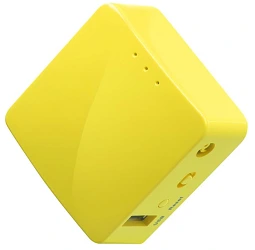
7. GL.iNet GL-MT300N-V2 (Mango): Best Ultra-Compact / Cheapest Entry Point
The Mango is a palm-sized, budget-friendly router that’s been a favorite of the travel and OpenWrt-tinkering crowd since 2017.
It’s 2.4GHz only, and its 128MB of RAM and 16MB of flash are genuinely tight. But for its price, it remains a legitimate, low-risk way to try OpenWrt for the first time.
Pros:
- Very low price point, making it a low-risk first OpenWrt device
- Comes with OpenVPN pre-installed and compatibility with 30+ VPN providers
- Tiny and USB-powered, genuinely pocketable
- Dual Ethernet ports plus GPIO/UART headers for simple DIY projects
Cons:
- 2.4GHz only , no 5GHz band at all
- 16MB of flash is tight; installing LuCI alone uses a meaningful chunk of it, leaving little room for extras like AdGuard Home
- Modest CPU limits VPN throughput compared to pricier travel routers
Who should buy it: Anyone who wants the cheapest possible way to try OpenWrt, or who needs a minimal, disposable-budget travel router for basic browsing and VPN protection.
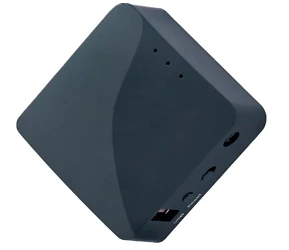
8. GL.iNet GL-AR300M16: Best for OpenWrt Tinkering and DIY
The AR300M16 looks nearly identical to the Mango but runs different hardware underneath: a Qualcomm Atheros QCA9531 chipset, which has a long, well-documented history of OpenWrt support going back years.
A genuine plus for anyone who wants to experiment with clean OpenWrt builds rather than staying on GL.iNet’s stock firmware. It shares Mango’s 128MB RAM / 16MB flash footprint but adds exposed UART and GPIO headers aimed squarely at hardware tinkerers.
Pros:
- Well-supported Qualcomm Atheros chipset with a long OpenWrt track record
- UART and GPIO headers make it a genuine platform for simple hardware projects, not just networking
- Same small, USB-powered form factor as the Mango
- Pre-installed OpenVPN and WireGuard client/server support
Cons:
- Same 16MB flash constraints as the Mango; heavier package installs will require offloading to USB storage
- 2.4GHz only, single radio
- Modest CPU limits it to light VPN and browsing use, not heavy multi-device loads.
Who should buy it: OpenWrt hobbyists and DIY tinkerers who specifically want a well-documented, easily hackable chipset rather than the fastest possible travel router.
Top OpenWrt Routers: Specifications at a Glance
| Router | Chipset | Wi-Fi | RAM / Flash | Ports | Best For |
|---|---|---|---|---|---|
| GL-AX1800 (Flint) | MediaTek MT7621 | Wi-Fi 6 (dual-band) | 512MB / 128MB | 5x Gigabit | Budget home router |
| GL-MT6000 (Flint 2) | MediaTek MT7981B | Wi-Fi 6 (dual-band) | 1GB DDR4 / 8GB eMMC | 2x 2.5GbE | Most homes |
| GL-AXT1800 (Slate AX) | MediaTek | Wi-Fi 6 (dual-band) | 256–512MB class | 1x Gigabit | Travel |
| GL-BE9300 (Flint 3) | Qualcomm IPQ5322 quad-core | Wi-Fi 7 (tri-band) | 1GB / 8GB eMMC | 5x 2.5GbE + USB 3.0 | Wi-Fi 7 home upgrade |
| GL-BE3600 (Slate 7) | Qualcomm | Wi-Fi 7 (dual-band) | 1GB storage | 1x Gigabit + USB-C | Wi-Fi 7 travel |
| GL-SFT1200 (Opal) | MediaTek | Wi-Fi 5 (AC1200, dual-band) | Entry-level class | 3x Gigabit | Budget travel |
| GL-MT300N-V2 (Mango) | MediaTek MT7628NN | 2.4GHz only | 128MB / 16MB | 2x 10/100 | Cheapest entry point |
| GL-AR300M16 | Qualcomm Atheros QCA9531 | 2.4GHz only | 128MB / 16MB NOR | 2x 10/100 | DIY/tinkering |
How to Choose the Right One for You
- Setting up your first home OpenWrt router? Start with the Flint 2 – it’s fast, well-documented, and not overkill.
- Tight budget, still want a full-size home router? The original Flint (AX1800) remains a dependable, affordable choice.
- Multi-gig fiber and want to future-proof? The Flint 3 (or the smaller Flint 3e) gives you real Wi-Fi 7 headroom.
- Traveling often and want a private, VPN-protected network? The Slate AX (Wi-Fi 6) or Slate 7 (Wi-Fi 7) both fit a jacket pocket.
- Want the cheapest possible way to try OpenWrt? The Mango is about as low-risk an entry point as exists.
- Want to tinker with OpenWrt at the hardware level – GPIO, UART, custom builds? The AR300M16’s Atheros chipset is the more hackable choice over the Mango’s MediaTek chip.
Related: How to Use a Router as a WiFi Extender
How We Selected These Routers
Every router on this list met the following criteria:
- Confirmed OpenWrt compatibility, either through GL.iNet’s own OpenWrt-based firmware or a documented path to flashing vanilla OpenWrt.
- A real, distinct use case – this list intentionally spans full-size home routers, travel routers, and DIY-friendly hardware rather than listing near-duplicate products.
- Active current sales and support, avoiding older or discontinued models even when they were historically well-regarded.
- Confirmed on the OpenWrt Table of Hardware with a “supported” or better status, not just forum claims of compatibility.
- Active driver maintenance, prioritizing MediaTek and Qualcomm-based platforms over Broadcom hardware, where OpenWrt Wi-Fi driver support is historically weaker or incomplete.
- Sufficient RAM and flash to run common packages, WireGuard, AdGuard Home, SQM, and VLANs, without constantly juggling storage.
- A documented recovery path, whether that’s a failsafe mode, TFTP recovery, or a dedicated recovery partition, so a bad flash doesn’t turn into an expensive mistake.
- A real community or vendor support trail, forum threads, changelogs, and documentation that make troubleshooting realistic rather than theoretical.
Factors to Consider When Choosing an OpenWrt Router
Chipset and Driver Support
MediaTek Filogic-based routers (like the Flint 2 and Flint) currently have some of the most consistent, actively-maintained OpenWrt Wi-Fi drivers.
Qualcomm Atheros chipsets, like the one in the AR300M16, have an especially long history of OpenWrt support, which is part of why that chip family remains popular with tinkerers years after launch.
RAM and Flash Storage
Treat 128MB of RAM and 16MB of flash, what you’ll find in the Mango and AR300M16, as a genuine floor, not a comfortable target.
If you want to run AdGuard Home, WireGuard, VLANs, and keep room for large blocklists, look toward the Flint 2, Flint 3, or Slate 7, all of which offer significantly more headroom.
Port Speed
If your internet plan is faster than 1Gbps, you’ll want at least one 2.5GbE port. The Flint 2 and Flint 3 both offer this; the original Flint and the travel routers on this list do not.
Form Factor and Use Case
Don’t buy more router than your situation calls for. A full-size home router is wasted if you mostly need a travel companion, and a pocket router will frustrate you if you’re trying to cover a whole house.
Recovery Options
Look for a router with a documented failsafe mode, TFTP recovery, or (in the case of the OpenWrt One) a dedicated recovery flash chip. This is the difference between a bad configuration being a five-minute fix or a dead router.
Community and Documentation
A router with an active OpenWrt community means faster answers when something doesn’t behave as expected, forum threads, install guides, and troubleshooting notes that a niche or obscure device simply won’t have.
Related: Is Guest WiFi Safe? How to Create a Secure Guest Network
Advanced Features Worth Knowing About
VPN support: OpenWrt has first-class WireGuard and OpenVPN support, letting you run a self-hosted VPN server or route all outbound traffic through a VPN provider at the router level.
Quality of Service (SQM): Smart Queue Management prioritizes latency-sensitive traffic like video calls over bulk downloads, which stock firmware QoS implementations rarely do as effectively.
Network monitoring: Packages like netdata, banIP, and built-in traffic graphs give visibility into exactly what’s using bandwidth, without needing separate monitoring hardware.
Common Mistakes to Avoid
- Buying the cheapest option without checking flash headroom. The Mango and AR300M16 are genuinely useful, but 16MB of flash fills up fast once you start adding packages.
- Assuming Wi-Fi 7 branding means a big real-world upgrade today. Most benefit comes once you own Wi-Fi 7 client devices. Check what you’ll actually connect before paying the premium.
- Overlooking the Flint 3e when shopping for the Flint 3. If tri-band Wi-Fi 7 has more bandwidth than you’ll use, the scaled-down Flint 3e may save you money for a similar real-world experience.
- Choosing a travel router for whole-home coverage. The Slate AX, Slate 7, Opal, Mango, and AR300M16 are all built for portability, not for covering a large house on their own.
OpenWrt vs. Stock Firmware
Performance and stability: OpenWrt routers, on well-supported hardware, tend to be more stable over long uptimes than consumer firmware that hasn’t been updated in years.
Price: Because OpenWrt lets you buy hardware based on chipset merit rather than marketing bands, it’s often possible to get more genuine capability per dollar than with a locked-down flagship router.
Ease of use: The initial flashing and setup takes more technical comfort than a stock router’s setup wizard, but day-to-day use through LuCI (OpenWrt’s web interface) is approachable once configured.
Related: How to Block Specific Devices from Your WiFi Router
Myth vs. Fact
Myth: All GL.iNet routers run the same underlying hardware, just in different shells. Fact: They don’t. The Mango and AR300M16 look nearly identical but use entirely different chipsets (MediaTek vs. Qualcomm Atheros), which affects OpenWrt compatibility and driver maturity.
Myth: A cheaper OpenWrt router means a worse OpenWrt experience. Fact: Not necessarily. The Mango and Opal are genuinely capable for their intended use (light browsing, VPN protection while traveling); they’re just not built for the same job as a full-size home router like the Flint 2 or Flint 3.
Myth: You need Wi-Fi 7 hardware to benefit from OpenWrt’s features. Fact: Core OpenWrt features, VPN, firewall control, ad-blocking, and VLANs work identically regardless of Wi-Fi generation. Wi-Fi 7 only matters if your internet plan and devices can actually use the extra bandwidth.
Expert Tips
- If you’re buying a travel router, check whether your destination’s typical hotel/airport Wi-Fi setup uses a captive portal. GL.iNet’s travel routers handle these, but it’s worth knowing before you’re stuck in a hotel lobby.
- For the Mango or AR300M16, avoid installing LuCI and heavier packages side-by-side unless you’re offloading to USB storage; 16MB of flash disappears quickly.
- If you’re deciding between the Flint 3 and Flint 3e, compare your actual internet plan speed against the Flint 3e’s dual-band throughput before paying extra for tri-band Wi-Fi 7.
Related: How Long Do Routers Last and When Should You Replace Them?
Conclusion
The best OpenWrt router for you comes down to what you’re actually trying to do and what you’re willing to spend.
For most home networks, the Flint 2 hits the right balance of price, speed, and ease of setup, with the original Flint as a solid fallback if budget is tighter.
Travelers have two good, differently-priced options in the Slate AX and Slate 7, with the Opal as a budget alternative.
And if you just want the cheapest possible way to get hands-on with OpenWrt, or you’re after a genuinely hackable little board, the Mango and AR300M16 both deliver that at a low price, as long as you go in understanding their storage and bandwidth limits.
Frequently Asked Questions
Is OpenWrt suitable for beginners?
OpenWrt routers are extremely configurable and include extensive functionality; therefore, they may be better suited to users with technical skills. However, OpenWrt provides considerable community assistance and documentation to help newbies get started and learn the fundamentals.
Can I install OpenWrt on any router?
While OpenWrt supports a broad number of routers, you should check the compatibility of your router type before installing the firmware. The OpenWrt website has a list of supported devices where you can check if your router is compatible or look into alternative routers.
Do OpenWrt routers offer better security than traditional routers?
OpenWrt routers are well-known for their increased security features, which include regular firmware upgrades and the option to install extra security packages. However, strong passwords, secure network setups, and safe surfing behaviors all contribute to your network’s overall security.
Can I revert to the original firmware after installing OpenWrt?
Yes, in the majority of cases, switching from OpenWrt allows you to revert to the original firmware. However, the process may differ based on the router type and installation technique utilized. It is suggested that you carefully follow the guidelines provided by the OpenWrt community or check their support forums for help returning to the original firmware.
Why are all the routers on this list from GL.iNet?
Because the brief for this list was routers confirmed available on Amazon.com with reliable OpenWrt support, GL.iNet is currently the brand that covers that combination most consistently, across the widest range of budgets and form factors.
What’s the real difference between the Flint 3 and Flint 3e?
The Flint 3 (GL-BE9300) is tri-band Wi-Fi 7 with more bandwidth headroom; the Flint 3e (GL-BE6500) is a scaled-down dual-band Wi-Fi 7 sibling at a lower price. If your internet plan or devices won’t use full tri-band speeds, the Flint 3e is worth comparing before paying for the Flint 3.
Is the Mango or the AR300M16 a better first OpenWrt router?
Both work well as an inexpensive first device. The Mango uses a MediaTek chipset with slightly better Wi-Fi driver polish; the AR300M16 uses a Qualcomm Atheros chipset with a longer OpenWrt support history, which some tinkerers prefer for custom builds.
Can these travel routers replace my home router?
Technically, yes, for a very small space, but they’re designed for portability and single-user or small-group use, not whole-home Wi-Fi coverage. For a primary home router, choose the Flint, Flint 2, or Flint 3 instead.
Do I need a 2.5GbE port?
Only if your internet plan is faster than 1Gbps. If you’re on a standard gigabit or slower connection, a Gigabit-port router like the original Flint is plenty.
Is Wi-Fi 7 worth paying extra for right now?
Only if you have (or plan to buy soon) Wi-Fi 7-capable devices and a fast enough internet plan to use the extra bandwidth. Otherwise, a Wi-Fi 6 router like the Flint 2 or Slate AX will feel just as fast in daily use.
Will the Mango or AR300M16 run out of storage quickly?
They can, if you try to install many extra packages. Both ship with just 16MB of flash, which is enough for basic VPN use but tight for anything more ambitious. We plan to offload extras to USB storage if needed.
Have you used any of these OpenWrt routers?
Share your real-world experience in the comments. It helps other readers more than any spec sheet. Please share this article with your friends and relatives if you find it useful.
We also ask that you bookmark this page for future reference, as we are constantly updating our articles with new information.
Sign up for our free newsletter as well to receive fresh information immediately in your inbox and keep technically up to date.