
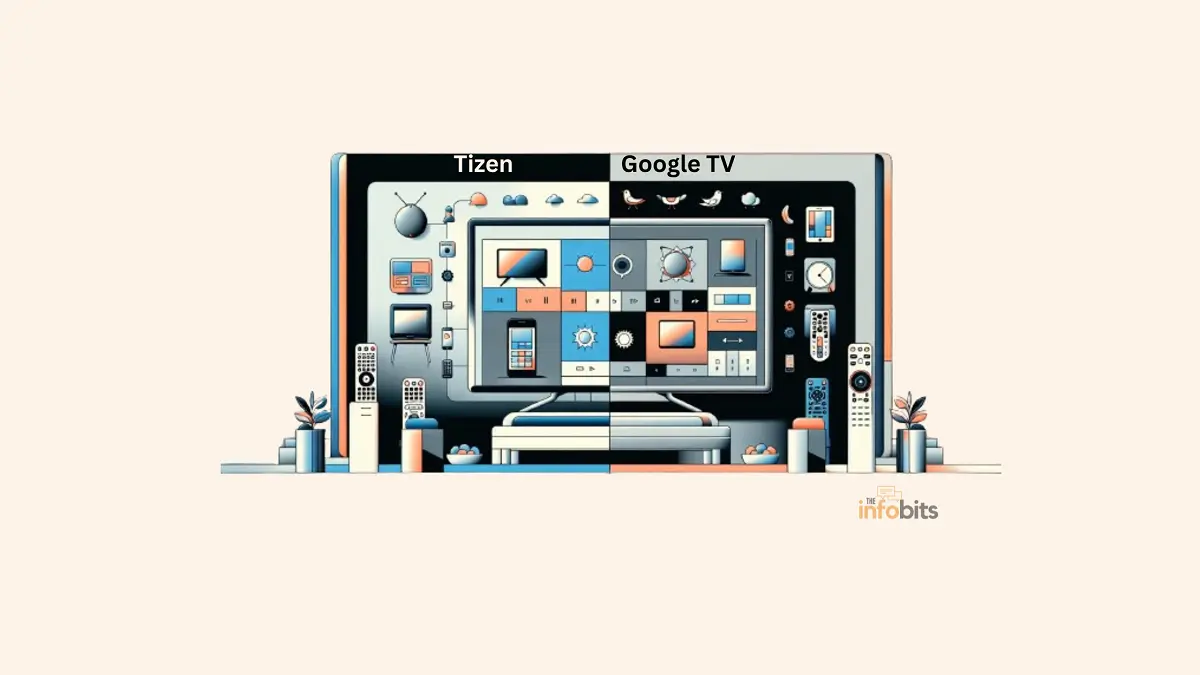
Tizen vs Google TV (2026): Which Smart TV Platform Wins Now?
Tizen vs Google TV: The Quick Answer
Tizen (Samsung’s smart TV platform) is the better pick if you want a fast, polished interface and you’re not worried about brand lock-in. It only ships on Samsung TVs, but it’s consistently snappy and now looks and feels like a Galaxy phone.
Google TV is the better pick if you want your TV to work with a broader ecosystem. It ships on TVs from Sony, TCL, Hisense, and others, pulls in Google’s search and recommendation engine, and has just gotten a major AI overhaul with Gemini.
Both platforms changed meaningfully in the past year, which is exactly why an older comparison of the two is more likely to mislead you than help. Here’s what’s actually true about each one in 2026.
Tizen vs Google TV at a Glance
| Tizen (One UI Tizen) | Google TV | |
|---|---|---|
| Made by | Samsung | |
| Available on | Samsung TVs only | Sony, TCL, Hisense, and other partner brands, plus the Google TV Streamer device |
| Current version | One UI Tizen (Tizen 9/10) | Android TV OS 14+ |
| AI assistant | Bixby, with optional Microsoft Copilot / Perplexity integration | Gemini (replaced Google Assistant) |
| Interface style | Mobile-inspired (matches Galaxy phone UI) | Content-discovery-first, “For You” recommendations |
| Smart home hub | Samsung SmartThings (340+ brands) | Google Home / Nest |
| App store | Samsung TV App Store | Google Play Store |
| OS update support | Up to 7 years on newer models | Varies by manufacturer |
| Free content | Samsung TV Plus | Google TV free channels |
| Best for | Samsung households, simplicity | Multi-brand households, AI features, and content discovery |
What Is Tizen?
Tizen is Samsung’s Linux-based operating system, and as of 2026, it’s the exclusive smart TV platform across Samsung’s entire lineup, from budget models to flagship OLEDs.
It’s not just a UI skin; Tizen also powers other Samsung hardware in a more limited capacity, though its TV implementation is by far its most visible use today.
The biggest recent change is a full interface overhaul, Samsung calls One UI Tizen (internally, Tizen 9 moving to Tizen 10 on 2026 models), which brings the visual language of Samsung’s Galaxy phones to the living room, matching fonts, icons, and settings menus across your phone and TV.
It’s a deliberate ecosystem play: if you already use a Galaxy phone, your TV now visually matches it.
Related: WebOS vs Tizen: Which One Is Right for Your TV?
What Is Google TV?
Google TV is Google’s smart TV platform, built on top of Android TV OS and designed to unify content discovery across your subscriptions in one interface.
Unlike Tizen, Google TV isn’t tied to one manufacturer; you’ll find it on TVs from Sony, TCL, Hisense, and others, as well as on Google’s own Google TV Streamer device.
The platform’s biggest 2026 shift is the replacement of the old Google Assistant with Gemini, Google’s more capable AI model, across the interface.
This isn’t a minor voice-search update. It changes how the whole platform responds to questions, generates visual answers on the fly, and handles settings changes through natural language instead of nested menus.
Related: Future-Proofing Your TV: WebOS vs Google TV Comparison Guide
The Big Platform Changes in 2026
This is the part that makes older comparisons of these two platforms outdated, and it’s worth understanding before you make a decision.
Samsung rebranded and redesigned Tizen’s interface. The One UI Tizen update reworks fonts, icons, pop-ups, and settings menus to visually match Samsung’s Galaxy phone software.
It’s rolling out gradually to select 2023-and-later TV models, while all-new 2026 sets ship with it out of the box, alongside a more advanced AI layer.
One practical catch worth knowing before you update: many users have found the new interface elements smaller and harder to read from a typical couch distance.
Samsung’s fix is an accessibility toggle (Settings > All Settings > General and Privacy > Accessibility > Zoom Menu and Text) that’s worth turning on immediately if text looks cramped.
Samsung added a genuine AI layer, not just a voice assistant. 2026 Samsung TVs ship with a “Vision AI Companion” that layers Bixby, Microsoft Copilot, or Perplexity on top of the TV experience for open-ended questions, everything from content recommendations to recipes.
There’s also a dedicated AI Soccer Mode that adjusts picture and sound specifically for soccer broadcasts, and an AI Sound Controller Pro that lets you independently tune voice, music, and effects levels.
Google TV replaced its assistant with Gemini. Starting with a late-2025 rollout and expanding heavily through CES and spring 2026, Google TV’s classic voice assistant has been replaced by Gemini across supported devices.
New capabilities include “Deep Dives” (narrated, interactive explainers on topics like health or technology), “Sports Briefs” (narrated highlights across the NBA, NHL, MLB, MLS, NCAA basketball, and NWSL), and voice-controlled picture/sound adjustments.
Now you can say “the dialogue is too quiet” mid-show, and Gemini adjusts it without you touching a menu. Google TV also added generative photo tools (Nano Banana and Veo) for reimagining personal photos directly on the TV screen.
Google TV’s AI rollout is uneven across devices. This is worth flagging, honestly: the new Gemini features debuted first on select TCL models and Google’s own Google TV Streamer, with other manufacturers catching up over the following months.
Some advanced features, like high-resolution image generation through Veo, also require a separate Google AI subscription tier.
In practice, “Google TV” in 2026 describes a meaningfully different experience depending on which brand and model you actually own; a fragmentation issue Tizen doesn’t have, since it only runs on Samsung hardware.
Interface and User Experience
Tizen’s interface remains built around speed and a customizable bottom menu bar where you can pin favorite apps.
The One UI redesign brings a more mobile-like visual style, plus a unified top bar for quickly jumping between Live TV, the Art Store, and Samsung Gaming Hub.
It’s optimized for Samsung hardware specifically, which generally keeps navigation snappy regardless of TV tier.
Google TV’s interface leans into content discovery, built around a “For You” tab powered by Google’s recommendation engine, plus deep integration with Google Photos, Calendar, and Nest devices.
With Gemini now layered in, the interface increasingly responds to natural-language questions with custom-generated visual answers rather than just static menu links, a genuinely different interaction model than Tizen’s more traditional grid-and-menu approach.
App Availability and Compatibility
Tizen’s app store covers all the major streaming services, Netflix, Prime Video, Disney+, and the rest. Its overall catalog remains narrower than what’s available through Google Play.
Because Tizen only runs on Samsung TVs, app developers optimize specifically for Samsung’s hardware, which tends to keep performance consistent.
Google TV, built on the Android app ecosystem, has access to the full breadth of the Google Play Store, giving it an edge in sheer app variety, including more niche and specialized apps.
Because Google TV spans many TV brands, actual performance can vary more by manufacturer and price tier than Tizen’s more tightly controlled hardware/software pairing.
Smart Home and Ecosystem Integration
Tizen ties into Samsung SmartThings, which now works with over 340 smart home brands, letting you control lighting, temperature, and security cameras directly from the TV.
If you’re a Galaxy phone owner, the One UI redesign extends that ecosystem consistency across devices.
Google TV integrates with Google Home and Nest, letting you view camera feeds, control smart devices, and browse Google Photos directly on the big screen.
With Gemini now handling natural-language requests, controlling smart home devices through Google TV has become noticeably more conversational. You can ask it to do something rather than navigating a dedicated smart home app.
Performance Comparison
Both platforms are generally responsive, but the way you’ll experience that differs. Tizen’s tight integration with Samsung’s own hardware tends to produce consistent performance across the lineup, since Samsung controls both the chip and software.
Google TV’s performance is more dependent on which manufacturer’s hardware you’re using.
A premium Sony or TCL model running Google TV can feel just as fast as a Tizen TV, but a budget Google TV set may lag, particularly when running Gemini’s newer AI features, which require Android TV OS 14 or higher to even function.
Myth vs Fact
Myth: Tizen and Google TV are basically the same experience with different names. Fact: They’re built on fundamentally different foundations. Tizen is Samsung’s own Linux-based OS, while Google TV runs on Android TV OS.
The 2026 updates have pushed them in different directions, too: Tizen toward mobile-UI consistency, Google TV toward a conversational AI-first interface.
Myth: You need a Galaxy phone to get value from Tizen’s new AI features. Fact: The One UI redesign matches Galaxy phone aesthetics, but Vision AI Companion, AI Soccer Mode, and other 2026 features work regardless of what phone you own.
Myth: All Google TVs get Gemini features at the same time. Fact: The rollout has been staggered by manufacturer and model. TCL devices and Google’s own Google TV Streamer got early access, with other brands following over subsequent months.
Check your specific TV model before assuming a feature is available.
Myth: Tizen has a smaller app selection because it’s inferior software. Fact: Tizen’s narrower catalog compared to Google Play is a function of being a closed platform limited to Samsung hardware, not a reflection of software quality. Samsung actively works with developers to optimize the apps it does support.
Common Mistakes to Avoid
- Buying based on outdated platform impressions. If your mental image of either platform is more than a year old, it’s likely wrong; both have changed substantially in 2026.
- Assuming every Google TV set has the same AI features. Given the staggered Gemini rollout, always check whether your specific TV model and manufacturer support the features you actually want before buying.
- Not adjusting Tizen’s text size after updating. If One UI Tizen makes menus feel cramped, use the Zoom Menu and Text accessibility setting rather than assuming that’s just how the new interface works.
- Overlooking the smart home ecosystem you’re already using. If your home is already full of SmartThings-compatible devices, switching to a non-Samsung TV running Google TV adds friction. Check compatibility before assuming any smart TV works equally well with your existing setup.
- Ignoring OS update support windows. Samsung has committed to up to seven years of OS updates on newer Tizen models. This is a meaningful factor for long-term software support that’s worth comparing against your specific Google TV manufacturer’s update policy, since it varies by brand.
Which One Should You Choose? A Quick Decision Guide
- You already own a Samsung TV or plan to buy one → Tizen. It’s not really an independent choice at that point, but the platform itself is fast and increasingly AI-capable.
- You want the widest possible choice of TV brands and price points → Google TV, since it’s available across many manufacturers rather than locking you into one.
- You’re deep in the Google ecosystem (Photos, Nest, Calendar) → Google TV, for the tightest integration and the new Gemini-powered natural-language controls.
- You’re deep in the Samsung/Galaxy ecosystem → Tizen, especially with the One UI redesign creating visual and functional consistency across your devices.
- You want the most mature, consistent AI assistant experience today → Lean Google TV, but check that your specific model has received the Gemini rollout before assuming you’ll get every feature described in Google’s announcements.
- You care most about long-term software support → Ask specifically about your model’s OS update commitment on both platforms rather than assuming. Samsung’s 7-year window on newer sets is a strong benchmark to compare against.
You can check out the latest Tizen based Smasung TVs and Smart TVs with Google TV on Amazon
Tips for Getting the Most Out of Either Platform
On Tizen: Turn on the Zoom Menu and Text accessibility setting right after any One UI update if text feels too small. Explore Samsung Gaming Hub for console-free cloud gaming. If you don’t already own a dedicated console, it’s bundled into the same interface.
On Google TV: Confirm your device is running Android TV OS 14 or higher before expecting Gemini features to appear, and check for pending system updates if they’re missing.
Try the voice-controlled settings adjustments (asking Gemini to fix picture or sound issues directly). Reviewers consistently call this the most genuinely useful of the new AI features, more so than the generative photo tools.
On either platform: If you’re using either platform’s smart home hub, SmartThings or Google Home, pairing your TV with a compatible smart speaker like Amazon Echo Dot (view on Amazon) gives you hands-free control without needing to pick up the remote, which is a worthwhile add-on for either ecosystem.
For streaming quality regardless of platform, A stable internet connection matters more than which platform you choose.
If you’re planning to use either TV heavily for PVOD movie rentals, prioritize a wired Ethernet connection where available, since both platforms’ AI features and premium 4K streams benefit from consistent bandwidth over Wi-Fi alone.
The Future of Tizen and Google TV
Both platforms are converging on the same broad idea, AI as a first-class interface layer, not a bolt-on feature, but taking different paths there.
Samsung is building outward from its phone ecosystem, betting that consistency across Galaxy devices and TVs will keep users inside its hardware lineup.
Google is building outward from its AI research, betting that Gemini’s conversational capabilities will make the TV itself feel more like an assistant than a content grid.
Expect both companies to keep expanding what their AI layers can do throughout 2026, more sports and live-content integration, deeper smart home control, and continued blurring of the line between “watching TV” and “asking your TV for help.”
Which one wins that race for your household will likely come down to which broader ecosystem, Samsung’s or Google’s, you’re already invested in.
Wrapping Up
Finally, Tizen and Google TV provide two separate approaches to enjoying smart TV capabilities, each with its own set of advantages and disadvantages.
Tizen stands out for its efficiency, integration with Samsung devices, and user-friendly interface, making it excellent for existing Samsung ecosystem users.
Google TV stands out for its content discovery, huge app library, and connectivity with Google services, making it ideal for people looking for a smart TV experience that goes beyond regular TV viewing.
As both platforms expand and innovate, the decision between them will most certainly remain a question of personal preference, influenced by each user’s particular demands and habits.
Whether it’s the comfort of Tizen’s tailored interface or Google TV’s diverse environment, the future of smart TV technology seems promising.
Frequently Asked Questions
Is Tizen better than Google TV?
It depends on your existing devices. Tizen offers a faster, more consistent experience if you’re already using Samsung and Galaxy products, while Google TV offers broader brand choice and deeper integration with Google’s ecosystem and AI tools.
What is One UI Tizen?
One UI Tizen is Samsung’s redesigned smart TV interface, rolling out through 2026, that brings the visual style of Samsung’s Galaxy phone software (One UI) to its TV lineup, including matching fonts, icons, and settings menus.
Does Google TV still use Google Assistant?
No. Google TV has replaced its classic Google Assistant with Gemini, Google’s more advanced AI model, across supported devices, starting with a late-2025 rollout that expanded significantly through early-to-mid 2026.
Which TV brands use Google TV?
Google TV is available across multiple manufacturers, including Sony, TCL, and Hisense, as well as on Google’s own Google TV Streamer device, unlike Tizen, which is exclusive to Samsung.
Can I get Tizen on a non-Samsung TV?
No. Tizen is exclusive to Samsung’s smart TV lineup and isn’t licensed for use on other manufacturers’ televisions.
Why does my Samsung TV’s menu look different now?
Samsung has been rolling out the One UI Tizen redesign to eligible TV models. If your menu text or icons look unusually small after the update, try the Zoom Menu and Text accessibility setting.
What is Gemini for Google TV?
Gemini for Google TV is Google’s AI assistant integration for the platform, offering features like narrated “Deep Dives” on educational topics, “Sports Briefs” for league highlights, voice-controlled settings adjustments, and AI-powered photo tools.
Do all Google TVs have Gemini features?
Not yet. The rollout has been staggered, starting with select TCL models and the Google TV Streamer, with broader manufacturer support expanding through 2026. Your device needs Android TV OS 14 or higher.
Is Samsung’s Bixby better than Google’s Gemini?
They serve different purposes at this point. Bixby (or the optional Copilot/Perplexity integration) on Samsung’s Vision AI Companion handles open-ended questions, while Gemini on Google TV is more deeply integrated into content discovery, settings control, and visual responses. Direct capability comparisons are still evolving as both roll out further.
How long will my smart TV receive software updates?
On newer Tizen-powered Samsung TVs, Samsung has committed to up to seven years of OS updates. Google TV update timelines vary by manufacturer, so check your specific brand’s policy.
Does Tizen work with Alexa or other non-Samsung smart home systems?
Tizen is built primarily around Samsung SmartThings, though many Samsung TVs also support limited third-party smart home integrations. For the broadest compatibility with non-Samsung smart home devices, check your specific TV model’s supported integrations.
Is Google TV the same as Android TV?
Google TV is built on top of Android TV OS but adds Google’s own content-discovery interface and, now, Gemini AI features on top of the underlying Android TV foundation.
Which platform has better free content?
Both platforms offer solid free, ad-supported content, Samsung TV Plus on Tizen and Google TV’s own free channel offerings, and the practical difference in content library size is fairly minor for most viewers.
Can I use SmartThings and Google Home on the same TV?
No, each TV platform is generally tied to its manufacturer’s own smart home ecosystem, Tizen to SmartThings, Google TV to Google Home, though both support some level of third-party device compatibility.
Is it worth updating to One UI Tizen if my current interface works fine?
If your Samsung TV is eligible, the update brings genuine new features like Vision AI Companion and improved navigation, though some users prefer the older interface’s larger text. It’s a personal call, and the accessibility settings can address most of the readability complaints.
Do I need a subscription for Gemini or Vision AI Companion features?
Basic AI features on both platforms are generally included, but some advanced capabilities, like high-resolution image generation through Google’s Veo on Google TV, require a separate paid AI subscription tier.
Which platform is easier for a non-technical user?
Tizen’s simpler, more consistent design (especially with the One UI redesign) tends to be easier for less tech-savvy users, though Google TV’s natural-language Gemini controls are specifically designed to reduce menu navigation, which can also lower the learning curve once fully rolled out.
Please share this article about the Tizen vs Google TV comparison with your friends and relatives if you find it useful.
We also ask that you bookmark this page for future reference, as we are constantly updating our articles with new information.
Sign up for our free newsletter as well to receive fresh information immediately in your inbox and keep technically up to date.
Disclosure: If you follow our links to a retailer’s website and make a purchase, we will get an affiliate commission on some, but not all, of the items or services we promote. This will cause no price change for you.
:%20Which%20Smart%20TV%20Platform%20Wins%20Now?)