Why Do Phones Explode? The Real Science, Warning Signs & How to Stay Safe
You’ve probably seen headlines such as a phone catching fire mid-flight, a battery swelling so badly the screen pops off, a device bursting into flames on a bedside table overnight. These stories are alarming, and they raise a very reasonable question: could it happen to my phone?
The honest answer is: it’s unlikely, but it’s not impossible. Phone explosions and battery fires are rare compared to the billions of lithium-ion devices in use worldwide. But they do happen, and they’re almost always preventable once you understand why.
This guide explains the real science behind why phones explode, walks through every meaningful cause, tells you exactly what warning signs to watch for, and gives you practical prevention habits that can make a real difference. No tech jargon overload; just clear, useful information.
Quick Answer: Why Do Phones Explode?
Phones explode because of a process called thermal runaway in the lithium-ion battery. A trigger ( physical damage, overcharging, a faulty charger, extreme heat, or a manufacturing defect ) causes one battery cell to overheat. That heat spreads to neighbouring cells in a self-sustaining chain reaction. The battery produces flammable gases, pressure builds, and the casing ruptures; sometimes with fire or a small explosion.
The most common causes: damaged or swollen battery, counterfeit or faulty charger, physical impact, extreme heat exposure, and manufacturing defects. The most important warning signs: battery swelling, excessive heat during charging, hissing sounds, burning smell, and screen or casing deformation.
How Common Are Phone Explosions; Really?
Let’s put this in perspective first. Billions of smartphones are in use globally, and the number of documented explosion incidents is a small fraction of a percent of all devices in service. Lithium-ion batteries are, by most objective measures, remarkably safe given how much energy they store in such a small space.
That said, incidents do occur with real regularity. The U.S. Consumer Product Safety Commission (CPSC) receives hundreds of reports annually involving lithium-ion batteries in consumer devices.
The Samsung Galaxy Note 7 recall in 2016 is the most famous case. Over 2.5 million phones were recalled after 35 confirmed incidents of fire and explosion, leading to the FAA banning the device from all U.S. flights. It was caused by a design flaw that compressed the battery separator in one model and a welding defect in another.
More recently, off-brand power banks, counterfeit chargers, and third-party batteries have been responsible for the majority of incidents. Understanding what actually causes these events is the most powerful tool for avoiding them.
The Core Science: What Is Thermal Runaway?
Every phone explosion or battery fire involves a process called thermal runaway. Understanding it takes less than two minutes and is genuinely useful knowledge.
How a Lithium-Ion Battery Works (Simply)
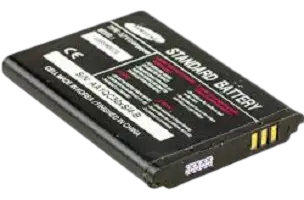
A lithium-ion battery stores energy through the movement of lithium ions between two electrodes ( a positively charged cathode and a negatively charged anode) through a liquid electrolyte solution.
A thin sheet of material called a separator keeps the cathode and anode physically apart. When these two electrodes touch, or when the electrolyte overheats, things go wrong very quickly.
The Thermal Runaway Chain Reaction
Thermal runaway is a self-reinforcing cycle where heat generates more heat faster than the battery can dissipate it. Here is how it unfolds:
1. A trigger event occurs: physical damage compresses the separator, a short circuit forms in the charging circuit, the battery overheats from an external source, or a manufacturing defect creates an internal weak point.
2. One cell enters exothermic breakdown: the chemical reaction inside that cell starts generating its own heat rather than just moving ions. The cell’s temperature climbs rapidly.
3. Heat spreads to neighbouring cells: each battery contains multiple cells. The overheating cell raises the temperature of adjacent cells past their critical threshold, and they enter exothermic breakdown too.
4. Electrolyte overheats and produces gas: the liquid electrolyte vaporises, generating highly flammable gases including carbon dioxide, methane, and hydrogen. These gases expand rapidly.
5. Pressure builds and the casing ruptures: battery manufacturers include pressure vents, but in severe cases the pressure overwhelms them. The casing bursts, releasing the flammable gas. If it ignites, you get fire. In severe cases, the rapid rupture creates a small explosion.
The critical insight: once thermal runaway begins, it is essentially impossible to stop. Unplugging your phone mid-runaway does not halt the chain reaction already in progress. This is why early warning signs matter so much. Catching problems before runaway begins is the only reliable safety strategy.
Why Do Phones Explode? The 8 Real Causes
1. Battery Physical Damage: Dropping, Crushing, or Puncturing
The most direct path to thermal runaway is physical damage to the battery itself.
When a phone is dropped hard, especially onto a hard corner or edge, the impact can compress or deform the battery. If this compression damages the separator, the cathode and anode can make direct contact, creating an internal short circuit that immediately begins generating heat.
The damage doesn’t always show immediately. A phone dropped today might develop a microscopic crack in the separator that takes days or weeks to fully compromise, which is why delayed battery failure after a drop is a real phenomenon.
Puncturing a battery (from a broken screw during a repair, for example) is even more dangerous, as it allows direct contact with oxygen and moisture.
Key point: The battery is the most impact-sensitive component in your phone. A cracked screen is visible; battery damage from the same drop is invisible until symptoms appear.
2. Overcharging and Faulty Chargers
Charging a lithium-ion battery beyond its safe voltage limit causes lithium plating. This is when metallic lithium deposits form on the anode rather than being stored as ions. These deposits, called lithium dendrites, can grow across the separator and create an internal short circuit.
Modern phones have battery management systems (BMS) that cut off charging at the correct voltage. That is why your phone stops charging at 100% rather than drawing current indefinitely.
The problem arises when:
- A counterfeit or uncertified charger delivers incorrect voltage or current, overwhelming the BMS
- A faulty charging IC (the chip managing the charging circuit) malfunctions
- The original BMS is damaged by a previous impact or manufacturing defect
Using a charger that delivers the wrong voltage doesn’t just fail to charge properly. It can actively damage the battery chemistry with every use.
If your original charger is damaged, replace it with a charger from a reputable brand that carries UL, CE, or MFi certification. These certifications confirm the charger has passed electrical safety testing.
Trusted brands like Anker and Belkin make USB-C Power Delivery chargers with built-in safety protections. Latest charger models are available on Amazon and are meaningfully safer than uncertified alternatives.
Related: Is Fast Charging Bad for Battery? Realities
3. Extreme Heat Exposure
Lithium-ion batteries have an optimal operating temperature range of approximately 16°C to 22°C (60°F to 72°F) and a safe operating range up to about 45°C (113°F). Above that, the chemical reactions inside the battery destabilise.
Common real-world scenarios that push phones into dangerous temperatures:
- Leaving a phone on a car dashboard in summer: interior car temperatures can reach 70°C (158°F) in direct sunlight, nearly double the battery’s safe threshold
- Placing the phone under a pillow while sleeping (particularly while charging): pillows trap heat and prevent dissipation
- Using the phone in a sauna or near an open oven
- Leaving it in a pocket near industrial heat sources
Heat also compounds with charging: a phone that is already warm from gaming or heavy use generates even more heat when plugged in. This combination ( thermal stress plus charging) is one of the most common scenarios in real reported incidents.
4. Manufacturing Defects
Even premium brands with rigorous quality control occasionally ship defective units. The Samsung Galaxy Note 7 situation demonstrates that defects can exist at scale.
Manufacturing defects relevant to battery safety include:
- Contamination of the electrolyte during production. Microscopic metal particles introduced during manufacturing can bridge the separator and cause a slow-developing short circuit.
- Improperly calibrated battery dimensions. The Note 7’s primary failure mode was that the battery was slightly too large for one model’s battery compartment, causing the separator to be compressed by the casing itself.
- Faulty welding or solder joints in the charging circuit
- Damaged or too-thin separator material
These defects are what product recalls and safety certifications are designed to address. That is why buying from reputable manufacturers and watching for recall announcements matters.
5. Using the Phone While Charging (Under Heavy Load)
Using your phone while charging is generally safe for light tasks like texting or browsing. The risk rises significantly when you combine charging with processor-intensive tasks like gaming, 4K video recording, AR applications, or prolonged video calls.
Here’s why: charging already generates heat. Running the CPU and GPU at full load simultaneously generates additional heat. On some devices, particularly mid-range phones with less sophisticated thermal management, this combined thermal load can push battery temperatures into a range where degradation accelerates.
This doesn’t mean using your phone while charging will cause an explosion. For most users, on most devices, it simply means slightly faster battery degradation over time. But for devices that already have a compromised battery, the combination can be a triggering factor.
6. Counterfeit or Low-Quality Batteries
Third-party replacement batteries ( particularly those sold without brand markings or with suspiciously low prices) frequently skip the safety features that reputable manufacturers include as standard.
Safety components commonly absent from counterfeit batteries:
- Proper separator material: thinner or lower-quality separators rupture more easily
- Thermal fuses: circuit breakers that trip when temperature exceeds a safe limit
- Battery Management System circuit: prevents overcharging and over-discharging
- Pressure relief vents: allow gas to escape safely rather than building to rupture pressure
- Non-flammable electrolyte additives: reduce the flammability of gases produced during overheating
If you need to replace a battery, use an authorised repair centre or a battery from the device’s original manufacturer. The few dollars saved on a counterfeit battery are not worth the safety risk.
7. Malware and Unwanted Background Processes
This cause is less dramatic but worth understanding. Malicious software, particularly cryptocurrency mining malware, can force your phone’s CPU to run at 100% load continuously without your knowledge.
This sustained maximum CPU activity generates significant heat, particularly on Android devices where certain apps have broader system access.
Signs your phone might have a malware-driven overheating problem:
- The phone gets unusually hot even when you’re not actively using it
- Battery drains far faster than it used to
- The phone feels warm while sitting idle in your pocket
- You notice apps you didn’t install
A mobile security app from a reputable provider like Malwarebytes, Bitdefender, or Norton can detect and remove mining malware and malicious apps. All offer Android coverage in their multi-device subscriptions, available on Amazon.
8. Water Damage
Lithium is highly reactive with water. When lithium comes into contact with moisture, it reacts exothermically (generating heat). A punctured battery case or a phone with compromised seals that allow water to reach the battery cells creates a direct pathway for this reaction.
This is separate from routine water resistance. A phone with an intact IP67 or IP68 rating and an undamaged battery is reasonably protected from water infiltration. The risk arises when:
- The phone has been dropped, and the battery casing is cracked
- The waterproof seals have degraded (common in phones over 2–3 years old)
- Water entered through the charging port before proper drying
Related: Phone Dropped in Water? Here’s How to Fix It in 7 Steps
Warning Signs Your Phone Battery Is About to Fail
Thermal runaway rarely happens without warning. These are the signs that something is wrong and that you need to act before it becomes dangerous.
| Warning Sign | What It Means | What to Do |
|---|---|---|
| Battery swelling/bulging | Internal gas buildup from chemical breakdown | Stop using immediately. This is a safety emergency |
| Screen or back panel lifting / device no longer sits flat | Battery has expanded and is pushing against the casing | Stop using; take to a repair shop urgently |
| Burning smell (plastic or chemical) | Electrolyte is vaporising or components are overheating | Power off immediately; move away from flammable materials |
| Hissing or crackling sounds | Internal pressure is building in the battery | Evacuate the area; do not attempt to use or charge |
| Excessive heat while charging; too hot to hold comfortably | Abnormal heat generation; possible BMS failure or charger fault | Unplug immediately; allow to cool; investigate charger |
| Sudden, dramatic battery drain | Internal short circuit or battery degradation | Replace battery |
| Unexplained random shutdowns | Battery can no longer hold a stable voltage | Have battery tested |
| Smoke | Battery is already in thermal runaway | Move away immediately; do not pick up the phone |
Battery swelling is a safety emergency, not just an inconvenience. A swollen lithium-ion battery has already undergone internal chemical breakdown and is producing flammable gases.
Do not continue using a swollen phone, do not charge it, and do not leave it unattended in a confined space or near flammable materials. Take it to a repair shop or an authorised recycling point as soon as possible.
If you need to store or transport a phone with a swollen or suspected damaged battery before you can get it serviced, a LiPo safe battery bag provides a fire-resistant barrier. This one is available on Amazon for under $15 and is worthwhile for any household that regularly works with lithium-ion devices.
Related: How to Tell If Your Phone Battery Is Bad: 9 Warning Signs
How to Prevent Phone Explosions: 10 Practical Habits
1. Use Only Certified Chargers and Cables
This is the single most impactful prevention habit. Chargers with UL, CE, FCC, or MFi (Apple) certification have been independently tested for electrical safety. Uncertified chargers, typically those bought from unknown sellers at unusually low prices, may deliver incorrect voltages or lack protection circuitry.
The same applies to charging cables. A frayed, kinked, or cheap-quality cable can create a resistance point that generates localised heat, putting stress on the battery with every charge.
Replacing frayed or damaged cables with durable braided USB-C or Lightning cables (available on Amazon) from brands like Anker eliminates one of the most common charging-related hazards. This quality replacement cable is available for around $10–$15.
Related: How to Charge Your Phone Without a Wall Charger?
2. Never Leave Your Phone Charging in a Hot Environment
Remove the phone from direct sunlight. Don’t leave it on a car dashboard. Don’t charge it under your pillow. These are the most common environments where phone fires start overnight.
When charging, place the phone on a hard, flat surface with good airflow like a desk or nightstand, not a soft surface like a bed or sofa cushion that traps heat.
3. Remove the Case While Charging Under Heavy Load
Phone cases, even thin ones, reduce heat dissipation. If you’re fast charging or gaming while charging, removing the case allows the phone’s internal heat to escape more efficiently. Many phone manufacturers actually recommend this in their user guides.
4. Keep Battery Level Between 20% and 80% for Daily Use
Lithium-ion batteries experience the most chemical stress at the extremes: below 20% and above 80%. Consistently charging to 100% and draining to 0% accelerates battery degradation over time, and a degraded battery is more vulnerable to failure.
Most modern iPhones and Android devices have optimised charging or smart charging settings that learn your routine and slow charging to minimise time spent at 100%. Enable this feature in your battery settings.
Related: Does Your Phone Charge Faster on Low Power Mode?
5. Don’t Use Your Phone Doing Heavy Tasks While Charging on a Hot Day
Stacking thermal loads ( outdoor summer heat + GPU-intensive gaming + charging) is the kind of scenario that pushes mid-range phone temperatures into unsafe territory. If your phone gets uncomfortably warm, stop charging, close processor-intensive apps, and let it cool in a shaded, ventilated area.
6. Inspect Your Phone After Any Hard Drop
After a significant drop, don’t just check the screen. Pay attention to whether the phone feels warm when it shouldn’t, whether the battery drains faster than usual, or whether the casing feels different (slightly bulged or uneven). These are signs of battery damage that may not be immediately visible.
A shock-resistant protective case like the OtterBox Defender Series or Spigen Tough Armor significantly reduces the internal impact force transferred to the battery during drops. It is available on Amazon and is one of the most practical long-term investments for phone safety.
7. Replace Batteries Through Authorised Channels Only
When your battery needs replacement, use an authorised repair centre, the manufacturer’s own service program, or a well-reviewed independent shop that uses OEM-equivalent batteries. A battery replacement done incorrectly, or with a low-quality battery, is one of the most common triggers for fires in phones that were previously safe.
8. Keep Your Phone’s Software Updated
Firmware and software updates often include battery management improvements. Refined charging algorithms, temperature monitoring adjustments, and fixes for software-level issues that cause excessive background CPU load. Keeping your operating system and apps updated is a genuine safety practice, not just a convenience.
9. Monitor for Unusual Heat or Battery Behaviour
Get into the habit of noticing your phone’s normal thermal behaviour. If it suddenly starts getting significantly warmer during tasks it handled without heat before, or if battery life drops dramatically over a short period, investigate rather than ignoring it.
10. Store and Transport Phones Sensibly
For long-term storage, store at 40–60% battery charge rather than fully charged. Don’t store phones in car glove compartments in summer.
If travelling on a long flight, keep devices in the cabin with you (not in checked luggage). Aviation regulations require lithium devices to be in carry-on bags specifically because thermal runaway is more manageable in a pressurised cabin with access than in an inaccessible cargo hold.
What to Do If Your Phone Catches Fire or Starts Smoking
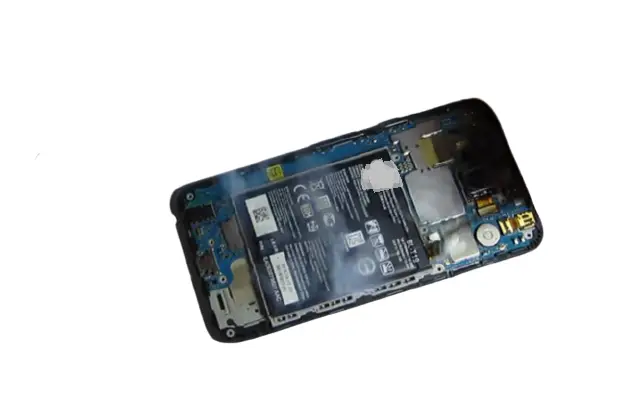
If your phone shows signs of active thermal runaway like smoke, fire, a burning smell combined with visible damage, here is exactly what to do:
- Do not touch it with bare hands if it is actively smoking or showing fire
- Move it away from flammable materials immediately; if it can be moved safely (using oven mitts or a thick cloth), place it on a non-flammable surface such as concrete or tile
- Do not submerge it in water; water reacts with lithium and can make the situation worse. Do not put it in rice or water
- Use a dry powder fire extinguisher (Class D) if available; this is the recommended type for lithium-ion fires. A CO₂ or ABC dry chemical extinguisher can also help contain a smaller fire
- Evacuate the area if the fire is not immediately controllable; fumes from burning lithium-ion batteries are toxic
- Call emergency services if the fire spreads beyond the device
- Do not put a burning phone in a bin or drawer; it needs ventilation and distance from other flammable items
Safe Battery Charging Checklist
Use this as a daily reference until these habits become automatic:
- Only charge with the original charger or a certified replacement
- Check cables regularly for fraying, kinking, or exposed wires
- Don’t charge under pillows, on soft furnishings, or in confined spaces
- Remove case before extended gaming + charging sessions
- Don’t leave the phone in a hot car, in direct sunlight, or near heat sources
- Enable optimised charging in battery settings
- Check for a swollen battery if the phone doesn’t sit flat or the screen appears lifted
- Keep phone software updated
- Inspect the phone after any significant drop
- Replace batteries only through authorised channels
Common Myths About Phone Explosions
Myth: Only cheap phones explode. Fact: The Samsung Galaxy Note 7 ( a flagship $850+ device) was the most high-profile phone fire incident in history. Manufacturing defects and battery damage can affect premium devices. Price is no guarantee of safety.
Myth: Once thermal runaway starts, unplugging the phone stops it. Fact: Thermal runaway is a self-sustaining chain reaction. Once it begins, disconnecting power does not stop it. The chemical reactions inside the battery continue generating heat independently. This is why prevention, not reaction, is the only reliable safety strategy.
Myth: Wireless charging is safer than wired charging. Fact: Both methods are safe when using certified equipment. Wireless charging is generally slower and generates slightly more ambient heat than wired charging. Neither is inherently safer than the other. The safety variable is whether the charging equipment is certified and functional.
Myth: Keeping your phone at 100% charge overnight damages the battery. Fact: Modern smartphones stop actively charging at 100% and maintain the charge at a lower holding level. The optimised charging feature available on most current iPhones and Android devices further reduces this by learning your routine and pausing charging below 100% until just before you typically wake up. A few percent above 80% overnight is not a safety risk on a healthy, modern device.
Myth: A hot phone is about to explode. Fact: Phones get warm during charging, gaming, and in warm weather. This is normal. The relevant risk is excessive heat that makes the device uncomfortable to hold, or heat combined with physical symptoms like swelling or smell. Normal operational warmth is not a safety concern.
Conclusion
Phone explosions are real, but they’re seldom random or unpredictable. In virtually every documented case, there was a specific cause. A damaged battery, a counterfeit charger, extreme heat exposure, or a manufacturing defect, and in most cases, there were warning signs that went unnoticed or unaddressed.
The key takeaways are simple: use certified chargers, don’t expose your phone to extreme heat, inspect it after significant drops, take battery swelling seriously as a safety emergency, and replace batteries through authorised channels only. These habits cover the overwhelming majority of real-world risk.
Understanding thermal runaway isn’t just academic. It explains why early warning signs matter so much. Once thermal runaway begins, there’s no stopping it. Catching a swollen battery, a hissing sound, or an unusually hot device before that point is what keeps you and the people around you safe.
Frequently Asked Questions
Should I be worried about my phone exploding in my pocket?
For a well-maintained phone with no physical damage, used with its original or a certified charger, the risk is very low. The scenarios that lead to phone fires typically involve a specific trigger like a damaged battery, counterfeit charger, extreme heat, or a manufacturing defect. Following the prevention habits in this article puts you in a very safe position.
How can I extend my phone battery life and reduce explosion risk?
Keep daily charge levels between 20–80%. Use certified chargers and cables. Avoid extreme heat exposure. Enable optimised charging in settings. Keep software updated. Replace batteries only through authorised channels. Inspect the phone after significant drops.
What happens during a phone battery explosion?
During thermal runaway, battery cells enter exothermic breakdown, generating heat that spreads to neighbouring cells. The electrolyte vaporises, producing flammable gases. Pressure builds until the casing ruptures. Depending on the severity and speed of the process, this can range from a battery quietly venting (sizzling, smell) to catching fire, to a small explosive rupture.
Can water cause a phone to explode?
Lithium reacts exothermically with water. If water reaches the battery cells through a punctured battery casing or compromised waterproof seals, it can initiate a chemical reaction that generates heat. This is distinct from normal water resistance; IP-rated phones with intact batteries are reasonably protected from water entry.
Does a hot phone mean it’s about to explode?
Not necessarily. Phones warm up during charging, gaming, and in hot weather. This is normal. Concerning heat is heat that makes the device uncomfortable to hold, heat combined with physical symptoms (swelling, smell), or heat during light tasks that previously generated none. Normal operational warmth is not a safety concern.
Are third-party chargers safe?
Certified third-party chargers from reputable brands (Anker, Belkin, Aukey) that carry UL, CE, or MFi certification are generally safe. Uncertified chargers, particularly cheap ones from unknown sellers, may deliver incorrect voltages and lack protection circuitry, making them a genuine risk.
What should I do if my phone starts smoking?
Power off the device if possible. Move it away from flammable materials to a hard, non-flammable surface. Do not submerge it in water. Do not put it in a bin. Use a dry chemical or CO₂ fire extinguisher if available. Evacuate the area if the fire spreads. Call emergency services if needed.
How do I know if my phone battery is dangerous?
The key warning signs are: battery swelling (phone no longer sits flat, screen appears lifted), excessive heat during charging that makes the device uncomfortable to hold, burning or chemical smell, hissing or crackling sounds, and visible casing deformation. Any of these warrant immediate attention.
What temperature causes a phone battery to fail?
Lithium-ion batteries begin to destabilise above approximately 45°C (113°F). Sustained temperatures above this threshold can cause electrolyte breakdown and increase thermal runaway risk. Interior car temperatures can reach 70°C (158°F) in summer; well above the danger threshold.
Can a phone explode while charging overnight?
Modern smartphones have battery management systems that significantly reduce this risk, but it is not zero. Risks are higher with damaged batteries, faulty or uncertified chargers, or when charging in hot environments (like under a pillow). Using a certified charger and charging on a hard, ventilated surface reduces overnight charging risk substantially.
Is it safe to use your phone while it’s charging?
Light use (texting, browsing) while charging is generally safe. Heavy use ( gaming, video recording, or other processor-intensive tasks) while charging generates combined heat from both the charging process and the CPU/GPU, which can stress the battery. On healthy, modern devices, this typically causes faster battery degradation rather than immediate danger, but it should be avoided as a habit.
Can a swollen phone battery explode?
Yes. A swollen battery has already undergone internal chemical breakdown and is producing flammable gases. It can rupture, catch fire, or in severe cases create a small explosion. A swollen battery should be treated as a safety emergency. Stop using the phone immediately and have the battery replaced professionally.
What causes a phone battery to explode?
The most common causes are physical damage to the battery (from dropping or puncturing), overcharging via a faulty or uncertified charger, extreme heat exposure, manufacturing defects in the battery or charging circuit, counterfeit replacement batteries, and in some cases, malware forcing sustained maximum CPU load.
Is it common for phones to explode?
Phone explosions are rare relative to the billions of lithium-ion devices in use globally. The vast majority of incidents involve counterfeit chargers, third-party batteries, physical damage to the battery, or extreme heat exposure; all of which are preventable.
Why do phones explode?
Phones explode because of a process called thermal runaway in the lithium-ion battery. A trigger event like physical damage, overcharging, a faulty charger, extreme heat, or a manufacturing defect causes battery cells to overheat in a self-reinforcing chain reaction. The overheating produces flammable gases, pressure builds, and the casing ruptures, sometimes with fire.
Found this article useful? Share it with someone who charges their phone under their pillow. Follow us on Facebook and Twitter, and subscribe to our free newsletter for more practical technology guides.
Disclosure: Some links in this article are Amazon affiliate links. If you purchase through them, we may earn a small commission at no additional cost to you.