How Long Do Phone Chargers and Cables Last? Real Lifespans
You probably have a drawer of dead charging cables. Some died in a few months, while the one you bought at a gas station years ago still works fine. So what’s going on?
Lifespan varies a lot from one charger to the next, and the cause is usually predictable. Below is what to realistically expect from each part of your charging setup, why they fail, and how to tell when a charger is worth keeping or has become a safety risk.
Quick Answer:
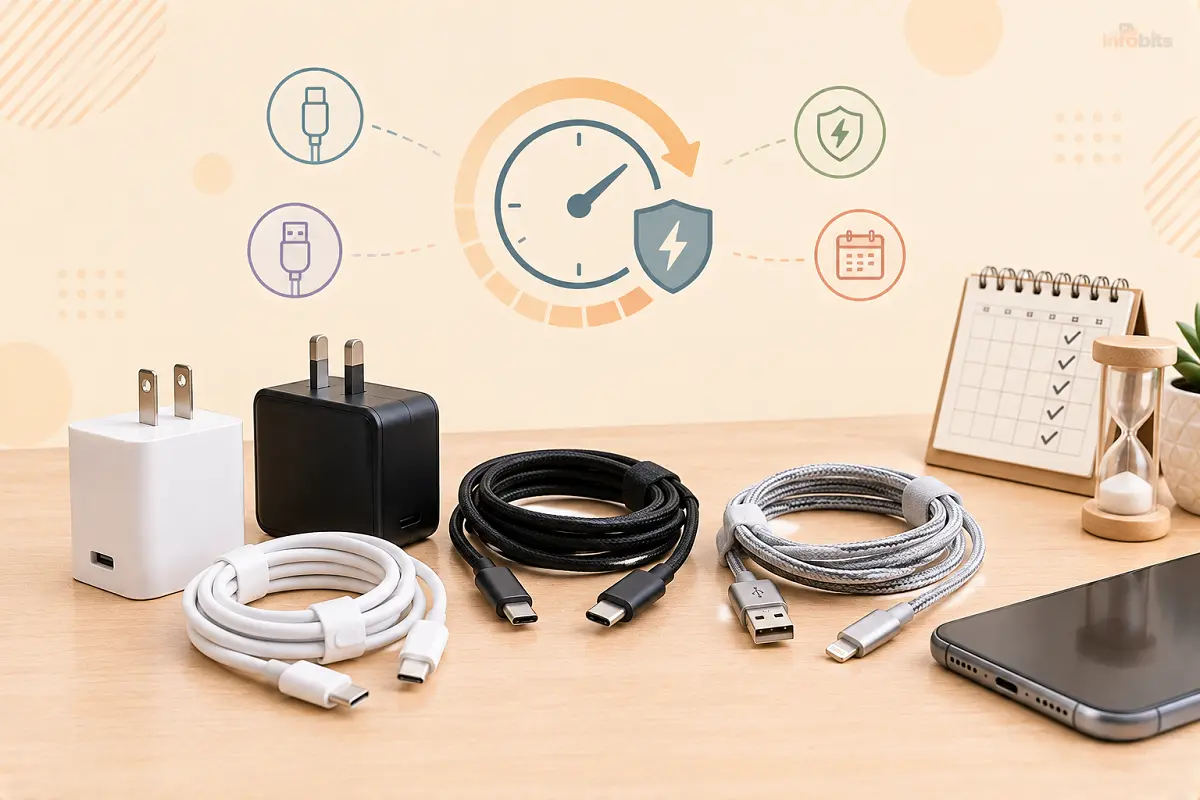
Most phone charging cables survive one to three years, and the best can last up to six. The wall adapter (the plug brick) usually outlasts the cable by a wide margin, because it has no moving or bending parts.
Power banks wear out by charge cycles, typically a few hundred, so two to three years of regular use is a fair expectation.
The real answer depends on build quality and how you treat the cable, not on its age.
Charger and Cable Lifespan at a Glance
| Item | Typical lifespan | What usually kills it | Replace when |
|---|---|---|---|
| Phone cable (USB-C or Lightning) | 1-3 years; 5+ with good care | Bending at the connector | Fraying, intermittent charging, loose fit |
| Wall adapter (plug brick) | Several years | Heat, power surges, cheap components | Buzzing, overheating, cracked casing |
| Power bank | Roughly 2-3 years (300-500 charge cycles) | Battery chemistry wearing down | Holds far less charge, swells, or gets hot |
| Wireless charging pad | Several years | Heat, misalignment, cable failure | Charges slowly or stops |
| Car charger | Varies widely | Heat, vibration, socket surges | Flickering, hot, or won’t hold the plug |
These are realistic ranges, not guarantees. A well-made cable used gently can outlast a phone, and a bargain cable can die in weeks.
Why Cables Die First
The cable is the weak link because it’s the only part of the setup that moves. Every time you tug it, twist it, or use the phone while it’s plugged in, the stress lands on the same spot, where the cable meets the connector.
The thin wires inside break one strand at a time, so the cable seems to work, then works only at certain angles, then stops.
Using your phone in bed while it charges bends that joint constantly. Wrapping the cable tightly around the charger and yanking it by the cord instead of the plug do the same damage.
What Real Testing Shows
Consumer Reports tested seven cables priced from about $5 to $29. It found the best could last more than six years, while the worst might not make it past six months.
The testing worked like this: a motorized rig bent each cable’s end to a 90-degree angle repeatedly until it failed. Apple’s Lightning cable and the Amazon Basics USB-C cable both survived about 11,500 bends, but several budget cables failed before 800.
The takeaway is that price and thickness don’t predict durability. A $6.55 cable beat much pricier ones, and Apple’s thin cable outperformed thicker competitors. What matters is how well the connector joint is built.
That test was run in 2023, so treat it as evidence of how much quality varies, not a current buying list.
What About Wall Chargers (Adapters)?
Wall adapters have no flexing parts, so they tend to last longer than cables. When they do fail, the usual cause is heat. Inside every adapter are components that slowly degrade with temperature, and cheap units skimp on them. Power surges are the other common killer.
If you’re in a region with unstable power or frequent storms, a surge protector is cheap insurance. We cover how they work in our surge protector guide.
If your outlets see frequent dips or storms, plugging your chargers into a decent surge-protected power strip available on Amazon, such as those from Anker or Belkin, is a low-cost way to protect them and the phone attached.
Newer GaN (gallium nitride) chargers run cooler and are smaller for the same wattage, which helps longevity. A reputable brand matters more than the technology, though.
Is It the Cable, the Charger, or the Port?
Before you replace anything, work out which part has failed. Many people replace cables when the real problem is the phone’s port.
- Try a different cable first. If a second cable works, the first one was the problem.
- Try a different wall adapter. If charging is still slow, the adapter may be underpowered or failing.
- Check the port. Pocket lint packs into the charging port and stops the connector from seating fully. You can read how to clear it safely in our guide on getting water and debris out of a phone charging port.
- Check the connector fit. A cable that feels loose in the port is worn. The USB-C standard rates connectors for around 10,000 plug-in cycles, but ports do wear in real life, especially with cheap cables.
If a new cable and a new adapter both charge poorly, the phone’s battery or port is the likely culprit. See our guide to bad phone battery symptoms.
Power Banks, Wireless Pads, and Car Chargers
Power banks contain lithium-ion batteries, which lose capacity with every full charge cycle. Quality banks handle several hundred cycles before capacity noticeably drops. A power bank that holds much less than it used to, or feels hot or swollen, is finished. Swelling is a stop-using-immediately sign.
Wireless charging pads usually last a long time, but the cable and adapter feeding them are the weak points. Heat is their main enemy, and a misaligned phone makes them work harder and run hotter.
Car chargers live in a hot, vibrating environment, so they wear out faster. If one flickers, gets very hot, or won’t stay in the socket, replace it.
Warning Signs: Time to Replace
Replace a cable or charger if you notice any of these:
- Charging only works at a certain angle or when you hold the cable
- Visible fraying, exposed wire, or a bent connector
- The connector or adapter gets uncomfortably hot
- A burning smell or discolored plastic
- A cracked adapter casing
- A buzzing or whining sound from the adapter
- The phone repeatedly connects and disconnects
Anything involving heat, burning smell, or exposed wires is a safety issue, not a convenience one. Stop using it immediately. We cover why damaged batteries and chargers can become dangerous in our guide on why phones overheat and fail.
Common Mistakes That Shorten Charger Life
- Using the phone in bed while it charges on a short cable
- Pulling on the cord instead of the plug
- Wrapping the cable tightly around the adapter
- Leaving cables in a hot car
- Buying the cheapest uncertified cable
- Ignoring a port full of lint
Myth vs. Fact
Myth: Thicker cables always last longer.
Fact: Testing showed a thin cable outlasting thicker ones. Connector construction matters more than cable width.
Myth: Expensive means durable.
Fact: In Consumer Reports’ testing, a cheap cable and a pricey one both finished at the top.
Myth: A cable that “still works” is fine.
Fact: Intermittent charging means internal wires are breaking. It can also generate heat at the damaged spot.
Myth: Only the phone’s own brand charger is safe.
Fact: Third-party chargers are fine if they’re certified and well-made. Uncertified ones are the risk.
How to Make Chargers and Cables Last Longer
Use this checklist:
- Unplug by holding the connector, never the cord
- Avoid sharp bends right at the plug
- Keep the cable loose when stored; don’t wind it tightly
- Don’t use the phone while the cable is angled hard
- Clean the port with a wooden toothpick or soft brush, not metal
- Keep chargers away from heat and moisture
- Use a surge protector in unstable power areas
- Rotate cables so one doesn’t take all the wear
A cable with a reinforced, flexible joint at the connector lasts noticeably longer than a stiff one. If you’re tired of replacing frayed cables, a braided USB-C cable from a reputable brand like Anker or UGREEN, or Apple’s own cable for iPhones (all are available on Amazon), tends to survive daily use better than the bargain-bin options.
A cheap cable cover or spring protector on an existing cable can also stop the most common failure spot from bending. A pack of cable strain-relief protectors costs only a few dollars on Amazon and can rescue a cable that’s starting to fray at the neck.
What to Look for When Buying a New One
- Certification. For iPhones, look for MFi (Made for iPhone) certification. For USB-C, look for USB-IF certification or a trusted brand with a clear warranty.
- The right wattage. Cables carry a power limit. Higher-wattage charging (above roughly 60W) generally needs a cable built for it. Match the cable to your charger and phone. Our guide to fast-charging realities explains what actually speeds up charging and what doesn’t.
- A real warranty. Brands that offer 12-24 months or more are signaling confidence in the build.
- A flexible, reinforced joint where the cable meets the connector.
- USB-C vs USB-A. If you’re unsure which you need, see our USB-A vs USB-C comparison.
To check what your charger is actually delivering, a small inline USB power meter shows real-time wattage. A USB-C power meter (view on Amazon) is a handy $10-$20 gadget that sits between the charger and cable and shows the actual wattage, making it easy to tell a failing cable from a healthy one.
Should You Repair or Replace?
- Frayed or exposed wire: Replace. Don’t tape it.
- Works only at an angle: Replace soon. It will fail.
- Slow charging but cable looks fine: Test with another cable first. Clean the port.
- Hot adapter or burning smell: Stop using and replace immediately.
- Power bank holding less charge: Replace if it’s more than a couple of years old.
- Minor scuff, works perfectly: Keep using it and add strain relief.
Troubleshooting: Phone Charges Slowly or Stops
- Restart the phone. Software glitches can mimic charger faults.
- Swap in a different cable, then a different adapter.
- Inspect and gently clear the port.
- Plug the adapter into a different outlet.
- Check for a phone setting that limits charging. Some phones slow charging to protect the battery, and our guide on low power mode while charging explains how that works.
- If nothing helps, the battery or port may need a professional look.
The Bottom Line
Most phone cables last one to three years, good ones last far longer, and adapters usually outlive them.
Spend a little more on a certified cable, treat the joint gently, and replace anything that gets hot, frays, or charges unpredictably. Do that, and you’ll stop refilling that drawer of dead cables.
Frequently Asked Questions
How long do phone charging cables last?
Most last one to three years with daily use. Well-made cables can last five or six years, while poor ones may fail within months.
How long do phone chargers (wall adapters) last?
Wall adapters usually outlast cables by years because they have no flexing parts. Heat, power surges, and cheap components are what usually end them.
How often should I replace my phone charger?
You don’t need to replace it on a schedule. Replace it when it frays, overheats, charges unreliably, or makes buzzing noises.
Why do my charging cables keep breaking?
The wires inside break from repeated bending at the connector. Using the phone while it charges, pulling by the cord, and tight winding speed this up.
Do expensive charging cables last longer?
Not always. Consumer Reports found a cheap cable and a premium one both performing at the top, so build quality matters more than price.
Is it safe to use a frayed charging cable?
No. Exposed wires can short or overheat. Replace the cable rather than taping it.
Why is my phone charging slowly?
Common causes are a worn cable, an underpowered adapter, a dirty port, or a phone setting that limits charging. Test with a different cable and adapter first.
Can a bad charger damage my phone battery?
An uncertified or failing charger can deliver unstable power, which may stress the battery. Use certified chargers from reputable brands.
How can I tell if my cable or my phone port is the problem?
Try a second cable. If it works, the first cable was faulty. If charging still fails, clean the port, and if that doesn’t help, the port or battery may need servicing.
Does fast charging wear out cables faster?
Not by itself. Higher wattage does need a cable rated for it, and cheap cables that can’t handle the load may overheat.
How long do power banks last?
Quality power banks typically handle about 300-500 full charge cycles, roughly two to three years of regular use, before capacity drops noticeably.
When should I throw away a power bank?
Stop using it immediately if it swells, overheats, or smells. Replace it if it holds much less charge than before.
Are third-party chargers safe?
Yes, if they’re certified (MFi for iPhone, USB-IF or a trusted brand for USB-C) and from a reputable seller. Avoid unbranded, uncertified chargers.
Do wireless chargers last as long as wired ones?
Wireless pads usually last a long time, but the cable and adapter powering them are the weak points. Heat and misalignment shorten their life.
How should I store charging cables?
Keep them loosely coiled, not tightly wrapped, and away from heat. Avoid bending them sharply near the connector.
Is it okay to charge my phone overnight?
Modern phones manage charging to prevent overcharging, so it’s generally fine with a healthy, certified charger. A damaged or hot charger should never be left running unattended.
Found this guide useful? Share it with someone interested in tech-related tips, tricks, solutions, and news. Follow us on Facebook and Twitter for more tips, tricks, and guides.
We also ask that you bookmark this page for future reference, as we are constantly updating our articles with new information.
Sign up for our free newsletter as well to receive fresh information immediately in your inbox and keep technically up to date.
Disclosure: If you follow our links to a retailer’s website and make a purchase, we will get an affiliate commission on some, but not all, of the items or services we promote. This will cause no price change for you.
You May Be Interested in Reading:
- How to Charge Your Phone Without a Wall Charger: 12 Ways That Work
- Is It Bad to Leave Your Laptop Plugged In All the Time?
- How to Charge a Laptop Without a Charger: 10 Safe Methods
- How Long Do Routers Last? Real Lifespan & 8 Signs It’s Time to Replace
- How Long Do PC Power Supplies Last? PSU Lifespan Guide