How Long Do Phones Really Last? Lifespan Guide by Brand
Quick answer: Most phones are physically capable of lasting 5 to 7 years, but the average person replaces theirs every 2.5 to 3 years. The real limit usually isn’t broken hardware, it’s battery degradation after roughly 500 charge cycles (around 2–3 years of normal use) and the manufacturer’s software update cutoff, which now ranges from 4 years on budget Android phones to 7 years on a flagship iPhone, Pixel, or Galaxy S.
“How long does a phone last?” doesn’t have one answer, because it’s really three separate questions wearing a trench coat: how long until the hardware wears out, how long until the battery can’t get you through a day, and how long until the manufacturer stops sending security updates.
Most phones don’t die of old age in the dramatic sense. They get slower, the battery starts needing a midday top-up, and then one day a banking app refuses to open because the OS is too old to support it.
This guide breaks down each timeline separately, with current 2026 data by brand, so you can see where your phone sits and what’s realistically left.
The Three Lifespans of a Phone
Every phone is really running out the clock on three separate things at once, and whichever one runs out first is what actually ends its usable life:
- Hardware lifespan: how long the physical components- screen, buttons, ports, chip- keep functioning. This is usually the longest of the three, often 6–10 years for a well-built phone that avoids major drops or water damage.
- Battery lifespan: how long the battery holds a usable charge before it needs replacing. This is the first thing most people notice, typically starting to matter around the 2–3 year mark.
- Software support lifespan: how long the manufacturer keeps sending OS upgrades and security patches. This has become the real deciding factor for most upgrades, and it varies enormously by brand, from as little as 4 years to as much as 7.
A phone with a perfectly good screen and a still-decent battery can still become genuinely risky to use once its software support ends, because it stops receiving security patches for newly discovered vulnerabilities.
That’s arguably the most important number in this whole guide, and it’s the one most buyers never check before purchasing.
Battery Lifespan: The Real Number
Smartphone batteries are lithium-ion, and they degrade based on charge cycles, one full cycle being 100% of the battery’s capacity used, whether that happens in a single charge or across several partial top-ups throughout the day.
Most phone batteries are rated for roughly 500 full charge cycles before they drop to about 80% of their original capacity, the point where most people start noticing real-world battery anxiety. Depending on how heavily you use your phone, that translates to roughly 2 to 3 years of normal daily use before a battery replacement becomes worth considering.
A few things speed this up or slow it down:
- Heat is the single biggest accelerant. Battery chemistry degrades noticeably faster above about 95°F (35°C), which includes leaving your phone in direct sun, a hot car, or under a phone case while gaming and charging at the same time.
- Charging habits matter more than most people think. Keeping your phone between roughly 20% and 80% charge, rather than routinely draining it to 0% or leaving it plugged in at 100% overnight, meaningfully slows capacity loss over time.
- Battery replacement resets the clock without a new phone. A battery swap typically costs $40–$120 depending on the model and where it’s done, and it’s almost always cheaper than replacing the whole device if the rest of the phone is still in good shape. If your phone is showing the symptoms covered in our guide to bad cell phone battery symptoms, that’s usually the first thing worth checking before assuming you need a new phone entirely.
Software Support Lifespan by Brand
This is where the real gap between brands shows up, and it’s widened significantly over the past two years as manufacturers compete on long-term support as a selling point.
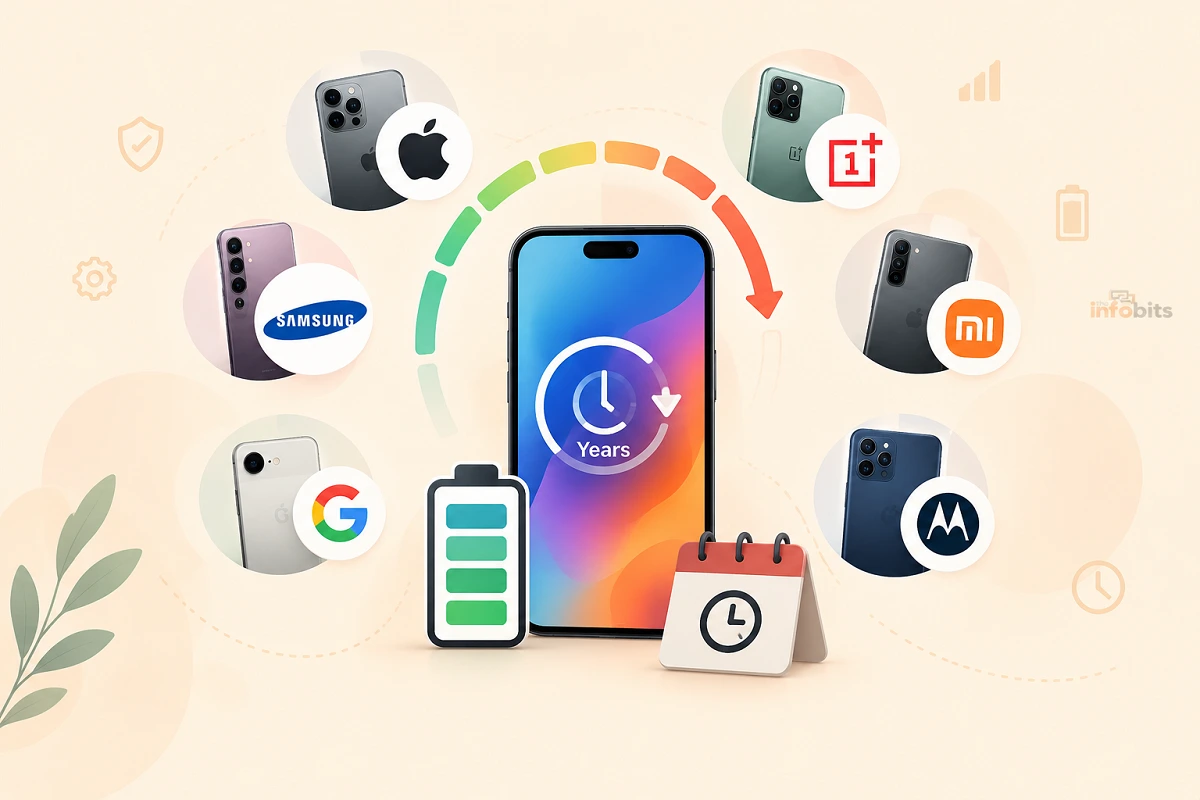
Apple (iPhone): Apple doesn’t publish a fixed number of years, but its actual track record runs 6 to 8 years of major iOS updates from release, plus additional years of security-only patches after that. As of 2026, iOS 26 still supports the iPhone 11, a phone from 2019, putting it at seven years of major OS support and counting.
Google Pixel: Pixel 8 and every model released after it (Pixel 9, Pixel 10 series) get 7 years of both OS and security updates from launch, matching Apple’s best-case performance. Older models, Pixel 6 and Pixel 7, were extended from their original commitment to 5 years.
Samsung Galaxy: Starting with the Galaxy S24 line, Samsung matched Google’s commitment: 7 years of OS and security updates for its S-series, Z Fold/Flip, and Tab S flagships. Older Galaxy models and budget A-series phones typically get less; some budget models still land around 4–5 years, though Samsung has extended even entry-level A-series devices to 5–6 years in response to regulatory pressure.
Motorola, Xiaomi, OnePlus, and other Android brands: Historically much shorter, often just 2–3 years of security updates and a single major OS upgrade. Regulatory pressure has pushed this up somewhat; Motorola’s newer devices now offer around 5 years of security updates.
Why this changed: the EU’s Right to Repair Directive (2024/1799), which takes effect for phones sold after July 2026, requires manufacturers to provide security updates for at least 5 years and guarantee spare-parts availability for 5–7 years. This is pushing budget and mid-range brands toward the longer support windows that used to be reserved for flagships only.
Quick Comparison Table
| Brand / Tier | OS Update Years | Security Update Years | Typical Realistic Lifespan |
|---|---|---|---|
| iPhone (recent models) | 6–8 years | +1–2 years beyond that | 6–8 years |
| Google Pixel 8 and newer | 7 years | 7 years | 6–7 years |
| Google Pixel 6–7 | 5 years | 5 years | 4–5 years |
| Samsung Galaxy S24 and newer | 7 years | 7 years | 6–7 years |
| Samsung Galaxy A-series (recent) | 5–6 years | 5–6 years | 4–6 years |
| Motorola (newer models) | 3 years | 5 years | 3–4 years |
| Budget Android (Xiaomi, OnePlus, etc.) | 2–4 years | 3–4 years | 2–4 years |
How to Check Your Phone’s Remaining Support
Don’t rely on memory or a review from when you bought the phone; check directly:
- On iPhone: Go to Settings → General → Software Update. If updates are still being offered, your phone is in active support. Apple doesn’t display a hard end date, so cross-check your model against Apple’s current iOS compatibility list if you want a firm number.
- On Google Pixel: Go to Settings → Security & privacy → System & updates, or check Google’s official Pixel support page by model. Pixel is one of the only brands that shows the guaranteed end date directly.
- On Samsung Galaxy: Check the Galaxy Members app, or look up your specific model on Samsung’s official software update support page.
- On any Android phone: Go to Settings → About phone → Software information → Security update, and compare the date shown against how long ago that patch was released; a security update more than 3–4 months old is worth investigating.
If your phone’s support end date is within the next 12 months, it’s worth starting to plan a replacement now rather than waiting until updates actually stop.
Related: How Long Do Phone Chargers and Cables Last? Real Lifespans
Signs Your Phone Is Actually Reaching End of Life
Beyond the calendar, watch for these practical signs that a phone (regardless of its age on paper) is genuinely done:
- The battery no longer gets you through a normal day, even with light use, and a battery replacement hasn’t fixed it (or isn’t available for your model anymore).
- Apps crash or refuse to install because they require a newer OS version than your phone can run.
- You’ve stopped receiving security updates entirely. This is the most serious sign; an unsupported phone used for banking, email, or anything sensitive carries real risk, since newly discovered vulnerabilities will never be patched.
- Storage is chronically full even after deleting content, often a sign of an aging chip struggling to manage modern app sizes and OS overhead.
- Physical wear compounds the software problems: a cracked screen, failing charging port, or ghost-touch issues (covered in our guides on fixing ghost touch on Android and on iPhone) on top of an aging OS usually tips the scale toward replacement rather than repair.
How to Extend Your Phone’s Lifespan
- Use a case and screen protector from day one. Screen damage is one of the leading causes of early phone replacement, and it’s the most preventable one.
- Keep charging between roughly 20% and 80% rather than habitually draining to 0% or leaving it plugged in overnight at 100%. Many phones now include an “optimized charging” or “battery protection” setting that automates this.
- Avoid heat. Don’t leave your phone in direct sun, a hot car, or under a thick case while fast-charging or gaming for extended periods.
- Replace the battery around year 2–3 instead of the whole phone, if everything else about the device is still working well. It’s almost always the cheaper fix.
- Keep software updated. Beyond security, OS updates often include battery and performance optimizations for older hardware.
- Buy for software longevity next time. If you want a phone to last 6+ years, prioritize brands with published long-support commitments (iPhone, Pixel 8+, Galaxy S24+) over a slightly cheaper phone with a 2–3 year update window.
Myth vs. Fact: Phone Lifespan
| Myth | Fact |
|---|---|
| “A phone with a good battery is safe to keep using indefinitely.” | Battery health and security are separate issues. A phone can have a fine battery and still be dangerously unpatched once its manufacturer stops sending security updates. |
| “All Android phones get roughly the same update support.” | Support varies enormously, from 2–3 years on budget brands to 7 years on Pixel 8+ and Galaxy S24+. Checking the specific model’s commitment matters far more than the “Android” label. |
| “Fast charging always ruins your battery faster.” | Fast charging generates more heat, which does accelerate degradation somewhat, but modern phones manage this with charging curves and thermal throttling. The bigger factor is still overall heat exposure and charge-cycle habits. |
| “Once a phone stops getting major OS updates, it’s basically already dead.” | Not immediately. Many phones remain fully usable for a year or more after major OS updates stop, as long as security patches (often a separate, longer commitment) are still arriving. |
| “iPhones always last longer than Android phones.” | That was historically true, but Google Pixel 8+ and Samsung Galaxy S24+ now match or tie Apple’s support window at 7 years. The gap has mostly closed at the flagship tier. |
Repair or Replace? A Simple Framework
- Repair if: the phone is still within its software support window, the issue is isolated (battery, screen, or a single component), and the repair cost is meaningfully less than a comparable new phone.
- Replace if: software support has already ended or ends within the next few months, multiple components are failing at once, or the repair cost approaches half the price of a new equivalent device.
- Hold off on both if: the phone is working fine and still has 2+ years of confirmed software support left; there’s rarely a good reason to replace a device that’s meeting your needs just because a newer model exists.
Common Mistakes That Shorten Phone Lifespan
- Ignoring early battery symptoms. Waiting until the battery is severely degraded, rather than replacing it early, means living with poor performance far longer than necessary.
- Charging overnight, every night, at 100%. This is the single most common habit that accelerates long-term battery wear.
- Buying based on hardware specs alone. A phone with great specs but only 2–3 years of promised software updates will need replacing far sooner than a mid-range phone with a 6–7 year support commitment.
- Delaying repairs after water exposure. Even minor liquid contact can cause slow corrosion. If your phone’s been exposed to water, see our guide on what to do when a phone is dropped in water or getting water out of a charging port as soon as possible.
- Assuming a slow phone needs replacing before checking simpler fixes, storage cleanup, restarting, or a factory reset, all of which can meaningfully improve performance on an otherwise healthy device.
Expert Tips Checklist
- Check your specific model’s software support end date now; don’t assume based on brand reputation alone.
- Keep charge levels between 20–80% for daily use when your phone supports optimized charging.
- Replace the battery around year 2–3 rather than defaulting to a full phone replacement.
- Use a case and screen protector from the first day; screen damage is the most preventable cause of early replacement.
- Treat “still gets security updates” as more important than “still gets new features” when deciding whether a phone is safe to keep using.
- If buying new, prioritize published long-term software support commitments over marginal hardware upgrades.
Conclusion
There’s no single honest answer to “how long does a phone last,” because hardware, battery, and software support all run out on different schedules.
In practice, most phones are physically capable of running for 5 to 7 years, but the battery usually needs attention around year 2 to 3, and the real deadline is whichever runs out first: your patience with a degraded battery, or your manufacturer’s software support window.
The good news is that window has genuinely gotten longer. A flagship iPhone, Pixel, or Galaxy S bought today can realistically be expected to stay both usable and secure for 6 to 7 years, longer than most people actually keep a phone before upgrading anyway.
If you want your next phone to last as long as possible, checking its published update commitment before you buy matters just as much as checking its camera or battery specs.
Frequently Asked Questions
How long does the average smartphone last?
Most people replace their phone every 2.5 to 3 years, though the hardware itself is typically capable of lasting 5 to 7 years or more with a battery replacement along the way.
How many charge cycles does a phone battery last?
Most smartphone batteries are rated for around 500 full charge cycles before dropping to roughly 80% of their original capacity, which usually translates to about 2 to 3 years of normal daily use.
Which phone brand offers the longest software support?
As of 2026, Apple, Google Pixel 8 and newer, and Samsung Galaxy S24 and newer all offer roughly 7 years of software and security update support, the longest currently available in the mainstream market.
Is it worth replacing my phone’s battery instead of buying a new phone?
Usually, yes, if the rest of the phone is still in good condition and within its software support window. A battery replacement typically costs $40–$120, far less than a new device, and resolves the most common reason people feel their phone has “died.”
What happens when my phone stops getting software updates?
The phone remains functional, but newly discovered security vulnerabilities will never be patched, making it progressively riskier to use for anything sensitive like banking or email. Some apps may also eventually refuse to install or run.
Do Android phones last as long as iPhones?
It depends entirely on the specific model. Budget and mid-range Android phones often get only 2–4 years of updates, but Google Pixel 8+ and Samsung Galaxy S24+ now match Apple’s roughly 7-year support window.
Does fast charging damage my phone’s battery faster?
It contributes somewhat due to added heat, but modern phones manage this with charging curves and thermal controls. Overall heat exposure and keeping the battery at extreme charge levels (0% or 100%) for long periods matter more than charging speed alone.
How do I check how many years of updates my phone has left?
On iPhone, check Settings → General → Software Update. On Pixel, check Settings → Security & privacy → System & updates, or Google’s official support page. On Samsung, check the Galaxy Members app or Samsung’s official update page for your model.
Should I keep my phone between 20% and 80% charge?
Yes, this range puts less stress on lithium-ion battery chemistry than routinely charging to 100% or letting it drop to 0%, and it noticeably slows long-term capacity loss.
What’s the biggest factor that shortens a phone’s lifespan?
Heat exposure during charging and use is the single biggest accelerant of battery degradation, ahead of charge cycle count or charging speed alone.
Is a 5-year-old phone still safe to use?
It depends entirely on whether it’s still receiving security updates. Check the manufacturer’s official support page for your exact model; a 5-year-old flagship from Apple, Google, or Samsung may still have 1–2 years of support left, while many budget phones from the same era have already stopped.
Will the EU Right to Repair Directive affect phone lifespan?
Yes. Starting with phones sold after July 2026, EU regulations require manufacturers to provide at least 5 years of security updates and guarantee spare-parts availability for 5–7 years, which is pushing budget and mid-range brands toward longer support windows industry-wide.
How can I tell if my phone’s slowdown is software or battery related?
Check your battery health percentage in settings first (iPhone shows this under Battery Health; most Android phones show an estimate under Battery settings). If capacity has dropped significantly and performance improves after a battery replacement, it was likely the battery. If the phone is still slow afterward, the cause is more likely storage, background apps, or aging hardware relative to current software demands.
Does keeping a phone for a long time save money overall?
Generally, yes, especially if you replace the battery once along the way rather than replacing the whole device. The total cost of ownership on a phone kept for 6–7 years with one battery swap is almost always lower than replacing every 2–3 years.
What should I prioritize when buying a phone I want to keep for a long time?
Check the manufacturer’s published software update commitment first, then battery capacity and repairability. A phone with strong specs but only a 2–3 year update window will need replacing far sooner than a phone with a 6–7 year commitment, regardless of how good it feels on day one.
Found this guide useful? Share it with someone who is suffering from networking-related issues. Follow us on Facebook and Twitter for more tips, tricks, and guides.
We also ask that you bookmark this page for future reference, as we are constantly updating our articles with new information.
Sign up for our free newsletter as well to receive fresh information immediately in your inbox and keep technically up to date.
Disclosure: If you follow our links to a retailer’s website and make a purchase, we will get an affiliate commission on some, but not all, of the items or services we promote. This will cause no price change for you.
You May Be Interested in Reading:
- How Long Do Routers Last? Real Lifespan & 8 Signs It’s Time to Replace
- How to Check Your iPhone’s Country of Origin: 5 Easy Ways
- Does Low Power Mode Charge Your Phone Faster? The Real Answer
- Is Fast Charging Bad for Your Battery? The Real Science
- Android 17 Battery Drain & Bluetooth Bugs: Fixes That Actually Work