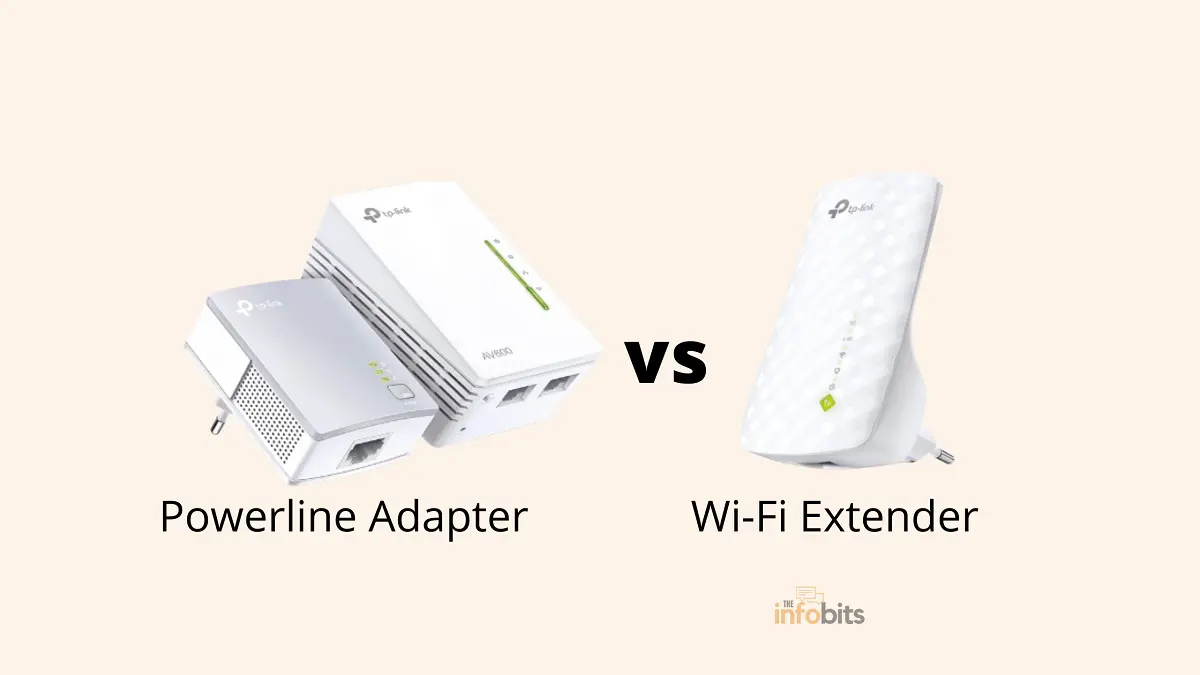
Powerline Adapter vs Wi-Fi Extender vs Mesh: Which Fixes Dead Zones?
Bad Wi-Fi coverage in one room, or a whole floor that never seems to get a solid signal, is one of the most common home networking complaints there is: buffering video, laggy calls, downloads that take five times longer than they should.
Moving the router or troubleshooting your general Wi-Fi setup solves this for a lot of people, but not everyone, especially in larger homes or ones with thick walls and multiple floors.
If you’re past the basic fixes, three real options are worth comparing: powerline adapters, Wi-Fi extenders, and mesh Wi-Fi systems. This guide breaks down how each actually works, where each one wins, and which fits your specific situation.
Quick Answer: For a single stubborn dead zone with a device that doesn’t move (a smart TV, game console, or desktop PC), a powerline adapter is usually the cleanest fix, provided your home’s electrical wiring is in reasonable shape.
For a whole home with multiple dead zones or several floors, a mesh Wi-Fi system is the better long-term investment. It’s replaced the traditional Wi-Fi extender as the go-to whole-home solution for most people in 2026.
A basic Wi-Fi extender is worth considering mainly when you need a fast, cheap fix for one nearby room and don’t mind a modest speed hit.
How Wi-Fi Extenders Work
A Wi-Fi extender (also called a repeater or booster) is a small device that connects to your existing Wi-Fi network, then rebroadcasts that signal further into your home. You place it somewhere your router’s signal is still usable but weakening, and it repeats that signal onward into the dead zone beyond it.
Setup is simple. Most extenders just need your existing Wi-Fi password, and they’re inexpensive, often well under $50 for basic models.
Where to Position It
The general rule is to place the extender roughly halfway between your router and the area you’re trying to cover, somewhere the extender still receives a reasonably strong signal from the router itself.
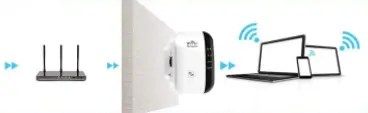
An extender can only rebroadcast the signal quality it receives. Placing it too close to the dead zone (and too far from the router) means it has little to work with in the first place.
Avoid thick walls, corners, and large appliances between the router and the extender, and expect to do some trial and error to find the actual sweet spot in your specific home.
Single-Band vs. Dual-Band
A single-band extender splits its available bandwidth between receiving the signal from your router and rebroadcasting it to your devices, which effectively cuts your usable speed.
A dual-band (or tri-band) extender like TP-Link AC1200 WiFi Extender (view on Amazon) that supports both 2.4GHz and 5GHz avoids this bottleneck and is worth the extra cost over a cheap single-band unit for anything beyond very light browsing.
The Real Limitation
Extenders create a second network hop, and every hop costs you some speed and adds latency; this is true regardless of brand or price.
If you need to cover a large home, you’ll often end up daisy-chaining multiple extenders, and each additional hop degrades the signal further. This is the core reason extenders have fallen out of favor for whole-home coverage in recent years, in favor of mesh systems (more on that below).
Related: What to Do with an Old Router? Efficient Uses For Old Routers
How Powerline Adapters Work
Powerline adapters use your home’s existing electrical wiring to carry your network signal, sidestepping wireless dead zones entirely.
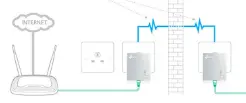
One adapter plugs in near your router and connects to it with a short Ethernet cable; a second adapter plugs into an outlet in the room where you need connectivity, and provides an Ethernet port (and often Wi-Fi) there.
Because most of the signal’s journey travels through wires rather than air, powerline connections tend to be far more stable through thick walls and between floors than a rebroadcast Wi-Fi signal. The electrical wiring doesn’t care about wall thickness the way radio waves do.
What Affects Powerline Performance
- Same circuit is best. Powerline adapters perform most reliably when both units are on the same electrical circuit. Signal can cross between circuits through your home’s breaker panel, but each crossing reduces performance.
- Wiring age and quality matter. Modern wiring in good condition can deliver speeds close to gigabit Ethernet; older wiring, or a home with multiple breaker panels between the two adapters, can meaningfully reduce throughput.
- Never use them with surge protectors, power strips, or a UPS. These devices often filter out the specific frequencies powerline adapters use to carry data, resulting in a slow or completely dead connection. Always plug powerline adapters directly into a wall outlet.
- Electrical noise degrades the signal. Devices that generate electrical interference ( some LED lighting, certain appliances, even old-style incandescent Christmas lights) can measurably reduce powerline performance if they’re on the same circuit.
- Distance has a practical ceiling. The commonly cited maximum is around 200 meters of wiring distance, though real-world performance typically degrades well before that if the path crosses circuits or passes through older wiring.
Wi-Fi-Enabled Powerline Adapters
Many current powerline adapters include a built-in Wi-Fi access point at the remote end, combining the stability of a wired powerline backhaul with the convenience of wireless access exactly where you need it.
It is a strong middle-ground option if the device you’re trying to reach doesn’t have (or need) a wired Ethernet port.
You’ll find many Wi-Fi powerline adapter kits on Amazon to fit different needs and budgets. Choose a model that matches your internet speed, home size, and required features. For example, the TP-Link AV1000 (see on Amazon) is a popular option for extending both wired and wireless network coverage in many homes.
The Third Option: Mesh Wi-Fi
Most current comparisons of this topic leave out what’s become the default recommendation for whole-home coverage: a mesh Wi-Fi system.
Related: Mesh System vs WiFi Extender: Which Is Better for Your Home?
Instead of one router broadcasting outward and an extender relaying that signal, a mesh system uses multiple nodes placed throughout your home that all communicate with each other, forming a single unified network your devices roam across seamlessly. No manually connecting to an “extended” network name, no signal drop-off as you walk from room to room.
- Better than extenders for whole-home coverage. Because mesh nodes talk to each other intelligently rather than simply repeating a weakening signal, coverage tends to be more consistent throughout a larger home, especially with three or more dead zones or multiple floors.
- More expensive than a single extender or powerline kit, though prices for solid Wi-Fi 6 mesh systems have come down significantly.
- Adding a traditional extender to a mesh system generally isn’t recommended. It creates a separate network segment that doesn’t get the mesh system’s seamless roaming, undermining the main benefit of going mesh in the first place. If you need more mesh coverage, add another node from the same manufacturer instead.
- Some mesh systems now support powerline as a backhaul option, letting nodes communicate with each other over your electrical wiring instead of wirelessly. This is a genuinely useful hybrid for homes where the mesh nodes themselves have trouble reaching each other wirelessly.
If a powerline adapter isn’t the best fit for your home, a Mesh Wi-Fi system like TP-Link Deco S4 Mesh AC1900 (available on Amazon) is another excellent option for improving whole-home Wi-Fi coverage and eliminating dead zones.
Powerline Adapter vs. Wi-Fi Extender vs. Mesh: Quick Decision Guide
| Your situation | Best fit |
|---|---|
| One stationary device (TV, console, desktop) in a dead zone | Powerline adapter |
| Whole home with multiple dead zones or several floors | Mesh Wi-Fi system |
| One nearby room, light use, tight budget | Basic dual-band Wi-Fi extender |
| Thick walls or old plaster/brick between router and dead zone | Powerline adapter (wiring bypasses the wall problem entirely) |
| Old or unreliable home electrical wiring | Mesh or Wi-Fi extender (powerline will underperform) |
| Need a wired Ethernet connection in another room, plus Wi-Fi there | Wi-Fi-enabled powerline adapter |
| Building a network from scratch and want the least troubleshooting long-term | Mesh Wi-Fi system |
Related: Best Long-Range WiFi Routers: Tested for Large Homes & Dead Zones
The Verdict
There’s no single universal winner. The honest answer depends heavily on your specific home and what you’re trying to connect.
Choose a powerline adapter if you have one or two specific dead zones with a device that stays put, and reasonably modern home wiring. It’s a targeted, reliable fix that isn’t affected by the walls or distance that give Wi-Fi extenders trouble.
Choose a Wi-Fi extender if you need a cheap, fast fix for one nearby room and your existing Wi-Fi signal there is weak but not completely absent. Remember, an extender can only repeat what it receives, so it won’t help if the starting signal is already too poor to work with.
Choose mesh Wi-Fi if you’re dealing with a larger home, multiple dead zones, several floors, or you’re simply tired of troubleshooting patchwork fixes.
It costs more upfront than a single extender or powerline kit, but it’s the more complete, lower-maintenance solution for most people set up today, and it’s what most networking guidance defaults to recommending in 2026 for anything beyond a single small dead zone.
If your needs sit somewhere between these ( say, one wired device far from the router, plus general Wi-Fi improvement nearby), a Wi-Fi-enabled powerline adapter or a mesh system with powerline backhaul can reasonably cover both needs in a single purchase.
If your Wi-Fi problems aren’t really about dead zones at all ( dropped connections, slow speeds everywhere, or a router that keeps resetting), it may be worth checking whether your router itself needs replacing before investing in extenders, powerline adapters, or a mesh upgrade.
Frequently Asked Questions
Are powerline adapters better than Wi-Fi extenders?
For a single, targeted dead zone ( especially one with thick walls or multiple floors between it and the router), powerline adapters generally outperform Wi-Fi extenders, since they aren’t affected by physical obstructions the way a rebroadcast wireless signal is. Extenders remain simpler and cheaper for a nearby room with a moderately weak (not absent) signal.
Can I use a powerline adapter as a Wi-Fi extender?
A basic powerline adapter gives you a wired Ethernet connection at the remote end, but you’ll need a Wi-Fi-enabled powerline adapter specifically if you want wireless coverage at that location rather than just a wired port.
What are the downsides of powerline networking?
Performance depends heavily on your home’s electrical wiring age and quality; adapters must plug directly into wall outlets (never surge protectors, power strips, or a UPS), and results can vary significantly between homes even using the same hardware, since every house’s wiring is different.
Is mesh Wi-Fi better than a powerline adapter?
For whole-home coverage with multiple dead zones, yes, mesh is generally the better and more complete solution. For a single stationary device in one dead zone, especially with older or unpredictable home wiring, a powerline adapter can be simpler and just as effective for that specific need.
Should I add a Wi-Fi extender to my existing mesh system?
Generally, no. This creates a separate network that doesn’t benefit from the mesh system’s seamless roaming and can actually create more confusion (multiple network names, devices not switching automatically) than it solves. Adding another node from the same mesh manufacturer is the better way to extend a mesh network.
Do powerline adapters work well in older homes?
It depends entirely on the wiring’s condition and layout. Older wiring, multiple breaker panels between the two adapters, or a lot of electrical noise on the circuit can significantly reduce performance. There’s no reliable way to know how well it’ll work in your specific home until you test it, though most powerline adapters are returnable if performance disappoints.
Is it worth buying a dual-band Wi-Fi extender over a cheap single-band one?
Yes, if you’re using the extender for more than light browsing. A single-band extender splits its bandwidth between receiving and rebroadcasting the signal, which meaningfully cuts usable speed, while dual-band and tri-band models avoid that bottleneck.
We hope you found this article helpful, and do sign up for our free newsletter to receive new information right in your inbox. In addition, we ask that you bookmark this page for future reference.
You May Be Interested in Reading:
- Comparing DD-WRT vs OpenWrt | Which Is the Best Custom Router Firmware?
- Why Is Your Modem Keeping Resetting? Fix It In 10 Easy Steps
- How Long Do Routers Last and When Should You Replace Them?
- 5 Simple Methods to Get Temporary Wi-Fi Internet Without a Dedicated ISP
- What to Do If Your Internet Access Is Blocked or There Is No Internet Connection?