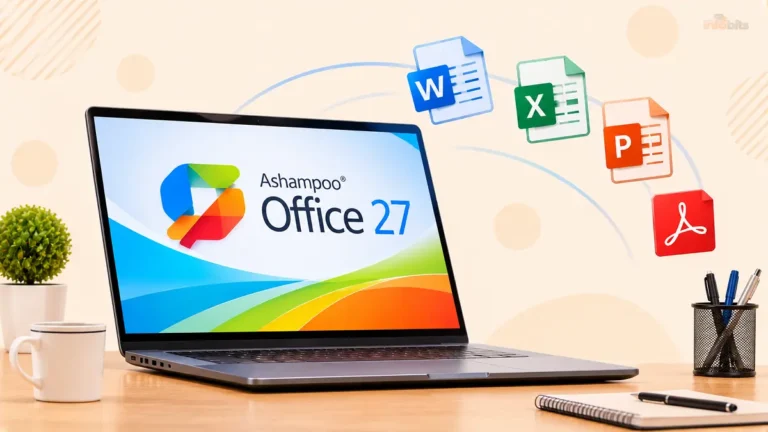
Is Ashampoo Software Safe and Legit? What to Know Before You Download
Quick answer: Yes, Ashampoo is safe and legitimate. It is a real German software company that has been selling Windows utilities since 1999, and we found no credible evidence that its programs are malware. The real risks are practical ones like licence activation limits, upsell prompts, support that is hit-or-miss for some users, and system-tuning tools that can cause trouble if you click “fix everything” without looking. Download only from ashampoo.com and use the free trial before you pay.
You probably landed here because you saw an Ashampoo ad, a discounted licence, or a “free giveaway” and wondered whether it’s the real deal. That’s a smart question. Plenty of PC utility brands are aggressive about selling, and some are not trustworthy at all.
So here’s the straight answer, plus the detail most “safety check” reviewers forget to consider, like which Ashampoo products deserve extra caution, what actual customers complain about, how to avoid fake downloads, and how to get your money back if it doesn’t work out.
Ashampoo at a Glance
| Question | Short answer |
|---|---|
| Who makes it? | Ashampoo GmbH & Co. KG |
| Where is it based? | Rastede, Lower Saxony, Germany |
| Founded | 1999 |
| Main platform | Windows |
| Best-known products | WinOptimizer, Burning Studio, Backup Pro, Snap, Photo Commander, PDF Pro, Office |
| Is it malware? | No credible evidence; signed installers; clean website reputation scans |
| Trustpilot score | 4.7 out of 5 from 21,000+ reviews (early November 2026) |
| Refund policy | 30-day money-back guarantee on purchases made through its website |
| Most common complaints | License resets, support speed, Backup reliability for some users, upsell prompts |
How We Checked
“Is it safe?” is really five questions, so we looked at each one:
- Who is behind it? Is there a real, traceable company?
- Does the software behave like malware? What do scans, signatures, and security communities say?
- What do independent sources say? Review sites, scanners, and long-time users.
- How does the money side work? Checkout, licences, and refunds.
- What goes wrong in real life? The honest complaints, not just the five-star praise.
This guide uses public company information, independent scan results, thousands of customer reviews, and official policies. We did not take payment from Ashampoo for this article.
Who Is Behind Ashampoo?
Ashampoo isn’t a pop-up brand that appeared last year. Its Trustpilot company profile describes Ashampoo GmbH & Co. KG as a software company in Rastede, Germany, founded in 1999 by Rolf Hilchner and focused on Windows software.
The company’s own site lists its address as the //CRASH Building, Schafjückenweg 2, 26180 Rastede, Germany.
Ashampoo says its products are available in over 160 countries and claims more than 22 million users. Those are self-reported numbers, so treat them as marketing. They are still consistent with a long-running, established vendor.
Quick trust test you can do yourself: German commercial websites must publish a legal notice (an “Impressum”) with the company’s name, address, and registration details. Check Ashampoo’s footer, and you’ll find a real corporate entity, which a fly-by-night operation wouldn’t bother with.
Is Ashampoo Software a Virus or Malware?
No. We found no credible reports of Ashampoo shipping malware. Here’s what supports that:
- Website reputation scans are clean. A GridinSoft scan from October 2025 found ashampoo.com clean with Bitdefender, CRDF, Google Safe Browsing, and a phishing database.
- Installers are code-signed. Analysis of Ashampoo installers shows a valid digital signature from Ashampoo GmbH & Co. KG, issued through GlobalSign. A signature means Windows can verify who published the file and that it hasn’t been tampered with.
- Long-time users vouch for it. Security forums going back years include users saying they’ve used Ashampoo programs for ages and consider them trustworthy, with the main grumble being promotional banners.
Why you might still see a warning: Brand-new installers can trigger Windows SmartScreen’s “unrecognized app” screen simply because few people have downloaded that exact version yet.
Some system-tuning tools also behave in ways antivirus heuristics dislike, because they change settings and files by design.
One buyer of Driver Updater reported Defender alerts in a 2022 forum post and wondered whether it was safe. A warning alone isn’t proof of malware, but it’s a reason to verify the file (see the checklist below).
Is the Ashampoo Website and Store Legitimate?
Yes. Ashampoo.com is the official store and download hub. Two things are worth knowing:
1. Payments run through a reseller. Ashampoo’s Trustpilot reply to one complaint pointed the buyer to its e-commerce partner Cleverbridge to resolve a failed payment.
Cleverbridge is a large, established payment and reseller platform used by many software publishers. It is a legitimate processor, but it means billing issues aren’t always handled by Ashampoo’s own team.
2. The Trustpilot score is good, but read it with open eyes. Ashampoo has 4.7 out of 5 across more than 21,000 reviews, with about 80% five-star and 2% one-star.
That is strong. But the same page shows the company has a paid Trustpilot subscription, invites customers to review, and replies to 98% of negative reviews.
That’s normal for a business, and replying to criticism is a good sign. Still, invitations can tilt scores upward, so treat Trustpilot as one signal and not the whole story.
Ashampoo’s own verified-buyer ratings on its product pages tell a similar story. For WinOptimizer 26, about 81% of ratings are five-star, and around 2% are one-star.
What Real Users Say: The Good and the Bad
| What people praise | What people complain about |
|---|---|
| Simple, uncluttered programs that get the job done | Licence key reset needed after moving to a new PC |
| Good value, especially upgrade deals | Support is mostly email-based and can be slow for some |
| Helpful support when it works (licence recovery, Windows 11 fixes) | Backup software reliability complaints from a minority |
| Free trials before buying | Failed checkout through the payment partner |
| Regular updates | Upsell banners and promotional prompts |
| Lifetime-style licences on many titles | A few products unavailable in certain countries |
The pattern matters. Complaints are mostly about licensing, support and individual product quality, not about stolen data, hidden miners or fake charges. That’s the profile of an imperfect but real software company, not a scam.
Product-by-Product Safety Guide
Not every Ashampoo product carries the same risk. Programs that change your system settings deserve more care than a screenshot tool.
| Product | What it does | Risk level | Our take |
|---|---|---|---|
| WinOptimizer | Cleanup, startup manager, privacy tools, registry features | Medium | Safe to install, but it edits system settings. Create a restore point first. A recent version added a “Super-Safe” mode for extra-cautious tuning |
| Burning Studio | Burns, rips, and backs up discs | Low | Fine for disc work. Expect upgrade promotions |
| Backup Pro | Disk and partition backup and restore | Low (malware) / Medium (reliability) | A few users report bugs. Always test a restore |
| Driver Updater | Finds and installs drivers | Medium | Driver tools can cause problems if the wrong driver installs. Prefer Windows Update or your PC maker |
| Snap | Screenshots and screen capture | Low | Straightforward |
| Photo Commander / Photo Optimizer | Photo management and editing | Low | Sold with lifetime-style licences |
| Office / PDF Pro | Documents and PDF editing | Low | Check compatibility with your files before relying on it |
| AntiSpy | Adjusts Windows privacy settings | Medium | Changes system behaviour. Understand each toggle |
The Real Downsides (Read This Before You Buy)
1. Licences can be fiddly. One Trustpilot reviewer was told they’d need to buy again after moving software to a new PC. Ashampoo’s reply explained that licence keys can be reset for a new installation in the Licenses section of your MyAshampoo account. The fix exists, but many people don’t know about it.
2. “Lifetime” usually means that version. Ashampoo sells many titles with lifetime-style licences, but newer major versions are typically sold separately. One long-term customer noted there are constant deals, especially when upgrading. Expect to pay again when a new version appears.
3. Promotional nudges. This isn’t new. A PCWorld review of an older Ashampoo security product noted an ad for Ashampoo popping up from the system tray icon. Forum users have described similar upgrade banners in other products as mildly annoying rather than harmful.
4. System tuners carry inherent risk. This is true of the whole category. Microsoft states plainly that it does not support the use of registry cleaners and isn’t responsible for issues caused by them.
Ashampoo’s tools aren’t uniquely dangerous, but any tool that edits the registry can occasionally break something. One long-time user reported WinOptimizer clearing cookies in a way that forced them to reset passwords.
5. Support is mostly by email. The company’s profile describes technical support by email plus online help, videos, FAQs, and manuals.
Several happy reviewers praise quick answers, while others describe slow back-and-forth when they needed urgent help. Ashampoo even suggests checking your spam folder because replies sometimes land there.
6. Mostly Windows-only. The company specializes in software for Windows operating systems. Mac and Linux users will find little here.
7. A few regions are blocked. One reviewer from the Philippines couldn’t buy, and Ashampoo confirmed purchases aren’t possible in a few countries. This is unlikely to affect readers in the US, UK, Canada, Australia, or New Zealand.
Do You Actually Need It? A Quick Decision Guide
Ashampoo is a good fit if you:
- Want simple, single-purpose Windows tools without a monthly subscription
- Like trying software free before paying
- Still burn discs, rip CDs, or manage a big photo library
- Prefer a European vendor with clear refund terms
Think twice if you:
- Expect an optimizer to make an old PC feel brand new. Hardware matters far more, and our guide to things to upgrade on a PC explains what actually moves the needle.
- Just need basic security. Microsoft Defender is a solid baseline for most home users, and you can add a second-opinion scanner if you want one. Our Malwarebytes vs Bitdefender comparison helps you choose
- Use a Mac or Linux machine
- Want one-click “fix everything” magic. No tool delivers that safely
Tip: If your PC is slow, check storage health and free space before buying any optimizer. A dying drive looks a lot like a slow computer. Our guide on signs your SSD is failing shows what to look for.
Safe-Download Checklist
Follow these steps whether you’re installing Ashampoo or any other Windows utility:
- Go to ashampoo.com directly. Type the address yourself instead of clicking an ad or a “free key” email.
- Use the official download or the Ashampoo app. Skip “download manager” wrappers from random sites.
- Right-click the installer → Properties → Digital Signatures. The signer should be Ashampoo GmbH & Co. KG. No signature means stop and re-download.
- Scan on VirusTotal if you’re unsure. One or two obscure engines flagging a generic name is common with heuristic false positives. Many major engines flagging it is a red flag.
- Create a restore point before running any system-tuning tool.
- Start with the trial. Don’t buy until you’ve seen it behave on your own PC.
- Decline optional extras and marketing during setup, and review the in-app privacy and update settings.
- Keep your invoice and licence email somewhere safe. They make later licence resets much easier.
Fake downloads are a bigger real-world risk than Ashampoo itself. Cracked versions, “keygens” and unofficial installers are the usual way malware rides in on a famous brand name. For more on the dangers of unofficial and old software, see our abandonware guide.
Warning signs of a fake Ashampoo source:
- The domain isn’t ashampoo.com
- Offers a “full version crack” or “free licence key generator”
- An email or pop-up demands payment or remote access
- A “support” phone number you didn’t look up on the official site. The company describes its support as email- and help-desk-based, so be wary of unsolicited calls.
Using a password manager also protects your MyAshampoo account if you do buy. See our roundup of the best password managers.
Myth vs. Fact
| Myth | Fact |
|---|---|
| “A Windows warning means Ashampoo is malware.” | New or heuristic-flagged installers often trigger SmartScreen or antivirus warnings. Verify the digital signature and download source before panicking |
| “Any 1-star review means it’s a scam.” | Only about 2% of Trustpilot reviews are one-star, and most describe licensing or support problems, not fraud |
| “A 4.7 Trustpilot score proves it’s perfect.” | It’s a strong signal, but the company invites reviews and pays for a Trustpilot plan. Use it alongside other evidence |
| “Lifetime licence means every future version, forever.” | It typically covers the version you bought. New major versions are often separate purchases |
| “PC optimizers will double my speed.” | Gains are usually modest. Hardware, storage health and background apps matter more |
| “Registry cleaning is essential.” | Microsoft doesn’t support registry cleaners, and the benefit is minimal for most users |
Common Mistakes to Avoid
- Running every cleanup option at once. Start with temp files and startup items. Skip aggressive registry options.
- Skipping the restore point. It takes 30 seconds and can save hours.
- Trusting a backup you’ve never restored. A backup you haven’t tested is a hope, not a backup. Store copies on a separate drive, such as a portable SSD like the Samsung T7 (available on Amazon). If you want to understand your drive options first, our internal SSD storage fundamentals guide covers the basics.
- Buying from a “cheap key” reseller. Several Trustpilot reviewers mention cancelled third-party orders. Buy from the official store.
- Forgetting licence limits. Deactivate or reset your licence before you wipe or replace a PC.
Using Burning Studio and Backup Pro Wisely
Burning Studio is still a handy way to burn, rip, and archive discs. Most modern laptops have no optical drive, though, so you’ll need an external USB DVD/Blu-ray writer to burn anything. If you’re mostly digitizing old media, our guides to converting CDs to digital files and converting DVDs to digital show free ways to do it.
Backup Pro is built for full disk and partition backups, including restoring a bootable system. Some users report bugs, so treat it like any backup tool. Run a full backup, then practice a restore before you need it.
It’s also smart to keep a spare USB flash drive like a SanDisk Ultra Flair from Amazon for recovery media, since a dead PC can’t run its own backup software. If a drive does fail, our overview of data recovery costs shows what you might face.
Troubleshooting: When Something Goes Wrong
Windows shows a SmartScreen or Defender warning. Confirm you downloaded from ashampoo.com, check the digital signature, and scan the file. If everything checks out, SmartScreen will usually stop warning as more people install that version.
“Maximum activations reached,” or the licence won’t activate on a new PC. Sign in to your MyAshampoo account and reset the key in the Licenses section. If that fails, email support with your order number.
Payment fails at checkout. Try another browser, card, or PayPal, and disable aggressive ad blockers on the checkout page. If it keeps failing, contact the payment partner, Cleverbridge, directly. Ashampoo points buyers there for payment problems.
The program crashes or misbehaves. Use the in-app Service menu to send support your analysis data. Ashampoo recommends this route because it attaches the diagnostic details their team needs.
Support hasn’t replied. Check your spam and junk folders first, then reply with your ticket number.
You just want your money back. See the next section.
How to Buy Safely and Get a Refund
- Download the trial from the Ashampoo website and test it for a few days.
- Buy through the official store using a card or PayPal (stronger buyer protection than debit transfers).
- Save your invoice, order number, and licence email.
- If it isn’t right, request a refund within 30 days. Ashampoo’s policy promises your money back up to 30 days after purchase if you bought the wrong product or it doesn’t meet expectations.
- Contact [email protected] with your order number. Mention that you’re using the 30-day guarantee.
The guarantee applies to purchases made through Ashampoo’s own website. If you buy from a third-party reseller, you’ll be bound by that seller’s terms.
Should You Add Extra Security?
Ashampoo’s utilities aren’t a replacement for real-time protection. Microsoft Defender is a decent baseline for most home users. If you want a second layer, popular options include Malwarebytes Premium or Bitdefender.
Combine that with good home-network hygiene. Our guide to router security vs antivirus explains why your router matters as much as your PC.
If you enjoyed this “is it legit?” style breakdown, our Is ySense legit? review uses the same approach for another service people ask about.
The Verdict
Ashampoo is legitimate and safe to use. It’s an established German company with signed software, a clear 30-day refund policy, and a strong overall customer rating.
Its biggest weaknesses are ordinary ones like license handling, support speed for some people, and the usual caution you need around any tool that edits Windows settings.
We would like to suggest that you download from the official site, start with a trial, create a restore point before using optimizer tools, and test any backup by actually restoring it. Do that, and you’re far more likely to have a good experience than a bad one.
Frequently Asked Questions
Is Ashampoo safe to download?
Yes, when you download it from ashampoo.com. The company has operated since 1999, its installers are digitally signed, and its website scans clean. Avoid cracked copies and third-party “free key” sites, which are where real malware risk comes from.
Is Ashampoo legit or a scam?
Ashampoo is legitimate. It’s a registered German software company with a physical headquarters, a long track record, a 30-day refund policy, and a Trustpilot score around 4.7 from over 21,000 reviews. Complaints focus on licences and support rather than fraud.
Is Ashampoo a virus or malware?
No. We found no credible evidence that Ashampoo programs are malware. Occasional Windows or antivirus warnings usually involve unfamiliar installers or system-tuning behaviour. Verify the digital signature and download source before deciding.
Where is Ashampoo from and who makes it?
Ashampoo is made by Ashampoo GmbH & Co. KG, headquartered in Rastede, Lower Saxony, Germany. The company was founded in 1999 and specializes mainly in Windows software.
Is Ashampoo WinOptimizer safe to use?
It’s safe to install, but it edits system settings, so use care. Create a restore point first, avoid aggressive registry options, and review each change. Microsoft doesn’t support registry cleaners in general, so cautious use matters more than the brand.
Is Ashampoo Burning Studio safe?
Yes, it’s a low-risk disc burning and ripping tool. You’ll need an optical drive (an external USB one works), and expect occasional upgrade promotions inside the program.
Is Ashampoo Backup Pro reliable?
Many users are satisfied, but a minority report bugs and reliability problems. Run a full backup, test a real restore, and keep a second copy on a separate drive. Never trust any backup tool you haven’t tested.
Is Ashampoo Driver Updater safe?
The software itself isn’t malware, but any driver updater can install the wrong driver. Prefer Windows Update or your PC manufacturer’s drivers for important components, and create a restore point before using one.
Why does Windows Defender or SmartScreen flag Ashampoo?
Usually because the installer is new or unfamiliar, or because a tool modifies system settings. Confirm you downloaded from the official site, check the Digital Signatures tab for Ashampoo GmbH & Co. KG, and scan with VirusTotal if unsure.
Is Ashampoo software free?
Some products offer free trials, and Ashampoo occasionally runs free-licence promotions. Most full versions are paid. Always get trials and offers from ashampoo.com instead of third-party sites.
Is Ashampoo a one-time purchase or a subscription?
Both exist. Many programs are sold with lifetime-style licences, while some newer services, such as its AI Assistant, use yearly pricing. A lifetime licence usually covers the version you bought, not future major releases.
Does Ashampoo offer refunds?
Yes. Purchases made through Ashampoo’s website come with a 30-day money-back guarantee. Contact support with your order number within that window. Purchases from third-party resellers follow the reseller’s own rules.
Is the Ashampoo website safe to buy from?
Yes. Ashampoo.com is the official store, and independent scans found it clean. Check that the address reads ashampoo.com, avoid look-alike domains, and pay by card or PayPal for better buyer protection.
What is Cleverbridge and is it legitimate?
Cleverbridge is a well-known payment and reseller platform that many software companies use. Ashampoo refers customers to Cleverbridge for payment issues. If a checkout fails, try another payment method or contact Cleverbridge support.
Does Ashampoo collect my data or show ads?
Like most commercial sites, ashampoo.com uses consent tools and marketing trackers, and some programs show upgrade promotions. Review the privacy policy, decline optional cookies, and check each app’s privacy and update settings after installing.
Can I use Ashampoo on Mac, Linux, or my phone?
Most Ashampoo software is built for Windows. If you use macOS or Linux, check the specific product page for compatibility before buying.
Do I need Ashampoo WinOptimizer on Windows 11?
No. Windows 11 has built-in cleanup, startup management, and security tools. WinOptimizer can add convenience, but it isn’t required, and it won’t make an old, slow PC dramatically faster.
How do I reset my Ashampoo licence for a new PC?
Sign in to your MyAshampoo account, open the Licenses section, and reset the key for a new installation. If that doesn’t work, email [email protected] with your order number, and check your spam folder for replies.
Is it safe to download Ashampoo from FileHippo or MajorGeeks?
Those sites are well known and say they check their downloads, but the official ashampoo.com download is the safest choice. If you use a third-party host, verify the installer’s digital signature before running it.
Found this guide useful? Share it with someone interested in tech-related tips, tricks, solutions, and news. Follow us on Facebook and Twitter for more tips, tricks, and guides.
We also ask that you bookmark this page for future reference, as we are constantly updating our articles with new information.
Sign up for our free newsletter as well to receive fresh information immediately in your inbox and stay up to date.
Disclosure: If you follow our links to a retailer’s website and make a purchase, we will get an affiliate commission on some, but not all, of the items or services we promote. This will cause no price change for you.