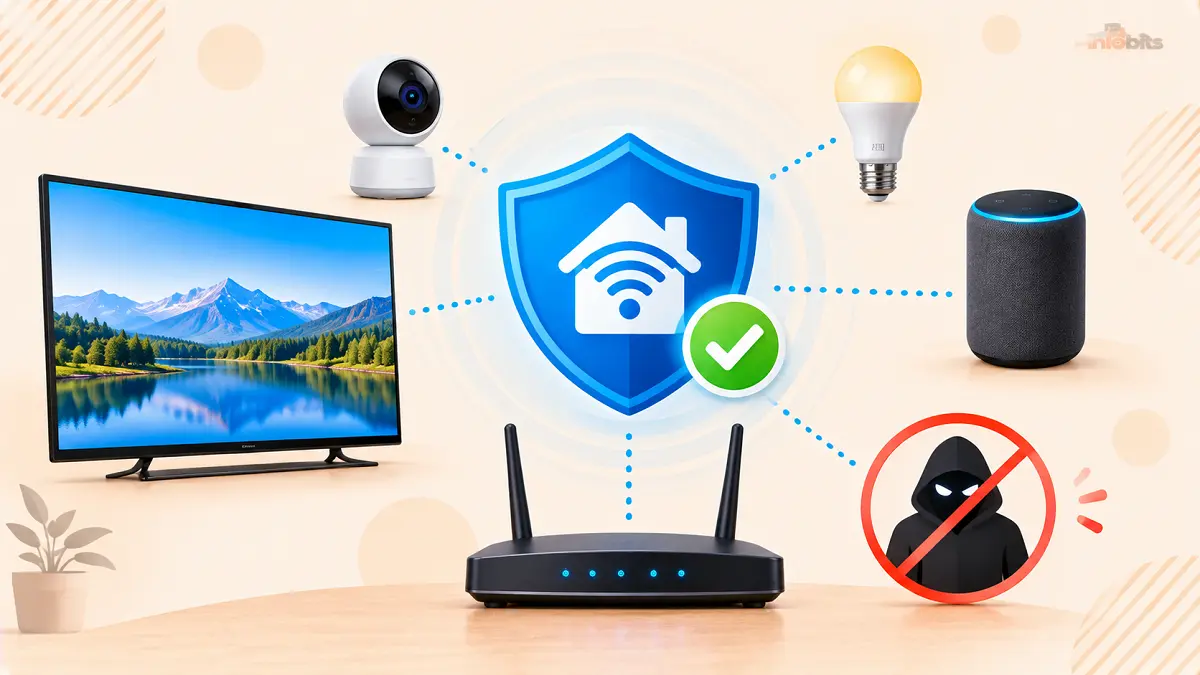
Do Smart TVs and IoT Devices Need Antivirus? What Actually Protects Them
Quick answer: No, most smart TVs and IoT devices don’t need antivirus software, and you usually can’t install it anyway. What they need is a different kind of protection such as latest software updates, strong passwords, privacy settings that are switched off, and a home network that keeps these devices away from your laptop and phone. The one real exception is cheap, uncertified Android TV boxes, which can ship with malware already inside. No antivirus app reliably fixes those. The fix is replacing the box.
If you’ve ever wondered whether your TV needs the same protection as your laptop, you’re asking a fair question. The TV runs apps, connects to Wi-Fi, has a microphone in the remote (and sometimes in the set), and sits on the same network as your banking apps. Treating it like an appliance feels wrong.
The immediate answer is that antivirus is the wrong tool for the job, but the instinct behind the question is right. Let’s separate what’s real from what’s marketing.
Do smart TVs need antivirus? The short answer by device
| Device | Needs traditional antivirus? | What to do instead |
|---|---|---|
| Samsung, LG, Sony, TCL, Hisense, Vizio smart TV | No | Update firmware, turn off ACR and ad tracking, use a guest/IoT network |
| Apple TV, Roku, Fire TV, Google TV Streamer | No | Auto-updates on, official app stores only, strong account passwords |
| Unbranded Android TV box (“unlocked,” “free channels”) | Antivirus won’t fix it | Stop using it, replace with a certified streamer |
| Smart speakers, displays | No | Review mic and history settings, strong account security |
| Cameras, doorbells, baby monitors | No | Unique passwords, two-factor authentication, firmware updates |
| Smart plugs, bulbs, appliances | No | Update, isolate on IoT network, skip unnecessary cloud features |
| Your phone, laptop, tablet | Yes | These control your smart home, so protect them |
Why antivirus doesn’t work on most smart TVs and IoT devices
Antivirus works by living on the device it protects and watching what runs there. Most TVs and IoT gadgets don’t allow that.
- Closed operating systems. Samsung’s Tizen, LG’s webOS, Roku OS, Apple’s tvOS and Fire TV don’t let third-party security apps scan the system. Which? noted that LG and Panasonic TVs have no scanning options, and that their closed systems mean a bad app would have to slip past the store’s checks first.
- Tiny hardware. A TV or a smart plug has limited memory and storage, and it has to stay responsive.
- The wrong threat model. How-To Geek argued that if a TV is compromised, it will most likely be through a zero-day flaw that antivirus wouldn’t catch anyway.
Some manufacturers do include scanners. Samsung built in a virus scanner through a partnership with McAfee, and Sony TVs can run antivirus apps from the Google Play Store.
On Samsung sets, you’ll typically find it under Menu, General, System Manager, Smart Security. It’s harmless to run, but it isn’t the thing keeping your TV safe. Updates are.
Are smart TV and IoT threats real? What’s actually happening
They are, but the biggest threats look different from what the “TV virus” headlines suggest. Most of the serious cases involve cheap Android TV boxes and uncertified devices, not the TV from a major brand.
BadBox 2.0. The FBI warned that this malware had hit over a million devices, mostly cheap, Android-powered hardware, which get hijacked into a global botnet. Google later reported that it compromised over 10 million uncertified devices running the open-source version of Android, which lacks Google’s security protections.
Kimwolf. This botnet infected more than 2 million Android devices, and the top targets were unofficial Android-based smart TVs and set-top boxes. It spread by reaching unauthenticated Android Debug Bridge (ADB) services on local networks, and some TV boxes ship with ADB switched on.
XCPE. In early November 2026, Google worked with industry partners to take down a botnet of more than 1.3 million Android TV boxes that shipped with malware that rented out the owner’s internet connection and committed advertising fraud. Google said the manufacturer included the malicious software deliberately.
The common thread is that these devices were often infected before they reached the buyer’s house. Scanning after the fact doesn’t solve that, because the malware is baked into the firmware.
Also worth noting: the same malware turned up in other Android-based products, including telehealth devices, karaoke machines, and digital signage. Cheap, uncertified hardware is a risk wherever it appears.
The risk most households actually face: tracking, not viruses
For a TV from a mainstream brand, the likelier problem isn’t malware. It’s data collection.
Many smart TVs use Automated Content Recognition (ACR), which samples what’s on screen, fingerprints it, and matches it against a database to learn what you watch.
Texas sued Samsung, Sony, LG, TCL, and Hisense, claiming they unlawfully collected personal data through ACR. Samsung settled and agreed to stop collecting ACR data from Texans without explicit, informed consent. LG reached a similar settlement.
Those settlements cover Texas, but turning ACR off protects you anywhere. The menu names vary by brand:
- Samsung: Settings → Support → Terms & Privacy → Privacy Choices → turn off Viewing Information Services.
- LG: Settings → General → System → Additional Settings → turn off Live Plus, and enable Limit Ad Tracking.
- Vizio: Menu → System → Reset & Admin → turn off Viewing Data.
- Roku TVs, Sony, and Google TV models: menus vary, so look under Privacy, Smart TV Experience, or Usage & Diagnostics.
These menu paths come from a Malwarebytes guide to disabling ACR. Menus change between software versions, so if yours looks different, search the privacy or terms section for “viewing information” or “personalized ads.”
A fair note on LG. In September 2026, researchers reported that LG TVs scan local networks and that a compromised set could capture audio.
LG disputed the claim that its TVs record ambient conversations, said the network scanning supports connectivity and smart-home features, and said ACR requires user consent. The researchers’ audio demonstration involved a TV that had been compromised first.
The takeaway isn’t “LG is spying on you.” It’s that any smart TV sits on your network and deserves the same caution as a computer.
Myth vs. fact
| Myth | Fact |
|---|---|
| “My TV is a regular appliance, so it’s safe.” | It’s a networked computer with apps, a microphone, and an advertising system. |
| “I need to install antivirus on my TV.” | Most TVs don’t allow it, and updates and network setup do more good. |
| “Big-brand TVs and cheap boxes carry the same risk.” | The worst documented infections center on uncertified, no-name Android boxes. |
| “If I’m not doing anything sketchy, I’m not a target.” | Botnets don’t pick targets. They harvest any device they can reach. |
| “Antivirus on my laptop protects my smart home.” | It protects the laptop, which matters because that’s often how smart-home accounts get compromised. |
How to protect your smart TV and IoT devices (12 steps)
Do these in order. The first six take about 15 minutes and cover most of the risk.
- Turn on automatic updates. Check Settings → Support/About → Software Update. Security patches are your main defense.
- Change default passwords. Cameras, routers, and hubs especially. If a device lets you set a password, never keep the factory one.
- Turn off ACR and personalized ads. Use the menu paths above.
- Switch off features you don’t use. Voice assistants, camera, microphone, and “smart” recommendations.
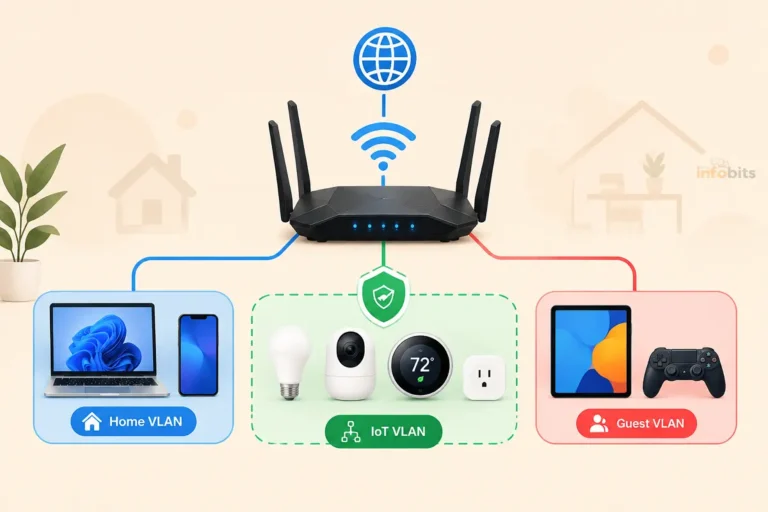
- Put smart devices on a guest or IoT network. This is the single best structural defense. If a TV or camera is compromised, it can’t reach your laptop or NAS. We cover the setup in our guide to creating a secure guest network.
- Use two-factor authentication on streaming, Amazon, Google, and smart-home accounts.
- Install apps only from the official store. Skip sideloaded APKs on TV platforms.
- Keep ADB and developer options off on Android TV devices unless you truly need them.
- Disable UPnP on your router unless something requires it, and don’t forward ports to a TV or camera. Malwarebytes also lists disabling UPnP and using a separate IoT or guest network as practical steps for TVs.
- Keep your router updated and use WPA3 if your devices support it.
- Protect the phones and laptops that control your smart home. This is where antivirus belongs. As one UK tech outlet put it, attackers usually get into a smart home through the phone app or a laptop browser rather than the device itself. If your phone and laptop aren’t covered, a reputable security suite from Bitdefender or Norton, both sold on Amazon, can cover several devices on one subscription.
- Retire devices that no longer get updates. An unpatched TV on your network is a liability, so unplug its internet connection and use a streaming stick instead.
Why a streaming stick often beats a smart TV’s built-in apps
Your TV’s built-in software may stop receiving updates in a few years, while a dedicated streamer is cheap to replace and usually updated more often. If you’d rather not depend on your TV’s software, plugging in a certified streaming player is a clean fix.
An Apple TV 4K, Google TV Streamer, Roku, or Amazon Fire TV Stick from a recognized brand gives you a supported, regularly patched platform, and you can leave the TV’s own internet connection switched off.
Network-level protection: the layer antivirus can’t reach
If you can’t protect a device directly, protect the network around it. There are three options, from simple to advanced.
| Approach | Best for | Effort | What it does |
|---|---|---|---|
| Guest/IoT Wi-Fi network | Everyone | Low | Isolates smart devices from computers and phones |
| Router with built-in security (AiProtection, HomeShield, Armor) | Most households | Low–medium | Blocks known malicious sites, flags suspicious devices |
| VLANs and a firewall appliance | Enthusiasts | High | Fine-grained control over what each device can reach |
Guest or IoT network. Almost every modern router offers one. If you’re not sure which approach suits you, start with our comparison of guest network vs VLAN.
Routers with built-in malware protection. These scan traffic and block known bad destinations for every device, including the ones that can’t run antivirus. We compare options in our guide to routers with built-in malware protection.
If your current router is more than a few years old, models like the ASUS RT-AX88U Pro (with AiProtection) or a TP-Link Deco with HomeShield bring this protection to every device on the network without installing anything on them.
Protective DNS. Switching to a DNS service that blocks malware domains is free and takes minutes. See our list of DNS servers that block malware and ads.
Advanced setups. If you like tinkering, VLANs for IoT devices let you control exactly what each device can talk to. A dedicated network security appliance such as the Firewalla Gold is a popular way to get that visibility without building a firewall from scratch.
We would like to clarify that these tools reduce risk, but they don’t make a compromised device safe. They limit the damage and flag odd behavior.
How to choose a safer smart TV or IoT device
You can lower your risk before you buy. Use this as a quick decision guide:
- Is it from a recognized brand with a published update policy? In the UK, since April 29, 2024, manufacturers have been required to publish a minimum security update period, ban universal default passwords, and offer a way to report vulnerabilities. But Which? found only 59% of the brands it checked (76 of them) had a compliant support-period policy, so check before you buy.
- Is it Play Protect certified (for Android TV boxes)? Researchers advise checking Google’s list of certified Android TV partners. If the box isn’t on it, skip it.
- Does it promise “unlimited free channels” for a one-time fee? That’s a red flag. Many of the boxes infected by Kimwolf were marketed this way, as a path to unlimited, often pirated, streaming.
- Does it carry a security label? The US Cyber Trust Mark is voluntary. The FCC picked a new administrator in April 2026, and on October 27, 2026, it opened a public comment period on how the mark would be displayed and monitored. Labels aren’t common on shelves yet, so don’t wait for one.
- Does it need a camera or microphone you won’t use? Skip the extras, or pick a model where they can be physically disabled. If your TV or monitor has a built-in camera you never use, a simple sliding camera cover is an inexpensive way to close it off.
Warning signs your TV or IoT device may be compromised
- Sluggish performance, random reboots, or apps you didn’t install
- A device that wants Google Play Protect disabled to work
- Settings changing on their own, or ads appearing in places they shouldn’t
- Unusual network traffic or bandwidth use when no one is watching
- Unknown brand, “unlocked” marketing, or an unfamiliar app store on the box
The FBI lists suspicious app marketplaces, disabled Play Protect, “free content” claims, unknown brands, and strange internet traffic as BADBOX 2.0 indicators.
If you’d like to dig deeper, see our guide to checking whether a smart device is vulnerable and how to tell whether your router is part of a botnet.
What to do if you think a device is compromised
- Disconnect it from Wi-Fi or Ethernet.
- Factory reset it. On a normal, certified device, this removes most issues.
- Update the firmware before reconnecting, and change all passwords.
- If it’s an uncertified box, don’t reconnect it. Pre-installed malware can survive a reset. Replace it.
- Change passwords for accounts you’ve used on that device, and turn on two-factor authentication. A hardware security key like a YubiKey adds a strong second factor to your Google, Amazon, and streaming logins, and we cover one in our YubiKey 5C NFC review.
- Check your router for unknown devices and reboot it. Our guide to detecting unauthorized devices on your Wi-Fi walks through it.
Common mistakes to avoid
- Buying the cheapest “unlocked” TV box because a social media post recommended it
- Leaving every device on the main network with your computers
- Skipping update prompts for months
- Clicking “Agree to all” during TV setup
- Keeping an old TV online long after updates have stopped
- Assuming a router’s default admin password is fine
Expert tips
- Give your TV the minimum it needs. If it only plays streaming apps, it doesn’t need a microphone or a camera enabled.
- Treat your router as the front door. A router that’s old, unpatched, or still on its default login undercuts everything else. See our router firmware update checklist.
- Keep a short device inventory. Knowing what’s on your network makes odd behavior easier to spot.
- Reboot occasionally. It doesn’t remove firmware-level malware, but it clears many temporary problems.
Bottom line
Smart TVs and IoT devices don’t need antivirus in the way a laptop does, and most can’t run it. But they do need protection.
Keep them updated, switch off tracking you don’t want, isolate them on their own network, and steer clear of uncertified TV boxes.
Use real antivirus on the phones and computers that control your smart home. That mix does more than any scanner on the TV could.
For a broader view, read our guides on securing IoT devices on your home Wi-Fi and router security vs antivirus.
Frequently Asked Questions
Do smart TVs need antivirus software?
Generally no. Most smart TVs run closed operating systems that don’t allow third-party antivirus, and the better defenses are software updates, privacy settings, and keeping the TV on a separate network from your computers.
Can a smart TV get a virus?
Yes, in principle. Smart TVs are internet-connected computers. In practice, documented infections mostly involve cheap, uncertified Android TV boxes that shipped with malware, not TVs from major brands.
Should I run Samsung’s built-in virus scan?
It’s harmless, so you can. On many Samsung TVs, it’s under Settings → General → System Manager → Smart Security. But don’t rely on it as your main protection. Keep the TV updated instead.
Can I install antivirus on an Android TV or Google TV?
Some Android-based TVs allow antivirus apps from the Play Store, and a few vendors make TV-specific versions. They offer limited protection and won’t remove malware built into uncertified box firmware.
What is the biggest security risk for smart TVs?
For most households, it’s data collection through ACR and ad tracking. For people using cheap, unofficial Android TV boxes, the bigger risk is pre-installed malware that turns the device into part of a botnet.
What is ACR on a smart TV, and should I turn it off?
ACR (Automated Content Recognition) identifies what you watch by matching on-screen content to a database. If you’d rather not share viewing data for advertising, turn it off in your TV’s privacy settings.
Are Android TV boxes safe?
Certified ones from known brands are generally fine. Uncertified, off-brand boxes, especially ones sold as “unlocked” or “free channels,” are risky because many have been found with malware preinstalled.
How can I tell if my TV box is part of a botnet?
Warning signs include Play Protect being disabled, an unfamiliar app store, unknown branding, and odd network traffic. If the box is uncertified and shows these signs, stop using it and replace it.
Do IoT devices need antivirus?
No. Smart plugs, cameras, and speakers can’t run antivirus. Protect them with unique passwords, updates, two-factor authentication on the accounts that control them, and a separate network.
Should smart devices be on a guest network?
Yes. A guest or IoT network keeps a compromised TV, camera, or plug from reaching your computers and phones, and it takes only a few minutes to set up on most routers.
Does a VPN protect my smart TV?
A VPN can hide your browsing from your ISP, but it doesn’t patch vulnerabilities or stop malware. It’s a privacy tool, not a replacement for updates and network isolation.
How often should I update my smart TV?
Turn on automatic updates. If that’s not available, check for updates every month or two, and install security updates as soon as they appear.
Can hackers listen through my smart TV microphone?
It’s possible only if a TV is compromised, and there’s no evidence it’s routine on uncompromised sets. Reduce the risk by disabling voice features you don’t use and keeping the TV updated.
Is it safe to connect a smart TV to Wi-Fi?
Generally yes, if you keep it updated and limit the data it shares. For extra safety, put it on a guest network or use a separate streaming device and keep the TV offline.
What should I do if my smart TV stops getting updates?
Disconnect it from the internet and use a supported streaming device instead. An unpatched device can become a weak point on your network over time.
Do routers with built-in security replace antivirus?
No, but they help. Router-based protection blocks known malicious sites for every device, including ones that can’t run antivirus, while antivirus still protects your phone and computer.
What is the U.S. Cyber Trust Mark?
It’s a voluntary FCC labeling program meant to show that a connected product meets baseline security standards. It’s still being rolled out, so many products don’t carry it yet.
What are the signs of a hacked smart device?
Look for unexpected reboots, apps you didn’t install, changed settings, unusually high network use, and devices that demand security features be turned off. Disconnect and reset the device if you see them.
Found this guide useful? Share it with someone interested in tech-related tips, tricks, solutions, and news. Follow us on Facebook and Twitter for more tips, tricks, and guides.
We also ask that you bookmark this page for future reference, as we are constantly updating our articles with new information.
Sign up for our free newsletter to receive fresh information straight to your inbox and stay up to date.
Disclosure: If you follow our links to a retailer’s website and make a purchase, we will get an affiliate commission on some, but not all, of the items or services we promote. This will cause no price change for you.