
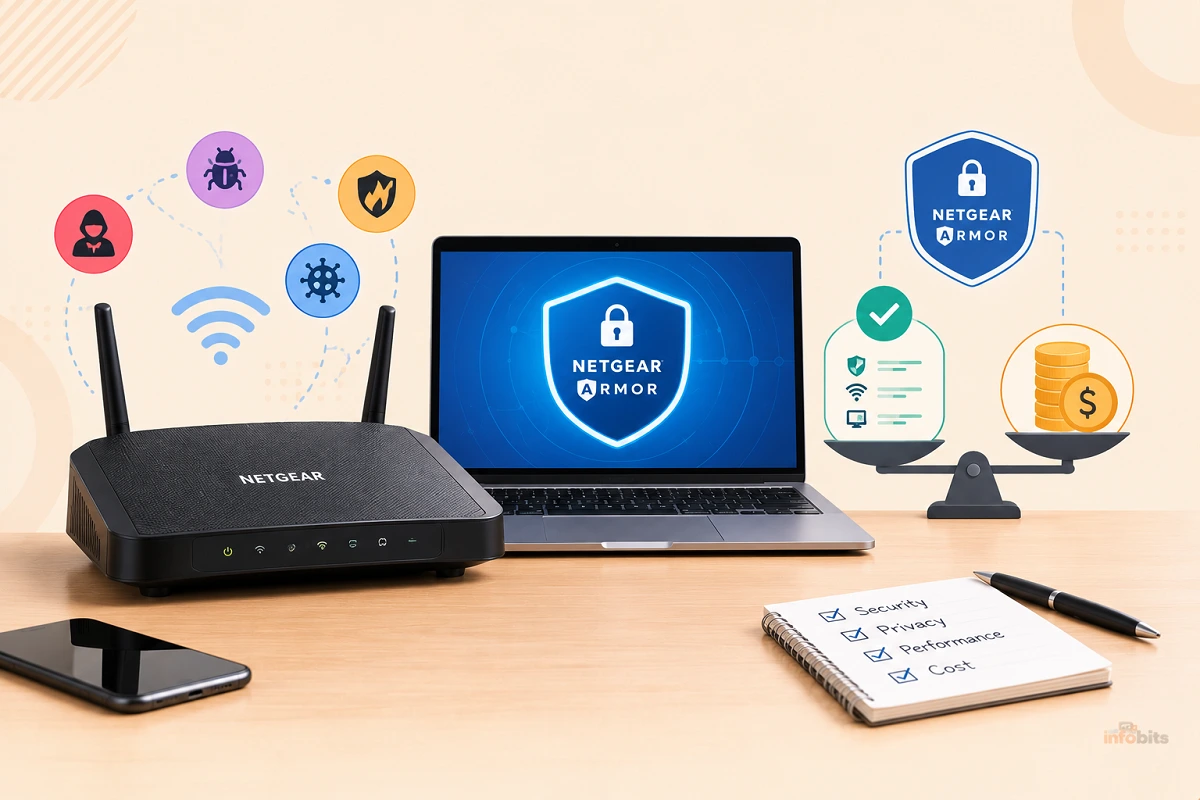
Is NETGEAR Armor Worth $100 a Year? A Real Cost-Benefit Breakdown (2026)
You unbox a new Orbi or Nighthawk, set it up in the app, and see a friendly offer. Try NETGEAR Armor free. Then the 30-day trial ends and the question arrives with a price tag. Is this router security subscription worth $99.99 a year, every year, for as long as you own the router?
The honest answer isn’t a flat yes or no. It depends on how many smart devices you own, who else uses your network, and whether you’d otherwise buy antivirus or a VPN anyway. This guide breaks down what the money buys, what it costs over time, what you could get for less (or free), and how to decide using the trial instead of guessing.
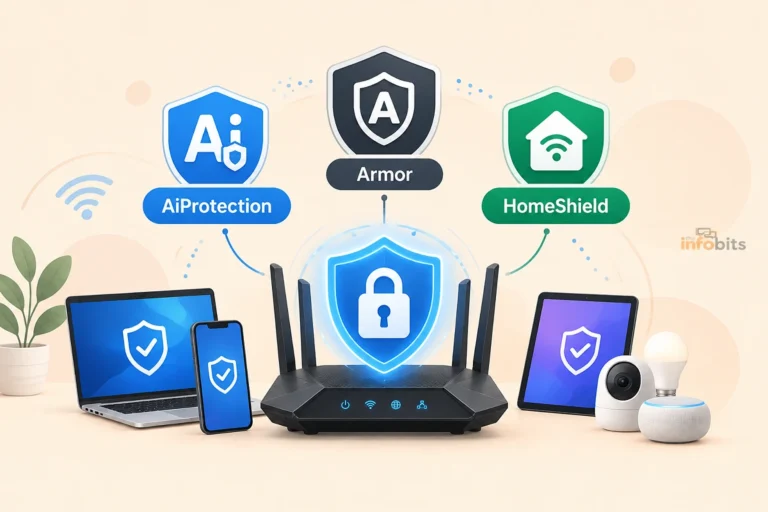
Want the feature-by-feature comparison against ASUS and TP-Link? See our AiProtection vs Armor vs HomeShield breakdown. This article is about the money.
Quick answer: For most households with a few laptops and phones, Armor is a nice-to-have, not a must-have. Free basics (router updates, WPA3, malware-blocking DNS, and the antivirus already built into your devices) cover much of the same ground. Armor earns its $99.99 when you have lots of smart-home gadgets that can’t run antivirus, kids’ or less tech-savvy family members on the network, or when you’d otherwise pay separately for antivirus and a VPN. Use the 30-day trial, read the weekly reports, and decide with evidence.
What $99.99 Actually Buys You
NETGEAR sells two plans in 2026. Both cover up to 50 devices with the Armor app, plus your whole home network through the router.
| NETGEAR Armor | NETGEAR Armor Plus | |
|---|---|---|
| Price | $99.99 a year ($8.33 a month billed annually) | $149.99 a year ($12.50 a month billed annually) |
| Network threat protection (router level) | Yes | Yes |
| Bitdefender antivirus on up to 50 devices | Yes | Yes |
| Unsafe link and scam protection | Yes | Yes |
| Weekly security score and vulnerability scans | Yes | Yes |
| Dark web monitoring (new) | Yes | Yes |
| Extended router warranty and priority support | Yes* | Yes* |
| Unlimited VPN | No | Yes |
| Ad blocker and anti-tracker | No | Yes |
*NETGEAR limits the warranty and priority support to paid (non-trial) subscribers with eligible routers bought in the US, UK, or Canada within the last 3 years.
The plan table above is based on NETGEAR’s own comparison chart. A note on the VPN: NETGEAR’s 2025 announcement described Armor Plus as the tier that adds the unlimited VPN, ad blocking, and anti-tracking, yet some marketing copy on the Armor page mentions a built-in VPN in general terms.
Confirm in the Orbi or Nighthawk app exactly what your plan includes before you pay.
At the router level, NETGEAR describes AI-powered anomaly detection that blocks unusual behavior across your connected devices. That matters most for gadgets like cameras, smart TVs, and baby monitors that can’t run antivirus themselves.
What It Really Costs Over Time
A yearly price looks small. Multiplied over the life of a router, it adds up.
| Option | Year 1 | 3-year total | 5-year total |
|---|---|---|---|
| NETGEAR Armor | $99.99 | $299.97 | $499.95 |
| NETGEAR Armor Plus | $149.99 | $449.97 | $749.95 |
| TP-Link HomeShield Security+ | $35.99 | $107.97 | $179.95 |
| TP-Link HomeShield Total Security Package | $69.99 | $329.97 | Higher (renews at $129.99) |
| ASUS AiProtection | $0 | $0 | $0 |
| Free DIY setup (DNS filtering + updates) | $0 | $0 | $0 |
The HomeShield prices come from TP-Link’s plan page, which lists Security+ from $35.99 a year and the Total Security Package at $69.99 for the first year, renewing at $129.99. ASUS is the outlier: AiProtection is free for the lifetime of the router.
Three cost traps to know about:
- Regional and renewal variation. NETGEAR says the annual price depends on your region and may include promotions, and tells you to check the app for the current price. One NETGEAR community member described being charged $139.99 one year and then seeing a confusing renewal quote of $110.40. Screenshot your price at signup.
- Price history. Armor has crept up. It launched around $69.99 a year, then rose to $99.99 in 2021, and Armor Plus arrived at $149.99. Plan for it to keep rising.
- The subscription can rival the hardware. Over five years, Armor costs roughly what a good mid-range mesh system costs. If protection lapses when the router is replaced, you’ve paid for a service tied to a device you’ll eventually retire. Our guide on how long routers last helps you estimate that window.
What You’d Pay to Replace It Piece by Piece
NETGEAR’s pitch is that Armor bundles things you’d otherwise buy separately. That’s partly true, but only if you’d actually buy those things.
| Piece | Typical separate cost | Included in Armor? |
|---|---|---|
| Antivirus suite (multi-device) | About $20 to $40 first year, often $90 to $100 at renewal | Yes (Bitdefender, up to 50 devices) |
| VPN | Commonly $30 to $60 a year | Plus only |
| Ad blocking/tracker blocking | Free to about $20 a year | Plus only |
| Breach monitoring | Free options exist (such as Have I Been Pwned) | Yes |
| Router-level IoT monitoring | No exact one-to-one product | Yes |
The antivirus figures come from Bitdefender’s own pricing. One 2026 review lists Total Security at $19.99 for the first year, jumping to $89.99 at renewal, while another lists $39.99 the first year and $99.99 at renewal for a 5-device plan.
Prices change constantly, so check current listings, such as a Bitdefender Total Security 5-device plan on Amazon, before assuming a number.
How to read this: If you’d genuinely buy antivirus plus a VPN anyway, Armor Plus at $149.99 can come out roughly even and give you router-level protection as a bonus.
If you wouldn’t buy either, Armor is pure additional spending. NETGEAR’s claim that the bundle is “over $500 worth” of tools is a vendor figure. Don’t use it for your own math.
What Armor Protects You From (and What Cheaper Fixes Exist)
Cost-benefit means asking what risk you’re actually paying to reduce. Here are the realistic home threats and where Armor fits.
| Threat | How common | Does Armor help? | Cheaper or free fix |
|---|---|---|---|
| Phishing and malicious links | Very common | Yes, blocks known-bad sites at network and app level | Browser safe-browsing, malware-blocking DNS |
| Malware from downloads | Common on PCs | Yes, via Bitdefender app | Built-in Windows/macOS protection, common sense |
| Compromised smart-home devices | Moderate, rising | Yes, this is Armor’s strongest case | Segment IoT on a guest network, keep firmware updated |
| Account breaches and reused passwords | Very common | Alerts only | A password manager and two-factor authentication |
| Router weaknesses (default passwords, exposed admin) | Moderate | Yes, vulnerability scans flag them | Change defaults, disable remote admin, update firmware |
| Scam texts and calendar spam | Common | Yes, via the app | Phone-level spam filters |
Router-level filtering and on-device antivirus are complementary: router-level scanning can catch threats that endpoint software misses, especially on IoT devices that can’t run antivirus. That’s Armor’s real edge. On a home of only laptops and phones, that edge shrinks.
What the Test Results Do and Don’t Tell You
NETGEAR often cites an AV-Comparatives assessment. In it, Armor scored 9.1 out of 10, ahead of TP-Link HomeShield (7.3), ASUS AiProtection (6.4), and eero Plus (5.5), with results taken from each router’s default configuration after setup.
That’s a strong result, with one important footnote: the study was commissioned by NETGEAR and Bitdefender. It tested one router per brand, and the categories were chosen for the study. It’s useful evidence that Armor is a capable product. It isn’t proof that the extra cost changes your real-world outcomes.
The same goes for scare statistics. NETGEAR says the average home network is targeted every 50 minutes, and an earlier vendor report put it at about 10 attacks per day. Treat these as automated probing and blocked attempts, not successful break-ins. They show that the internet is noisy, not that you’ll be hacked without a subscription.
The Downsides Nobody Puts on the Box
- Hardware lock-in. The network-level protection works on compatible NETGEAR Nighthawk and Orbi hardware. Switch brands and that layer doesn’t come with you.
- Privacy compromises. Cloud-based threat detection means traffic-related data is analyzed by a third party. Dong Knows Tech noted that the added capabilities in Armor require users to surrender more personal information. Read the privacy policy if that matters to you.
- Performance on older routers. One reviewer found that older routers can lose some throughput when scanning is on, while newer models handle it better. NETGEAR says Armor doesn’t slow your internet. On a modern Wi-Fi 6 or Wi-Fi 7 model, this is unlikely to be a problem.
- A false sense of security. A subscription won’t fix a weak password or an unpatched camera. Users often stop doing the basics once they’ve “bought protection.”
- Renewal drift. Auto-renewal at a higher price is the norm for security subscriptions. Set a calendar reminder a month before it renews.
Armor vs. the Alternatives
This is the short version. For the full feature comparison, see our AiProtection vs Armor vs HomeShield guide.
| Option | Cost | Best for | Catch |
|---|---|---|---|
| ASUS AiProtection | Free for the life of the router | People who want protection with no subscription | Fewer advanced features, and you need an ASUS router |
| TP-Link HomeShield | Free basic tier; paid tiers from $35.99/year | Budget-minded households | Best features sit behind paid tiers |
| eero Plus | Around $9.99 a month per one 2026 comparison | People already on eero | Subscription for antivirus, ad blocking, and VPN |
| Firewalla | One-time hardware purchase | Tinkerers wanting strong visibility and control | More setup; works with any router |
| Free DIY stack | $0 | Comfortable with settings menus | You maintain it yourself |
Sources for the ASUS and eero rows: ASUS AiProtection is included free, using Trend Micro’s cloud database, and eero’s antivirus, ad blocking, and VPN sit behind eero Plus at $9.99 a month.
If you want serious network visibility without a per-year fee tied to one router brand, a device like the Firewalla Gold Plus works with whatever router you own. Our Firewalla vs UniFi Dream Machine guide compares it with the alternatives.
Shopping for a new router anyway? An ASUS model with free AiProtection, such as the ASUS RT-AX88U Pro, is the no-subscription route and is available on Amazon.
Who Should Pay for Armor?
It’s likely worth it if:
- You have many smart-home devices (cameras, locks, TVs, baby monitors) and want network-level watchfulness
- Kids, teens, or less tech-savvy relatives use your network and travel with their devices
- You’d otherwise pay for antivirus and a VPN, which points toward Armor Plus
- You value the extended router warranty and priority support on a pricey mesh system
- You want a set-and-forget setup and won’t maintain a DIY one
You can probably skip it if:
- Your network is mostly laptops and phones with built-in protection
- You’re comfortable using free DNS filtering and updating firmware
- You already pay for a security suite and a VPN
- You might swap routers within a couple of years
- You’re on an ASUS router with free protection already built in
Not sure? Use the free trial and follow the checklist below.
Your 30-Day Trial Checklist
NETGEAR gives you a free 30-day trial. Use it as a test, not a formality.
- Screenshot the price you’ll be charged after the trial, and note the renewal date.
- Read the weekly security report. Does it flag anything real, or is it all generic?
- Check the vulnerability scan. Did it find something you didn’t know about, like an old camera or a device with a weak password?
- Look at blocked threats. Are they meaningful (malicious sites, suspicious device behavior) or trivial?
- Install the app on 2 or 3 devices and see whether you’d use the antivirus and scam protection.
- Try to fix what it finds yourself. If free fixes solve everything, the subscription adds little.
- Decide before day 30. Set a reminder for day 25. If you can’t name a benefit, cancel.
The $0 Alternative: A Solid Security Setup Without a Subscription
If you skip Armor, don’t skip the basics. These steps cover much of what a subscription does, for free:
- Update your router firmware and turn on automatic updates. See our firmware update checklist.
- Change the router admin password and turn off remote admin.
- Use WPA3 if your devices support it. Here’s what WPA3 does.
- Switch to malware-blocking DNS. Free services such as Quad9 or Cloudflare’s malware-blocking resolvers filter known-bad sites for the whole home.
- Put smart-home devices on a guest network. Our guide to securing IoT devices and creating a guest network walks through it.
- Turn on automatic updates on every device, and keep the built-in antivirus enabled.
- Use a password manager and two-factor authentication. A hardware security key such as the YubiKey 5C NFC available on Amazon adds strong protection for your most important accounts.
- Check who’s on your network with our guide to detecting unauthorized devices.
- Retire abandoned devices. Old cameras and gadgets that no longer get updates are your weakest links.
If you enjoy tinkering, a Raspberry Pi running Pi-hole gives you network-wide ad and tracker blocking for the cost of a small board.
Common Mistakes
- Paying for Armor and skipping the basics. It doesn’t replace strong passwords and updates.
- Forgetting the renewal. Trial-to-paid billing happens quietly.
- Comparing sticker prices only. Compare 3-year and 5-year totals.
- Assuming “AI-powered” means foolproof. No security product blocks everything.
- Buying it for a home with three laptops and nothing else. That’s the weakest use case.
- Ignoring the reports. If you never open the weekly score, you’re paying for peace of mind you’re not using.
Myth vs. Fact
Myth: Router security means I don’t need antivirus.
Fact: They work at different layers. Armor includes device antivirus for this reason.
Myth: Home networks get hacked constantly, so I must subscribe.
Fact: Most “attack” stats count automated probes and blocked attempts, not successful breaches.
Myth: The pricier plan is always safer.
Fact: Armor Plus adds VPN and ad and tracker blocking. Those are privacy features, not stronger threat protection.
Myth: Free router security is a gimmick.
Fact: Some free options, like ASUS AiProtection, are real products. They just have fewer extras.
Myth: If a lab test ranked it first, it’s the right buy for me.
Fact: A vendor-commissioned test of default setups doesn’t tell you whether your household needs it.
Expert Tips
- Match the plan to your gadgets. More smart devices means more value from router-level protection.
- Buy Plus only if you’d use the VPN and ad blocker. Otherwise, the $50 difference is wasted.
- Note the renewal date the day you subscribe.
- Pair it with segmentation. Even with Armor, keep IoT devices off your main network.
- Re-evaluate every year. If your device mix changes, so does the math.
- Watch the router’s lifespan. Don’t commit long-term to a subscription on hardware you’ll replace soon.
The Verdict
At $99.99 a year, Armor isn’t a rip-off, and it isn’t a necessity. It’s a convenient, well-regarded bundle that’s most valuable for smart-home-heavy, family-shared, non-technical households. It’s much harder to justify for a simple setup where free tools and built-in protections do most of the work.
Think of it as buying convenience and coverage of devices that can’t protect themselves, not a shield against a constant siege. If that convenience is worth about 27 cents a day to you, it’s fair value. If not, a few free settings and habits get you most of the way.
Use the 30-day trial to test rather than trust. If the weekly report shows you something real, keep it. If it doesn’t, you’ve learned that for free.
Frequently Asked Questions
How much does NETGEAR Armor cost?
NETGEAR Armor costs $99.99 a year in the US, and Armor Plus costs $149.99 a year. Pricing varies by region and promotions, so check the Orbi or Nighthawk app for your exact price.
Is there a free trial for NETGEAR Armor?
Yes. NETGEAR offers a 30-day free trial on compatible routers. Note your renewal date and price, since the subscription converts to paid after the trial.
Is NETGEAR Armor worth it?
It depends. It’s most worthwhile for homes with many smart devices, family members who aren’t tech-savvy, or people who’d otherwise pay for antivirus and a VPN. For simple setups, free protections often cover most needs.
What’s the difference between Armor and Armor Plus?
Armor Plus adds an unlimited VPN and ad blocking and anti-tracking to everything in Armor, for $50 more per year. Confirm the exact features in the app before subscribing.
What does NETGEAR Armor include?
It includes router-level network threat protection, Bitdefender antivirus for up to 50 devices, unsafe link and scam protection, security scans, dark web monitoring, an extended router warranty, and priority support.
Does NETGEAR Armor slow down my internet?
NETGEAR says it doesn’t, and on modern routers, most people notice no difference. Older routers may see some slowdown while scanning.
Do I need NETGEAR Armor if I already have antivirus?
Not necessarily. Antivirus protects individual devices, while Armor also covers gadgets that can’t run antivirus, like cameras and TVs. If you only have PCs and phones, you may not need both.
What are free alternatives to NETGEAR Armor?
ASUS AiProtection is free for the life of the router. You can also use malware-blocking DNS, keep firmware updated, and put smart devices on a guest network, all at no cost.
Is NETGEAR Armor better than TP-Link HomeShield?
In a test commissioned by NETGEAR and Bitdefender, Armor scored higher. HomeShield’s paid tiers cost less, so the better value depends on how many features you need.
Can I use NETGEAR Armor on a non-NETGEAR router?
The router-level protection is designed for compatible NETGEAR Nighthawk and Orbi hardware. If you switch router brands, that layer doesn’t transfer.
Does NETGEAR Armor protect smart home devices?
Yes. Router-level protection helps monitor devices that can’t run antivirus, such as cameras, smart TVs, and locks. This is its strongest use case.
How many devices does NETGEAR Armor cover?
Home network protection applies to your connected devices, and the Armor app covers up to 50 devices with antivirus when they’re away from home.
Does NETGEAR Armor include a VPN?
The VPN is part of the Armor Plus tier. NETGEAR’s marketing copy is not fully consistent, so check the plan details in the app before subscribing.
What happens if I don’t renew NETGEAR Armor?
Your router keeps working with its standard built-in security, but Armor’s extra protections, app coverage, warranty extension, and priority support stop. Cancel before the trial ends if you don’t want to be billed.
Is NETGEAR Armor worth it for a small apartment?
Usually not, if you only have a few laptops and phones. The value grows with the number of smart devices and users on your network.
What does the AV-Comparatives test say about Armor?
It ranked Armor first among four router security suites, but the study was commissioned by NETGEAR and Bitdefender, so treat it as supportive evidence, not neutral proof.
Can I get router security without a subscription?
Yes. Use ASUS AiProtection, update firmware, enable WPA3, use malware-blocking DNS, and isolate IoT devices on a guest network.
How do I cancel NETGEAR Armor?
Manage your subscription through the Orbi or Nighthawk app or your NETGEAR account. Check the billing details there, and cancel before the renewal date to avoid a charge.
Found this guide useful? Share it with someone interested in networking-related information. Follow us on Facebook and Twitter for more tips, tricks, and guides.
We also ask that you bookmark this page for future reference, as we are constantly updating our articles with new information.
Sign up for our free newsletter as well to receive fresh information immediately in your inbox and keep technically up to date.
Disclosure: If you follow our links to a retailer’s website and make a purchase, we will get an affiliate commission on some, but not all, of the items or services we promote. This will cause no price change for you.
You May Be Interested in Reading:
- Router Security Features That Matter: A Complete Guide
- Can a VPN Secure Your Home WiFi? What It Protects (and What It Doesn’t)
- How to Set Up a VLAN for IoT Devices on Your Home Router (Step-by-Step)
- Is Your Router Part of a Botnet? How to Check and What to Do
- Best DNS Servers for Blocking Malware and Ads (Free & Paid, Tested)



)