
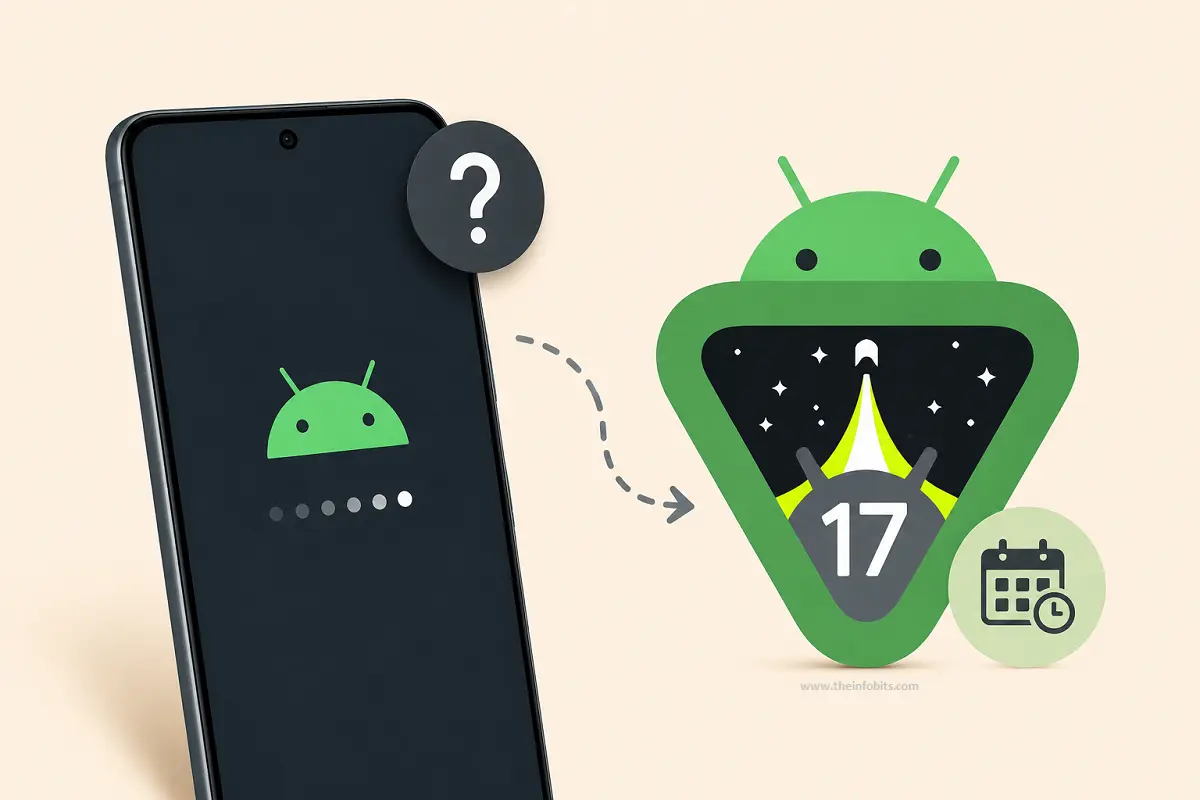
Android 17 Not Showing Up on Your Phone? Here’s Why (and When You’ll Get It)
You’ve checked Settings, tapped “Check for update” three times today, and your phone is still stubbornly sitting on last year’s Android version. Meanwhile, someone on a tech forum is already posting screenshots of Android 17’s new floating Bubbles.
It’s a frustrating gap, but it’s also completely normal, and it doesn’t mean something’s wrong with your phone.
Android updates roll out in waves, not all at once, and the wait time depends heavily on your phone’s brand, model, region, and even your carrier.
This guide breaks down exactly where Android 17 stands right now, when your specific brand is expected to get it, and how to tell the difference between “still waiting” and “never coming.”
Quick answer: Google released Android 17 (codenamed Cinnamon Bun) to Pixel 6 and newer on June 16, 2026. If you’re on a Pixel from that range, check Settings > System > System update now. If you’re on Samsung, Motorola, OnePlus, Xiaomi, or another brand, the wait is expected. Most started rolling out between August and October 2026, with some models landing as late as early 2027.
Why Your Phone Doesn’t Have Android 17 Yet
There are five real reasons your phone might not have Android 17 yet, and only one of them is a problem.
1. Google Releases It First – Everyone Else Follows
Android is Google’s operating system, but most phones don’t run the “stock” version straight from Google. Samsung uses One UI, Xiaomi uses HyperOS, Motorola uses its own layer with Moto AI branding, and so on.
Each manufacturer has to take Google’s Android 17 source code, adapt it to their own interface, test it against their entire device lineup, and then push it out. This process routinely takes several months after Google’s own release.
Only Pixel phones get the update on day one, because Google builds Android 17 and the Pixel software together.
2. Your Region Hasn’t Been Reached Yet
Even within a single brand, rollouts happen in stages; often by country, then by carrier. A phone identical to yours in another market might already have the update, while carrier-specific approval, network testing, or regulatory certification (particularly in the EU and parts of Asia) adds extra weeks in yours.
3. Your Carrier Is Still Testing It
If you bought your phone through a carrier rather than unlocked, that carrier typically runs its own compatibility testing on top of the manufacturer’s build before releasing it to customers on their network.
This is one of the most common and invisible sources of delay, since carrier testing timelines aren’t usually published anywhere.
4. Your Device Has Aged Out of Support
Every manufacturer commits to a fixed number of years of major OS updates when a phone launches. It is commonly two to four years for budget and mid-range phones, and up to seven years for recent flagships from Google and Samsung.
If your phone is older than that window, Android 17 simply isn’t coming, regardless of how many times you check for updates.
5. It’s a Staged Rollout, Even Within Eligible Devices
Manufacturers frequently release updates to a small percentage of eligible devices first, then expand gradually over days or weeks to catch problems before they reach everyone.
Two people with the same phone model, both eligible and both up to date otherwise, can genuinely see the update arrive days or weeks apart. This is deliberate, not a glitch.
Android 17 Rollout Timeline by Brand
This table reflects the rollout status as it stood in late August 2026. Rollout dates shift, so treat the “expected” columns as a general guide and always check your device’s own settings for the most current status.
| Brand | Status | Timeline |
|---|---|---|
| Google Pixel (6 through 10 series) | Released | June 16, 2026, expanding through mid-2026 |
| Motorola | Rolling out | Started August 2026 with Edge 2025; Razr 70/Edge 70 next, then Moto G series through late 2026 |
| Samsung (One UI 9) | Rolling out / beta | New Z Fold8, Z Fold8 Ultra, Z Flip8 shipped with it from launch (August 2026); Galaxy S26 series still in beta as of late August; broader S25/S26 and foldable rollout expected October–November 2026, A-series into early 2027 |
| Xiaomi (HyperOS) | Testing / early rollout | Flagship models first, broader rollout expected Q3–Q4 2026 |
| OnePlus | Testing | Global builds expected to follow shortly after regional testing, Q3–Q4 2026 |
| OPPO (ColorOS) | Testing | Expected Q3–Q4 2026 |
| Vivo (OriginOS) | Testing | Expected Q3–Q4 2026 |
| Honor (MagicOS) | Testing | Expected Q3–Q4 2026 |
| Nothing | Not yet started | Expected around November 2026 |
A note on Samsung: reporting on Samsung’s exact schedule has been inconsistent. Some outlets show flagship foldables shipping with Android 17 already, while others report the mainline Galaxy S26 update landing months later.
This is a genuinely fluid situation on Samsung’s side; check Settings > Software update on your specific device rather than relying on any single published date, including the one above.
Which Phones Are Eligible for Android 17?
Google Pixel
- Eligible: Pixel 6, 6 Pro, 6a, 7, 7 Pro, 7a, 8, 8 Pro, 8a, 9, 9 Pro, 9 Pro XL, 9a, 10 series, and Pixel Fold models within this range
- Not eligible: Pixel 5, Pixel 5a, and older – these have reached end-of-life, and their hardware drivers don’t support Android 17’s updated requirements.
- Watch out: even some phones in the eligible range can lose support partway through a model’s life. The Pixel 6 and 6 Pro, for instance, were excluded from an August 2026 security patch and are approaching the end of their update window in October 2026, while the Pixel 6a has a longer runway into 2027. Check your specific model’s support end date rather than assuming the whole “6 series” is treated identically.
Samsung
Samsung’s typical policy guarantees flagship Galaxy S and Z series devices multiple years of major OS upgrades, with mid-range A-series phones getting a shorter window.
If your Galaxy phone launched running Android 13 or later, it’s very likely on the list for One UI 9 (Android 17). The main variable is timing, not eligibility.
Motorola
Motorola confirmed over 50 eligible devices across its Edge, Razr, and Moto G lineups. Notably, a couple of specific models with an advertised 5-year update promise (the Edge 50 Neo and Edge 60 Neo) were absent from the initial list, along with the Moto G56.
It is worth double-checking your exact model number against Motorola’s published list rather than assuming based on series name alone.
Other Brands
Xiaomi, OnePlus, OPPO, Vivo, and Honor have not published complete official eligibility lists at the time of writing.
As a general rule, a phone released in 2023 or later from a major brand has a strong chance of qualifying, but always confirm through the manufacturer’s own software update page rather than a general rule of thumb.
How to Check If Your Phone Is Eligible and Ready
- Go to Settings.
- Scroll to About phone (or About device).
- Tap Software update or System update.
- Tap Check for updates or Download and install.
- If nothing appears, check your device’s model number against your manufacturer’s official support page to confirm both eligibility and expected timing.
If you’re unsure how many update years your phone was promised, this information is typically listed on the manufacturer’s product page from when the phone launched, or in their official update-policy announcement.
What’s Actually New in Android 17
If you’re wondering whether the wait is worth it, here’s what changes once it arrives:
- Bubbles for any app: previously limited mostly to messaging apps, floating bubble windows now work across the system
- Better large-screen and foldable multitasking: resizable app windows and more consistent behavior when a phone is connected to an external monitor
- Improved screen recording and privacy controls
- Biometric anti-theft protections, including a delay on SMS-based OTP access if the device is suspected lost or stolen
- Lock-screen widgets and refreshed visual polish
- Gemini-based intelligence features, though the most advanced versions typically require newer hardware. Expect a minimum RAM and chipset generation requirement on some devices before these fully activate.
Not included in this release: satellite messaging and a few AI camera features that were previewed separately. Those are expected in a later point release or the next major version.
Related: Android 17 Battery Drain & Bluetooth Bugs: Fixes That Actually Work
Comparison: Should You Wait, or Try to Force It?
| Situation | Recommendation |
|---|---|
| Your phone is confirmed eligible; the update just hasn’t reached you yet | Wait; it’s coming through the normal staged rollout |
| You’re on an unlocked, carrier-free device | You may see it slightly sooner than carrier-locked models |
| Your phone launched more than 4–7 years ago (depending on brand tier) | Check your manufacturer’s official update-years commitment before assuming it’s still coming |
| You’re comfortable with beta software and want it now | Consider joining your manufacturer’s beta program. But expect bugs, and avoid this on your primary phone |
| You need the update urgently for a specific security feature | Contact your carrier or manufacturer support directly to ask about your device’s rollout stage |
Common Mistakes to Avoid
- Assuming “no update available” means you’re excluded. In a staged rollout, this is often just timing. Check again in a week or two before concluding your device isn’t eligible.
- Installing a beta build on your only phone. Beta software carries a meaningfully higher risk of crashes and battery drain; it’s built for feedback, not daily reliability.
- Sideloading an update from an unofficial source. Only install OS updates through your phone’s built-in settings or your manufacturer’s official site. Third-party APKs claiming to be Android 17 are a common vector for malware.
- Confusing a beta announcement with a stable release. Manufacturers often tease or open beta programs months before the stable, everyday-safe version reaches the public.
- Ignoring your device’s specific model number. Two phones with similar names (like the Edge 50 Neo vs. a standard Edge model) can have completely different update timelines. Check the exact model, not just the series.
Myth vs. Fact
Myth: “If my friend with the same phone already has it, mine is broken.” Fact: Staged rollouts deliberately release updates to a portion of eligible devices first. Identical phones can receive the same update days or weeks apart by design.
Myth: “All Android phones get major updates on the same schedule.” Fact: Only Pixel phones get Android 17 on release day. Every other brand adapts the code to their own interface first, which routinely adds months.
Myth: “Once my phone stops getting Android version updates, it stops getting any updates at all.” Fact: Many phones continue receiving monthly security patches for a period after their last major Android version update. Check your manufacturer’s specific security-update end date, which is often longer than the OS-upgrade window.
Myth: “Beta and stable are basically the same thing, just early.” Fact: Beta builds are explicitly intended for testing and regularly carry known bugs. The stable release goes through additional hardening before reaching the general public.
Troubleshooting: Update Available But Won’t Install
- Update fails partway through: Ensure you have at least 20% battery (many phones require this before installing) and sufficient free storage, then retry.
- Phone freezes or acts strangely after updating: This is occasionally a temporary post-update caching issue. Restart the device, and if problems persist beyond a day or two, check your manufacturer’s forums for known issues with your specific model.
- Specific apps crash after the update: This can happen when an app hasn’t yet been updated for the new Android version. Check for a pending app update in your app store before assuming it’s a system-level bug. If a specific system process is crashing repeatedly, our guide on fixing “Android process acore has stopped” covers the most common causes.
- Touchscreen behaves erratically post-update: This is occasionally reported after major OS updates. See our ghost touch troubleshooting guide for step-by-step fixes.
- No SIM/network issues appearing right after updating: Occasionally, a major OS update resets network settings. Our guide on SIM not provisioned errors and locked SIM issues can help narrow down the cause.
Final Thoughts
If the Android 17 update is not available on your phone yet, there is usually no reason to worry. Major Android updates do not reach every compatible device at the same time. Your phone brand, model, region, carrier, and the manufacturer’s rollout schedule can all affect when the update appears.
The first thing to check is whether your device is included among the Android 17 eligible phones. If your phone is supported, make sure it is connected to Wi-Fi, has enough free storage, and is running the latest software version currently available. You can then check manually for the Android 17 update in your phone’s Software Update settings.
Many people also ask, “When will my phone get Android 17?” The answer depends largely on the manufacturer. Google Pixel devices usually receive new Android versions first, while Samsung, OnePlus, Xiaomi, and other brands follow their own rollout schedules. Even two users with the same phone may receive the update at different times.
A delayed update does not necessarily mean there is a problem with your device. Manufacturers often release major updates in stages. Some users get them immediately, while others may need to wait several days or weeks.
If your phone is no longer supported, Android 17 may not arrive officially. In that case, continue installing available security updates and avoid downloading unofficial update files from unknown sources.
We hope this guide helped explain why Android 17 is not showing up and what you can do next. Check back for more Android 17 news, update guides, and troubleshooting tips as the rollout continues.
Frequently Asked Questions
When did Android 17 officially release?
Google released the stable version of Android 17 to eligible Pixel devices on June 16, 2026, following a beta program that began in February 2026
What is Android 17’s codename?
Internally, Google refers to it as “Cinnamon Bun,” continuing its alphabetical dessert-naming tradition, even though these names aren’t used in public marketing anymore.
Why did Pixel get it before Samsung, Motorola, or other brands?
Google develops Android and Pixel software together, so Pixel devices always receive the stable release first. Other manufacturers need additional months to adapt the code to their own custom interfaces (One UI, HyperOS, Moto’s software layer, and so on) and test it across their device lineups.
Is my phone too old for Android 17?
It depends on your model and brand’s update-support commitment. Pixel 5 and older are confirmed excluded. For other brands, check your specific model’s official support window. It is commonly two to four years for budget and mid-range phones, and longer for recent flagships.
How can I check my phone’s Android version right now?
Go to Settings > About phone (or About device) and look for “Android version.” This shows your current version regardless of whether an update is pending.
Should I join the beta program to get Android 17 sooner?
Only if you’re comfortable with bugs and instability, and ideally not on your primary phone. Beta builds are intended for testing feedback, not daily reliability.
My phone shows “up to date,” but I don’t have Android 17; why?
This usually means the update hasn’t reached your specific device yet in the staged rollout, or your device isn’t eligible for this version. Confirm eligibility against your manufacturer’s official list before assuming there’s an error.
Does a locked/carrier phone get updates slower than an unlocked one?
Often yes. Carriers typically run their own compatibility testing on top of the manufacturer’s build, which can add weeks to the timeline compared to an unlocked, direct-from-manufacturer device.
What if my exact model isn’t listed anywhere?
Contact your manufacturer’s official support channel directly with your exact model number. Published lists are sometimes incomplete or lag behind internal planning, especially for lower-profile or regional models.
Will installing Android 17 delete my data?
No. Official OS updates installed through your phone’s built-in settings preserve your apps, photos, and settings. As with any major update, backing up beforehand is still good practice.
Is Android 17 worth the wait?
For most users, yes. It includes meaningful improvements to multitasking, security (particularly anti-theft protections), and general polish. It isn’t the kind of release you need to chase urgently, though, unless a specific new feature matters to your workflow.
Can I manually download and install Android 17 instead of waiting?
For Pixel devices, Google publishes official factory images and OTA files that advanced users can install manually. For other brands, avoid unofficial downloads entirely. Wait for your manufacturer’s official rollout or beta program instead.
Does Android 17 require new hardware?
No, but some of the newer AI-driven features (like more advanced Gemini integration) may require a minimum RAM and recent chipset generation to fully activate, even on phones that otherwise run the update fine.
Why do two phones with the same name get updates at different times?
Often this comes down to region, carrier, or a staged rollout percentage. Google and manufacturers intentionally release to a subset of eligible devices first to catch issues before expanding further.
What happens after Android 17? Is Android 18 coming soon?
Major Android versions have historically been released roughly once a year, though release timing has shifted earlier in recent cycles. There’s no need to plan around the next version; focus on whether your current device is eligible for the update available now.
Found this guide useful? Share it with someone who is suffering from Android-related issues. Follow us on Facebook and Twitter for more tips, tricks, and guides.
We also ask that you bookmark this page for future reference, as we are constantly updating our articles with new information.
Sign up for our free newsletter as well to receive fresh information immediately in your inbox and keep technically up to date.
Disclosure: If you follow our links to a retailer’s website and make a purchase, we will get an affiliate commission on some, but not all, of the items or services we promote. This will cause no price change for you.



)